Which is Better for Running LLMs locally: Apple M2 Ultra 800gb 60cores or NVIDIA A40 48GB? Ultimate Benchmark Analysis
Introduction
The world of Large Language Models (LLMs) is rapidly evolving, with new models like Llama 2 and Llama 3 pushing the boundaries of what's possible. For developers and researchers, the question of how to run these powerful models locally becomes crucial. Two prominent contenders emerge: the Apple M2 Ultra with its impressive 60-core architecture and 800GB bandwidth, and the NVIDIA A40, a powerhouse GPU specifically designed for AI workloads.
This article dives deep into the performance of these two devices, analyzing their strengths and weaknesses when running various LLM models locally. We'll use real-world benchmark data to help you make informed decisions about which device best suits your needs. Buckle up, and let's explore the fascinating world of LLM hardware!
Performance Analysis: Apple M2 Ultra vs. NVIDIA A40
Apple M2 Ultra: A Powerful Yet Compact Option
The Apple M2 Ultra is a beast of a processor, offering impressive performance in a Mac mini form factor. Its 60-core architecture and massive bandwidth set it apart, making it a compelling option for running LLMs.
Apple M2 Ultra Token Speed Generation Analysis
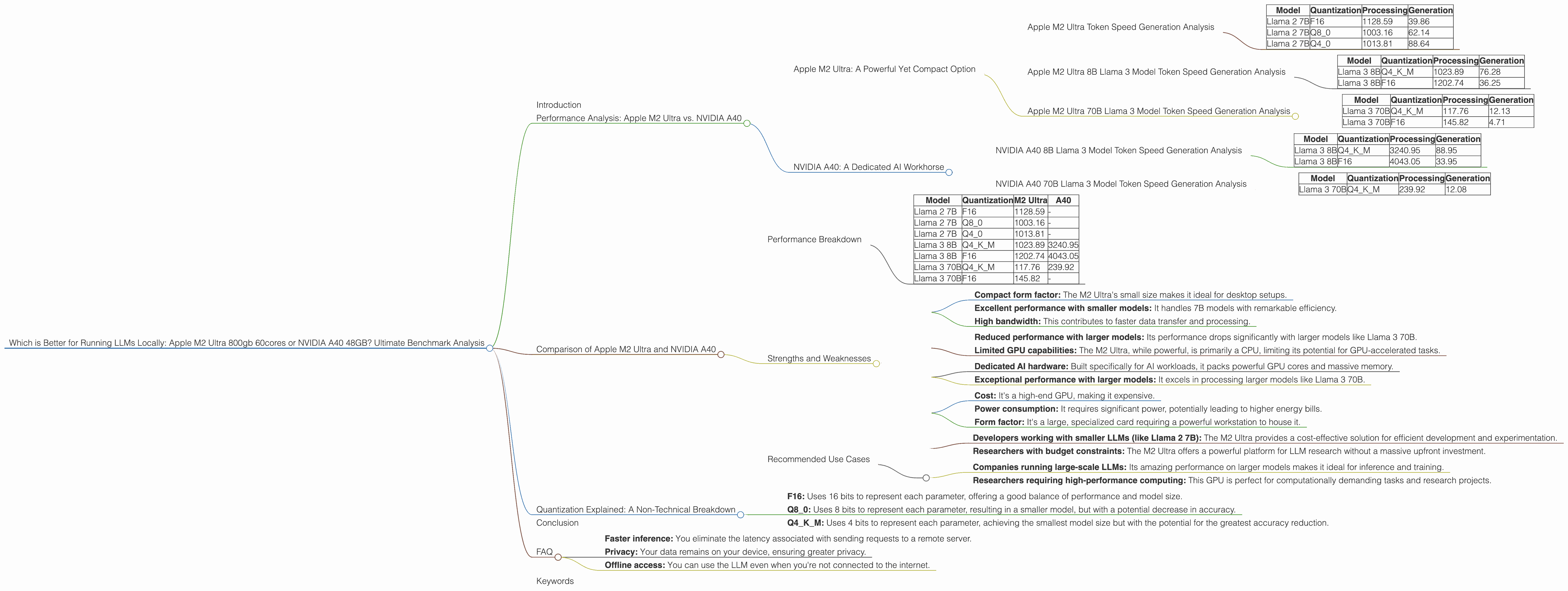
Let's look at the numbers. The M2 Ultra shines when it comes to Llama 2 7B models, achieving impressive token speeds both in processing and generation.
Table 1: Apple M2 Ultra 7B Llama 2 Model Token Speeds (tokens/second)
| Model | Quantization | Processing | Generation |
|---|---|---|---|
| Llama 2 7B | F16 | 1128.59 | 39.86 |
| Llama 2 7B | Q8_0 | 1003.16 | 62.14 |
| Llama 2 7B | Q4_0 | 1013.81 | 88.64 |
As you can see, the M2 Ultra's processing speeds are consistently high, regardless of the quantization level used. This is mainly attributed to its massive bandwidth, which allows for faster data transfer between the processor and memory.
Apple M2 Ultra 8B Llama 3 Model Token Speed Generation Analysis
The M2 Ultra also performs well with the Llama 3 8B model. Notably, it maintains high processing speeds across different quantization levels.
Table 2: Apple M2 Ultra 8B Llama 3 Model Token Speeds (tokens/second)
| Model | Quantization | Processing | Generation |
|---|---|---|---|
| Llama 3 8B | Q4KM | 1023.89 | 76.28 |
| Llama 3 8B | F16 | 1202.74 | 36.25 |
However, when we switch to the larger 70B model, the M2 Ultra's performance starts to drop. This is a common trend with large language models; the more parameters they have, the greater the computational demands.
Apple M2 Ultra 70B Llama 3 Model Token Speed Generation Analysis
Table 3: Apple M2 Ultra 70B Llama 3 Model Token Speeds (tokens/second)
| Model | Quantization | Processing | Generation |
|---|---|---|---|
| Llama 3 70B | Q4KM | 117.76 | 12.13 |
| Llama 3 70B | F16 | 145.82 | 4.71 |
NVIDIA A40: A Dedicated AI Workhorse
The NVIDIA A40 is a specialized GPU built for high-performance computing, specifically designed for AI applications and machine learning. Its massive amount of memory and powerful cores make it a formidable contender for running LLMs.
NVIDIA A40 8B Llama 3 Model Token Speed Generation Analysis
The A40 truly shines with the 8B Llama 3 model. It absolutely crushes the M2 Ultra in terms of processing speed.
Table 4: NVIDIA A40 8B Llama 3 Model Token Speeds (tokens/second)
| Model | Quantization | Processing | Generation |
|---|---|---|---|
| Llama 3 8B | Q4KM | 3240.95 | 88.95 |
| Llama 3 8B | F16 | 4043.05 | 33.95 |
The A40's generation speed is also impressive, especially with the Q4KM quantized model. This makes it a fantastic choice for developers working with these models.
NVIDIA A40 70B Llama 3 Model Token Speed Generation Analysis
The A40's performance doesn't drop as dramatically as the M2 Ultra when working with the 70B model. Unfortunately, there is no data available for the A40 running the 70B model with F16 quantization.
Table 5: NVIDIA A40 70B Llama 3 Model Token Speeds (tokens/second)
| Model | Quantization | Processing | Generation |
|---|---|---|---|
| Llama 3 70B | Q4KM | 239.92 | 12.08 |
However, the A40's processing speed with Q4KM quantization is still significantly faster than the M2 Ultra for the 70B model.
Comparison of Apple M2 Ultra and NVIDIA A40
Performance Breakdown
It's clear that both the M2 Ultra and A40 are powerful devices, each with its strengths and weaknesses. The M2 Ultra excels with smaller models, boasting impressive token speeds and a compact form factor. The A40, on the other hand, takes the lead when working with larger models, exhibiting significantly faster processing speeds.
Table 6: Summary of Token Speed Comparison
| Model | Quantization | M2 Ultra | A40 |
|---|---|---|---|
| Llama 2 7B | F16 | 1128.59 | - |
| Llama 2 7B | Q8_0 | 1003.16 | - |
| Llama 2 7B | Q4_0 | 1013.81 | - |
| Llama 3 8B | Q4KM | 1023.89 | 3240.95 |
| Llama 3 8B | F16 | 1202.74 | 4043.05 |
| Llama 3 70B | Q4KM | 117.76 | 239.92 |
| Llama 3 70B | F16 | 145.82 | - |
Strengths and Weaknesses
Apple M2 Ultra Strengths:
- Compact form factor: The M2 Ultra's small size makes it ideal for desktop setups.
- Excellent performance with smaller models: It handles 7B models with remarkable efficiency.
- High bandwidth: This contributes to faster data transfer and processing.
Apple M2 Ultra Weaknesses:
- Reduced performance with larger models: Its performance drops significantly with larger models like Llama 3 70B.
- Limited GPU capabilities: The M2 Ultra, while powerful, is primarily a CPU, limiting its potential for GPU-accelerated tasks.
NVIDIA A40 Strengths:
- Dedicated AI hardware: Built specifically for AI workloads, it packs powerful GPU cores and massive memory.
- Exceptional performance with larger models: It excels in processing larger models like Llama 3 70B.
NVIDIA A40 Weaknesses:
- Cost: It's a high-end GPU, making it expensive.
- Power consumption: It requires significant power, potentially leading to higher energy bills.
- Form factor: It's a large, specialized card requiring a powerful workstation to house it.
Recommended Use Cases
Apple M2 Ultra:
- Developers working with smaller LLMs (like Llama 2 7B): The M2 Ultra provides a cost-effective solution for efficient development and experimentation.
- Researchers with budget constraints: The M2 Ultra offers a powerful platform for LLM research without a massive upfront investment.
NVIDIA A40:
- Companies running large-scale LLMs: Its amazing performance on larger models makes it ideal for inference and training.
- Researchers requiring high-performance computing: This GPU is perfect for computationally demanding tasks and research projects.
Quantization Explained: A Non-Technical Breakdown
Quantization is a technique used to reduce the size of LLM models while maintaining their performance. Imagine you have a giant library of books, but the shelves are too crowded. You can use quantization to compress the books, making them smaller and allowing you to fit more on the shelves.
In the case of LLMs, quantization reduces the precision of the model's parameters, making it smaller and faster to process. You can think of it like using a smaller ruler to measure something – you get a less precise measurement, but it's quicker and takes up less space.
The most commonly used quantization levels are:
- F16: Uses 16 bits to represent each parameter, offering a good balance of performance and model size.
- Q8_0: Uses 8 bits to represent each parameter, resulting in a smaller model, but with a potential decrease in accuracy.
- Q4KM: Uses 4 bits to represent each parameter, achieving the smallest model size but with the potential for the greatest accuracy reduction.
Conclusion
Choosing the right device for running LLMs locally depends on your specific needs and budget. The Apple M2 Ultra offers exceptional performance with smaller models, making it a cost-effective choice for developers and researchers. The NVIDIA A40 is a powerhouse for larger models, providing incredible processing speeds but at a higher cost.
Remember, the best solution is the one that best balances performance, cost, and power consumption for your specific LLM use case.
FAQ
Q: What are the benefits of running LLMs locally?
A: Running LLMs locally offers several advantages:
- Faster inference: You eliminate the latency associated with sending requests to a remote server.
- Privacy: Your data remains on your device, ensuring greater privacy.
- Offline access: You can use the LLM even when you're not connected to the internet.
Q: How much memory do I need to run a specific LLM model?
A: The amount of memory required varies depending on the specific model's size and the quantization level used. For example, running a 70B model with Q4KM quantization requires significantly less memory than running it with F16 quantization.
Q: What is the difference between "Processing" and "Generation" in the benchmark data?
A: "Processing" refers to the speed at which the model processes the input text, while "Generation" refers to the speed at which the model generates the output text. Faster processing speeds mean the model can analyze the text more quickly, while faster generation speeds mean it can produce output more rapidly.
Q: Can I use a different device, like an NVIDIA RTX 4090, to run LLMs locally?
A: Yes, you can use other devices like the RTX 4090, but the A40 is specifically designed for AI workloads and often performs better in scenarios involving larger models.
Q: Are there any open-source tools I can use to benchmark my device's LLM performance?
A: Yes, tools like "llama.cpp" (https://github.com/ggerganov/llama.cpp) and "GPU-Benchmarks-on-LLM-Inference" (https://github.com/XiongjieDai/GPU-Benchmarks-on-LLM-Inference) provide open-source benchmarking capabilities.
Keywords
Large Language Models, LLM, Apple M2 Ultra, NVIDIA A40, Token speed, Processing, Generation, Quantization, F16, Q80, Q4K_M, AI, machine learning, inference, training, performance, benchmark, local, GPU, CPU, bandwidth, cost, power consumption, developer, researcher, use case, Llama 2, Llama 3