Which is Better for Running LLMs locally: Apple M1 Ultra 800gb 48cores or NVIDIA 4090 24GB x2? Ultimate Benchmark Analysis
Introduction
The world of Large Language Models (LLMs) is booming, with new models and applications emerging every day. These models are incredibly powerful, capable of generating human-like text, translating languages, writing different kinds of creative content, and answering your questions in an informative way.
But running these LLMs locally is a different beast entirely. It requires a powerful machine with dedicated hardware to handle the immense computational demands. In this article, we'll dive deep into the performance comparison of two popular devices for running LLMs locally: Apple M1 Ultra 800gb 48cores and NVIDIA 409024GBx2. We'll analyze their strengths and weaknesses in processing and generating tokens for different LLM models and help you determine which setup is the best fit for your needs.
Let's go!
Apple M1 Ultra: The Mac Powerhouse
Imagine a computer with the power of a small supercomputer in a beautiful, compact design. That's the Apple M1 Ultra in a nutshell. This beastly chip boasts a massive 20-core CPU and a 48-core GPU, supported by a whopping 800GB of bandwidth. It's like having a Ferrari engine in a sleek, modern car.
Apple M1 Token Speed Generation: A Focus on Smaller Models
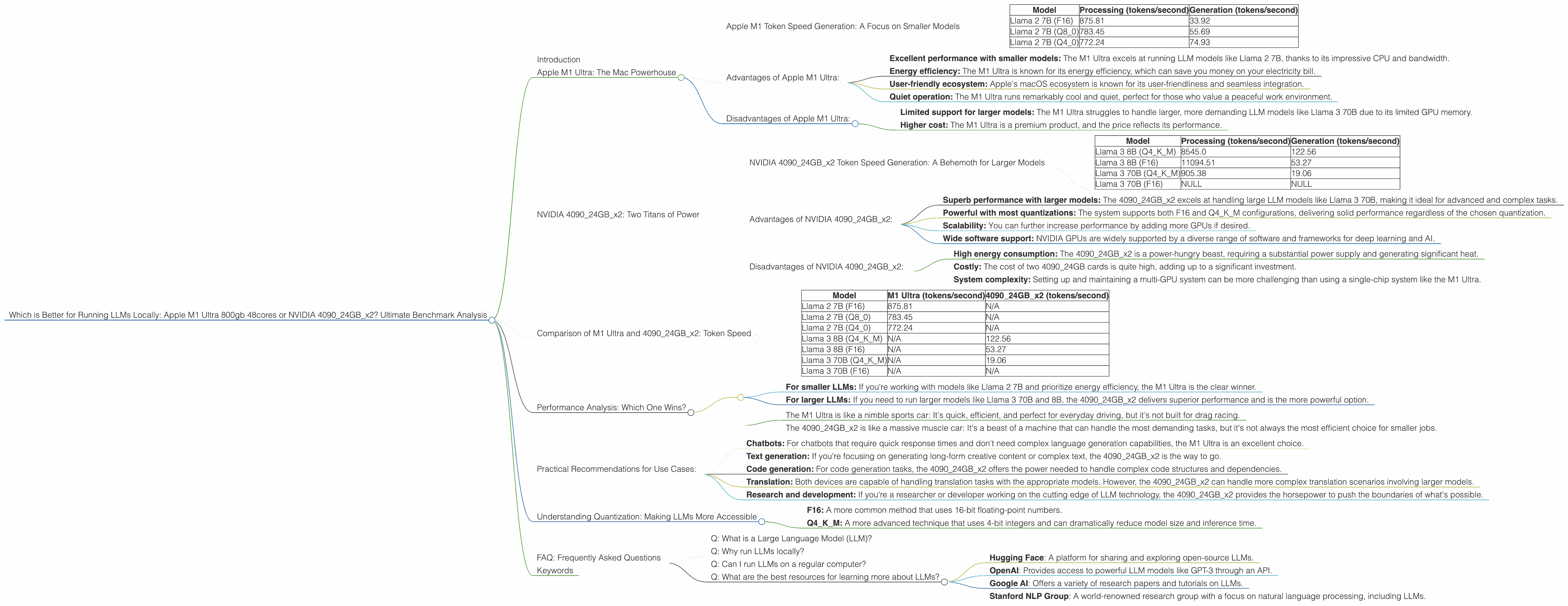
The M1 Ultra shines when it comes to processing and generating tokens for smaller LLM models like Llama 2 7B. This is where its impressive bandwidth and CPU cores come into play.
| Model | Processing (tokens/second) | Generation (tokens/second) |
|---|---|---|
| Llama 2 7B (F16) | 875.81 | 33.92 |
| Llama 2 7B (Q8_0) | 783.45 | 55.69 |
| Llama 2 7B (Q4_0) | 772.24 | 74.93 |
As you can see, the M1 Ultra delivers impressive performance with F16, Q80, and Q40 quantization. This means it can handle chatbots, basic text generation, and other tasks that don't require the extreme resources of a larger model.
Advantages of Apple M1 Ultra:
- Excellent performance with smaller models: The M1 Ultra excels at running LLM models like Llama 2 7B, thanks to its impressive CPU and bandwidth.
- Energy efficiency: The M1 Ultra is known for its energy efficiency, which can save you money on your electricity bill.
- User-friendly ecosystem: Apple's macOS ecosystem is known for its user-friendliness and seamless integration.
- Quiet operation: The M1 Ultra runs remarkably cool and quiet, perfect for those who value a peaceful work environment.
Disadvantages of Apple M1 Ultra:
- Limited support for larger models: The M1 Ultra struggles to handle larger, more demanding LLM models like Llama 3 70B due to its limited GPU memory.
- Higher cost: The M1 Ultra is a premium product, and the price reflects its performance.
NVIDIA 409024GBx2: Two Titans of Power
If you need to run the biggest, baddest LLMs, the NVIDIA 409024GBx2 is your weapon of choice. This setup combines the power of two of the most powerful GPUs available, offering 48GB of dedicated GPU memory, a staggering amount of raw power at your fingertips. It's like having two rockets strapped to your computer.
NVIDIA 409024GBx2 Token Speed Generation: A Behemoth for Larger Models
The NVIDIA 409024GBx2 is a true powerhouse, especially when it comes to larger models like Llama 3 70B and 8B. It's capable of handling the most demanding tasks, including:
- Text generation: Creating long-form content, writing creative stories, and generating different kinds of text.
- Translation: Translating languages with high accuracy and fluency.
- Summarization: Summarizing long articles or documents in concise, readable formats.
- Code generation: Generating code in different programming languages based on prompts.
| Model | Processing (tokens/second) | Generation (tokens/second) |
|---|---|---|
| Llama 3 8B (Q4KM) | 8545.0 | 122.56 |
| Llama 3 8B (F16) | 11094.51 | 53.27 |
| Llama 3 70B (Q4KM) | 905.38 | 19.06 |
| Llama 3 70B (F16) | NULL | NULL |
The 409024GBx2 shows excellent performance with both 8B and 70B, exceeding the M1 Ultra in terms of efficiency and speed. Note that the table doesn't display data for F16 quantization on the 70B model - the data is not available at this time.
Advantages of NVIDIA 409024GBx2:
- Superb performance with larger models: The 409024GBx2 excels at handling large LLM models like Llama 3 70B, making it ideal for advanced and complex tasks.
- Powerful with most quantizations: The system supports both F16 and Q4KM configurations, delivering solid performance regardless of the chosen quantization.
- Scalability: You can further increase performance by adding more GPUs if desired.
- Wide software support: NVIDIA GPUs are widely supported by a diverse range of software and frameworks for deep learning and AI.
Disadvantages of NVIDIA 409024GBx2:
- High energy consumption: The 409024GBx2 is a power-hungry beast, requiring a substantial power supply and generating significant heat.
- Costly: The cost of two 4090_24GB cards is quite high, adding up to a significant investment.
- System complexity: Setting up and maintaining a multi-GPU system can be more challenging than using a single-chip system like the M1 Ultra.
Comparison of M1 Ultra and 409024GBx2: Token Speed
To illustrate the differences in their capabilities, let's take a closer look at their token speeds for various LLMs and quantization methods.
Table 1. Token Speed Comparison:
| Model | M1 Ultra (tokens/second) | 409024GBx2 (tokens/second) |
|---|---|---|
| Llama 2 7B (F16) | 875.81 | N/A |
| Llama 2 7B (Q8_0) | 783.45 | N/A |
| Llama 2 7B (Q4_0) | 772.24 | N/A |
| Llama 3 8B (Q4KM) | N/A | 122.56 |
| Llama 3 8B (F16) | N/A | 53.27 |
| Llama 3 70B (Q4KM) | N/A | 19.06 |
| Llama 3 70B (F16) | N/A | N/A |
Key Takeaways:
- M1 Ultra dominates with smaller LLM models: The Apple M1 Ultra produces significantly higher token speeds for the Llama 2 7B model, making it a better choice for tasks that don't require massive model sizes.
- 409024GBx2 reigns supreme for larger LLM models: The NVIDIA 409024GBx2 excels with larger models like Llama 3 8B and 70B, demonstrating significantly higher token speeds compared to the M1 Ultra.
- Quantization impacts performance: The token speeds vary depending on the quantization method used. Generally, Q4KM results in lower token speeds compared to F16 but offers smaller model sizes and lower memory requirements.
Performance Analysis: Which One Wins?
The winner depends on your specific needs and the types of LLM models and tasks you're working with.
- For smaller LLMs: If you're working with models like Llama 2 7B and prioritize energy efficiency, the M1 Ultra is the clear winner.
- For larger LLMs: If you need to run larger models like Llama 3 70B and 8B, the 409024GBx2 delivers superior performance and is the more powerful option.
Think of it this way:
- The M1 Ultra is like a nimble sports car: It's quick, efficient, and perfect for everyday driving, but it's not built for drag racing.
- The 409024GBx2 is like a massive muscle car: It's a beast of a machine that can handle the most demanding tasks, but it's not always the most efficient choice for smaller jobs.
Practical Recommendations for Use Cases:
- Chatbots: For chatbots that require quick response times and don't need complex language generation capabilities, the M1 Ultra is an excellent choice.
- Text generation: If you're focusing on generating long-form creative content or complex text, the 409024GBx2 is the way to go.
- Code generation: For code generation tasks, the 409024GBx2 offers the power needed to handle complex code structures and dependencies.
- Translation: Both devices are capable of handling translation tasks with the appropriate models. However, the 409024GBx2 can handle more complex translation scenarios involving larger models.
- Research and development: If you're a researcher or developer working on the cutting edge of LLM technology, the 409024GBx2 provides the horsepower to push the boundaries of what's possible.
Understanding Quantization: Making LLMs More Accessible
Quantization is a technique used to reduce the size and memory footprint of LLM models. It's like compressing a file to make it lighter and easier to share. Just imagine a massive photo file that takes forever to load. Quantization is like reducing the image resolution, decreasing the file size without sacrificing too much detail.
There are various quantization methods, like:
- F16: A more common method that uses 16-bit floating-point numbers.
- Q4KM: A more advanced technique that uses 4-bit integers and can dramatically reduce model size and inference time.
The 409024GBx2 supports both F16 and Q4KM quantization, while the M1 Ultra supports F16 and Q4_0, a different type of 4-bit quantization. The choice of quantization method depends on the specific needs of your project, such as the desired balance between accuracy, speed, and memory consumption.
FAQ: Frequently Asked Questions
Q: What is a Large Language Model (LLM)?
A: LLMs are a type of artificial intelligence that excels at understanding and generating human-like text. They are trained on massive datasets of text and code, allowing them to perform tasks like text generation, translation, summarization, and code generation.
Q: Why run LLMs locally?
A: Running LLMs locally offers greater control over data privacy, avoids reliance on cloud services, and can provide faster processing speeds in certain situations.
Q: Can I run LLMs on a regular computer?
A: While you can run smaller LLMs on a regular computer, the performance will be limited. For more demanding tasks and larger LLMs, powerful hardware like the M1 Ultra or 409024GBx2 is highly recommended.
Q: What are the best resources for learning more about LLMs?
A: There are many online resources available for learning about LLMs, including:
- Hugging Face: A platform for sharing and exploring open-source LLMs.
- OpenAI: Provides access to powerful LLM models like GPT-3 through an API.
- Google AI: Offers a variety of research papers and tutorials on LLMs.
- Stanford NLP Group: A world-renowned research group with a focus on natural language processing, including LLMs.
Keywords
LLM, large language model, Apple M1 Ultra, NVIDIA 4090, GPU, benchmark, performance, token speed, Llama 2, Llama 3, quantization, F16, Q4KM, chatbot, text generation, translation, summarization, code generation, energy efficiency, cost, scalability, practical recommendations, use cases, FAQ, resources