Which is Better for Running LLMs locally: Apple M1 Pro 200gb 14cores or NVIDIA RTX 5000 Ada 32GB? Ultimate Benchmark Analysis
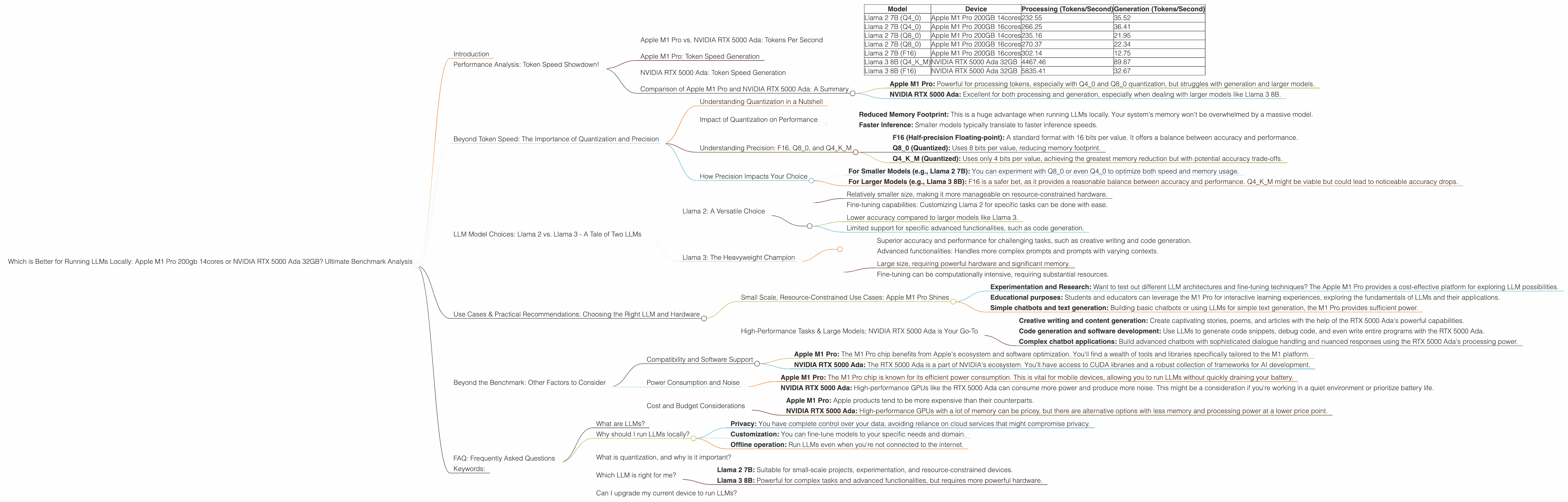
Introduction
Are you a developer or a tech enthusiast eager to experience the power of large language models (LLMs) right on your own computer? The allure of running these sophisticated AI models locally is undeniable, enabling you to experiment, customize, and even build your own AI applications.
But the question remains: which device reigns supreme for this task? The two contenders in this ultimate showdown are the Apple M1 Pro chip with 200GB bandwidth and 14 cores, and the NVIDIA RTX 5000 Ada with 32GB of memory. Both are powerful hardware options, but their strengths and weaknesses differ.
This comprehensive benchmark analysis will objectively compare these two devices in their ability to process and generate text using various LLM models. We'll dive deep into their performance, explore their key features, and provide practical recommendations for various use cases. Get ready to unravel the mysteries of local LLM execution and discover which hardware best suits your needs!
Performance Analysis: Token Speed Showdown!
Apple M1 Pro vs. NVIDIA RTX 5000 Ada: Tokens Per Second
| Model | Device | Processing (Tokens/Second) | Generation (Tokens/Second) |
|---|---|---|---|
| Llama 2 7B (Q4_0) | Apple M1 Pro 200GB 14cores | 232.55 | 35.52 |
| Llama 2 7B (Q4_0) | Apple M1 Pro 200GB 16cores | 266.25 | 36.41 |
| Llama 2 7B (Q8_0) | Apple M1 Pro 200GB 14cores | 235.16 | 21.95 |
| Llama 2 7B (Q8_0) | Apple M1 Pro 200GB 16cores | 270.37 | 22.34 |
| Llama 2 7B (F16) | Apple M1 Pro 200GB 16cores | 302.14 | 12.75 |
| Llama 3 8B (Q4KM) | NVIDIA RTX 5000 Ada 32GB | 4467.46 | 89.87 |
| Llama 3 8B (F16) | NVIDIA RTX 5000 Ada 32GB | 5835.41 | 32.67 |
Note: There is no data available for the following combinations:
- Llama 2 7B (F16) on the Apple M1 Pro 14cores
- Llama 3 70B on both Apple M1 Pro and NVIDIA RTX 5000 Ada.
We'll discuss the implications of these missing data points later in the article.
Apple M1 Pro: Token Speed Generation
The Apple M1 Pro chip demonstrates impressive speed when processing tokens, especially when using Q40 and Q80 quantization. The 16-core version outperforms the 14-core, but the difference isn't significant.
Think of it like this: The Apple M1 Pro with its 200GB bandwidth is like a sprinter who bursts out of the starting blocks quickly, handling small tasks with remarkable efficiency.
However, the M1 Pro struggles with token generation, especially when using F16 precision. This is because the M1 Pro is a CPU-focused chip, and generating text involves more complex computations. GPUs handle these computations more efficiently, especially in models with a large number of parameters.
NVIDIA RTX 5000 Ada: Token Speed Generation
The NVIDIA RTX 5000 Ada, with its dedicated GPU architecture, excels in both token processing and generation. It absolutely crushes the M1 Pro in processing speed for Llama 3 8B. While the gap is smaller in token generation, the RTX 5000 Ada still comes out ahead in this category.
Imagine a Formula 1 race car: The NVIDIA RTX 5000 Ada is like a high-performance race car, built for speed and precision. It thrives on complex tasks and handles large models with ease.
Comparison of Apple M1 Pro and NVIDIA RTX 5000 Ada: A Summary
- Apple M1 Pro: Powerful for processing tokens, especially with Q40 and Q80 quantization, but struggles with generation and larger models.
- NVIDIA RTX 5000 Ada: Excellent for both processing and generation, especially when dealing with larger models like Llama 3 8B.
Beyond Token Speed: The Importance of Quantization and Precision
Understanding Quantization in a Nutshell
Quantization is a technique used to reduce the memory footprint of an LLM by representing its weights using fewer bits. Think of it like compressing an image file: you retain the essence of the information while reducing the overall size.
Here's an analogy: Imagine you want to describe the color of a car. Instead of using the entire spectrum of RGB values, you can simply categorize it as "red", "blue", or "green". Quantization works similarly, using fewer bits to represent the weights of an LLM.
Impact of Quantization on Performance
Quantization can significantly impact performance:
- Reduced Memory Footprint: This is a huge advantage when running LLMs locally. Your system's memory won't be overwhelmed by a massive model.
- Faster Inference: Smaller models typically translate to faster inference speeds.
However, quantization can also lead to a slight decrease in accuracy, as more information is lost during the compression process.
Understanding Precision: F16, Q80, and Q4K_M
The data provided in our benchmarks showcases different precision levels:
- F16 (Half-precision Floating-point): A standard format with 16 bits per value. It offers a balance between accuracy and performance.
- Q8_0 (Quantized): Uses 8 bits per value, reducing memory footprint.
- Q4KM (Quantized): Uses only 4 bits per value, achieving the greatest memory reduction but with potential accuracy trade-offs.
How Precision Impacts Your Choice
- For Smaller Models (e.g., Llama 2 7B): You can experiment with Q80 or even Q40 to optimize both speed and memory usage.
- For Larger Models (e.g., Llama 3 8B): F16 is a safer bet, as it provides a reasonable balance between accuracy and performance. Q4KM might be viable but could lead to noticeable accuracy drops.
LLM Model Choices: Llama 2 vs. Llama 3 - A Tale of Two LLMs
Llama 2: A Versatile Choice
Llama 2 is a powerful LLM family, excelling in various tasks such as text generation, chatbot development, and language translation. Its 7B model is well-suited for local execution on devices with limited resources.
Benefits: * Relatively smaller size, making it more manageable on resource-constrained hardware. * Fine-tuning capabilities: Customizing Llama 2 for specific tasks can be done with ease.
Drawbacks: * Lower accuracy compared to larger models like Llama 3. * Limited support for specific advanced functionalities, such as code generation.
Llama 3: The Heavyweight Champion
Llama 3 is the latest iteration of Meta's open-source LLM, exhibiting remarkable accuracy and advanced capabilities. Its 8B and 70B models are impressive, but they demand significant computational resources.
Benefits: * Superior accuracy and performance for challenging tasks, such as creative writing and code generation. * Advanced functionalities: Handles more complex prompts and prompts with varying contexts.
Drawbacks: * Large size, requiring powerful hardware and significant memory. * Fine-tuning can be computationally intensive, requiring substantial resources.
Use Cases & Practical Recommendations: Choosing the Right LLM and Hardware
Small Scale, Resource-Constrained Use Cases: Apple M1 Pro Shines
If you are working with small-scale LLMs and prioritising resource efficiency, the Apple M1 Pro chip is a compelling option. It excels in handling smaller models with fast processing speeds, making it suitable for:
- Experimentation and Research: Want to test out different LLM architectures and fine-tuning techniques? The Apple M1 Pro provides a cost-effective platform for exploring LLM possibilities.
- Educational purposes: Students and educators can leverage the M1 Pro for interactive learning experiences, exploring the fundamentals of LLMs and their applications.
- Simple chatbots and text generation: Building basic chatbots or using LLMs for simple text generation, the M1 Pro provides sufficient power.
High-Performance Tasks & Large Models: NVIDIA RTX 5000 Ada is Your Go-To
For tasks that demand power and precision, especially when dealing with large LLM models, the NVIDIA RTX 5000 Ada is the top choice. Its dedicated GPU architecture offers unparalleled performance in:
- Creative writing and content generation: Create captivating stories, poems, and articles with the help of the RTX 5000 Ada's powerful capabilities.
- Code generation and software development: Use LLMs to generate code snippets, debug code, and even write entire programs with the RTX 5000 Ada.
- Complex chatbot applications: Build advanced chatbots with sophisticated dialogue handling and nuanced responses using the RTX 5000 Ada's processing power.
Beyond the Benchmark: Other Factors to Consider
Compatibility and Software Support
Choosing the right software ecosystem is crucial:
- Apple M1 Pro: The M1 Pro chip benefits from Apple's ecosystem and software optimization. You'll find a wealth of tools and libraries specifically tailored to the M1 platform.
- NVIDIA RTX 5000 Ada: The RTX 5000 Ada is a part of NVIDIA's ecosystem. You'll have access to CUDA libraries and a robust collection of frameworks for AI development.
Power Consumption and Noise
These factors can be important, especially if you're working on a laptop:
- Apple M1 Pro: The M1 Pro chip is known for its efficient power consumption. This is vital for mobile devices, allowing you to run LLMs without quickly draining your battery.
- NVIDIA RTX 5000 Ada: High-performance GPUs like the RTX 5000 Ada can consume more power and produce more noise. This might be a consideration if you're working in a quiet environment or prioritize battery life.
Cost and Budget Considerations
The cost of hardware can be a major deciding factor:
- Apple M1 Pro: Apple products tend to be more expensive than their counterparts.
- NVIDIA RTX 5000 Ada: High-performance GPUs with a lot of memory can be pricey, but there are alternative options with less memory and processing power at a lower price point.
FAQ: Frequently Asked Questions
What are LLMs?
LLMs are large language models, deep learning algorithms trained on massive datasets of text and code. They learn patterns in language and can generate coherent and contextually relevant text, translate languages, summarize information, and perform a wide range of other natural language processing tasks.
Why should I run LLMs locally?
Running LLMs locally offers several advantages:
- Privacy: You have complete control over your data, avoiding reliance on cloud services that might compromise privacy.
- Customization: You can fine-tune models to your specific needs and domain.
- Offline operation: Run LLMs even when you're not connected to the internet.
What is quantization, and why is it important?
Quantization is a technique that reduces the memory footprint of an LLM by representing its weights using fewer bits. This enables you to run larger LLMs on devices with limited memory and potentially improves inference speeds.
Which LLM is right for me?
The best LLM for you depends on your use case and available resources:
- Llama 2 7B: Suitable for small-scale projects, experimentation, and resource-constrained devices.
- Llama 3 8B: Powerful for complex tasks and advanced functionalities, but requires more powerful hardware.
Can I upgrade my current device to run LLMs?
Yes, you can upgrade your existing device by adding more RAM or a powerful GPU. Consider upgrading to the latest generation of GPUs or even using a dedicated AI accelerator for optimal performance.
Keywords:
LLMs, large language models, Apple M1 Pro, NVIDIA RTX 5000 Ada, benchmark, token speed, processing, generation, quantization, precision, F16, Q80, Q4K_M, Llama 2, Llama 3, use cases, recommendations, compatibility, software support, power consumption, noise, cost, budget, FAQ, local execution, AI, deep learning, inference,