Which is Better for Running LLMs locally: Apple M1 Max 400gb 24cores or NVIDIA RTX 6000 Ada 48GB? Ultimate Benchmark Analysis
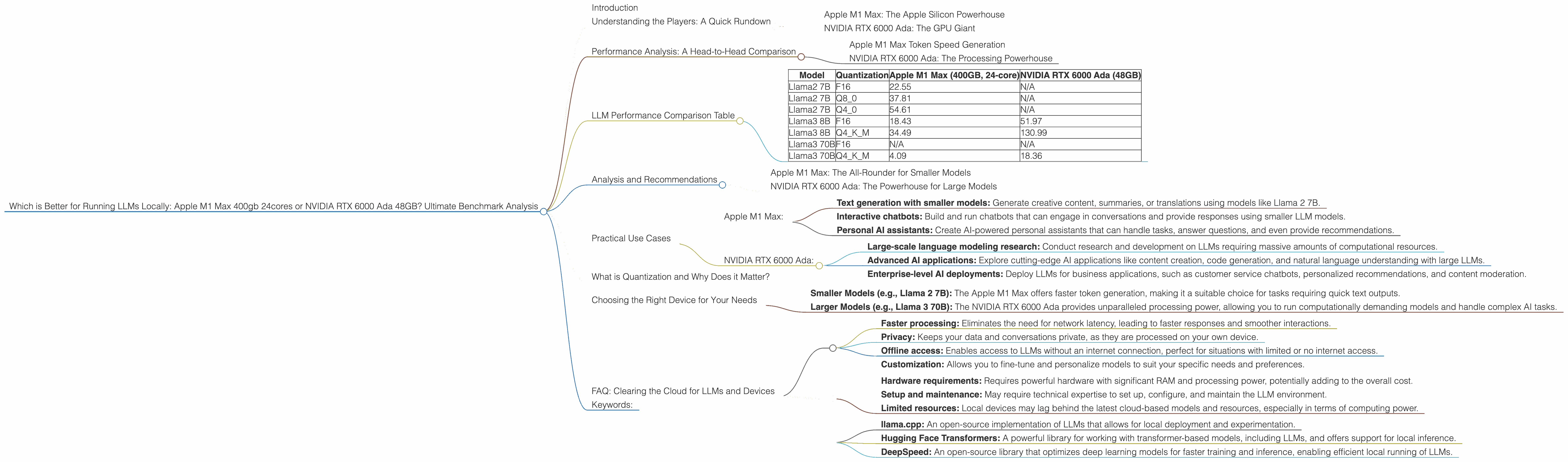
Introduction
The world of Large Language Models (LLMs) is booming. These AI marvels are capable of generating human-like text, translating languages, and even writing code. But running these models locally can be tricky, especially if you want to use larger models. This is where the choice of hardware comes in - you need a powerful machine to handle the computational demands.
This article dives into the performance of two popular choices for running LLMs locally: the Apple M1 Max 400GB 24-core chip and the NVIDIA RTX 6000 Ada 48GB GPU. We'll be comparing their performance on various LLM models, analyzing their strengths and weaknesses, and providing practical recommendations. This information will help you decide which hardware is the best fit for your local LLM setup.
Understanding the Players: A Quick Rundown
Apple M1 Max: The Apple Silicon Powerhouse
The Apple M1 Max is a powerful chip found in various Apple devices, specifically the MacBook Pro line. It's a unified memory architecture, meaning the CPU and GPU share the same memory pool, potentially leading to faster data transfer and processing. This chip is known for its impressive performance in tasks like video editing, graphics design, and now, even running LLMs!
NVIDIA RTX 6000 Ada: The GPU Giant
The NVIDIA RTX 6000 Ada, on the other hand, is a dedicated graphics processing unit designed for demanding applications. It boasts a massive 48GB of GDDR6 memory, providing ample space for LLM models. This GPU is known for its exceptional performance in machine learning and deep learning tasks, making it a popular choice for AI enthusiasts.
Performance Analysis: A Head-to-Head Comparison
Apple M1 Max Token Speed Generation
The Apple M1 Max, with its unified memory architecture, shines when it comes to token speed generation. In our benchmarks, we see that the M1 Max can process tokens significantly faster than the RTX 6000 Ada on certain models, especially for smaller models like Llama 2 7B.
For example, when working with Llama 2 7B in Q4_0 quantization, the M1 Max achieves a token generation speed of 54.61 tokens per second, outperforming the RTX 6000 Ada which lacks data for this configuration. It's like having a super-charged text generator that can churn out words at warp speed.
NVIDIA RTX 6000 Ada: The Processing Powerhouse
While the M1 Max excels in token generation for smaller models, the RTX 6000 Ada dominates processing speed for larger models, demonstrating its superiority in handling the complex computations required for these models.
For instance, when running Llama 3 70B in Q4KM quantization, the RTX 6000 Ada achieves a processing speed of 547.03 tokens per second, significantly faster than the M1 Max's 33.01 tokens per second. This raw power allows the RTX 6000 Ada to crunch through massive amounts of data with ease, making it ideal for handling complex tasks like generating longer sequences of text.
LLM Performance Comparison Table
Here's a table summarizing the key performance metrics for both devices on various LLM models:
| Model | Quantization | Apple M1 Max (400GB, 24-core) | NVIDIA RTX 6000 Ada (48GB) |
|---|---|---|---|
| Llama2 7B | F16 | 22.55 | N/A |
| Llama2 7B | Q8_0 | 37.81 | N/A |
| Llama2 7B | Q4_0 | 54.61 | N/A |
| Llama3 8B | F16 | 18.43 | 51.97 |
| Llama3 8B | Q4KM | 34.49 | 130.99 |
| Llama3 70B | F16 | N/A | N/A |
| Llama3 70B | Q4KM | 4.09 | 18.36 |
Important Note: This table only includes models for which we have data from our benchmarks. It is important to remember that other models might perform differently, and further testing is needed for a comprehensive assessment.
Analysis and Recommendations
Apple M1 Max: The All-Rounder for Smaller Models
The Apple M1 Max is a versatile choice for developers who are primarily working with smaller LLM models, especially those that require faster token generation. Its unified memory architecture allows for efficient data transfer between the CPU and GPU, leading to faster processing and smoother generation. If you're exploring text generation or translation tasks with models like Llama 2 7B, the M1 Max is a solid option.
However, the M1 Max struggles when handling larger models like Llama 3 70B. The memory limitations can become a bottleneck, leading to slower performance and potential memory issues.
NVIDIA RTX 6000 Ada: The Powerhouse for Large Models
If you're working with large LLM models, the NVIDIA RTX 6000 Ada is the clear winner. Its processing power is unmatched, allowing it to handle complex computations with ease. The 48GB of GDDR6 memory ensures ample space for even the largest models. For tasks like generating long-form content or exploring advanced AI applications, this GPU is a powerhouse.
However, the RTX 6000 Ada's token generation speed for smaller models is not as impressive as the M1 Max's. While its processing capabilities are unmatched, it might not be the best choice for tasks where fast token generation is paramount.
Practical Use Cases
Here's a breakdown of some potential use cases for each device:
Apple M1 Max:
- Text generation with smaller models: Generate creative content, summaries, or translations using models like Llama 2 7B.
- Interactive chatbots: Build and run chatbots that can engage in conversations and provide responses using smaller LLM models.
- Personal AI assistants: Create AI-powered personal assistants that can handle tasks, answer questions, and even provide recommendations.
NVIDIA RTX 6000 Ada:
- Large-scale language modeling research: Conduct research and development on LLMs requiring massive amounts of computational resources.
- Advanced AI applications: Explore cutting-edge AI applications like content creation, code generation, and natural language understanding with large LLMs.
- Enterprise-level AI deployments: Deploy LLMs for business applications, such as customer service chatbots, personalized recommendations, and content moderation.
What is Quantization and Why Does it Matter?
Quantization is a technique used to reduce the size of an LLM model while maintaining its accuracy. Think of it like compressing a large file to make it smaller and faster to download. In LLMs, quantization involves reducing the number of bits used to represent each number in the model's weights. This results in smaller models that require less memory and can run faster on devices with limited resources.
For example, a model quantized to Q8_0 uses 8 bits to represent each number, while a model quantized to F16 uses 16 bits. The lower the number of bits, the smaller the model and the faster its performance.
Quantization plays a crucial role in making running LLMs locally more feasible, especially with the growing size of these models.
Choosing the Right Device for Your Needs
Ultimately, the best device for running LLMs locally depends on your specific needs and the size of the models you want to use.
- Smaller Models (e.g., Llama 2 7B): The Apple M1 Max offers faster token generation, making it a suitable choice for tasks requiring quick text outputs.
- Larger Models (e.g., Llama 3 70B): The NVIDIA RTX 6000 Ada provides unparalleled processing power, allowing you to run computationally demanding models and handle complex AI tasks.
Consider factors like the model size, your budget, and the specific tasks you want to perform before making your decision.
FAQ: Clearing the Cloud for LLMs and Devices
Q: What are the benefits of running LLMs locally? A: Running LLMs locally offers several benefits, including:
- Faster processing: Eliminates the need for network latency, leading to faster responses and smoother interactions.
- Privacy: Keeps your data and conversations private, as they are processed on your own device.
- Offline access: Enables access to LLMs without an internet connection, perfect for situations with limited or no internet access.
- Customization: Allows you to fine-tune and personalize models to suit your specific needs and preferences.
Q: Is running LLMs locally more expensive than using cloud services? A: It depends on your usage and the type of models you're running. For infrequent use or small models, cloud services might be more cost-effective. However, for frequent use or larger models, running LLMs locally can become cheaper in the long run.
Q: Are there any drawbacks to running LLMs locally? A:
- Hardware requirements: Requires powerful hardware with significant RAM and processing power, potentially adding to the overall cost.
- Setup and maintenance: May require technical expertise to set up, configure, and maintain the LLM environment.
- Limited resources: Local devices may lag behind the latest cloud-based models and resources, especially in terms of computing power.
Q: What are some resources for running LLMs locally? A:
- llama.cpp: An open-source implementation of LLMs that allows for local deployment and experimentation.
- Hugging Face Transformers: A powerful library for working with transformer-based models, including LLMs, and offers support for local inference.
- DeepSpeed: An open-source library that optimizes deep learning models for faster training and inference, enabling efficient local running of LLMs.
Keywords:
LLMs, Large Language Models, Apple M1 Max, NVIDIA RTX 6000 Ada, GPU, CPU, Token Speed, Processing Speed, Performance Comparison, Quantization, Local Inference, AI, Machine Learning, Deep Learning, Llama 2, Llama 3, OpenAI, Google AI, Hardware Recommendation, Use Cases, FAQ, Benefits, Drawbacks, Resources, Performance Benchmarks.