Which is Better for Running LLMs locally: Apple M1 Max 400gb 24cores or NVIDIA 4090 24GB x2? Ultimate Benchmark Analysis
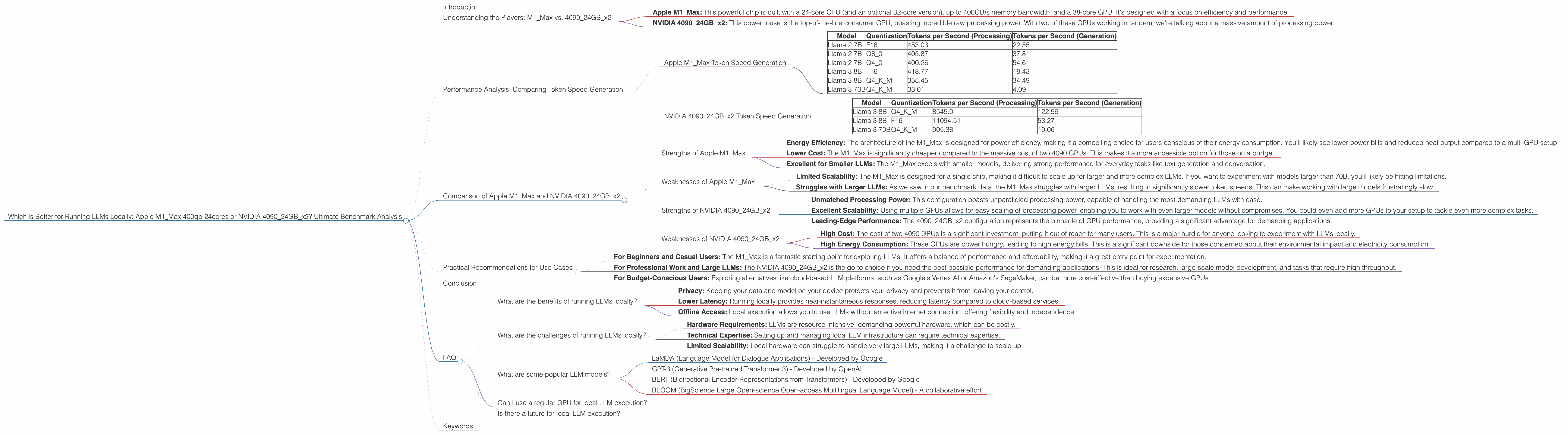
Introduction
The landscape of artificial intelligence is changing rapidly, with large language models (LLMs) revolutionizing how we interact with technology. These powerful models are capable of generating human-quality text, translating languages, writing different kinds of creative content, and answering your questions in an informative way. But running these models locally can be resource-intensive, requiring specialized hardware to handle the demanding computations. So, which is better for running LLMs locally: a powerful Apple M1_Max chip or a pair of top-of-the-line NVIDIA 4090 GPUs? This article delves into a comprehensive benchmark analysis to answer this question, comparing their performance and strengths.
Understanding the Players: M1Max vs. 409024GB_x2
The battleground for local LLM execution is set with two incredibly powerful contenders:
- Apple M1_Max: This powerful chip is built with a 24-core CPU (and an optional 32-core version), up to 400GB/s memory bandwidth, and a 38-core GPU. It's designed with a focus on efficiency and performance.
- NVIDIA 409024GBx2: This powerhouse is the top-of-the-line consumer GPU, boasting incredible raw processing power. With two of these GPUs working in tandem, we're talking about a massive amount of processing power.
Performance Analysis: Comparing Token Speed Generation
To understand which hardware excels for local LLM execution, we need to look at the key metric: tokens per second. This metric reflects how quickly the hardware can process the language data and generate output. We'll focus on several popular LLM models, including Llama 2 7B, Llama 3 8B, and Llama 3 70B, comparing them across various quantization levels, which affects model size and performance:
- F16: Represents half-precision floating-point format, offering a good balance between accuracy and speed
- Q8_0: An 8-bit quantization scheme that significantly reduces the model's size, potentially impacting accuracy
- Q4_*: Represents 4-bit quantization with different variations optimizing for accuracy while reducing model size
Apple M1_Max Token Speed Generation
Here's a breakdown of the M1_Max's token speed generation across different LLM models and quantization levels:
| Model | Quantization | Tokens per Second (Processing) | Tokens per Second (Generation) |
|---|---|---|---|
| Llama 2 7B | F16 | 453.03 | 22.55 |
| Llama 2 7B | Q8_0 | 405.87 | 37.81 |
| Llama 2 7B | Q4_0 | 400.26 | 54.61 |
| Llama 3 8B | F16 | 418.77 | 18.43 |
| Llama 3 8B | Q4KM | 355.45 | 34.49 |
| Llama 3 70B | Q4KM | 33.01 | 4.09 |
Observations:
- The M1Max performs remarkably well with smaller models like Llama 2 7B and Llama 3 8B, especially when using Q40 quantization for Llama 2, reaching impressive token speeds.
- The M1_Max struggles with larger models like Llama 3 70B. The lower token speeds indicate that the hardware is strained, potentially becoming a bottleneck for larger LLMs.
NVIDIA 409024GBx2 Token Speed Generation
Here's a breakdown of the 409024GBx2 combination's token speed generation:
| Model | Quantization | Tokens per Second (Processing) | Tokens per Second (Generation) |
|---|---|---|---|
| Llama 3 8B | Q4KM | 8545.0 | 122.56 |
| Llama 3 8B | F16 | 11094.51 | 53.27 |
| Llama 3 70B | Q4KM | 905.38 | 19.06 |
Observations:
- The NVIDIA 409024GBx2 configuration dominates the token speed generation for all models, displaying unparalleled processing power.
- The 409024GBx2 performs exceptionally well with larger models like Llama 3 70B, showcasing its ability to handle more complex models without significant performance degradation.
Comparison of Apple M1Max and NVIDIA 409024GB_x2
The performance data clearly demonstrates that the NVIDIA 409024GBx2 configuration outperforms the Apple M1_Max in virtually every scenario. However, the story is more nuanced than simply comparing token speeds. Let's delve deeper into their strengths and weaknesses:
Strengths of Apple M1_Max
- Energy Efficiency: The architecture of the M1_Max is designed for power efficiency, making it a compelling choice for users conscious of their energy consumption. You'll likely see lower power bills and reduced heat output compared to a multi-GPU setup.
- Lower Cost: The M1_Max is significantly cheaper compared to the massive cost of two 4090 GPUs. This makes it a more accessible option for those on a budget.
- Excellent for Smaller LLMs: The M1_Max excels with smaller models, delivering strong performance for everyday tasks like text generation and conversation.
Weaknesses of Apple M1_Max
- Limited Scalability: The M1_Max is designed for a single chip, making it difficult to scale up for larger and more complex LLMs. If you want to experiment with models larger than 70B, you'll likely be hitting limitations.
- Struggles with Larger LLMs: As we saw in our benchmark data, the M1_Max struggles with larger LLMs, resulting in significantly slower token speeds. This can make working with large models frustratingly slow.
Strengths of NVIDIA 409024GBx2
- Unmatched Processing Power: This configuration boasts unparalleled processing power, capable of handling the most demanding LLMs with ease.
- Excellent Scalability: Using multiple GPUs allows for easy scaling of processing power, enabling you to work with even larger models without compromises. You could even add more GPUs to your setup to tackle even more complex tasks.
- Leading-Edge Performance: The 409024GBx2 configuration represents the pinnacle of GPU performance, providing a significant advantage for demanding applications.
Weaknesses of NVIDIA 409024GBx2
- High Cost: The cost of two 4090 GPUs is a significant investment, putting it out of reach for many users. This is a major hurdle for anyone looking to experiment with LLMs locally.
- High Energy Consumption: These GPUs are power hungry, leading to high energy bills. This is a significant downside for those concerned about their environmental impact and electricity consumption.
Practical Recommendations for Use Cases
Choosing the right hardware for local LLM execution depends on your specific needs and budget:
- For Beginners and Casual Users: The M1_Max is a fantastic starting point for exploring LLMs. It offers a balance of performance and affordability, making it a great entry point for experimentation.
- For Professional Work and Large LLMs: The NVIDIA 409024GBx2 is the go-to choice if you need the best possible performance for demanding applications. This is ideal for research, large-scale model development, and tasks that require high throughput.
- For Budget-Conscious Users: Exploring alternatives like cloud-based LLM platforms, such as Google's Vertex AI or Amazon's SageMaker, can be more cost-effective than buying expensive GPUs.
Conclusion
The choice between the Apple M1Max and NVIDIA 409024GBx2 ultimately boils down to your budget, performance requirements, and specific use cases. The M1Max excels in its efficiency and affordability, making it ideal for smaller LLMs and budget-conscious users. The NVIDIA 409024GBx2 stands as a processing powerhouse, offering unmatched performance for large models and demanding applications. Ultimately, the decision is yours – choose the hardware that best fits your needs and budget, and embark on your journey into the exciting world of LLMs.
FAQ
What are the benefits of running LLMs locally?
Running LLMs locally offers several benefits, including:
- Privacy: Keeping your data and model on your device protects your privacy and prevents it from leaving your control.
- Lower Latency: Running locally provides near-instantaneous responses, reducing latency compared to cloud-based services.
- Offline Access: Local execution allows you to use LLMs without an active internet connection, offering flexibility and independence.
What are the challenges of running LLMs locally?
Running LLMs locally presents some challenges:
- Hardware Requirements: LLMs are resource-intensive, demanding powerful hardware, which can be costly.
- Technical Expertise: Setting up and managing local LLM infrastructure can require technical expertise.
- Limited Scalability: Local hardware can struggle to handle very large LLMs, making it a challenge to scale up.
What are some popular LLM models?
- LaMDA (Language Model for Dialogue Applications) - Developed by Google
- GPT-3 (Generative Pre-trained Transformer 3) - Developed by OpenAI
- BERT (Bidirectional Encoder Representations from Transformers) - Developed by Google
- BLOOM (BigScience Large Open-science Open-access Multilingual Language Model) - A collaborative effort
Can I use a regular GPU for local LLM execution?
While a traditional gaming GPU can run small LLMs, you'll likely face performance limitations compared to specialized AI accelerators or powerful GPUs like the NVIDIA 4090.
Is there a future for local LLM execution?
The future of local LLM execution looks promising. Advances in hardware and software optimization will continue to make local LLM execution more accessible and powerful.
Keywords
Large Language Models, LLM, Apple M1_Max, NVIDIA 4090, GPUs, Token Speed, Quantization, Llama 2, Llama 3, Performance, Benchmark Analysis, Local Execution, Hardware, AI, Machine Learning, Deep Learning, Natural Language Processing, NLP, AI Applications, GPT-3, BERT, BLOOM, LaMDA