What's the Best Cooling Solution for NVIDIA RTX A6000 48GB During AI Workloads?
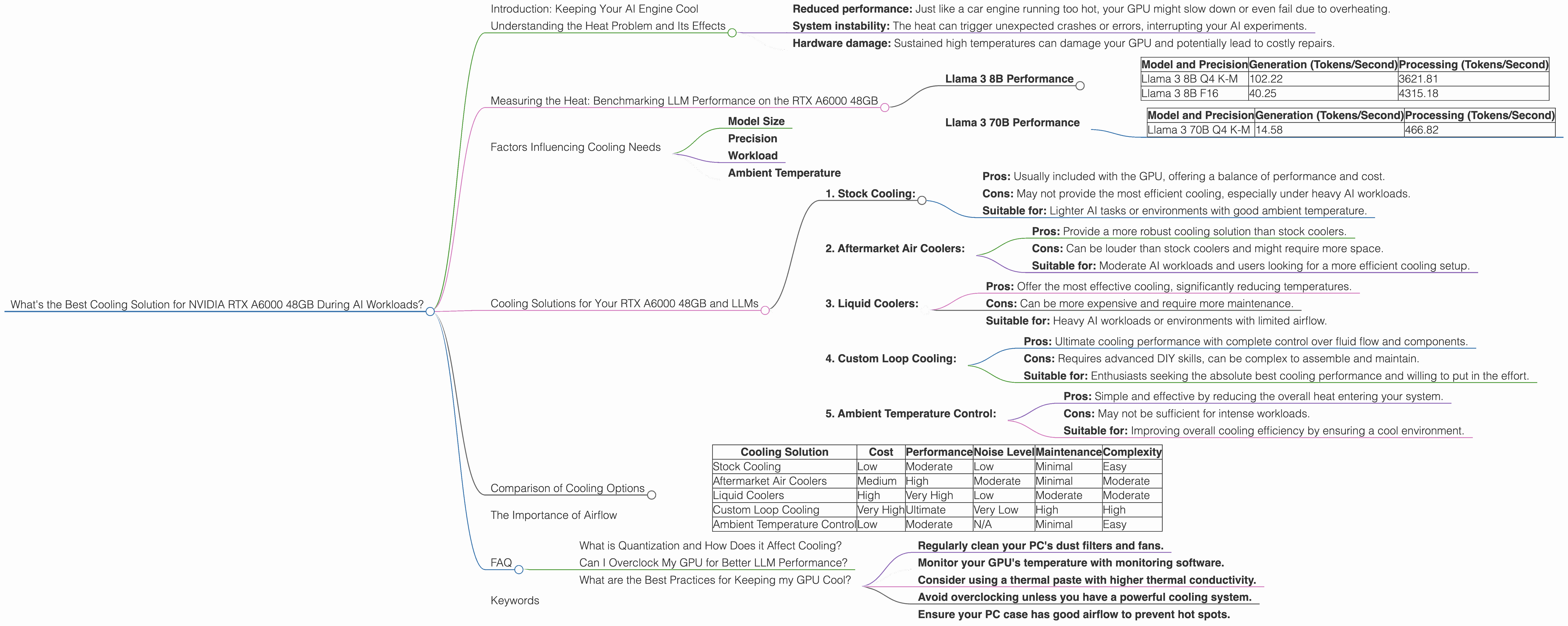
Introduction: Keeping Your AI Engine Cool
Running large language models (LLMs) on your own hardware is like hosting a massive party in your living room. It’s exciting, but it can get hot! The heat generated by these AI models can be a real concern, especially if you're using a powerful GPU like the NVIDIA RTX A6000 48GB. To keep your AI party running smoothly and prevent overheating, you need an effective cooling solution.
This article will guide you through the world of LLM cooling, focusing specifically on the RTX A6000 48GB. We'll analyze the performance of different LLM models on this GPU, break down the factors that affect cooling needs, and explore various cooling options to keep your AI engine running cool and efficient.
Understanding the Heat Problem and Its Effects

Imagine your GPU as a tiny city bursting with activity. Each neuron in your AI model is like a bustling intersection, processing complex information at lightning speed. As your model crunches through massive datasets, it generates heat, much like the traffic congestion in your city.
Extreme heat can lead to:
- Reduced performance: Just like a car engine running too hot, your GPU might slow down or even fail due to overheating.
- System instability: The heat can trigger unexpected crashes or errors, interrupting your AI experiments.
- Hardware damage: Sustained high temperatures can damage your GPU and potentially lead to costly repairs.
Measuring the Heat: Benchmarking LLM Performance on the RTX A6000 48GB
To understand how different LLMs affect the RTX A6000 48GB's heat output, we need to measure their performance. Benchmarking tools allow us to analyze the number of tokens processed per second, a key indicator of model efficiency.
The data presented here focuses on the RTX A6000 48GB with different LLM models including Llama 3 8B and Llama 3 70B. However, data for Llama 3 70B in F16 precision is unavailable, so we will focus on Q4 K-M generation and processing. The results highlight the impact of model size and quantization on GPU performance.
Llama 3 8B Performance
The RTX A6000 48GB handles Llama 3 8B with remarkable efficiency. Both Q4 K-M generation and F16 generation showcase impressive performance:
| Model and Precision | Generation (Tokens/Second) | Processing (Tokens/Second) |
|---|---|---|
| Llama 3 8B Q4 K-M | 102.22 | 3621.81 |
| Llama 3 8B F16 | 40.25 | 4315.18 |
Llama 3 70B Performance
While the RTX A6000 48GB can handle the larger Llama 3 70B model, the performance decreases compared to Llama 3 8B. This is expected because larger models require more processing power:
| Model and Precision | Generation (Tokens/Second) | Processing (Tokens/Second) |
|---|---|---|
| Llama 3 70B Q4 K-M | 14.58 | 466.82 |
Factors Influencing Cooling Needs
Several factors contribute to the heat generated by your GPU, influencing the choice of cooling solution:
Model Size
Larger models, like Llama 3 70B, require more computations and therefore generate more heat compared to smaller models like Llama 3 8B. Think of it like a small car versus a large truck: the truck needs more fuel to run and produces more exhaust.
Precision
Precision refers to the level of detail used in representing numbers within the model. Lower precision, like F16, can reduce computational requirements, leading to less heat. But, it can also sacrifice some accuracy in the model's results. Q4 K-M, on the other hand, uses higher precision, increasing the computational burden and resulting in more heat.
Workload
The type of task your model is performing (e.g., text generation, translation, summarization) directly affects the GPU's workload. More complex tasks demand more processing power, leading to more heat.
Ambient Temperature
The temperature of your environment also plays a role. A hot room will already heat up your GPU, making it harder to dissipate heat efficiently.
Cooling Solutions for Your RTX A6000 48GB and LLMs
Now that we understand the factors contributing to GPU heat, let's explore various cooling solutions to keep your AI engine running smooth:
1. Stock Cooling:
- Pros: Usually included with the GPU, offering a balance of performance and cost.
- Cons: May not provide the most efficient cooling, especially under heavy AI workloads.
- Suitable for: Lighter AI tasks or environments with good ambient temperature.
2. Aftermarket Air Coolers:
- Pros: Provide a more robust cooling solution than stock coolers.
- Cons: Can be louder than stock coolers and might require more space.
- Suitable for: Moderate AI workloads and users looking for a more efficient cooling setup.
3. Liquid Coolers:
- Pros: Offer the most effective cooling, significantly reducing temperatures.
- Cons: Can be more expensive and require more maintenance.
- Suitable for: Heavy AI workloads or environments with limited airflow.
4. Custom Loop Cooling:
- Pros: Ultimate cooling performance with complete control over fluid flow and components.
- Cons: Requires advanced DIY skills, can be complex to assemble and maintain.
- Suitable for: Enthusiasts seeking the absolute best cooling performance and willing to put in the effort.
5. Ambient Temperature Control:
- Pros: Simple and effective by reducing the overall heat entering your system.
- Cons: May not be sufficient for intense workloads.
- Suitable for: Improving overall cooling efficiency by ensuring a cool environment.
Comparison of Cooling Options
Here's a table comparing the key characteristics of different cooling options, helping you choose the best fit for your needs and budget:
| Cooling Solution | Cost | Performance | Noise Level | Maintenance | Complexity |
|---|---|---|---|---|---|
| Stock Cooling | Low | Moderate | Low | Minimal | Easy |
| Aftermarket Air Coolers | Medium | High | Moderate | Minimal | Moderate |
| Liquid Coolers | High | Very High | Low | Moderate | Moderate |
| Custom Loop Cooling | Very High | Ultimate | Very Low | High | High |
| Ambient Temperature Control | Low | Moderate | N/A | Minimal | Easy |
The Importance of Airflow
Think of your GPU as a giant radiator, and the air flow is the wind that carries away the heat. Good airflow is crucial for effective cooling. Ensure your PC case has adequate fan placement to ensure optimal air movement and prevent hot spots.
FAQ
What is Quantization and How Does it Affect Cooling?
Quantization is like compressing a photo to save space. It reduces the precision of numbers within the model, making it smaller and faster. But, like a low-resolution photo, the model might lose some accuracy. Lower precision (e.g., F16) generally leads to less heat generation compared to higher precision (e.g., Q4 K-M).
Can I Overclock My GPU for Better LLM Performance?
Overclocking can boost your GPU's performance, but it also increases heat generation. You'll need a robust cooling solution to manage the higher temperatures and prevent potential hardware damage.
What are the Best Practices for Keeping my GPU Cool?
- Regularly clean your PC's dust filters and fans.
- Monitor your GPU's temperature with monitoring software.
- Consider using a thermal paste with higher thermal conductivity.
- Avoid overclocking unless you have a powerful cooling system.
- Ensure your PC case has good airflow to prevent hot spots.
Keywords
RTX A6000, NVIDIA, GPU, LLM, Cooling, Air Cooler, Liquid Cooler, Custom Loop, Ambient Temperature, Airflow, Llama 3, 8B, 70B, Q4, F16, Generation, Processing, Tokens, Performance, Precision, Workload, Temperature, Benchmark, Overclocking, Heat, Efficiency, Stability, Damage, AI, Deep Learning.