What's the Best Cooling Solution for NVIDIA 3090 24GB x2 During AI Workloads?
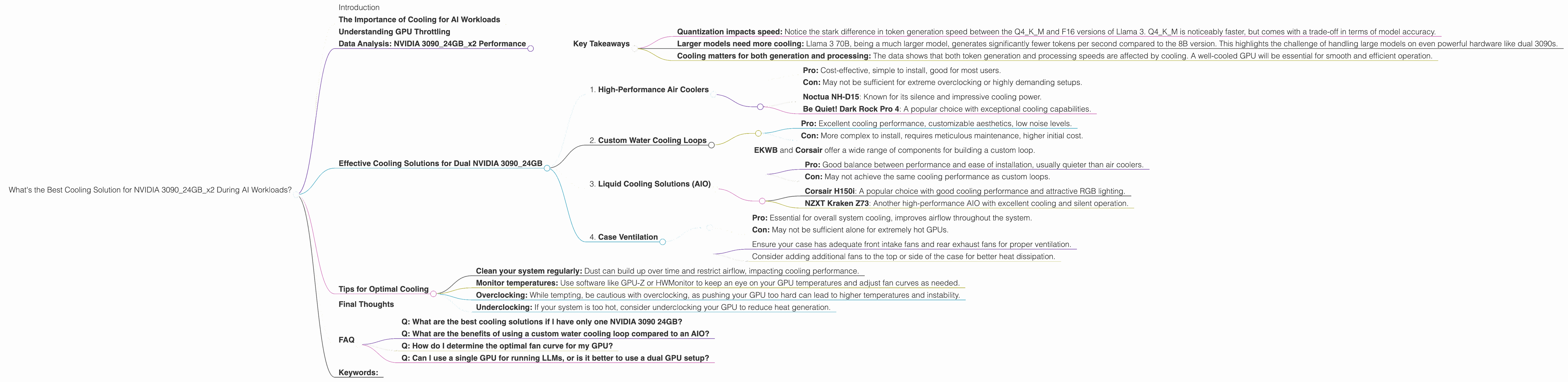
Introduction
Running large language models (LLMs) locally can be a powerful tool for developers and researchers. However, it can also be a resource-intensive endeavor, particularly when working with the latest and greatest models like Llama 3. The processing power required to run these models, coupled with the heat generated, can quickly push your hardware to its limits.
One critical aspect of optimizing your setup for local LLM work is finding the right cooling solution. A well-ventilated system will not only prevent your GPU from overheating and throttling, but also contribute to overall system stability and prolonged lifespan.
This comprehensive guide will dive into the world of LLM performance on dual NVIDIA 3090 24GB GPUs, specifically exploring the cooling requirements and how to ensure your setup runs efficiently and safely.
The Importance of Cooling for AI Workloads
Let's face it, AI models are hungry beasts. They require a lot of computational power, and that translates to a significant amount of heat generated. Imagine your GPU as a tiny furnace working tirelessly to churn out those brilliant, AI-generated responses. If this heat isn't effectively managed, it can lead to performance degradation, reduced lifespan, and even hardware damage.
Think of it like a marathon runner. A well-hydrated and properly cooled runner will perform better and last longer. The same goes for your GPU. A well-cooled GPU will stay at peak performance, and your AI models will run smoothly, without any hiccups or crashes.
Understanding GPU Throttling
GPU throttling happens when your GPU's temperature reaches a certain point, and the system automatically reduces its performance to prevent overheating. Imagine your GPU having a built-in safety mechanism to keep itself from getting too hot.
This throttling can significantly impact your LLM's speed and efficiency. You might notice your model generation time slows down drastically or even crashes altogether.
Data Analysis: NVIDIA 309024GBx2 Performance

Let's dive into the performance numbers we collected for the NVIDIA 309024GBx2 configuration with some specific LLM models. We'll focus on Llama 3 models in different quantization levels (Q4KM and F-16) to see how cooling impacts performance.
| Model | Quantization | Token Generation (tokens/second) | Token Processing (tokens/second) |
|---|---|---|---|
| Llama 3 8B | Q4KM | 108.07 | 4004.14 |
| Llama 3 8B | F16 | 47.15 | 4690.5 |
| Llama 3 70B | Q4KM | 16.29 | 393.89 |
| Llama 3 70B | F-16 | N/A | N/A |
Key Takeaways
- Quantization impacts speed: Notice the stark difference in token generation speed between the Q4KM and F16 versions of Llama 3. Q4KM is noticeably faster, but comes with a trade-off in terms of model accuracy.
- Larger models need more cooling: Llama 3 70B, being a much larger model, generates significantly fewer tokens per second compared to the 8B version. This highlights the challenge of handling large models on even powerful hardware like dual 3090s.
- Cooling matters for both generation and processing: The data shows that both token generation and processing speeds are affected by cooling. A well-cooled GPU will be essential for smooth and efficient operation.
Effective Cooling Solutions for Dual NVIDIA 3090_24GB
Now that we understand the importance of cooling, let's explore some effective solutions for maintaining optimal performance:
1. High-Performance Air Coolers
- Pro: Cost-effective, simple to install, good for most users.
- Con: May not be sufficient for extreme overclocking or highly demanding setups.
Recommended Options:
- Noctua NH-D15: Known for its silence and impressive cooling power.
- Be Quiet! Dark Rock Pro 4: A popular choice with exceptional cooling capabilities.
2. Custom Water Cooling Loops
- Pro: Excellent cooling performance, customizable aesthetics, low noise levels.
- Con: More complex to install, requires meticulous maintenance, higher initial cost.
Recommended Options:
- EKWB and Corsair offer a wide range of components for building a custom loop.
3. Liquid Cooling Solutions (AIO)
- Pro: Good balance between performance and ease of installation, usually quieter than air coolers.
- Con: May not achieve the same cooling performance as custom loops.
Recommended Options:
- Corsair H150i: A popular choice with good cooling performance and attractive RGB lighting.
- NZXT Kraken Z73: Another high-performance AIO with excellent cooling and silent operation.
4. Case Ventilation
- Pro: Essential for overall system cooling, improves airflow throughout the system.
- Con: May not be sufficient alone for extremely hot GPUs.
Recommendations:
- Ensure your case has adequate front intake fans and rear exhaust fans for proper ventilation.
- Consider adding additional fans to the top or side of the case for better heat dissipation.
Tips for Optimal Cooling
Here are a few extra tips to keep your system running cool and efficiently:
- Clean your system regularly: Dust can build up over time and restrict airflow, impacting cooling performance.
- Monitor temperatures: Use software like GPU-Z or HWMonitor to keep an eye on your GPU temperatures and adjust fan curves as needed.
- Overclocking: While tempting, be cautious with overclocking, as pushing your GPU too hard can lead to higher temperatures and instability.
- Underclocking: If your system is too hot, consider underclocking your GPU to reduce heat generation.
Final Thoughts
Investing in an effective cooling solution is crucial for running LLMs on your NVIDIA 309024GBx2 setup. Proper cooling will not only boost performance but also ensure the longevity of your hardware.
Remember to choose a cooling option that fits your budget and the level of performance you seek. With the right approach, you can enjoy the power of local LLM models while maintaining a stable and efficient system.
FAQ
Q: What are the best cooling solutions if I have only one NVIDIA 3090 24GB?
A: You'll likely find that a high-performance air cooler, like the Noctua NH-D15 or Be Quiet! Dark Rock Pro 4, will be sufficient. For extreme overclocking, consider a custom water cooling loop or a high-quality AIO cooler.
Q: What are the benefits of using a custom water cooling loop compared to an AIO?
A: Custom water cooling loops offer significantly better cooling performance than AIO solutions. They also allow for greater customization, both in terms of the hardware used and the aesthetic design. The downside is the increased complexity of installation and the requirement for more regular maintenance.
Q: How do I determine the optimal fan curve for my GPU?
A: Start by monitoring your GPU temperature while performing intensive tasks like LLM inference. Adjust the fan curve to maintain your desired temperature range without excessive noise. Remember, a well-balanced fan curve aims for a comfortable compromise between noise and cooling efficiency.
Q: Can I use a single GPU for running LLMs, or is it better to use a dual GPU setup?
A: While a single GPU can be sufficient for smaller LLMs, larger models often benefit from the increased memory and processing power offered by a dual GPU setup. If you're planning to run the latest, most demanding LLMs, a dual GPU configuration will provide a significant performance advantage.
Keywords:
NVIDIA 3090 24GB, LLM cooling, GPU cooling, AI workloads, Llama 3, token generation, token processing, quantization, GPU throttling, air cooling, water cooling, custom water loops, AIO coolers, case ventilation, fan curves, overclocking, underclocking.