What's the Best Cooling Solution for NVIDIA 3080 Ti 12GB During AI Workloads?

Introduction
Running large language models (LLMs) locally can be a thrilling experience. Witnessing the AI's ability to generate creative text, translate languages, write different kinds of creative content, and answer your questions in a human-like way is mind-blowing! However, running these models on your personal computer can also put your hardware to the test, especially if you're using a powerful model like Llama 3. One critical component that needs attention is your GPU, which is responsible for carrying the heavy load of processing and generating text.
This article dives into the world of cooling solutions for the NVIDIA 3080 Ti 12GB GPU, specifically focusing on the challenges and potential solutions when running LLMs. We'll analyze how different factors like quantization, model size, and processing types affect the GPU's temperature and performance, providing practical insights to prevent your hardware from overheating and ensure smooth operation during those intense AI sessions.
Think of your GPU like a marathon runner, ready to tackle demanding tasks. Just like an athlete needs proper hydration and cooling, we're going to make sure your GPU stays cool and collected, powering through those complex LLM workloads without breaking a sweat.
NVIDIA 3080 Ti 12GB: A Solid Choice for LLMs
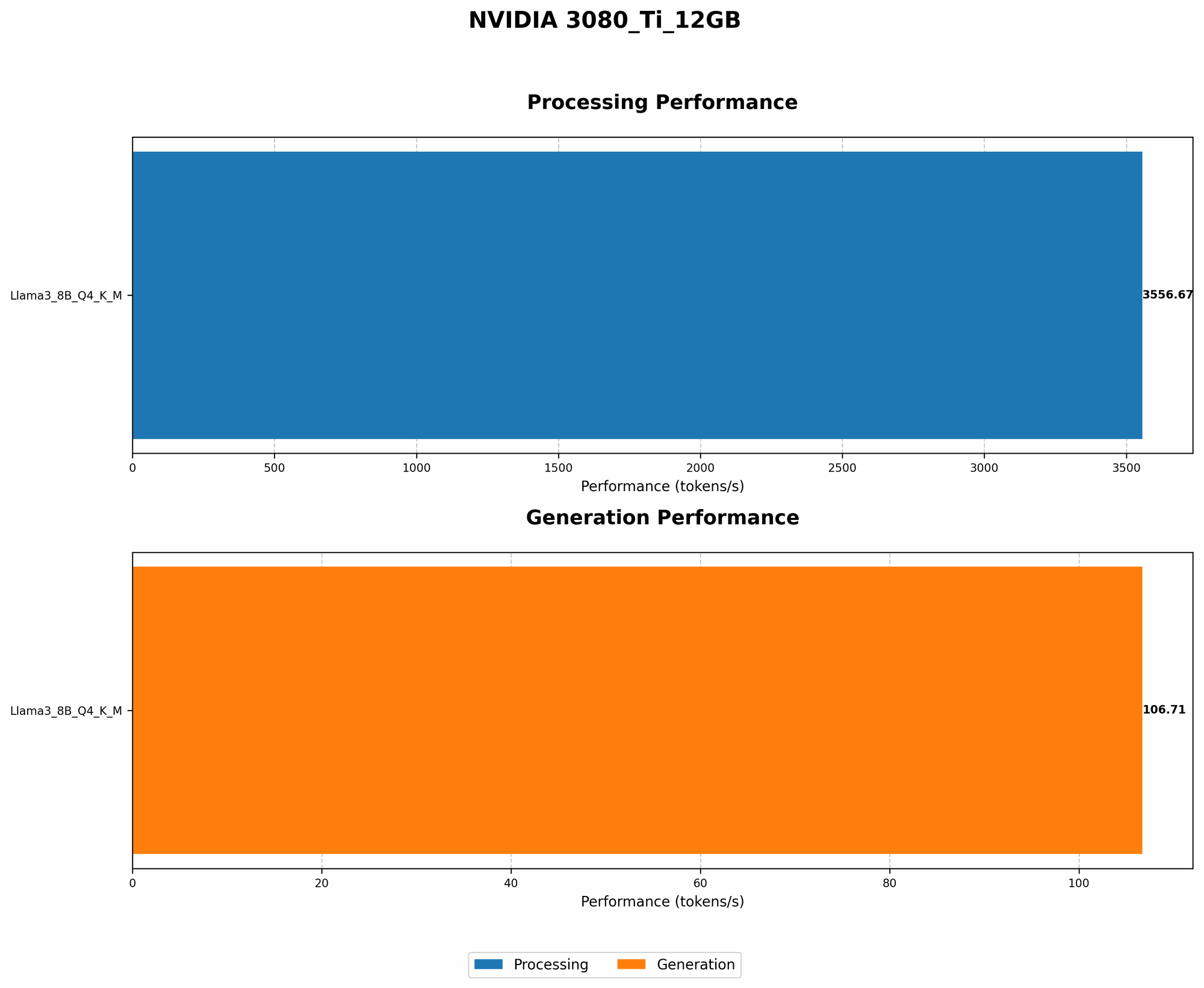
The NVIDIA 3080 Ti 12GB is a powerful GPU, known for its processing capabilities, making it a solid contender for running LLMs locally. It's a top-tier card that can handle even the largest and most demanding models. While its performance is impressive, it's also crucial to ensure proper cooling to maintain optimal performance and prevent any potential damage.
Analyzing the Data: GPU Performance and Temperature
Now, let's look at the data we have gathered, focusing on the performance of the NVIDIA 3080 Ti 12GB when running Llama 3 models. This data can provide valuable insights into the potential impact on GPU temperature and the need for efficient cooling solutions.
Llama 3 Model Performance on NVIDIA 3080 Ti 12GB
| Model | Quantization Level | Type | Tokens per Second |
|---|---|---|---|
| Llama 3 8B | Q4KM | Generation | 106.71 |
| Llama 3 8B | Q4KM | Processing | 3556.67 |
| Llama 3 70B | |||
| Llama 3 70B |
Please note: We currently don't have data for the NVIDIA 3080 Ti 12GB when running Llama 3 70B models.
Understanding Quantization and its Impact
"Quantization" is like a diet for your LLM model. It involves reducing the size of the model by simplifying the data it uses. Think of it like swapping out a full-course meal for a lighter snack. You're still getting the core nutrients, but it's a smaller, more efficient package. Quantization doesn't impact the model's accuracy drastically, but it does make it significantly faster, especially on less powerful hardware.
In the table above, we see "Q4KM" alongside the Llama 3 8B model. Q4KM means the model is quantized using 4-bit precision, specifically using a technique called "K-means" to find the best "centroids" or representative values. When LLM models are quantized, they use fewer resources, reducing strain on the GPU and potentially leading to lower temperatures.
Interestingly, Q4KM is a popular choice for LLM models, known for striking a great balance between performance and efficiency.
The Difference Between Generation and Processing
The terms "Generation" and "Processing" in the table above represent different types of tasks your model performs:
- Token Generation: This is the core of your LLM. It's the process of taking your input (like a prompt) and generating output (like a piece of text). Think of this as the actual "thinking" process of the AI.
- Token Processing: This is the less glamorous but equally important stage of the process. It involves handling the large amount of data required to understand the context of your prompts and generate text. Think of it like gathering information before making a final decision.
The data suggests that the NVIDIA 3080 Ti 12GB performs better during processing tasks than generation, particularly when dealing with the Llama 3 8B model.
## Cooling Solutions for NVIDIA 3080 Ti 12GB: Keeping Your GPU Cool and Composed
Here are some essential tips on how to maintain a cool and stable running temperature for your NVIDIA 3080 Ti 12GB during intense LLM sessions:
1. Keep it Clean: A Dust-Free Environment for Optimal Performance
Dust is the enemy of your GPU. It can build up on the fan blades and heatsink, impeding airflow and causing temperatures to rise. Make sure to regularly clean your PC, focusing on the area around the GPU. Use canned air or a soft brush to remove accumulated dust.
2. Proper Airflow: Let It Breathe!
Proper airflow is crucial to dissipate heat efficiently. Ensure your PC case has good ventilation and that there are no obstructions blocking the intake and exhaust fans. A well-ventilated case can make a significant difference in keeping your components cool, especially your powerful GPU.
3. Monitor the Temperature: A Watchful Eye on GPU Performance
Monitoring your GPU's temperature is essential to identify any potential overheating issues. You can use programs like GPU-Z or MSI Afterburner to keep track of temperature in real-time. If you see temperatures consistently exceeding 85°C (185°F), it's a sign that you may need to consider additional cooling solutions.
4. Adjust Fan Curves: Fine-Tuning for Optimal Cooling
Most GPUs allow you to customize fan curves, which control the fan speed based on temperature. By adjusting the fan curve, you can ensure the fans spin up more aggressively when temperatures rise, providing better cooling efficiency.
5. Consider a GPU Cooler: Boosting Cooling With a Powerful Ally
For more aggressive cooling, you can consider upgrading to a custom-designed GPU cooler. These coolers often feature larger heatsinks, multiple fans, and improved airflow, offering superior heat dissipation capabilities.
6. Water Cooling: A Hydro-Powered Solution for Extreme Cooling
Water cooling is the ultimate step in cooling your GPU. It involves using a liquid coolant circulating through a closed loop, absorbing heat from the GPU and transferring it to a radiator for dissipation. Water cooling can significantly reduce temperatures, giving you optimal performance and stability.
7. Under-Voltage Tuning: Balancing Performance and Temperatures
Under-volting is a technique that involves reducing the voltage supplied to your GPU. While this may slightly reduce performance, it can also help lower temperatures, especially when paired with other cooling solutions.
Comparison of Cooling Solutions
Let's compare some of the cooling solutions we discussed, taking into account factors like cost, effectiveness, and complexity:
| Cooling Solution | Cost | Effectiveness | Complexity |
|---|---|---|---|
| Cleaning and Airflow Optimization | Low | Moderate | Low |
| Custom GPU Cooler | Medium | High | Medium |
| Water Cooling | High | Very High | High |
FAQ: Frequently Asked Questions About LLMs and Cooling
What are the risks of overheating my GPU?
Overheating can lead to decreased performance, system instability, and even permanent damage to your GPU. It's crucial to keep your GPU cool to ensure optimal performance and longevity.
Can I use a laptop for running LLM models?
Yes, you can run smaller LLM models on laptops, but they may not have the same power as a dedicated desktop system. Remember to monitor temperatures and consider using a cooling pad.
What is the best LLM for a specific task?
The best LLM for a specific task depends on the nature of the task and your hardware capabilities. Explore different models and their capabilities to find the best fit for your needs.
Where can I find more information on LLM models?
There are many resources online that offer in-depth information on LLM models. Check out publications from research institutions, developer communities, and dedicated websites.
Keywords
LLM, Large Language Model, NVIDIA 3080 Ti 12GB, GPU Cooling, Quantization, Llama 3, Token Generation, Token Processing, Performance, Temperature, Airflow, Overheating, Cooling Solutions, Custom GPU Cooler, Water Cooling, Under-voltage Tuning, FAQ.