Should I Use Llama3 8B or Llama3 70B on Apple M2 Ultra? Benchmark Analysis

Introduction
The world of large language models (LLMs) is rapidly evolving, with new models and advancements emerging almost daily. Choosing the right model for your needs can be daunting, especially when considering the trade-offs between size, performance, and resource consumption. This article delves into the performance of two popular Llama3 models – Llama3 8B and Llama3 70B – on the powerful Apple M2 Ultra chip.
These models are known for their impressive capabilities in natural language processing tasks, such as text generation, translation, and summarization. We'll analyze their performance, comparing their strengths and weaknesses to help you decide which model suits your specific use case best.
Performance Analysis of Llama3 8B and Llama3 70B on Apple M2 Ultra
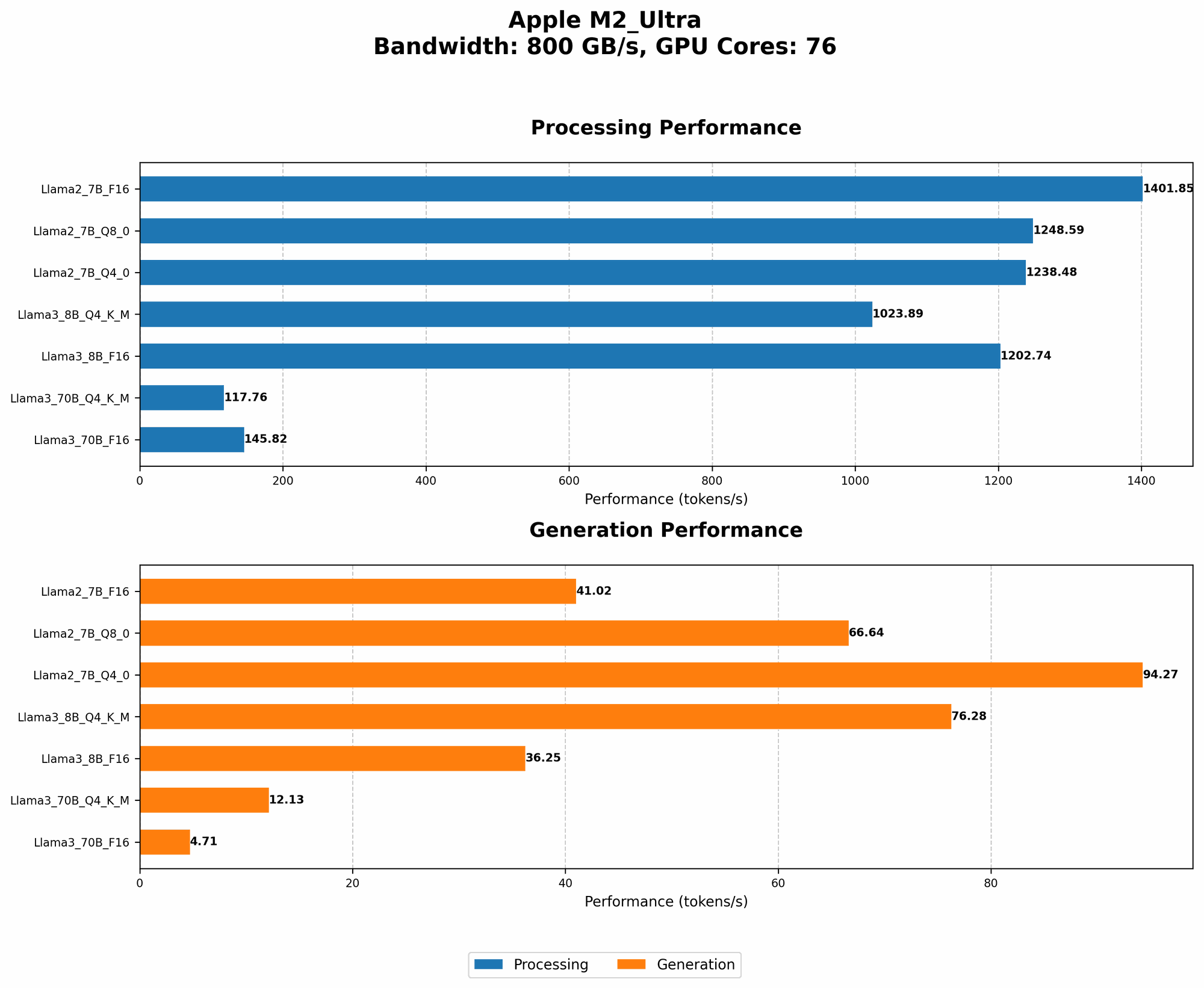
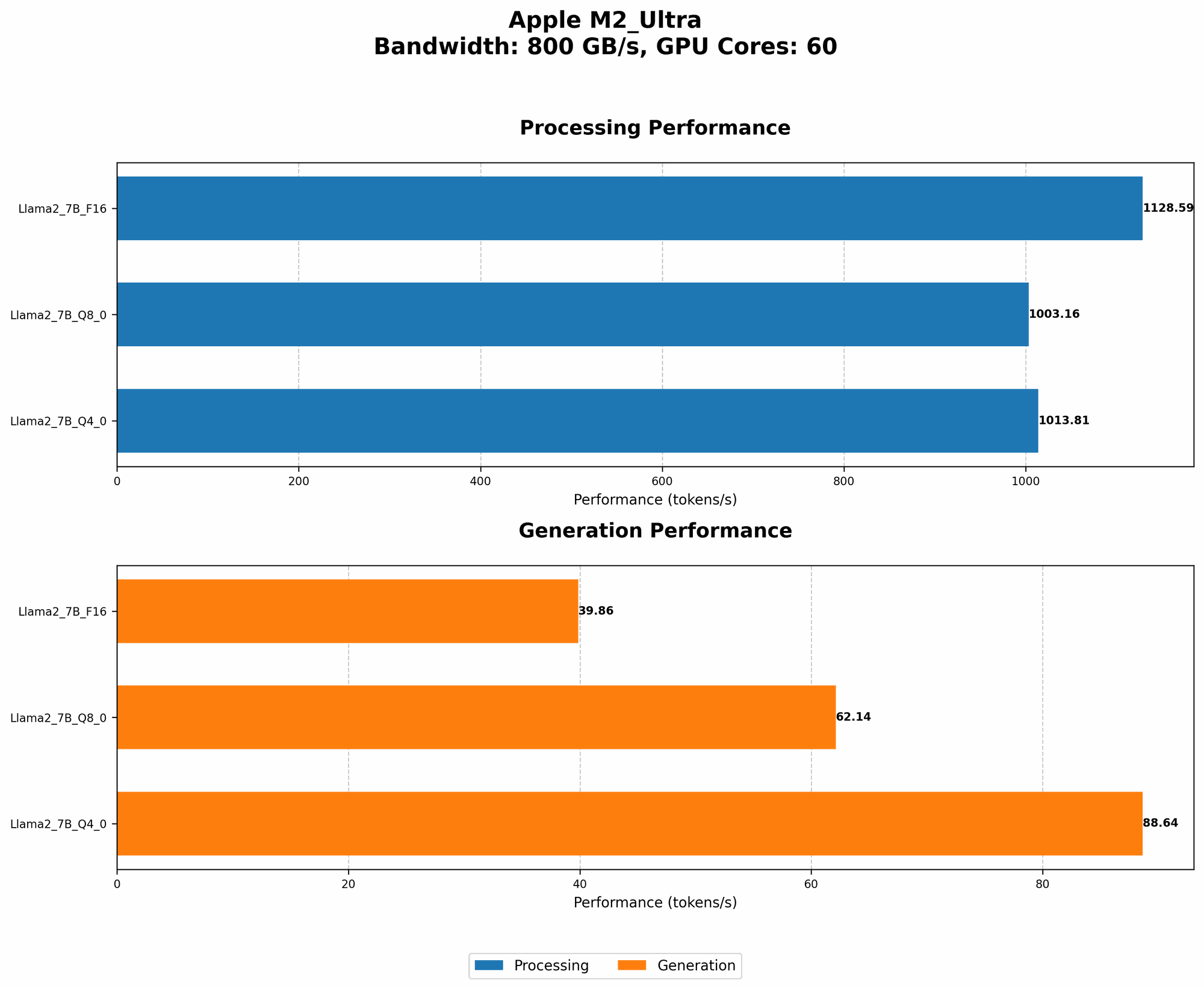
Imagine your LLM as a high-performance car. The engine is the GPU, the fuel is the data (tokens), and the speed is the number of tokens processed per second. We'll be comparing how fast these Llama models can process data on the M2 Ultra, a beast of a chip designed for demanding tasks!
Apple M2 Ultra Token Speed Generation Comparison
The Apple M2 Ultra shines with its massive bandwidth (BW) of 800 GB/s and 76 GPU cores. This translates to impressive speeds when handling large language models.
| Model | Quantization | Processing Tokens/s | Generation Tokens/s |
|---|---|---|---|
| Llama3 8B | Q4KM | 1023.89 | 76.28 |
| Llama3 8B | F16 | 1202.74 | 36.25 |
| Llama3 70B | Q4KM | 117.76 | 12.13 |
| Llama3 70B | F16 | 145.82 | 4.71 |
- Key Observations:
- Llama3 8B outperforms Llama3 70B in both processing and generation speeds using both Q4KM (quantization) and F16 (floating point) formats.
- The smaller 8B model achieves significantly higher token speeds, almost 9x faster for processing and 16x faster for generation compared to the larger 70B model.
- While the F16 format generally results in faster processing speeds, Llama3 8B's generation speed is much faster with the Q4KM format. This suggests a trade-off between processing speed and generation speed depending on the chosen format.
Understanding Quantization and its Impact on Performance
Quantization is a technique to reduce the size of a model while sacrificing some accuracy. It's like turning a large picture into a smaller one with a few colors, but you might lose some detail.
- Q4KM is a type of quantization that compresses the model significantly, reducing its size and memory footprint. This often results in faster processing but at a potential cost to accuracy.
- F16 (floating point) is a standard format that provides higher precision but uses more memory, which can impact speed.
Performance vs. Model Size: A Balancing Act
The table clearly shows that the smaller Llama3 8B model is significantly faster than the larger Llama3 70B model on the M2 Ultra. This is a common trend: Larger models are more complex and require more resources to process, leading to slower speeds.
Think of it like this: Imagine a tiny robot that can quickly pick up and sort small objects compared to a massive robot that can lift heavy loads but takes much longer to move around.
So, how do you decide which model to use? It boils down to your requirements.
Choosing the Right Llama3 Model: A Practical Guide
Here's how to pick the best Llama3 model for your needs on the M2 Ultra:
Llama3 8B:
- Ideal for:
- Applications where speed is crucial, such as real-time chatbots or fast search engines.
- Tasks that don't require the advanced knowledge and nuance of a larger model.
- Resource-constrained environments where memory and processing power are limited.
Llama3 70B:
- Ideal for:
- Complex tasks that demand more context and understanding, such as creative writing or detailed summaries.
- Applications that can tolerate slightly slower response times.
- Environments with sufficient processing and memory resources.
FAQ: Common Questions on LLM Models and Apple Devices
Q: What is the best way to run LLMs on Apple devices?
A: Apple's powerful M-series chips provide excellent performance for running LLMs, especially the M2 Ultra with its massive bandwidth and GPU cores. While frameworks like llama.cpp are popular for local model execution, you can explore other frameworks like Metal Performance Shaders (MPS) for potential optimization.
Q: Are there any alternatives to Llama3 on Apple devices?
A: Yes, there are several other LLMs options available. Popular choices include:
- Llama2 (Meta): Known for its efficiency and impressive performance across different sizes.
- StableLM (Stability AI): Open-source model with strong performance comparable to Llama2.
- Falcon (TII): Another powerful open-source model with excellent performance.
Q: What are the benefits of running LLMs locally on Apple devices?
A: Running LLMs locally offers several advantages:
- Privacy: Your data stays on your device and is not transferred to third-party servers.
- Offline access: You can access your LLM even without an internet connection.
- Faster response times: You eliminate the network latency often associated with cloud-based services.
Q: How do I choose between different LLM quantization formats?
A:
- If you need the highest level of accuracy, use F16 format.
- If you prioritize speed and memory usage, consider Q4KM. It will generally be faster, especially for processing, but might sacrifice a bit of accuracy.
Experiment with different formats to find the best balance for your specific use case.
Keywords:
Llama3, Llama3 8B, Llama3 70B, Apple M2 Ultra, LLM, large language model, performance, benchmark, token speed, quantization, Q4KM, F16, processing, generation, inference, NLP, natural language processing, local model, Apple M2, Apple Silicon, Apple devices, AI, artificial intelligence, model comparison, speed vs accuracy, use cases, practical guide, FAQ, quantization, M2 Ultra GPU, M2 Ultra bandwidth, Llama.cpp, MPS, Metal Performance Shaders, Llama2, StableLM, Falcon, privacy, offline access, faster response times