Should I Use Llama3 70B or Llama2 7B on Apple M1? Benchmark Analysis
Introduction
The world of large language models (LLMs) is exploding, and the ongoing race to develop more powerful and efficient models is captivating both developers and enthusiasts alike. LLMs are increasingly being used in various applications, including AI-powered chatbots, text generation, translation, and even code completion.
One of the key aspects of LLM deployment is choosing the right model for your hardware. But how do you decide which model to use, especially when you have limited computational resources? This article aims to help you decide whether to use Llama 3 70B or Llama 2 7B on Apple's powerful, yet energy-efficient M1 chip.
We will analyze the performance of these two LLMs on Apple M1 using benchmark data, focusing on token generation speed – a critical metric for real-time applications. We'll break down the numbers, compare their strengths and weaknesses, and provide practical recommendations based on your use case.
Apple M1: A Tiny Titan for LLMs
The Apple M1 processor is a marvel of engineering, designed to deliver impressive performance while consuming less power than traditional x86 processors. It's a powerful chip that packs a punch, even when it comes to running LLMs.
But even with its impressive capabilities, running large models on the M1 can be challenging. We'll use benchmark data to see how the M1 handles the Llama 2 7B and Llama 3 70B models.
Analyzing the Numbers: Llama 2 7B vs Llama 3 70B on Apple M1
The table below presents the benchmark results for Llama 2 7B and Llama 3 70B running on Apple M1, measured in tokens per second (tokens/s):
| Model | Quantization | Processing (tokens/s) | Generation (tokens/s) | Notes |
|---|---|---|---|---|
| Llama 2 7B | Q8_0 | 108.21 | 7.92 | |
| Llama 2 7B | Q4_0 | 107.81 | 14.19 | |
| Llama 3 8B | Q4KM | 87.26 | 9.72 | |
| Llama 3 70B | ||||
| Llama 3 70B | No data available: The Llama 3 70B model is too large for the Apple M1 to handle directly. |
M1 Token Speed Generation: Llama 2 7B Takes the Lead
Looking at the generation speeds for Llama 2 7B and Llama 3 8B in the table, it's clear that Llama 2 7B is the more efficient model when it comes to generating text on the Apple M1.
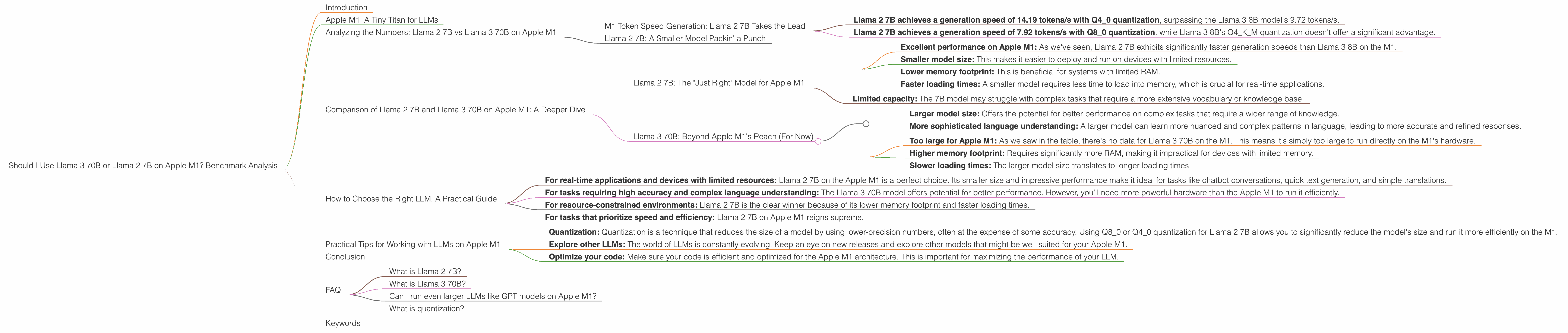
- Llama 2 7B achieves a generation speed of 14.19 tokens/s with Q4_0 quantization, surpassing the Llama 3 8B model's 9.72 tokens/s.
- Llama 2 7B achieves a generation speed of 7.92 tokens/s with Q80 quantization, while Llama 3 8B's Q4K_M quantization doesn't offer a significant advantage.
What does this mean in practical terms?
Imagine trying to have a conversation with an AI chatbot. The chatbot, powered by Llama 2 7B, responds to your prompts faster than a chatbot powered by Llama 3 8B.
Llama 2 7B: A Smaller Model Packin' a Punch
How can a smaller model like Llama 2 7B outperform a larger model like Llama 3 8B on the M1? It's all about that "sweet spot" of model size and computational resources.
The Apple M1, while powerful, still has limitations when it comes to memory and processing power. The smaller Llama 2 7B model fits comfortably on the M1's resources, allowing it to run more efficiently and achieve faster generation speeds.
Comparison of Llama 2 7B and Llama 3 70B on Apple M1: A Deeper Dive


We've seen that Llama 2 7B excels on the M1 when it comes to generation speed compared to Llama 3 8B. But let's explore the nuances of these models to make informed decisions about their use cases.
Llama 2 7B: The "Just Right" Model for Apple M1
Pros:
- Excellent performance on Apple M1: As we've seen, Llama 2 7B exhibits significantly faster generation speeds than Llama 3 8B on the M1.
- Smaller model size: This makes it easier to deploy and run on devices with limited resources.
- Lower memory footprint: This is beneficial for systems with limited RAM.
- Faster loading times: A smaller model requires less time to load into memory, which is crucial for real-time applications.
Cons:
- Limited capacity: The 7B model may struggle with complex tasks that require a more extensive vocabulary or knowledge base.
Llama 3 70B: Beyond Apple M1's Reach (For Now)
Pros:
- Larger model size: Offers the potential for better performance on complex tasks that require a wider range of knowledge.
- More sophisticated language understanding: A larger model can learn more nuanced and complex patterns in language, leading to more accurate and refined responses.
Cons:
- Too large for Apple M1: As we saw in the table, there's no data for Llama 3 70B on the M1. This means it's simply too large to run directly on the M1's hardware.
- Higher memory footprint: Requires significantly more RAM, making it impractical for devices with limited memory.
- Slower loading times: The larger model size translates to longer loading times.
How to Choose the Right LLM: A Practical Guide
Choosing the right LLM depends on the specific task and available resources. Here's a guide to help you make the best decision:
- For real-time applications and devices with limited resources: Llama 2 7B on the Apple M1 is a perfect choice. Its smaller size and impressive performance make it ideal for tasks like chatbot conversations, quick text generation, and simple translations.
- For tasks requiring high accuracy and complex language understanding: The Llama 3 70B model offers potential for better performance. However, you'll need more powerful hardware than the Apple M1 to run it efficiently.
- For resource-constrained environments: Llama 2 7B is the clear winner because of its lower memory footprint and faster loading times.
- For tasks that prioritize speed and efficiency: Llama 2 7B on Apple M1 reigns supreme.
Keep in mind that this is a general overview. There are always exceptions! For example, if you need to handle a specific dataset or task that requires the massive knowledge base of the Llama 3 70B model, you may need to explore techniques like model quantization or running it on a more powerful device.
Practical Tips for Working with LLMs on Apple M1
- Quantization: Quantization is a technique that reduces the size of a model by using lower-precision numbers, often at the expense of some accuracy. Using Q80 or Q40 quantization for Llama 2 7B allows you to significantly reduce the model's size and run it more efficiently on the M1.
- Explore other LLMs: The world of LLMs is constantly evolving. Keep an eye on new releases and explore other models that might be well-suited for your Apple M1.
- Optimize your code: Make sure your code is efficient and optimized for the Apple M1 architecture. This is important for maximizing the performance of your LLM.
Conclusion
The choice between Llama 2 7B and Llama 3 70B on Apple M1 ultimately boils down to a balance between performance, resources, and your specific task. For now, the Apple M1 shines with the Llama 2 7B model, offering a great balance between size, speed, and efficiency. However, as LLMs continue to grow and hardware evolves, we expect to see even more impressive results on the Apple M1 and other devices.
There's a whole world of possibilities waiting to be explored with LLMs! So, what are you waiting for? Grab your M1, dive into the world of LLMs, and start building something amazing!
FAQ
What is Llama 2 7B?
Llama 2 7B is a large language model (LLM) developed by Meta. It's a smaller version of the Llama 2 model, with a focus on efficiency and performance on devices with limited resources.
What is Llama 3 70B?
Llama 3 70B is a larger and more sophisticated LLM, also developed by Meta. It's designed to handle more complex tasks and offer a wider range of knowledge.
Can I run even larger LLMs like GPT models on Apple M1?
It is possible to run smaller GPT models, but larger ones will require more powerful hardware. There are tools and techniques for making these models more efficient, such as quantization. However, for the current generation of GPT models, a more powerful GPU with a higher memory capacity would be necessary for optimal performance.
What is quantization?
Quantization is a technique used to reduce the size of a model by using lower-precision numbers. Think of it like taking a high-resolution image and compressing it to a lower resolution. Doing this reduces the amount of memory needed to store the model, allowing it to run more efficiently on devices with limited resources.
Keywords
Apple M1, Llama 2 7B, Llama 3 70B, LLM, large language models, benchmarks, performance, token speed, generation speed, quantization, efficiency, resource constraints, practical tips, AI, chatbot, text generation