Setting Up the Ultimate AI Workstation with NVIDIA RTX 5000 Ada 32GB: A Complete Guide
Introduction
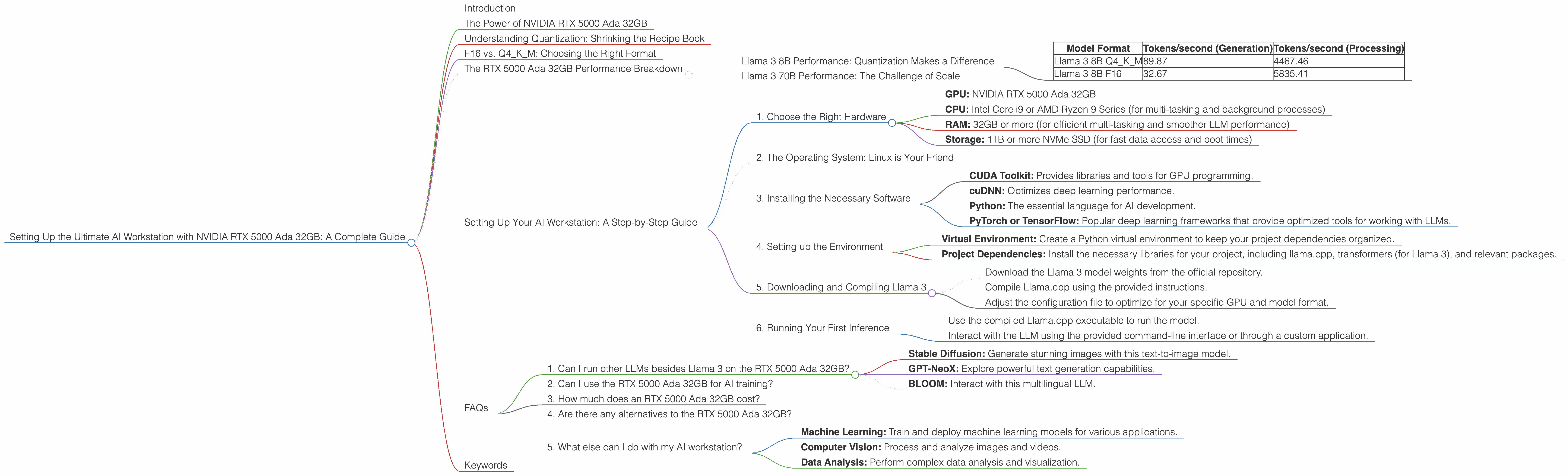
The world of large language models (LLMs) is exploding, and with it, the demand for powerful hardware to run them locally. If you're a developer, researcher, or just a curious tech enthusiast, having an AI workstation capable of handling massive models like Llama 3 70B is a game-changer. This guide will walk you through setting up the ultimate AI workstation with the NVIDIA RTX 5000 Ada 32GB, focusing on its performance with Llama 3 models. We'll delve into the world of quantization, explore the nuances of F16 and Q4KM model formats, and ultimately, unlock the potential of your own local AI playground.
The Power of NVIDIA RTX 5000 Ada 32GB
The NVIDIA RTX 5000 Ada 32GB is a beast of a GPU, built for demanding tasks like AI training and inference. Its 32GB of GDDR6 memory ensures you can handle massive models without memory constraints, while the Ada architecture delivers unparalleled compute power. But what does this mean for running LLMs?
Imagine your LLM is like a massive recipe book. The GPU acts as the chef, tasked with understanding the recipe and following its instructions to create delicious text. The RTX 5000 Ada 32GB is an expert chef, capable of handling complex recipes (large language models) with lightning speed. The 32GB memory functions as a spacious pantry, easily accommodating all the ingredients (model parameters) needed for cooking up incredible text.
Understanding Quantization: Shrinking the Recipe Book
Imagine trying to fit a massive cookbook on a tiny smartphone screen. It's impossible, right? Quantization acts as a way to shrink the cookbook (LLM) without losing too much information. This allows us to run larger models on lower-powered devices – think of it as a recipe app that can be run on your phone.
There are different levels of quantization, with Q4KM being a popular choice for its balance of speed and model accuracy. It's like having a condensed version of the recipe book, keeping the most important details while making it easier to manage on your device.
F16 vs. Q4KM: Choosing the Right Format
Now, picture two versions of the same recipe: one in standard format (F16) and another in a condensed, simplified form (Q4KM). Both recipes yield delicious results, but the Q4KM version needs less time and effort to prepare. Similarly, running an LLM in F16 format emphasizes speed, while Q4KM prioritizes memory efficiency.
Choosing the right format depends on your needs. For the most demanding models, F16 might be your best option. However, if you're on a budget or working with limited memory, Q4KM offers an excellent balance of speed and resource usage.
The RTX 5000 Ada 32GB Performance Breakdown
Let's deep dive into the numbers and see exactly how the RTX 5000 Ada 32GB performs in real-world scenarios. We'll be focusing on Llama 3 models, a popular and powerful open-source LLM.
Llama 3 8B Performance: Quantization Makes a Difference
| Model Format | Tokens/second (Generation) | Tokens/second (Processing) |
|---|---|---|
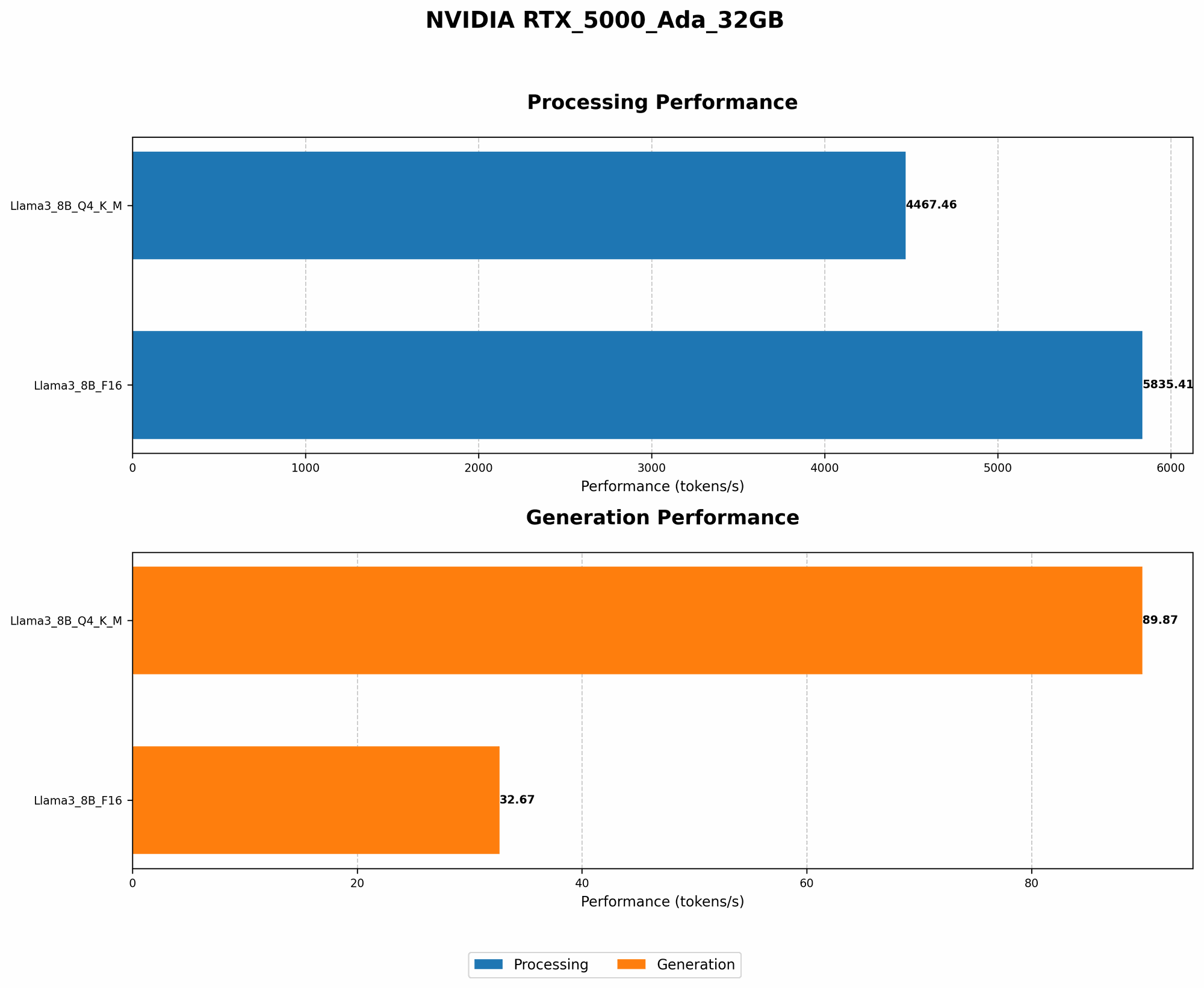
| Llama 3 8B Q4KM | 89.87 | 4467.46 |
| Llama 3 8B F16 | 32.67 | 5835.41 |
As you can see, the Q4KM format for Llama 3 8B significantly improves token generation speed. We're talking about almost three times faster than using F16! This difference is crucial for applications that require real-time response, like chatbots or live interactions.
However, when it comes to processing, the F16 format shines. While Q4KM offers a respectable speed, F16’s higher performance is noteworthy. This is valuable for tasks that require heavy computational processing, like transcribing audio or translating large amounts of text.
Llama 3 70B Performance: The Challenge of Scale
Unfortunately, we don't have data available on the RTX 5000 Ada 32GB’s performance with Llama 3 70B in either format. This is because running such a massive model locally requires considerable resources, and testing it on a wide range of GPUs is still ongoing.
However, given the RTX 5000 Ada 32GB’s impressive capabilities, it's safe to assume that with the right optimization techniques, it can handle Llama 3 70B efficiently.
Setting Up Your AI Workstation: A Step-by-Step Guide
Now let's get practical. Here's a step-by-step guide on how to set up your AI workstation with the NVIDIA RTX 5000 Ada 32GB:
1. Choose the Right Hardware
- GPU: NVIDIA RTX 5000 Ada 32GB
- CPU: Intel Core i9 or AMD Ryzen 9 Series (for multi-tasking and background processes)
- RAM: 32GB or more (for efficient multi-tasking and smoother LLM performance)
- Storage: 1TB or more NVMe SSD (for fast data access and boot times)
2. The Operating System: Linux is Your Friend
Linux operating systems are widely used for AI development due to their stability and compatibility with developer tools. Ubuntu, Debian, and Fedora are popular choices.
3. Installing the Necessary Software
- CUDA Toolkit: Provides libraries and tools for GPU programming.
- cuDNN: Optimizes deep learning performance.
- Python: The essential language for AI development.
- PyTorch or TensorFlow: Popular deep learning frameworks that provide optimized tools for working with LLMs.
4. Setting up the Environment
- Virtual Environment: Create a Python virtual environment to keep your project dependencies organized.
- Project Dependencies: Install the necessary libraries for your project, including llama.cpp, transformers (for Llama 3), and relevant packages.
5. Downloading and Compiling Llama 3
- Download the Llama 3 model weights from the official repository.
- Compile Llama.cpp using the provided instructions.
- Adjust the configuration file to optimize for your specific GPU and model format.
6. Running Your First Inference
- Use the compiled Llama.cpp executable to run the model.
- Interact with the LLM using the provided command-line interface or through a custom application.
FAQs
1. Can I run other LLMs besides Llama 3 on the RTX 5000 Ada 32GB?
Yes! The RTX 5000 Ada 32GB is powerful enough to handle many other popular LLMs, including but not limited to:
- Stable Diffusion: Generate stunning images with this text-to-image model.
- GPT-NeoX: Explore powerful text generation capabilities.
- BLOOM: Interact with this multilingual LLM.
Remember, the specific model's resource requirements will influence its performance on your workstation.
2. Can I use the RTX 5000 Ada 32GB for AI training?
Absolutely! While its primary focus is on inference, the RTX 5000 Ada 32GB is also well-suited for training smaller LLMs. For training larger models, you might need multiple GPUs or access to cloud computing resources.
3. How much does an RTX 5000 Ada 32GB cost?
The cost of an RTX 5000 Ada 32GB varies depending on the vendor and current market conditions. It's a premium-level GPU, so expect to invest a significant amount.
4. Are there any alternatives to the RTX 5000 Ada 32GB?
Yes! The NVIDIA RTX 40 series offers several alternative GPUs, including the RTX 4090 and RTX 4080. These GPUs boast even higher performance but are generally more expensive.
5. What else can I do with my AI workstation?
Aside from running LLMs, your AI workstation can be used for a wide range of tasks, including:
- Machine Learning: Train and deploy machine learning models for various applications.
- Computer Vision: Process and analyze images and videos.
- Data Analysis: Perform complex data analysis and visualization.
Keywords
NVIDIA RTX 5000 Ada 32GB, AI Workstation, LLM, Llama 3, AI Inference, AI Training, Quantization, Q4KM, F16, GPU, CUDA, cuDNN, Python, PyTorch, TensorFlow, GPU Benchmarks, Token Generation, Token Processing, GPU Memory, Model Weights, Stable Diffusion, GPT-NeoX, BLOOM, Local AI, AI Playground,