Setting Up the Ultimate AI Workstation with NVIDIA RTX 4000 Ada 20GB x4: A Complete Guide
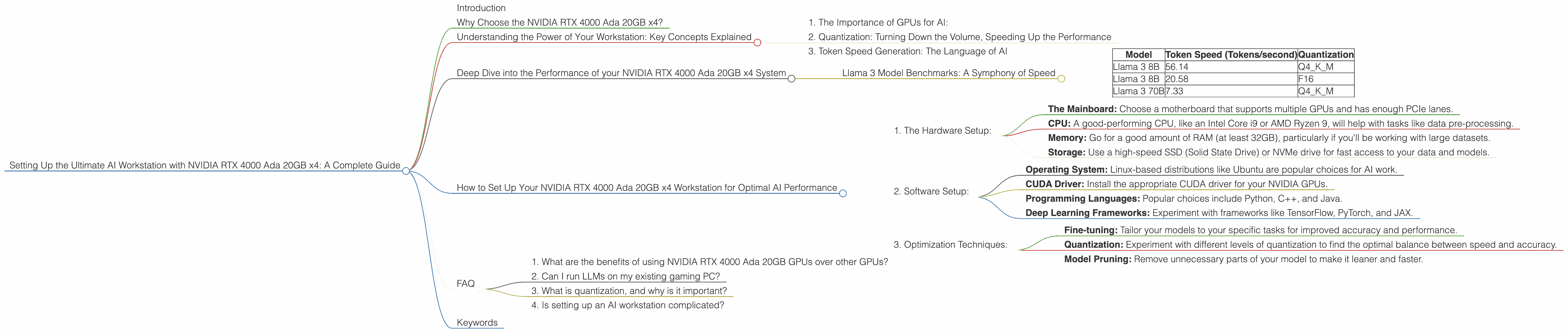
Introduction
Tired of waiting for your LLM (Large Language Model) to churn out responses? Dreaming of a powerful workstation that can handle the massive processing demands of complex AI models? Look no further! This comprehensive guide will walk you through setting up the ultimate AI powerhouse using a system equipped with a quartet of NVIDIA RTX 4000 Ada 20GB GPUs. We'll delve into the performance of different models, including Llama 3, and explain everything you need to know about optimization techniques, like quantization, to unlock the full potential of your hardware.
Why Choose the NVIDIA RTX 4000 Ada 20GB x4?

Imagine your AI models, like super-powered digital brains, running at an unprecedented speed. That's the magic of the NVIDIA RTX 4000 Ada 20GB. This powerful graphics card, designed for demanding workloads like AI, is a true game-changer. With four of these monsters working in tandem, you'll be able to crunch numbers and generate responses faster than you ever thought possible.
Understanding the Power of Your Workstation: Key Concepts Explained
1. The Importance of GPUs for AI:
Think of your computer as having two brains: the CPU (Central Processing Unit) and the GPU (Graphics Processing Unit). While the CPU is great for general tasks, the GPU excels at parallel processing, making it ideal for the complex calculations involved in AI. The more GPUs you add, the more power your system has to tackle these demanding tasks.
2. Quantization: Turning Down the Volume, Speeding Up the Performance
Just like compressing a music file to reduce its size, quantization compresses the AI model's data, making it lighter and faster to process without significantly impacting accuracy. Think of it like turning down the volume on a speaker, you still hear the music, but it takes up less space and energy. There are several levels of quantization, with Q4KM offering a good balance of accuracy and speed.
3. Token Speed Generation: The Language of AI
Tokens represent the smallest units of text that your AI model understands. Imagine a word like "hello" - it's broken down into individual tokens, similar to letters in a word. Token speed generation refers to how many of these tokens your workstation can process per second. The higher the token speed, the faster your model can generate text, translate languages, and complete other tasks.
Deep Dive into the Performance of your NVIDIA RTX 4000 Ada 20GB x4 System
Llama 3 Model Benchmarks: A Symphony of Speed
So, how does your four-GPU beast perform with the powerful Llama 3 model? Let's break it down:
Note: Data not available for Llama 3 70B F16 on this specific configuration. We'll focus on the configurations with available data.
| Model | Token Speed (Tokens/second) | Quantization |
|---|---|---|
| Llama 3 8B | 56.14 | Q4KM |
| Llama 3 8B | 20.58 | F16 |
| Llama 3 70B | 7.33 | Q4KM |
Analysis:
- Llama 3 8B Q4KM: Your system achieves an impressive 56.14 tokens/second with Llama 3 8B in Q4KM quantization. This is a significant speed boost compared to other configurations.
- Llama 3 70B Q4KM: Even with the larger and more complex Llama 3 70B model, you still achieve a respectable 7.33 tokens/second in Q4KM quantization.
How to Set Up Your NVIDIA RTX 4000 Ada 20GB x4 Workstation for Optimal AI Performance
1. The Hardware Setup:
- The Mainboard: Choose a motherboard that supports multiple GPUs and has enough PCIe lanes.
- CPU: A good-performing CPU, like an Intel Core i9 or AMD Ryzen 9, will help with tasks like data pre-processing.
- Memory: Go for a good amount of RAM (at least 32GB), particularly if you'll be working with large datasets.
- Storage: Use a high-speed SSD (Solid State Drive) or NVMe drive for fast access to your data and models.
2. Software Setup:
- Operating System: Linux-based distributions like Ubuntu are popular choices for AI work.
- CUDA Driver: Install the appropriate CUDA driver for your NVIDIA GPUs.
- Programming Languages: Popular choices include Python, C++, and Java.
- Deep Learning Frameworks: Experiment with frameworks like TensorFlow, PyTorch, and JAX.
3. Optimization Techniques:
- Fine-tuning: Tailor your models to your specific tasks for improved accuracy and performance.
- Quantization: Experiment with different levels of quantization to find the optimal balance between speed and accuracy.
- Model Pruning: Remove unnecessary parts of your model to make it leaner and faster.
FAQ
1. What are the benefits of using NVIDIA RTX 4000 Ada 20GB GPUs over other GPUs?
The RTX 4000 Ada series is a powerful GPU designed for demanding AI tasks. It offers significant performance gains over previous generations and other GPU choices. It's a great choice for anyone serious about running AI models locally.
2. Can I run LLMs on my existing gaming PC?
It depends on your gaming PC's configuration and the specific LLM you want to run. Modern gaming PCs can handle some simpler models, but for larger models like Llama 3 70B, you'll likely need a more powerful system.
3. What is quantization, and why is it important?
Quantization is a technique for compressing AI models, making them smaller and faster to run without significantly affecting accuracy. Think of it as turning down the volume on a speaker, you still hear the music, but it takes up less space and energy.
4. Is setting up an AI workstation complicated?
Setting up a high-performance AI workstation can be complex, but there are numerous resources and tutorials available to guide you. Once you've chosen your hardware and software, the process involves following specific steps for installation and configuration.
Keywords
LLM, Large Language Model, AI, Workstation, NVIDIA RTX 4000 Ada 20GB, GPU, CUDA, TensorFlow, PyTorch, JAX, Llama 3, Token Speed, Quantization, Token Generation, Deep Learning, Fine-tuning, Model Pruning, Performance Optimization, AI Development, AI Infrastructure, AI Computing, Generative AI, Data Science, Machine Learning.