Setting Up the Ultimate AI Workstation with NVIDIA 4070 Ti 12GB: A Complete Guide
Introduction
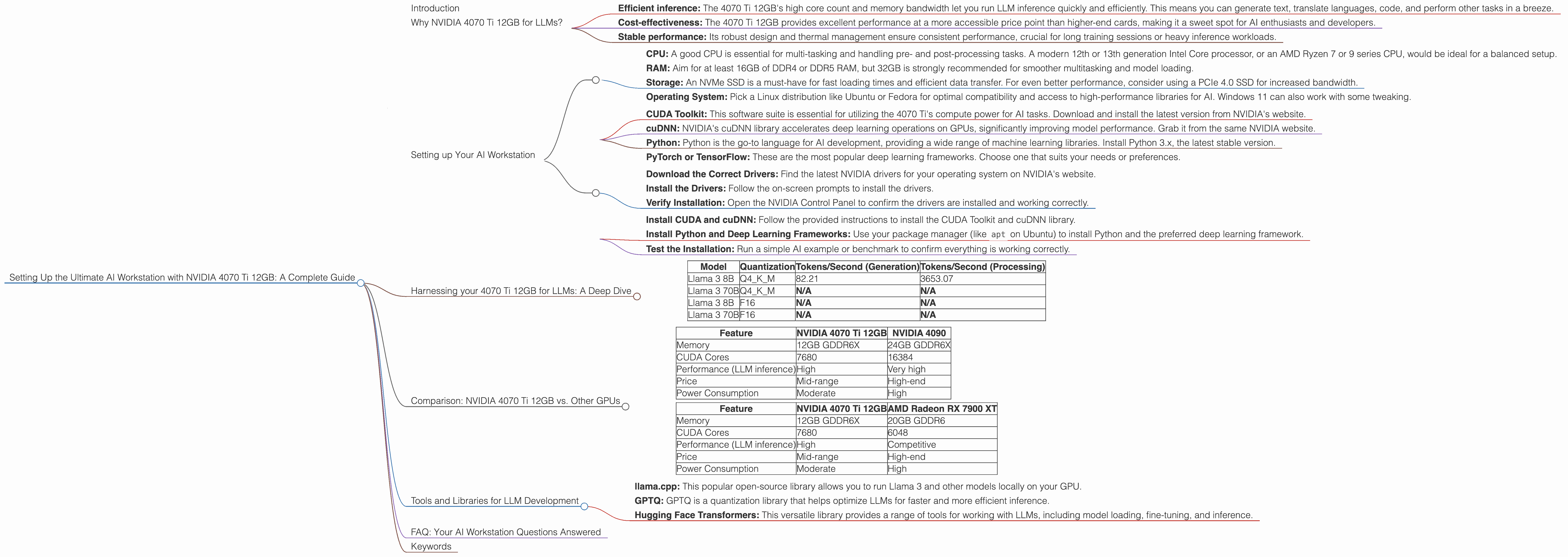
The world of large language models (LLMs) is exploding, with new models and applications emerging every day. If you're a developer, researcher, or just someone who wants to play around with these powerful AI tools, you'll need a powerful workstation that can handle the demands of running and training these models.
This guide will focus on setting up the ultimate AI workstation with an NVIDIA 4070 Ti 12GB GPU, a card that offers a potent blend of performance and affordability. We'll walk you through the process, discuss the benefits of this setup, and provide insights into using it for various LLMs.
Think of it like building a high-performance race car tailored for AI - we're going to equip you with the tools and knowledge to unleash its full potential!
Why NVIDIA 4070 Ti 12GB for LLMs?
The NVIDIA 4070 Ti 12GB is a powerhouse GPU designed for demanding tasks like gaming, rendering, and — you guessed it — AI. It's a step above the 4070, offering increased memory and performance that's vital for running large models like Llama 3.
This powerful GPU excels in:
- Efficient inference: The 4070 Ti 12GB's high core count and memory bandwidth let you run LLM inference quickly and efficiently. This means you can generate text, translate languages, code, and perform other tasks in a breeze.
- Cost-effectiveness: The 4070 Ti 12GB provides excellent performance at a more accessible price point than higher-end cards, making it a sweet spot for AI enthusiasts and developers.
- Stable performance: Its robust design and thermal management ensure consistent performance, crucial for long training sessions or heavy inference workloads.
Setting up Your AI Workstation
Now, let's dive into the setup process:
Hardware Requirements:
- CPU: A good CPU is essential for multi-tasking and handling pre- and post-processing tasks. A modern 12th or 13th generation Intel Core processor, or an AMD Ryzen 7 or 9 series CPU, would be ideal for a balanced setup.
- RAM: Aim for at least 16GB of DDR4 or DDR5 RAM, but 32GB is strongly recommended for smoother multitasking and model loading.
- Storage: An NVMe SSD is a must-have for fast loading times and efficient data transfer. For even better performance, consider using a PCIe 4.0 SSD for increased bandwidth.
- Operating System: Pick a Linux distribution like Ubuntu or Fedora for optimal compatibility and access to high-performance libraries for AI. Windows 11 can also work with some tweaking.
Software Setup:
- CUDA Toolkit: This software suite is essential for utilizing the 4070 Ti's compute power for AI tasks. Download and install the latest version from NVIDIA's website.
- cuDNN: NVIDIA's cuDNN library accelerates deep learning operations on GPUs, significantly improving model performance. Grab it from the same NVIDIA website.
- Python: Python is the go-to language for AI development, providing a wide range of machine learning libraries. Install Python 3.x, the latest stable version.
- PyTorch or TensorFlow: These are the most popular deep learning frameworks. Choose one that suits your needs or preferences.
Installing and Using the Drivers:
- Download the Correct Drivers: Find the latest NVIDIA drivers for your operating system on NVIDIA's website.
- Install the Drivers: Follow the on-screen prompts to install the drivers.
- Verify Installation: Open the NVIDIA Control Panel to confirm the drivers are installed and working correctly.
Configuring Your System for AI:
- Install CUDA and cuDNN: Follow the provided instructions to install the CUDA Toolkit and cuDNN library.
- Install Python and Deep Learning Frameworks: Use your package manager (like
apton Ubuntu) to install Python and the preferred deep learning framework. - Test the Installation: Run a simple AI example or benchmark to confirm everything is working correctly.
Harnessing your 4070 Ti 12GB for LLMs: A Deep Dive
With your AI workstation ready, let's see how the NVIDIA 4070 Ti 12GB shines:
Llama 3: Unleashing the Power of Large Language Models
Llama 3 is a powerful open-source LLM that's making waves in the AI community. It's available in various sizes, including the 8B and 70B models. The NVIDIA 4070 Ti 12GB is a great choice for running and experimenting with these models locally.
Understanding Quantization
First, let's talk about quantization. Imagine you're trying to describe a complex image using only a few colors. Quantization is like using fewer colors to store the image, reducing its size without losing too much detail. In LLMs, quantization reduces the model's size by representing its weights (the numbers that define the model) using fewer bits. This makes the model faster and more efficient.
The 4070 Ti 12GB can handle different levels of quantization, but we'll focus on Q4KM, a commonly used technique. Q4KM means storing the model's weights using just 4 bits, resulting in a smaller model that's quicker to load and process.
Performance Benchmarks: Llama 3 with NVIDIA 4070 Ti 12GB
Let's look at some numbers! The 4070 Ti 12GB is a beast for running Llama 3:
| Model | Quantization | Tokens/Second (Generation) | Tokens/Second (Processing) |
|---|---|---|---|
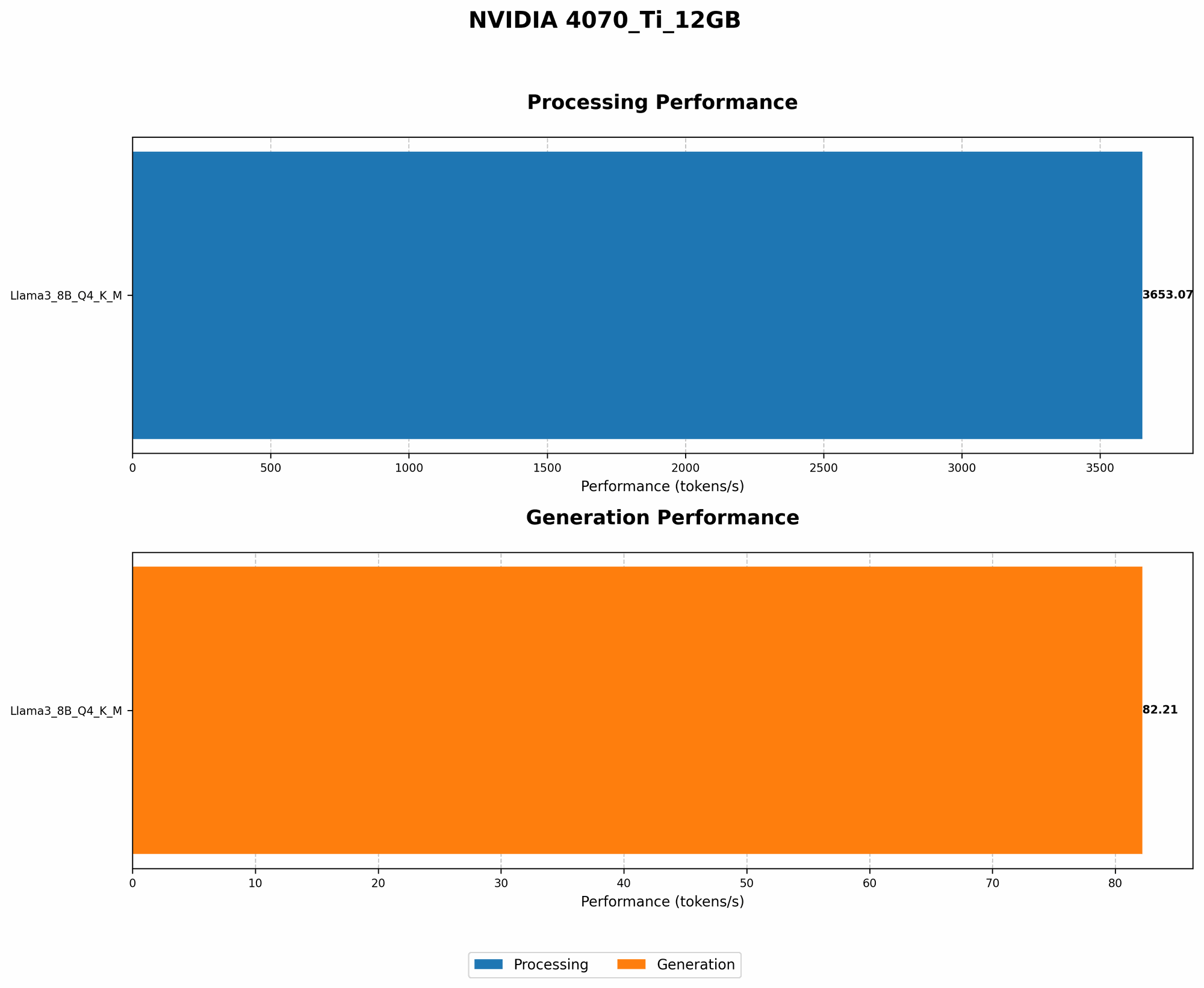
| Llama 3 8B | Q4KM | 82.21 | 3653.07 |
| Llama 3 70B | Q4KM | N/A | N/A |
| Llama 3 8B | F16 | N/A | N/A |
| Llama 3 70B | F16 | N/A | N/A |
Explanation:
- Tokens/Second (Generation): This metric measures how many tokens the model can generate per second. A higher number means faster response times and smoother interactions with the LLM.
- Tokens/Second (Processing): This indicates how quickly the model can process input tokens. Faster processing translates to quicker understanding and response times.
Analysis:
The 4070 Ti 12GB can power the Llama 3 8B model with Q4KM quantization, producing an impressive 82.21 tokens per second for text generation and a blazing-fast 3653.07 tokens per second for processing.
Note: We don't have data for the 70B model with the 4070 Ti 12GB. While it's possible to run this model, you might experience performance bottlenecks due to memory limitations.
What This Means for You:
This performance translates to smooth and responsive interactions with Llama 3. You can have engaging conversations, generate creative content, and explore the capabilities of this powerful model without noticeable lag.
Comparison: NVIDIA 4070 Ti 12GB vs. Other GPUs
While the 4070 Ti 12GB is a great choice, it's helpful to see how it stacks up against other GPUs:
NVIDIA 4070 Ti 12GB vs. NVIDIA 4090
| Feature | NVIDIA 4070 Ti 12GB | NVIDIA 4090 |
|---|---|---|
| Memory | 12GB GDDR6X | 24GB GDDR6X |
| CUDA Cores | 7680 | 16384 |
| Performance (LLM inference) | High | Very high |
| Price | Mid-range | High-end |
| Power Consumption | Moderate | High |
Analysis:
The 4090 outperforms the 4070 Ti 12GB in raw performance, particularly for larger models. However, it comes at a significantly higher price and power consumption. For many use cases, the 4070 Ti 12GB offers a compelling balance of performance and affordability.
NVIDIA 4070 Ti 12GB vs. AMD Radeon RX 7900 XT
| Feature | NVIDIA 4070 Ti 12GB | AMD Radeon RX 7900 XT |
|---|---|---|
| Memory | 12GB GDDR6X | 20GB GDDR6 |
| CUDA Cores | 7680 | 6048 |
| Performance (LLM inference) | High | Competitive |
| Price | Mid-range | High-end |
| Power Consumption | Moderate | High |
Analysis:
The AMD Radeon RX 7900 XT is a competitive option, offering similar performance to the 4070 Ti 12GB at a slightly higher price. It's worth considering if you need even more memory, but for most LLM tasks, the 4070 Ti 12GB is a solid choice.
Choosing the Right GPU:
- Budget: The 4070 Ti 12GB offers excellent value for AI workloads, making it an attractive choice for those with a limited budget.
- Model Size: If you plan to run larger models like the Llama 3 70B, a GPU with more memory, like the 4090 or AMD RX 7900 XT, might be necessary.
- Cooling: The 4070 Ti 12GB has a relatively moderate power consumption, which helps with cooling in a workstation environment.
Tools and Libraries for LLM Development
With your powerful workstation set up, let's explore some tools and libraries that will help you unleash the potential of your 4070 Ti 12GB:
- llama.cpp: This popular open-source library allows you to run Llama 3 and other models locally on your GPU.
- GPTQ: GPTQ is a quantization library that helps optimize LLMs for faster and more efficient inference.
- Hugging Face Transformers: This versatile library provides a range of tools for working with LLMs, including model loading, fine-tuning, and inference.
FAQ: Your AI Workstation Questions Answered
Q1: Is the NVIDIA 4070 Ti 12GB suitable for training LLMs?
A1: While the 4070 Ti 12GB can handle smaller LLM training tasks, it's not ideal for training extremely large models. For heavy training, a higher-end GPU like the 4090 or a multi-GPU setup is recommended.
Q2: What about other LLMs? Can I run them on this GPU?
A2: Yes, the 4070 Ti 12GB is well-suited for running other open-source LLMs like StableLM and Alpaca. The 4070 Ti 12GB's performance would vary depending on the model size and quantization level.
Q3: Do I need all the software mentioned?
A3: The core requirements are CUDA Toolkit, cuDNN, and Python. The specific libraries and frameworks you install will depend on your LLM development needs.
Q4: How can I learn more about LLMs?
A4: Resources like the Hugging Face website, the Google AI Blog, and the papers published by LLM researchers are great starting points. Experimenting with different models and libraries will also accelerate your learning.
Q5: What are the benefits of running LLMs locally vs. using cloud services?
A5: Running LLMs locally gives you full control over your data, processing, and environment. It can also be more cost-effective for frequent use. Cloud services are more convenient for occasional use or when needing massive computing power.
Keywords
NVIDIA 4070 Ti 12GB, AI Workstation, LLM, Llama 3, GPU, Quantization, Q4KM, Inference, Generation, Processing, Tokens per Second, Open-Source, Deep Learning, CUDA, cuDNN, Python, PyTorch, TensorFlow, llama.cpp, GPTQ, Hugging Face Transformers, LLM Performance, AI Development, AI Tools, Workstation Setup, AI Hardware, Local AI, GPU Benchmark, AI Performance, Data Privacy, Cost-Effective AI, AI for Developers