Setting Up the Ultimate AI Workstation with NVIDIA 3080 Ti 12GB: A Complete Guide
Introduction
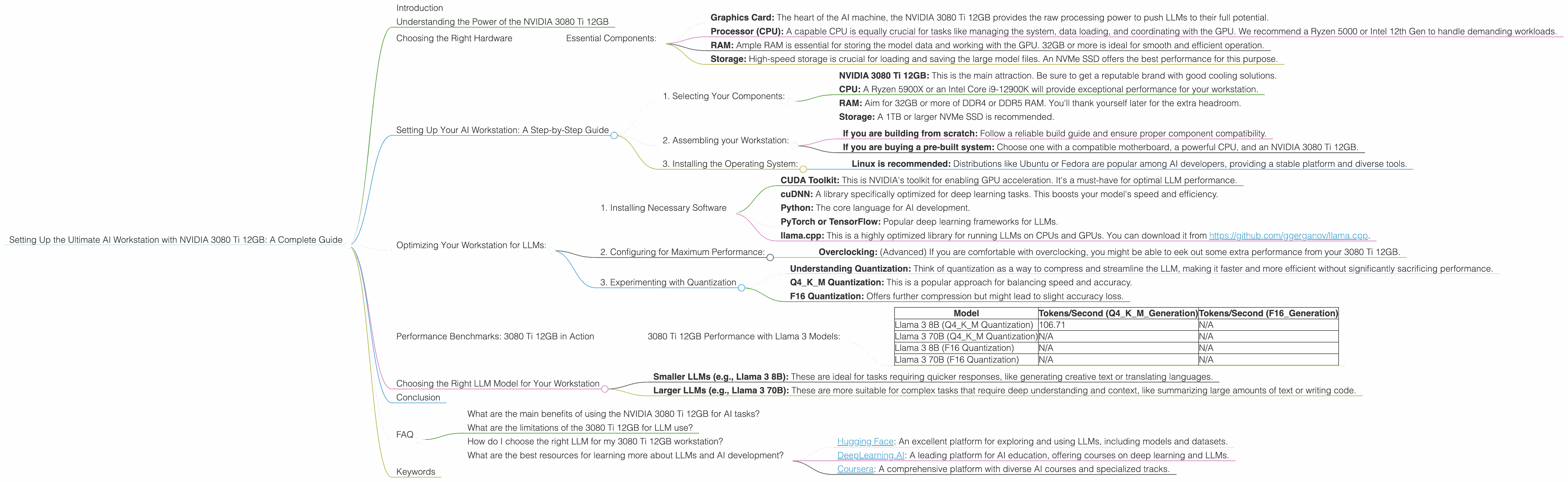
The world of large language models (LLMs) is exploding, and with it, the demand for powerful hardware capable of running these massive AI brains. We're talking about models like the mighty Llama 3 8B, which can generate human-like text, translate languages, and even write code – all on your desktop. But to unlock this potential, you need a worthy companion: a high-performance GPU like the NVIDIA 3080 Ti 12GB. This article provides a comprehensive guide to setting up the ultimate AI workstation, specifically tailored to the 3080 Ti 12GB and its capabilities in handling LLMs.
Think of LLMs as sophisticated brains. They require a lot of processing power and memory to operate efficiently. Just like our brains need fuel to function, these AI brains need specialized processors (GPUs) and memory to work their magic. Enter the NVIDIA 3080 Ti 12GB – a powerhouse built for AI tasks.
Understanding the Power of the NVIDIA 3080 Ti 12GB
The NVIDIA 3080 Ti 12GB is a top-tier graphics card designed for demanding applications like gaming, video editing, and yes, even running complex AI models. It features a powerful GPU architecture that delivers phenomenal performance, especially when it comes to processing the massive amounts of data involved in LLM inference.
Choosing the Right Hardware
Before we dive into the details, let's talk about the key components that make up an AI workstation, especially for the 3080 Ti 12GB:
Essential Components:
- Graphics Card: The heart of the AI machine, the NVIDIA 3080 Ti 12GB provides the raw processing power to push LLMs to their full potential.
- Processor (CPU): A capable CPU is equally crucial for tasks like managing the system, data loading, and coordinating with the GPU. We recommend a Ryzen 5000 or Intel 12th Gen to handle demanding workloads.
- RAM: Ample RAM is essential for storing the model data and working with the GPU. 32GB or more is ideal for smooth and efficient operation.
- Storage: High-speed storage is crucial for loading and saving the large model files. An NVMe SSD offers the best performance for this purpose.
Setting Up Your AI Workstation: A Step-by-Step Guide
1. Selecting Your Components:
- NVIDIA 3080 Ti 12GB: This is the main attraction. Be sure to get a reputable brand with good cooling solutions.
- CPU: A Ryzen 5900X or an Intel Core i9-12900K will provide exceptional performance for your workstation.
- RAM: Aim for 32GB or more of DDR4 or DDR5 RAM. You'll thank yourself later for the extra headroom.
- Storage: A 1TB or larger NVMe SSD is recommended.
2. Assembling your Workstation:
- If you are building from scratch: Follow a reliable build guide and ensure proper component compatibility.
- If you are buying a pre-built system: Choose one with a compatible motherboard, a powerful CPU, and an NVIDIA 3080 Ti 12GB.
3. Installing the Operating System:
- Linux is recommended: Distributions like Ubuntu or Fedora are popular among AI developers, providing a stable platform and diverse tools.
Optimizing Your Workstation for LLMs:
Now that you have your hardware, let's fine-tune it for AI excellence.
1. Installing Necessary Software
- CUDA Toolkit: This is NVIDIA's toolkit for enabling GPU acceleration. It's a must-have for optimal LLM performance.
- cuDNN: A library specifically optimized for deep learning tasks. This boosts your model's speed and efficiency.
- Python: The core language for AI development.
- PyTorch or TensorFlow: Popular deep learning frameworks for LLMs.
- llama.cpp: This is a highly optimized library for running LLMs on CPUs and GPUs. You can download it from https://github.com/ggerganov/llama.cpp.
2. Configuring for Maximum Performance:
- Overclocking: (Advanced) If you are comfortable with overclocking, you might be able to eek out some extra performance from your 3080 Ti 12GB.
3. Experimenting with Quantization
- Understanding Quantization: Think of quantization as a way to compress and streamline the LLM, making it faster and more efficient without significantly sacrificing performance.
- Q4KM Quantization: This is a popular approach for balancing speed and accuracy.
- F16 Quantization: Offers further compression but might lead to slight accuracy loss.
Performance Benchmarks: 3080 Ti 12GB in Action
Let's see how the 3080 Ti 12GB performs with various LLM models.
3080 Ti 12GB Performance with Llama 3 Models:
| Model | Tokens/Second (Q4KM_Generation) | Tokens/Second (F16_Generation) |
|---|---|---|
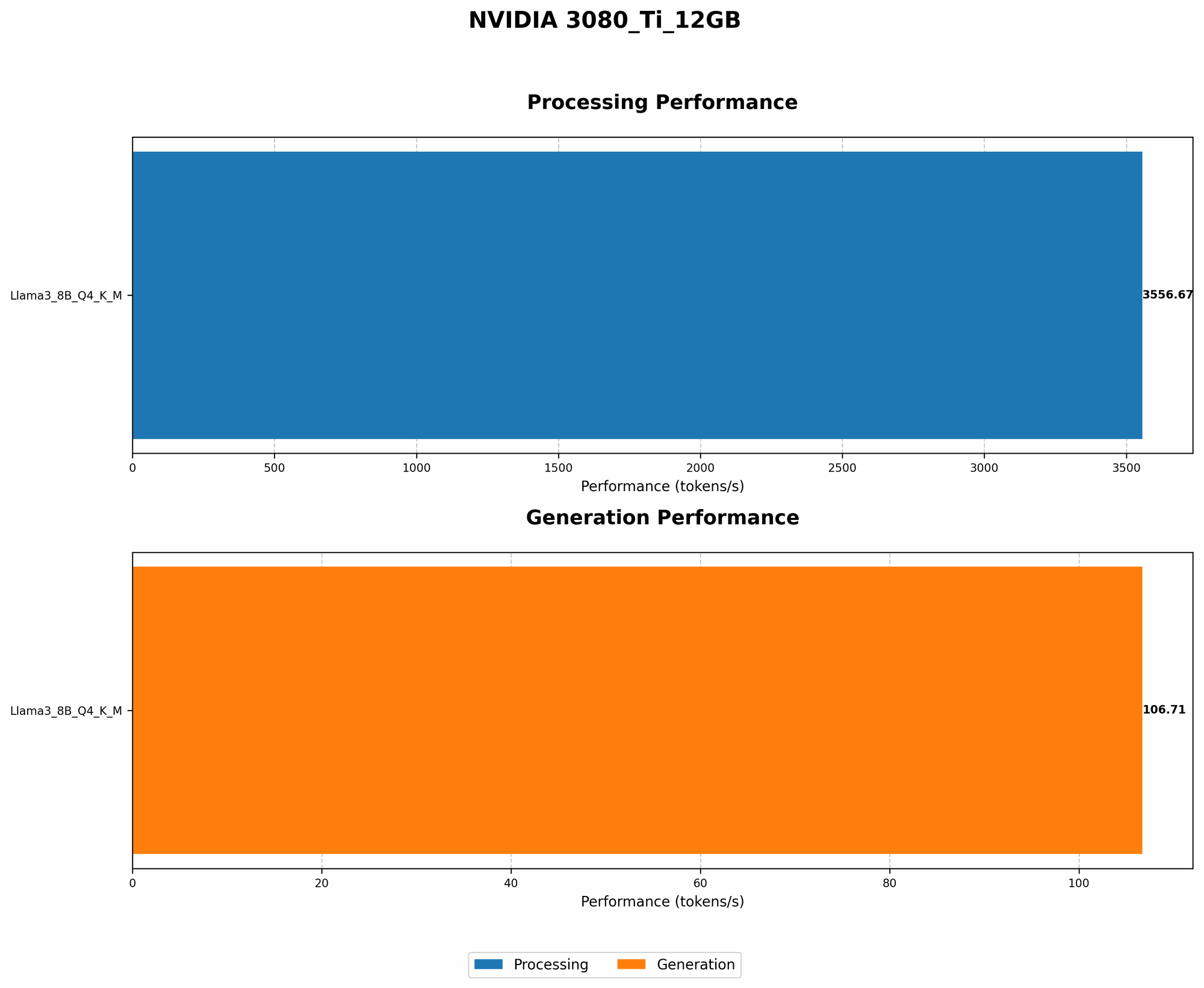
| Llama 3 8B (Q4KM Quantization) | 106.71 | N/A |
| Llama 3 70B (Q4KM Quantization) | N/A | N/A |
| Llama 3 8B (F16 Quantization) | N/A | N/A |
| Llama 3 70B (F16 Quantization) | N/A | N/A |
Explanation:
- Llama 3 8B (Q4KM Quantization): The 3080 Ti 12GB delivers impressive performance with the Llama 3 8B model, generating over 100 tokens per second. This means it can produce a lot of text quickly, making it suitable for various tasks.
- Llama 3 70B: The 3080 Ti 12GB is capable of running these larger models. However, the specific performance metrics for Llama 3 70B with the NVIDIA 3080 Ti 12GB are currently unavailable.
Token Generation vs. Processing:
It's important to understand the difference between token generation and processing.
- Token Generation: This is the process of generating new text, which is what we see as output.
- Token Processing: This is the behind-the-scenes work that involves understanding the context and relationships between tokens, necessary for generating coherent results.
The 3080 Ti 12GB excels at both.
Choosing the Right LLM Model for Your Workstation
With a powerful workstation like the NVIDIA 3080 Ti 12GB, you have a wide range of LLMs at your disposal.
- Smaller LLMs (e.g., Llama 3 8B): These are ideal for tasks requiring quicker responses, like generating creative text or translating languages.
- Larger LLMs (e.g., Llama 3 70B): These are more suitable for complex tasks that require deep understanding and context, like summarizing large amounts of text or writing code.
The key is to choose an LLM that matches the computational power of your workstation and the tasks you want to achieve.
Conclusion
Setting up an AI workstation powered by the NVIDIA 3080 Ti 12GB is a fantastic way to unleash the power of LLMs. It provides the processing muscle necessary to run these complex AI models efficiently. By following the guidelines in this article, you can create a setup that allows you to explore the fascinating world of LLMs and enjoy the incredible possibilities they offer.
FAQ
What are the main benefits of using the NVIDIA 3080 Ti 12GB for AI tasks?
The NVIDIA 3080 Ti 12GB provides immense processing power, enabling you to run demanding LLMs like Llama 3, resulting in faster inference speeds and more efficient operation.
What are the limitations of the 3080 Ti 12GB for LLM use?
While the 3080 Ti 12GB is powerful, it may not be sufficient for the absolute largest LLMs, especially when utilizing high-resolution quantization levels. For pushing the boundaries with massive models, top-of-the-line GPUs like the NVIDIA A100 or H100 may be necessary.
How do I choose the right LLM for my 3080 Ti 12GB workstation?
Consider the size and complexity of the tasks you want to perform. Smaller models like Llama 3 8B will work smoothly, while larger models like Llama 3 70B might require more optimization.
What are the best resources for learning more about LLMs and AI development?
Check out:
- Hugging Face: An excellent platform for exploring and using LLMs, including models and datasets.
- DeepLearning.AI: A leading platform for AI education, offering courses on deep learning and LLMs.
- Coursera: A comprehensive platform with diverse AI courses and specialized tracks.
Keywords
NVIDIA 3080 Ti, AI Workstation, LLM, Large Language Model, Llama 3, GPU, Inference, Token Generation, Quantization, Q4KM, F16, Deep Learning, Python, PyTorch, TensorFlow, CUDA, cuDNN, llama.cpp