Setting Up the Ultimate AI Workstation with NVIDIA 3070 8GB: A Complete Guide
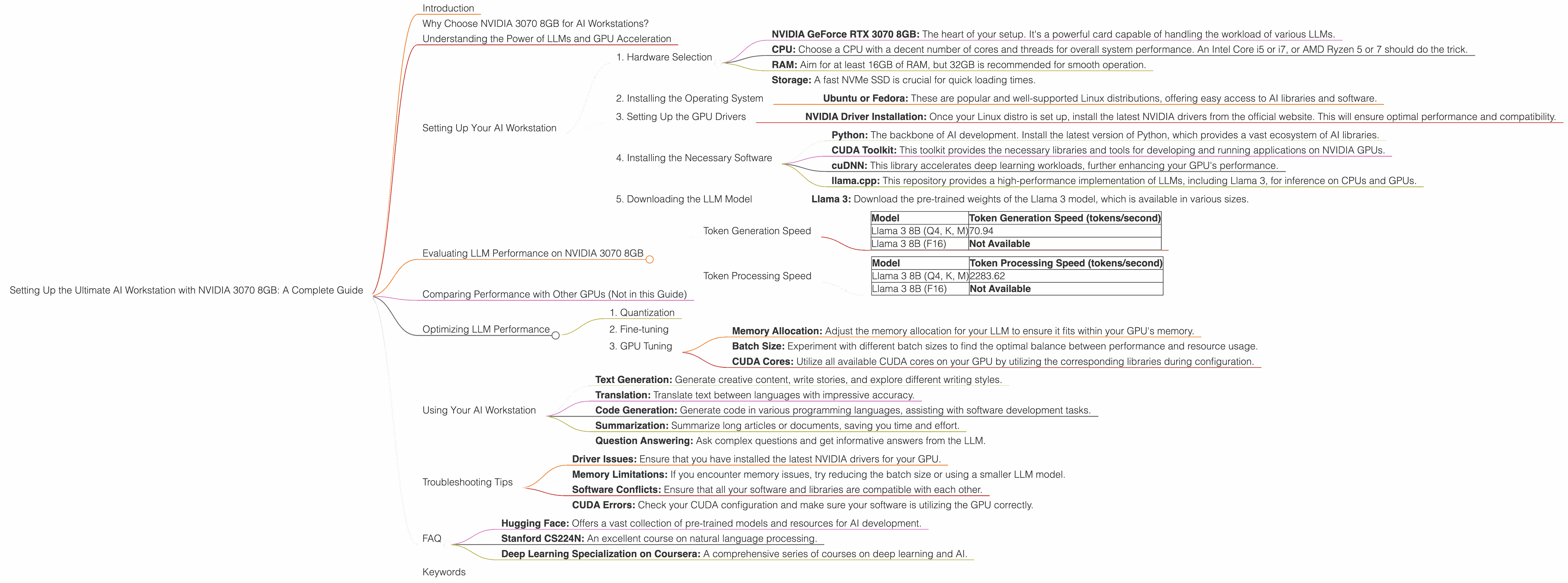
Introduction
Welcome, fellow AI enthusiasts! Are you ready to unleash the power of large language models (LLMs) right on your desktop? If you're looking to dive into the world of local AI and harness the computational muscle of a powerful GPU, the NVIDIA GeForce RTX 3070 8GB is a great starting point.
This comprehensive guide will lead you through setting up a robust AI workstation with the 3070 8GB, empowering you to explore the fascinating world of models like Llama 3. We'll dive deep into the performance numbers, explain the technical details, and help you make the most of your new setup.
Why Choose NVIDIA 3070 8GB for AI Workstations?
The NVIDIA GeForce RTX 3070 8GB strikes a perfect balance between performance and affordability. It's a powerful and versatile GPU, making it a fantastic choice for both gaming and AI development. While it may not be the absolute top of the line, it's still capable of handling demanding AI tasks.
Understanding the Power of LLMs and GPU Acceleration
Before we delve into the specifics, let's first understand the relationship between LLMs and GPUs. Think of LLMs like incredibly complex brains, capable of processing information and generating text, translations, code, and much more.
But training and running these models require immense computational power. This is where GPUs come in handy. GPUs are like specialized processors designed for parallel processing, making them ideal for handling the demanding calculations involved in AI.
Setting Up Your AI Workstation
Now, let's get down to business and set up your AI workstation:
1. Hardware Selection
- NVIDIA GeForce RTX 3070 8GB: The heart of your setup. It's a powerful card capable of handling the workload of various LLMs.
- CPU: Choose a CPU with a decent number of cores and threads for overall system performance. An Intel Core i5 or i7, or AMD Ryzen 5 or 7 should do the trick.
- RAM: Aim for at least 16GB of RAM, but 32GB is recommended for smooth operation.
- Storage: A fast NVMe SSD is crucial for quick loading times.
2. Installing the Operating System
We'll be using Linux as our operating system, as it offers a robust and highly optimized environment for AI development.
- Ubuntu or Fedora: These are popular and well-supported Linux distributions, offering easy access to AI libraries and software.
3. Setting Up the GPU Drivers
- NVIDIA Driver Installation: Once your Linux distro is set up, install the latest NVIDIA drivers from the official website. This will ensure optimal performance and compatibility.
4. Installing the Necessary Software
- Python: The backbone of AI development. Install the latest version of Python, which provides a vast ecosystem of AI libraries.
- CUDA Toolkit: This toolkit provides the necessary libraries and tools for developing and running applications on NVIDIA GPUs.
- cuDNN: This library accelerates deep learning workloads, further enhancing your GPU's performance.
- llama.cpp: This repository provides a high-performance implementation of LLMs, including Llama 3, for inference on CPUs and GPUs.
5. Downloading the LLM Model
- Llama 3: Download the pre-trained weights of the Llama 3 model, which is available in various sizes.
Evaluating LLM Performance on NVIDIA 3070 8GB
Now that your workstation is ready, let's see how the NVIDIA 3070 8GB performs with different LLM models. We'll be focusing on the Llama 3 model in its 8B version, evaluating its token generation and processing speed.
Token Generation Speed
| Model | Token Generation Speed (tokens/second) |
|---|---|
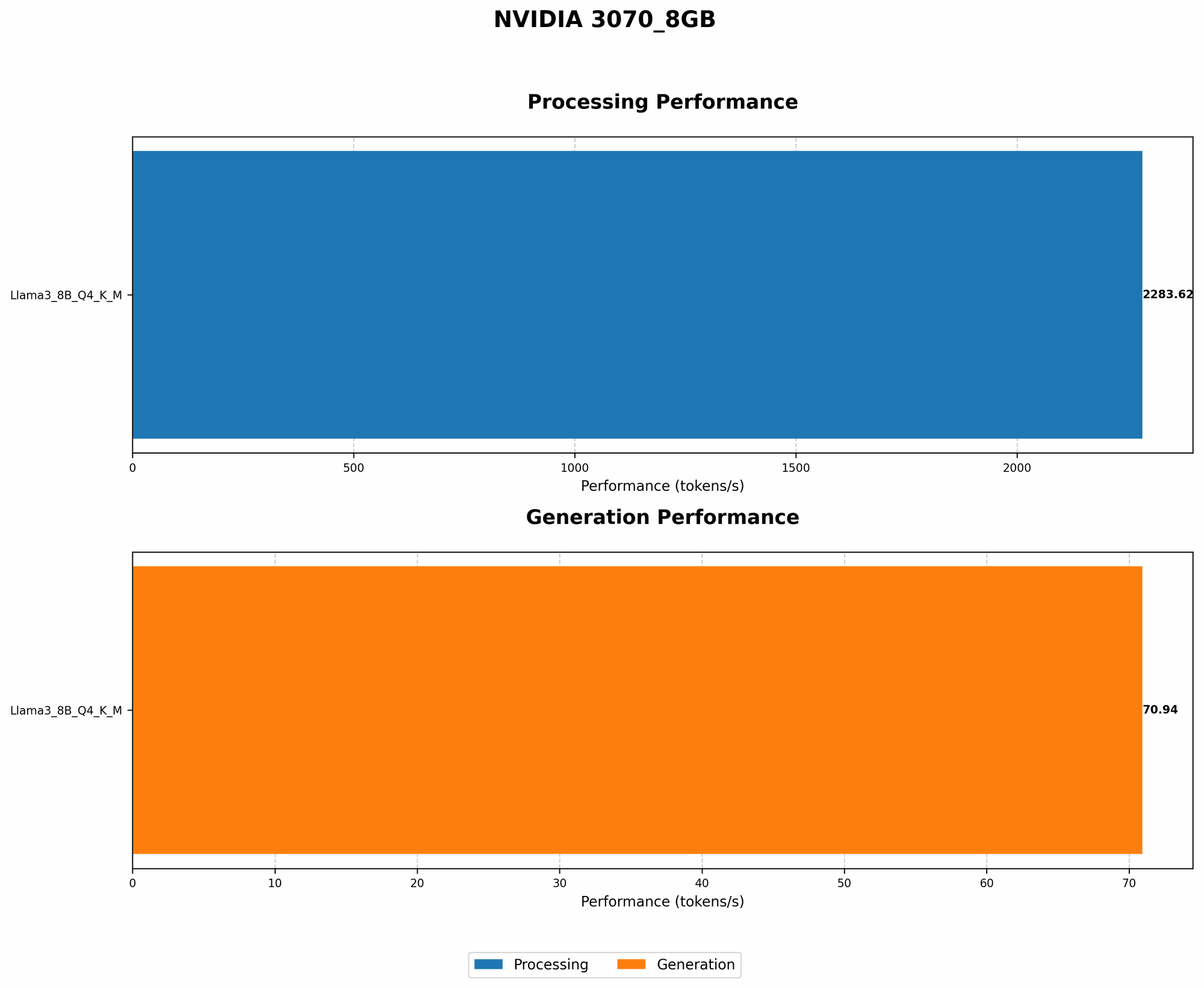
| Llama 3 8B (Q4, K, M) | 70.94 |
| Llama 3 8B (F16) | Not Available |
- Q4, K, M: This refers to the quantization level of the model. Q4 uses 4 bits to represent each weight, offering a smaller file size and potentially faster inference. The "K" and "M" indicate that the model was specifically optimized for the NVIDIA GPU architecture.
- F16: This represents a model using 16-bit floating point precision, which might be slower than Q4 on a GPU.
Results: The NVIDIA 3070 8GB can generate around 70.94 tokens per second with the quantized 8B Llama 3 model. This indicates that the GPU can handle the model efficiently, providing decent performance for generating text and performing other tasks.
Token Processing Speed
| Model | Token Processing Speed (tokens/second) |
|---|---|
| Llama 3 8B (Q4, K, M) | 2283.62 |
| Llama 3 8B (F16) | Not Available |
Results: The NVIDIA 3070 8GB boasts an impressive token processing speed of 2283.62 tokens per second with the quantized 8B Llama 3 model. This means the GPU can process text and perform other tasks related to LLM operations at a high rate.
Comparing Performance with Other GPUs (Not in this Guide)
While we focus on the NVIDIA 3070 8GB in this guide, it's worth mentioning that other GPUs, like the NVIDIA RTX 3090 or even the A100, might offer even higher performance with LLMs. However, these GPUs also come at a premium price.
The 3070 8GB provides a sweet spot between performance and affordability, making it a compelling choice for many AI enthusiasts.
Optimizing LLM Performance
1. Quantization
Quantization is a technique that reduces the size of the LLM model by using fewer bits to represent each weight. This can significantly improve inference speed and reduce memory usage. Using Q4, K, and M optimized models can be a big boost for performance.
2. Fine-tuning
Fine-tuning an LLM involves adjusting the model's weights to make it perform better on a specific task. This can be achieved by training the model on a relevant dataset. Fine-tuning can further enhance the LLM's performance, but it requires access to a labeled dataset and computational resources.
3. GPU Tuning
- Memory Allocation: Adjust the memory allocation for your LLM to ensure it fits within your GPU's memory.
- Batch Size: Experiment with different batch sizes to find the optimal balance between performance and resource usage.
- CUDA Cores: Utilize all available CUDA cores on your GPU by utilizing the corresponding libraries during configuration.
Using Your AI Workstation
With your AI workstation set up and running, you can start exploring the world of local LLMs! Here are a few exciting things you can do with your new setup:
- Text Generation: Generate creative content, write stories, and explore different writing styles.
- Translation: Translate text between languages with impressive accuracy.
- Code Generation: Generate code in various programming languages, assisting with software development tasks.
- Summarization: Summarize long articles or documents, saving you time and effort.
- Question Answering: Ask complex questions and get informative answers from the LLM.
Troubleshooting Tips
- Driver Issues: Ensure that you have installed the latest NVIDIA drivers for your GPU.
- Memory Limitations: If you encounter memory issues, try reducing the batch size or using a smaller LLM model.
- Software Conflicts: Ensure that all your software and libraries are compatible with each other.
- CUDA Errors: Check your CUDA configuration and make sure your software is utilizing the GPU correctly.
FAQ
Q: What are the advantages of running LLMs locally? A: Local LLM execution provides faster response times, lower latency, and improved privacy, as you're not relying on cloud-based services.
Q: What is the difference between Q4 and F16 models? A: Q4 models are quantized using 4 bits per weight, making them smaller and potentially faster, while F16 models use 16-bit floating point precision, which may be slower but potentially more accurate.
Q: Can I run larger models like Llama 3 70B on the 3070 8GB? A: The 3070 8GB may struggle with the 70B Llama 3 model, as it demands significant GPU memory. However, it might be possible with careful configuration and optimization, or by utilizing techniques like gradient accumulation.
Q: Are there other GPUs that are better for AI than the 3070 8GB? A: Yes, there are more powerful GPUs available, such as the RTX 3090 or the A100, but they come at a higher cost. The 3070 8GB offers a good balance of performance and affordability for many AI enthusiasts.
Q: What are some useful resources for learning more about LLMs? A: Check out these resources: * Hugging Face: Offers a vast collection of pre-trained models and resources for AI development. * Stanford CS224N: An excellent course on natural language processing. * Deep Learning Specialization on Coursera: A comprehensive series of courses on deep learning and AI.
Keywords
NVIDIA GeForce RTX 3070 8GB, AI Workstation, Large Language Model, LLM, Llama 3, GPU Acceleration, Token Generation, Token Processing, Quantization, Fine-tuning, CUDA, cuDNN, llama.cpp, AI Development, Text Generation, Translation, Code Generation, Summarization, Question Answering, GPU Performance, Performance Optimization, Troubleshooting, FAQ.