Running LLMs on a MacBook Apple M2 Pro Performance Analysis

Cracking the Code: A Guide to Running Large Language Models (LLMs) on Your MacBook
In this article, we'll dive into the world of running Large Language Models (LLMs) on a MacBook equipped with the powerful Apple M2 Pro chip. Ever wondered if your MacBook can handle the processing power needed for these complex AI models? We'll explore the performance of various LLMs on the M2 Pro, unveiling the magic behind these models and showing you the potential of this innovative hardware.
Think of LLMs as the superstars of AI – they're capable of generating human-like text, translating languages, summarizing information, and much more. But the sheer size and complexity of these models require serious computational muscle. That's where the M2 Pro comes in.
Apple M2 Pro: A Powerhouse for Local LLM Inference
The Apple M2 Pro chip is a marvel of engineering, pushing the boundaries of what's possible on a laptop. It boasts impressive processing power, enhanced memory bandwidth, and a powerful GPU, making it a perfect candidate for running demanding LLM models.
Performance Numbers - Llama 2 on the M2 Pro: A Deep Dive
Let's examine the performance of the Llama 2 model, a popular and highly efficient choice for local inference, on the Apple M2 Pro chip. We'll focus on different quantization levels, weighing in on their performance and implications.
Llama 2 7B Model: Processing and Generation Performance
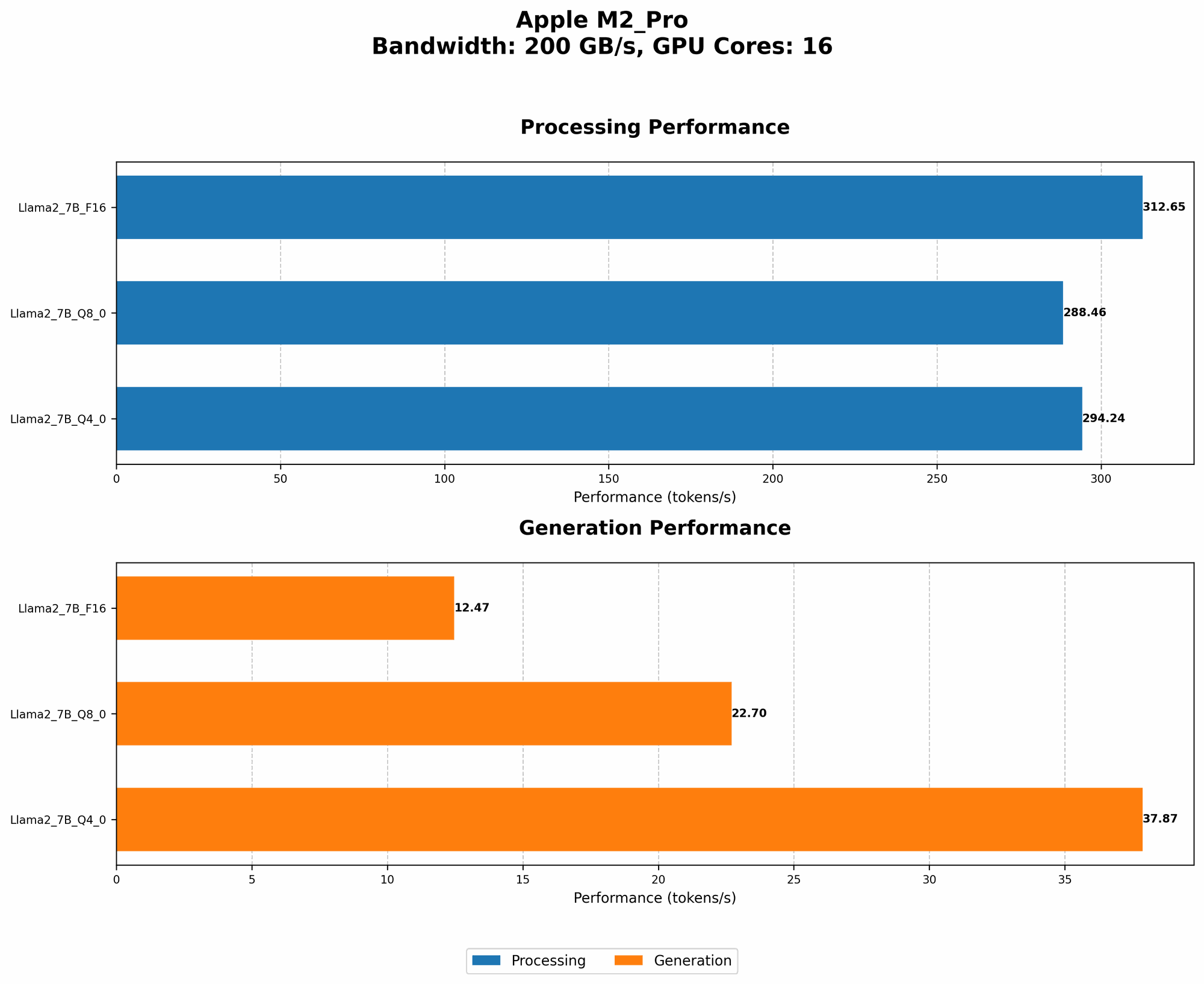
The Llama 2 7B model is a powerful and versatile LLM, offering excellent performance for a relatively compact size. Let's break down its performance with the M2 Pro chip, showcasing its ability to handle different levels of quantization:
| Quantization | Processing (tokens/second) | Generation (tokens/second) | Memory Bandwidth (GB/s) | GPU Cores |
|---|---|---|---|---|
| F16 | 312.65 | 12.47 | 200 | 16 |
| Q8_0 | 288.46 | 22.7 | 200 | 16 |
| Q4_0 | 294.24 | 37.87 | 200 | 16 |
Interpretation: The Llama 2 7B model on the M2 Pro performs strikingly well across different quantization levels, showcasing impressive processing and generation speeds. Remember, processing focuses on the internal computations within the LLM, while generation refers to the speed at which it outputs text.
Quantization Explained: Think of quantization as a technique used to reduce the size of LLM models without sacrificing too much accuracy. It's like compressing a large file, but in the world of AI! F16 uses half-precision floating-point numbers, Q80 uses 8-bit integers, and Q40 uses 4-bit integers. Lower quantization levels typically trade off a bit of accuracy for faster speed and memory efficiency.
Key Observations:
- F16: It offers the highest processing speed, but has a slower generation speed due to the heavier computations involved.
- Q80 and Q40: These quantization levels offer a significant boost to generation speed compared to F16. This means you can get your text responses more quickly, even though processing speeds are slightly lower.
Trade-offs: It's essential to consider the trade-off between processing speed, generation speed, and memory efficiency when selecting a quantization level. For tasks that prioritize speed, such as generating responses, a smaller quantization level like Q4_0 may be preferred. If you need higher precision for more complex tasks, F16 might be a better choice.
Llama 2 7B Model: Performance with Additional GPU Cores
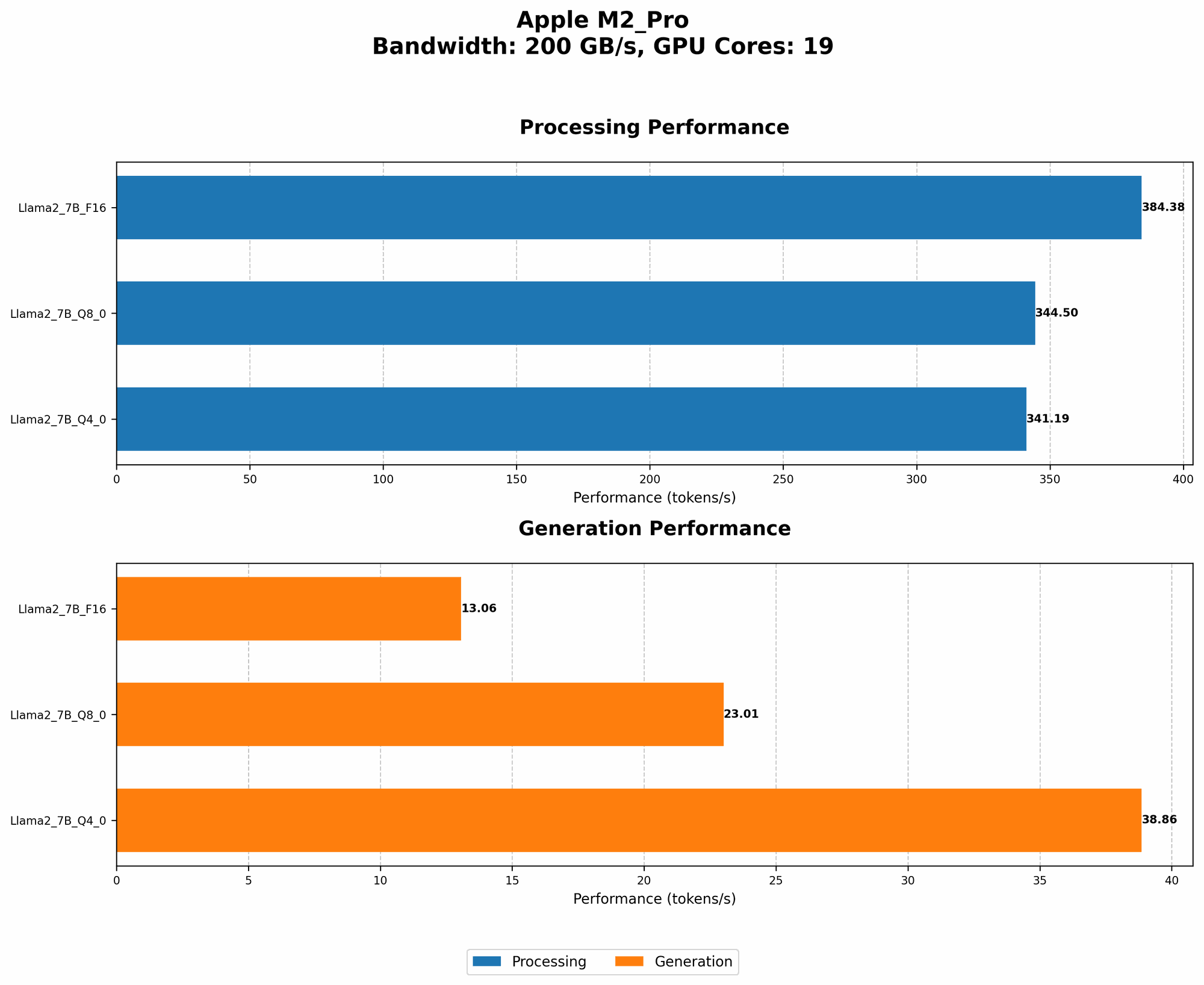
The M2 Pro offers different configurations, including variations in GPU cores. Let's delve into the performance of the Llama 2 7B model on an M2 Pro with 19 GPU cores:
| Quantization | Processing (tokens/second) | Generation (tokens/second) | Memory Bandwidth (GB/s) | GPU Cores |
|---|---|---|---|---|
| F16 | 384.38 | 13.06 | 200 | 19 |
| Q8_0 | 344.5 | 23.01 | 200 | 19 |
| Q4_0 | 341.19 | 38.86 | 200 | 19 |
Observations:
- The M2 Pro with 19 GPU cores offers a slight improvement in both processing and generation speeds.
- The increase in GPU cores translates to increased computational power, showcasing the power of parallelization.
Analogy: Imagine a team of engineers working on a project. By adding more engineers, you can divide the workload and complete the project faster. Similarly, the additional GPU cores on the M2 Pro help accelerate the tasks of processing and generating text for the LLM.
Overall Performance Assessment
These numbers highlight the impressive capabilities of the M2 Pro for running LLMs. The Apple M2 Pro chip, with its robust processing power and optimized architecture, delivers efficient and relatively quick performance for the Llama 2 7B model.
Note: Data for other LLM models, such as Llama 2 13B, 130B, and 70B, is not available for the M2 Pro chip at this time.
Factors Influencing Performance: Delving Deeper
Beyond the specific model and hardware, several factors influence LLM performance:
- Model Size: Larger models, while more capable, require more computational resources and might put more strain on the GPU, leading to slower performance.
- Quantization Level: As discussed earlier, quantization can significantly impact speed and accuracy – a trade-off you'll need to consider.
- Operating System: The operating system, whether macOS or other platforms, can influence performance through optimizations and resource allocation.
- Software Libraries: The software libraries used for running the LLM (e.g., Llama.cpp) play a role in performance through efficiency and optimization.
Unlocking LLM Potential: Real-World Applications
With the power of the M2 Pro, running LLMs locally opens up exciting possibilities for developers and enthusiasts. Here are a few examples:
- Chatbots and Conversational AI: Create engaging and intelligent chatbots for customer support, education, or entertainment, all running directly on your MacBook.
- Content Creation and Generation: Generate creative content like articles, scripts, poems, and even code, utilizing the power of LLMs.
- Personalized Learning and Tutoring: Develop personalized learning experiences tailored to individual needs, powered by LLM-based tutoring systems.
- Data Analysis and Summarization: Leverage LLMs to efficiently analyze large datasets, extract key insights, and generate concise summaries.
FAQ (Frequently Asked Questions)
Can I run LLMs on a MacBook Air with an M2 chip?
While the M2 chip is impressive, it might not be as powerful as the M2 Pro for running larger LLMs. You might encounter performance limitations depending on the model and the chosen quantization level.
What are the best resources for learning about LLMs and running them locally?
There are numerous online resources available for learning about LLMs and local inference. The Hugging Face website is a great starting point, and the Llama.cpp repository on GitHub offers valuable information and resources.
How can I optimize LLM performance on my MacBook M2 Pro?
By using a smaller quantization level (like Q4_0) or choosing a smaller model, you can potentially boost performance. Additionally, ensuring your system is running efficiently and optimizing your code can also improve speeds.
Keywords
LLM, large language model, M2 Pro, MacBook, performance, Llama 2, processing, generation, quantization, F16, Q80, Q40, inference, GPU, GPU cores, bandwidth, speed, efficiency, trade-offs, chatbot, conversational AI, content creation, learning, data analysis, AI, Apple, macOS, software libraries, Hugging Face, GitHub, Llama.cpp, local inference, optimization.