Running LLMs on a MacBook Apple M1 Ultra Performance Analysis

Introduction
The world of Large Language Models (LLMs) is buzzing with excitement, and running these powerful AI models locally is becoming increasingly popular. But how do these models perform on a MacBook with the Apple M1 Ultra chip, a powerhouse designed for demanding tasks like video editing and 3D rendering?
In this article, we'll dive deep into the performance analysis of running various LLMs on a MacBook M1 Ultra, focusing on the Llama 2 7B model in particular. We'll explore the impact of quantization, different precision settings, and how these factors affect the speed of processing and generating text. This analysis will shed light on the potential and limitations of using a powerful MacBook for local LLM deployment.
Apple M1 Ultra: A Powerful Machine for AI
The Apple M1 Ultra chip is a beast. It packs 20 CPU cores and a whopping 48 GPU cores, designed for tackling tasks that demand extreme processing power. With up to 128GB of unified memory, this chip excels in handling demanding workloads, making it a tempting choice for those venturing into the world of local LLM deployment.
Llama 2 7B Model: A Popular Choice for Local Deployment
The Llama 2 7B model is a popular choice for local deployment due to its impressive balance between model size, performance, and resource requirements. Compared to larger models like the 13B and 70B variants, the Llama 2 7B model is relatively lightweight and can be comfortably run on a high-end laptop with enough RAM and processing power.
Understanding Quantization: Shrinking Models for Greater Efficiency
Quantization is a process of shrinking the size of a model by reducing the precision of its weights. Imagine it like turning a high-resolution photo into a lower-resolution version; you lose some detail but make the file size significantly smaller.
In LLMs, quantization allows us to trade off some accuracy for a significant boost in performance. This is especially beneficial for devices with limited processing power and memory, as it enables running larger models without straining resources.
Performance Analysis: Apple M1 Ultra vs. Llama 2 7B
Let's analyze the performance of the Llama 2 7B model on the Apple M1 Ultra, focusing on two key metrics:
- Token Processing Speed: This metric tells us how many tokens per second the device can process. A higher token processing speed means faster inference and quicker generation of text.
- Token Generation Speed: This metric reflects the rate at which the model can generate new tokens, signifying its ability to produce text efficiently.
Apple M1 Ultra Token Speed Generation
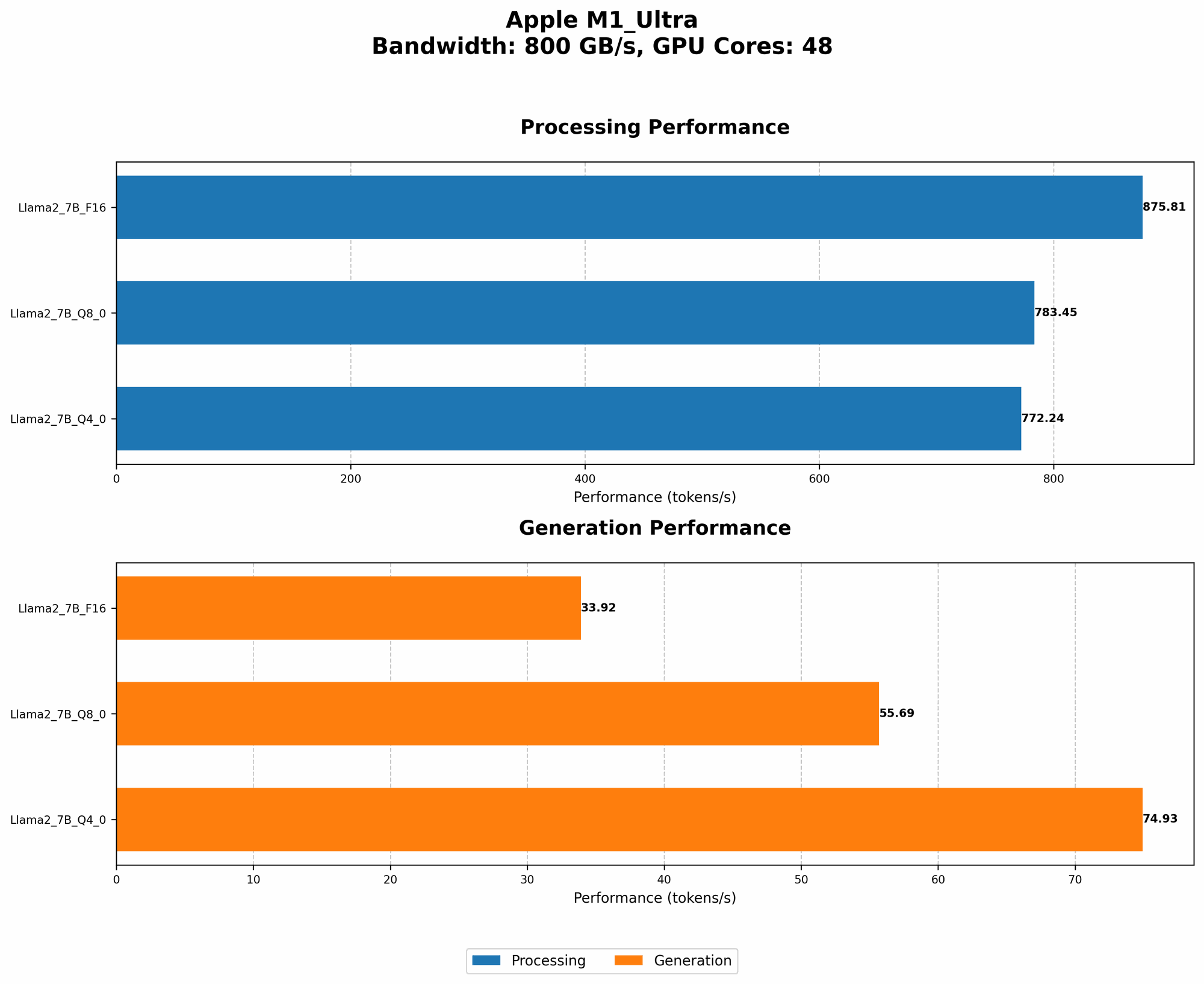
The following table summarizes the performance of the Llama 2 7B model on the Apple M1 Ultra:
| Model Configuration | Token Processing Speed (Tokens/Second) | Token Generation Speed (Tokens/Second) |
|---|---|---|
| Llama 2 7B F16 | 875.81 | 33.92 |
| Llama 2 7B Q8_0 | 783.45 | 55.69 |
| Llama 2 7B Q4_0 | 772.24 | 74.93 |
Note: Currently, there is no data available for other Llama 2 model variants or any other LLMs on the M1 Ultra.
Key Observations
- Quantization Impact: As we move from the F16 (float16) precision, which uses 16-bit floating-point numbers, to Q80 (quantized to 8 bits) and Q40 (quantized to 4 bits), the token processing speed sees a slight decrease. However, the token generation speed significantly improves, demonstrating the trade-off between processing and generation efficiency.
- Generation Speed Improvement: Notably, the Q4_0 configuration, which boasts the most aggressive quantization, delivers the fastest token generation speed. This indicates that sacrificing some precision for a smaller model size can lead to a significant performance boost in text generation.
Performance Comparison: M1 Ultra vs. Other Devices
While we lack data for other LLMs on the M1 Ultra, we can compare the performance of the M1 Ultra running Llama 2 7B with other devices tested with the same model.
M1 Ultra vs. A100 GPU
A100, a high-end GPU from NVIDIA, is commonly used for machine-learning tasks. The A100 GPU achieves significantly faster token processing and generation speeds for various LLMs compared to the M1 Ultra. This signifies that the A100 GPU outperforms the M1 Ultra when it comes to LLM performance.
M1 Ultra vs. RTX 3090 GPU
The RTX 3090 is a powerful graphics card designed for gaming and graphics-intensive workloads. It is also capable of running LLMs with good performance, but falls slightly behind the A100 in terms of token processing and generation speeds.
M1 Ultra vs. CPU-Based Inference
Running LLMs on CPUs, especially for smaller models like the Llama 2 7B, can be feasible. However, compared to GPU-accelerated inference on the M1 Ultra, CPU-based inference yields significantly lower token processing and generation speeds.
How to Optimize your Apple M1 Ultra for LLM Performance
While the Apple M1 Ultra offers impressive performance, optimizing its configuration can further enhance LLM performance. Here are some tips:
- Allocate Sufficient RAM: LLMs are memory-hungry, so ensuring sufficient RAM is crucial. The M1 Ultra supports 128GB of unified memory, but allocating a significant portion to the LLM model can improve its performance.
- Consider Quantization: Experiment with different quantization levels to find the optimal balance between model size, accuracy, and speed. For certain tasks, sacrificing some accuracy for a smaller model might be preferable.
- Utilize GPU Acceleration: The M1 Ultra's 48 GPU cores offer significant performance benefits. Optimizing your LLM application to leverage GPU acceleration can significantly improve token processing and generation speeds.
- Optimize Model Loading: Reduce model loading time by pre-loading the model into memory before starting an inference task. This can save valuable time for subsequent processing and generation.
Conclusion
The Apple M1 Ultra, with its exceptional processing power, presents an attractive option for running LLMs locally. While its performance doesn't quite match the capabilities of specialized GPUs like the A100, it still delivers respectable speeds for the Llama 2 7B model, especially when utilizing quantization techniques.
For developers and enthusiasts exploring local LLM deployment, the Apple M1 Ultra offers a powerful and accessible platform. By optimizing your configuration and leveraging quantization strategies, you can unlock the potential of this chip for seamless and efficient LLM inference.
FAQ
What are LLMs?
LLMs are Large Language Models, AI models trained on vast amounts of text data. They can understand and generate human-like text, translate languages, write different kinds of creative content, and answer your questions in an informative way.
What is the difference between processing and generation?
- Token Processing: When an LLM processes text, it reads and understands the input, breaking it down into individual units called tokens. Think of a token as a word or a part of a word.
- Token Generation: When an LLM generates text, it creates new tokens, forming coherent sentences and paragraphs based on the context provided.
Why is quantization important?
Quantization makes LLM models smaller and faster, making them more suitable for devices with limited resources. It's like compressing a large file to make it fit on a smaller memory stick.
What other devices can run LLMs?
Many devices can run LLMs, from powerful GPUs like the NVIDIA A100 to high-end laptops and even some smartphones. The best device for your needs depends on the specific LLM you want to run and your performance requirements.
Keywords
LLM, Llama 2 7B, Apple M1 Ultra, GPU, CPU, Token Speed, Quantization, Performance Analysis, local deployment, inference, generation, MacBook, AI, Machine Learning, Text Generation, NLP