Running Large LLMs on NVIDIA 4070 Ti 12GB: Avoiding Out of Memory Errors
Introduction
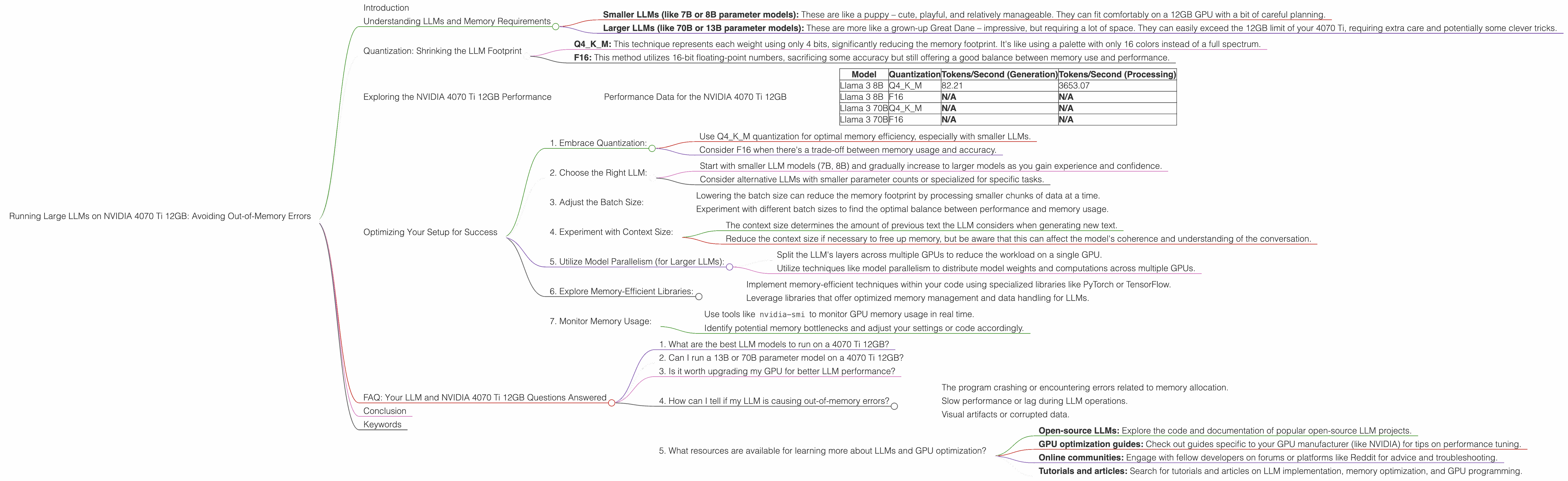
You've got your hands on a shiny new NVIDIA 4070 Ti 12GB graphics card and you're eager to unleash the power of large language models (LLMs) on your local machine. But hold on! Just like trying to squeeze a jumbo-sized pizza into a small refrigerator, running massive LLMs on a 12GB GPU can lead to dreaded "out-of-memory" errors.
This article will explore the common concerns of users running large LLMs on the NVIDIA 4070 Ti 12GB, specifically focusing on how to avoid those pesky out-of-memory errors and make the most of your GPU's power. We'll dive into the intricacies of different LLM models, quantization techniques, and provide practical tips to optimize your setup for a smooth and efficient LLM experience. Buckle up, it's going to be a wild ride through the world of LLMs and GPUs!
Understanding LLMs and Memory Requirements
LLMs are like the brains of AI – they can understand and generate human-like text, translate languages, and even write creative content. However, these powerful brains come with a hefty appetite for memory. Think of it like this: the larger the LLM, the more "neurons" it has, requiring more memory to store and process information.
Here's a simplified breakdown of the memory requirements to help visualize the challenge:
- Smaller LLMs (like 7B or 8B parameter models): These are like a puppy – cute, playful, and relatively manageable. They can fit comfortably on a 12GB GPU with a bit of careful planning.
- Larger LLMs (like 70B or 13B parameter models): These are more like a grown-up Great Dane – impressive, but requiring a lot of space. They can easily exceed the 12GB limit of your 4070 Ti, requiring extra care and potentially some clever tricks.
Quantization: Shrinking the LLM Footprint
One of the most effective ways to overcome memory limitations is through the magic of quantization. Imagine taking a large, detailed painting and converting it to a smaller, more compact version with fewer colors. That's essentially what quantization does to an LLM. It reduces the precision of the model's weights, making it smaller and more memory-efficient.
Here are the key quantization methods:
- Q4KM: This technique represents each weight using only 4 bits, significantly reducing the memory footprint. It's like using a palette with only 16 colors instead of a full spectrum.
- F16: This method utilizes 16-bit floating-point numbers, sacrificing some accuracy but still offering a good balance between memory use and performance.
Exploring the NVIDIA 4070 Ti 12GB Performance
To truly understand the capabilities of the 4070 Ti 12GB, let's analyze the performance data for various LLM models. We'll focus on the token generation and processing speeds, which directly affect the LLM's responsiveness and overall efficiency.
Performance Data for the NVIDIA 4070 Ti 12GB
Table 1: Token Generation and Processing Speed on NVIDIA 4070 Ti 12GB
| Model | Quantization | Tokens/Second (Generation) | Tokens/Second (Processing) |
|---|---|---|---|
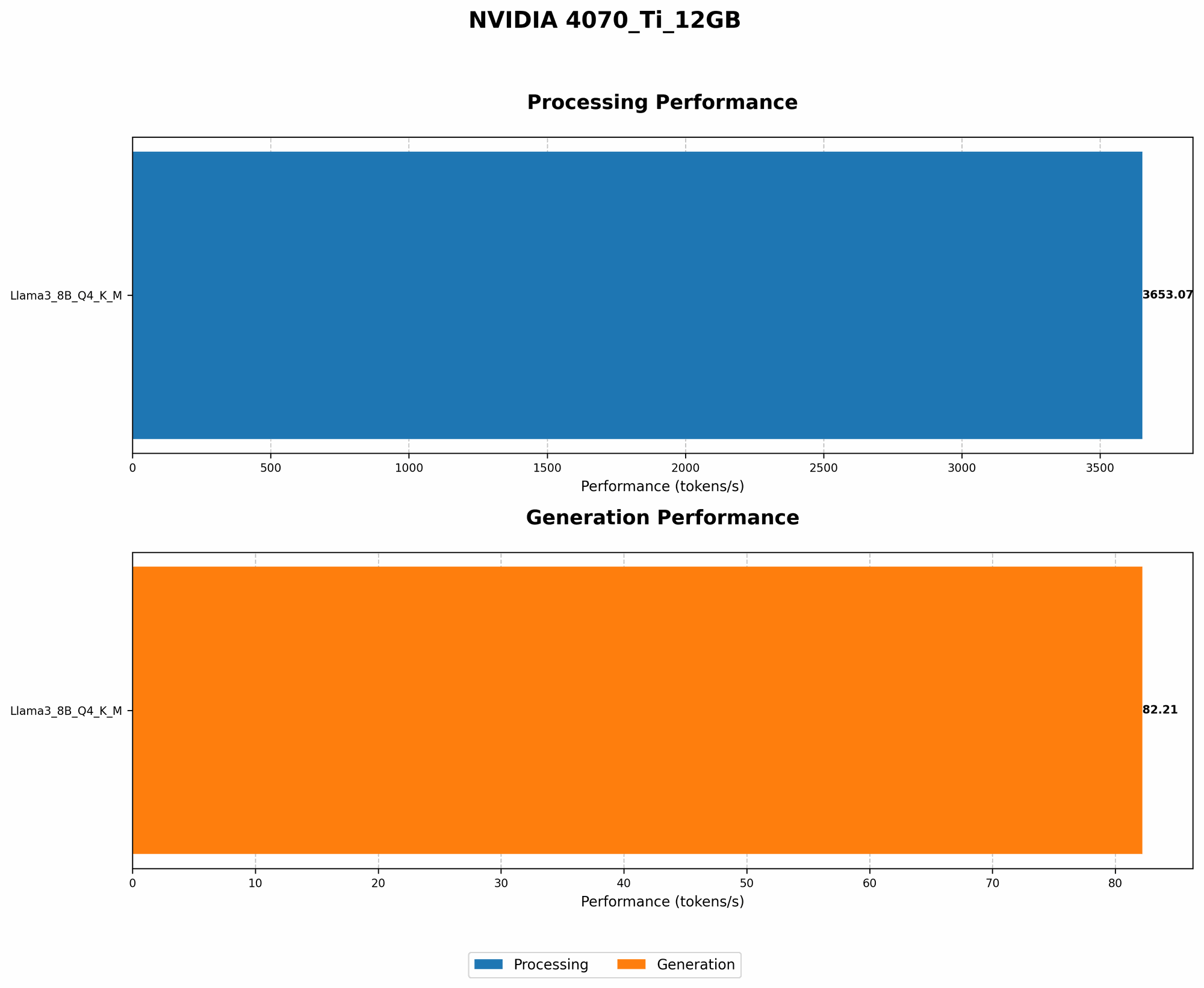
| Llama 3 8B | Q4KM | 82.21 | 3653.07 |
| Llama 3 8B | F16 | N/A | N/A |
| Llama 3 70B | Q4KM | N/A | N/A |
| Llama 3 70B | F16 | N/A | N/A |
Note: Data is unavailable for the F16 quantization of the 8B and 70B models and for the Q4KM and F16 quantization of the 70B model. This indicates potential memory constraints for these larger models.
Analysis:
- The NVIDIA 4070 Ti 12GB demonstrates impressive performance with the 8B Llama 3 model using Q4KM quantization. This indicates a significant token generation speed of 82.21 tokens/second, which is impressive for a 12GB GPU. This high token generation speed means your LLM will respond quickly and generate text efficiently.
- The token processing speed is even more remarkable, reaching 3653.07 tokens/second. This shows that the 4070 Ti can handle the internal processing of text data extremely efficiently.
Key Takeaways:
- The 4070 Ti 12GB is well-suited for smaller LLM models like the 8B Llama 3 when using Q4KM quantization.
- Larger models like the 70B Llama 3 may require more sophisticated techniques like model parallelism or utilizing multiple GPUs to avoid out-of-memory issues.
Understanding the Limitations:
- The 4070 Ti 12GB's 12GB memory could be a limiting factor when running larger LLMs, especially without using quantization.
- Remember, the memory requirements can vary based on factors like batch size, context size, and the specific LLM architecture.
Optimizing Your Setup for Success
Now that we've explored the performance capabilities and potential challenges, let's delve into practical tips for optimizing your setup to avoid those pesky out-of-memory errors:
1. Embrace Quantization:
- Use Q4KM quantization for optimal memory efficiency, especially with smaller LLMs.
- Consider F16 when there's a trade-off between memory usage and accuracy.
2. Choose the Right LLM:
- Start with smaller LLM models (7B, 8B) and gradually increase to larger models as you gain experience and confidence.
- Consider alternative LLMs with smaller parameter counts or specialized for specific tasks.
3. Adjust the Batch Size:
- Lowering the batch size can reduce the memory footprint by processing smaller chunks of data at a time.
- Experiment with different batch sizes to find the optimal balance between performance and memory usage.
4. Experiment with Context Size:
- The context size determines the amount of previous text the LLM considers when generating new text.
- Reduce the context size if necessary to free up memory, but be aware that this can affect the model's coherence and understanding of the conversation.
5. Utilize Model Parallelism (for Larger LLMs):
- Split the LLM's layers across multiple GPUs to reduce the workload on a single GPU.
- Utilize techniques like model parallelism to distribute model weights and computations across multiple GPUs.
6. Explore Memory-Efficient Libraries:
- Implement memory-efficient techniques within your code using specialized libraries like PyTorch or TensorFlow.
- Leverage libraries that offer optimized memory management and data handling for LLMs.
7. Monitor Memory Usage:
- Use tools like
nvidia-smito monitor GPU memory usage in real time. - Identify potential memory bottlenecks and adjust your settings or code accordingly.
FAQ: Your LLM and NVIDIA 4070 Ti 12GB Questions Answered
1. What are the best LLM models to run on a 4070 Ti 12GB?
The 4070 Ti 12GB is best suited for smaller LLM models like the 7B or 8B Llama 3 with Q4KM quantization. For larger models, it's recommended to explore techniques like model parallelism or utilizing multiple GPUs to manage the memory overhead.
2. Can I run a 13B or 70B parameter model on a 4070 Ti 12GB?
It's possible, but you'll likely face memory limitations. Using quantization methods like Q4KM or F16 can help, but you may still need to explore techniques like model parallelism or using multiple GPUs for optimal performance without causing out-of-memory errors.
3. Is it worth upgrading my GPU for better LLM performance?
An upgrade might be worthwhile, especially if you work with demanding LLMs or if your current GPU is constantly struggling with memory limitations. Consider GPUs with higher memory capacities like the 24GB RTX 4080 or 48GB RTX 4090. However, remember that GPU prices can vary significantly.
4. How can I tell if my LLM is causing out-of-memory errors?
Common signs include:
- The program crashing or encountering errors related to memory allocation.
- Slow performance or lag during LLM operations.
- Visual artifacts or corrupted data.
5. What resources are available for learning more about LLMs and GPU optimization?
There are many resources available:
- Open-source LLMs: Explore the code and documentation of popular open-source LLM projects.
- GPU optimization guides: Check out guides specific to your GPU manufacturer (like NVIDIA) for tips on performance tuning.
- Online communities: Engage with fellow developers on forums or platforms like Reddit for advice and troubleshooting.
- Tutorials and articles: Search for tutorials and articles on LLM implementation, memory optimization, and GPU programming.
Conclusion
The NVIDIA 4070 Ti 12GB offers an impressive performance boost for running LLMs locally. However, understanding memory limitations and employing effective optimization strategies is crucial for a smooth experience. By embracing quantization, carefully selecting the right LLM, and adjusting settings like the batch size and context size, you can unlock the full potential of your 4070 Ti 12GB and avoid those pesky out-of-memory errors.
Remember, LLMs are constantly evolving, and new techniques and hardware advancements are emerging all the time. Keep exploring the world of LLMs, learn about new methodologies, and adapt your approach to maximize the performance of your powerful 4070 Ti 12GB!
Keywords
LLM, NVIDIA 4070 Ti 12GB, out-of-memory, token generation, token processing, quantization, Q4KM, F16, batch size, context size, model parallelism, memory optimization, GPU, performance, speed, memory management, efficiency, errors, troubleshooting, resources, tutorials, articles, open-source.