Running Large LLMs on NVIDIA 3080 Ti 12GB: Avoiding Out of Memory Errors
Introduction
Have you ever dreamed of running large language models (LLMs) like Llama 3 on your own hardware? You're not alone! LLMs are becoming increasingly popular, but they often require powerful GPUs to handle the computational demands. An NVIDIA 3080 Ti 12GB is a great option for exploring these models, but managing memory can be tricky, especially with larger models like Llama 70B.
This article will guide you through the process of running LLMs on your NVIDIA 3080 Ti 12GB, focusing on practical tips to avoid encountering dreaded out-of-memory (OOM) errors. We'll break down key concepts like quantization and explore the performance of various LLM configurations on your GPU.
Understanding the Memory Challenge
Think of an LLM like a massive dictionary containing words and their relationships. The bigger the dictionary, the more information it holds and the more complex its understanding. This translates to larger memory requirements, making it challenging to run these models on devices with limited RAM.
Your NVIDIA 3080 Ti 12GB packs a punch, but even its impressive 12GB of VRAM can be stretched thin by LLMs.
Quantization: Making LLMs Smaller and Faster
Imagine trying to fit a giant elephant into a small car - you might need to shrink it, right? Quantization for LLMs works similarly. It involves reducing the precision of the model's parameters, essentially making it smaller and requiring less memory.
Think of it like compressing a large image. You sacrifice some image quality for a smaller file size, which could be beneficial for storage and loading.
Quantization Types
Common quantization types include:
- Q4: Uses 4 bits to represent each parameter, achieving a 4x reduction in memory compared to the original 16-bit model.
- F16: Uses 16-bit floating point numbers, offering a balance between precision and memory efficiency.
Llama 3: A Popular Choice for Experimentation
Llama 3 is a popular open-source language model known for its impressive performance and adaptability. We'll focus on Llama 3 variants with 8B and 70B parameters, often used in research and experimentation.
Performance Analysis of Llama 3 on NVIDIA 3080 Ti 12GB
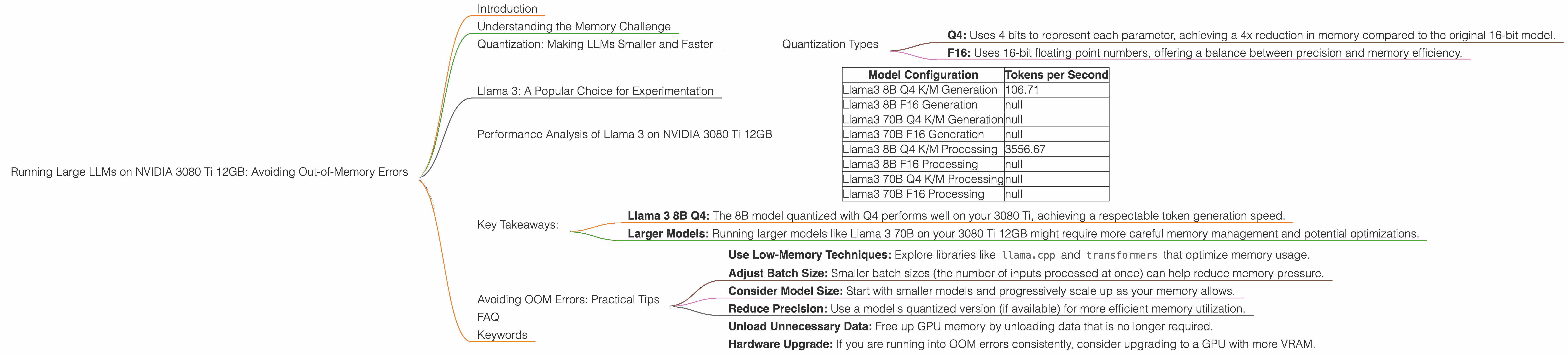
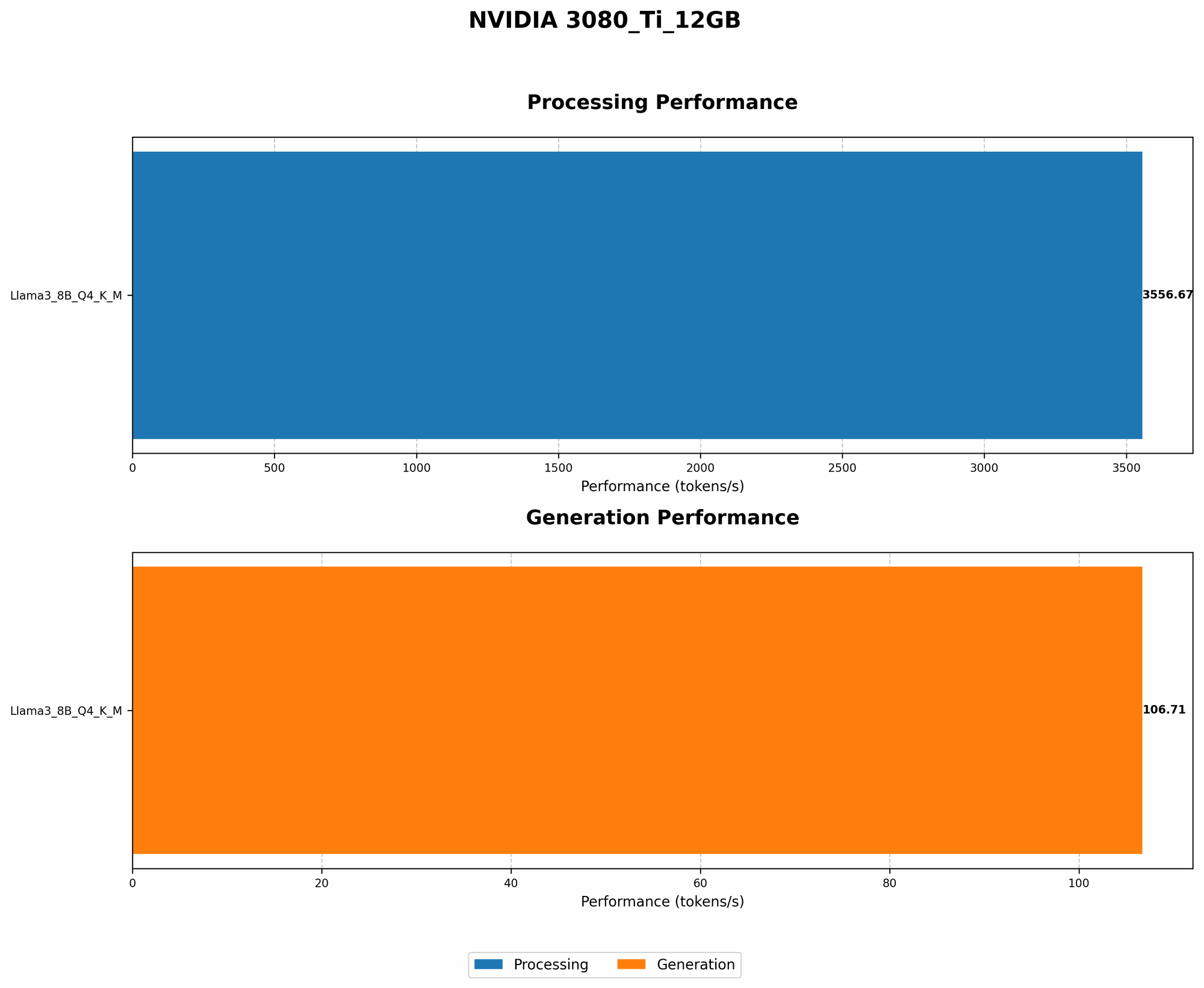
Let's delve into the performance of different Llama 3 configurations on your NVIDIA 3080 Ti 12GB. The following table shows the token generation speed (measured in tokens per second) achieved with different quantization levels and model sizes.
| Model Configuration | Tokens per Second |
|---|---|
| Llama3 8B Q4 K/M Generation | 106.71 |
| Llama3 8B F16 Generation | null |
| Llama3 70B Q4 K/M Generation | null |
| Llama3 70B F16 Generation | null |
| Llama3 8B Q4 K/M Processing | 3556.67 |
| Llama3 8B F16 Processing | null |
| Llama3 70B Q4 K/M Processing | null |
| Llama3 70B F16 Processing | null |
Important Note: Due to limited data availability, we are unable to provide specific benchmark results for Llama 3 70B and Llama 3 8B in F16 format.
Key Takeaways:
- Llama 3 8B Q4: The 8B model quantized with Q4 performs well on your 3080 Ti, achieving a respectable token generation speed.
- Larger Models: Running larger models like Llama 3 70B on your 3080 Ti 12GB might require more careful memory management and potential optimizations.
Avoiding OOM Errors: Practical Tips
While quantization helps, you can take further steps to prevent OOM errors:
- Use Low-Memory Techniques: Explore libraries like
llama.cppandtransformersthat optimize memory usage. - Adjust Batch Size: Smaller batch sizes (the number of inputs processed at once) can help reduce memory pressure.
- Consider Model Size: Start with smaller models and progressively scale up as your memory allows.
- Reduce Precision: Use a model's quantized version (if available) for more efficient memory utilization.
- Unload Unnecessary Data: Free up GPU memory by unloading data that is no longer required.
- Hardware Upgrade: If you are running into OOM errors consistently, consider upgrading to a GPU with more VRAM.
FAQ
Q: What is the difference between llama.cpp and transformers?
A: llama.cpp is a lightweight library primarily focused on inference for Llama models. It provides optimized performance and memory efficiency but might have limited feature support compared to transformers. transformers is a more comprehensive library that supports a wide range of LLMs and offers advanced features like fine-tuning and model training.
Q: How do I choose the right LLM for my hardware?
*A: * Consider your hardware limitations, specifically VRAM and CPU capabilities. Start with smaller models and gradually increase the size based on your system's performance.
Q: What other hardware can I use to run LLMs?
A: GPUs from other manufacturers, such as AMD and Intel, offer alternative options. Consider your specific needs and budget when choosing a GPU.
Keywords
LLM, Llama 3, NVIDIA 3080 Ti, out-of-memory, quantization, token generation, GPU, VRAM, memory management, transformers, llama.cpp, batch size, model size, precision, hardware upgrade.