Running Large LLMs on NVIDIA 3080 10GB: Avoiding Out of Memory Errors

Introduction
Welcome, fellow AI enthusiasts, to the exhilarating world of running Large Language Models (LLMs) locally! Imagine having the power of ChatGPT or Bard right on your own machine, ready to answer your questions, generate creative content, and even write code, all with a satisfying whirring of your graphics card.
But before you get lost in the wonderland of LLMs, let's address the elephant in the room: memory. These massive language models, with their billions of parameters, can be quite demanding on your hardware. If you're using a 3080 Ti with 10GB of VRAM, you might encounter the dreaded "Out of Memory" error, especially when tackling the larger models.
In this article, we'll delve into the fascinating world of memory management for LLMs, specifically focusing on how to run them efficiently on an NVIDIA 3080 10GB. We'll explore various optimization techniques, including quantization and model size selection, to help you avoid those frustrating out-of-memory errors.
Understanding the Limits of Your Hardware
The Memory Challenge: LLMs vs. Your GPU
Imagine your GPU's memory as a giant playground with a limited number of swings. Each swing represents a unit of memory (think of it in terms of bytes, kilobytes, megabytes, etc.). LLMs, with their vast number of parameters, are like hordes of children clamoring for a swing. If there aren't enough swings (memory), some kids (parameters) get left out, leading to an "Out of Memory" error.
Our trusty NVIDIA 3080 10GB, while powerful, has a limited swing set (10GB of VRAM). Therefore, careful planning is needed to accommodate even the smaller (but still mighty) LLMs.
Quantization: Shrinking LLMs to Fit Your GPU
Imagine having to store a massive bookshelf in a tiny room. You'd need a way to compress all those books and make them fit. Quantization does something similar for LLMs. It gracefully shrinks the model's size, making it fit on your GPU's limited memory.
Think of quantization like converting a high-resolution photo to a low-resolution version. It reduces the number of colors and details, but still retains enough information for a recognizable image. Similarly, quantization reduces the precision of numbers representing model parameters, thus reducing the memory footprint.
Optimizing Your 3080 10GB for LLM Inference
Model Selection: Picking the Right Size
Start by choosing an LLM model that fits your needs and your GPU! Larger models are more capable but require more memory. Think of it as choosing the right size backpack for your hiking adventure: a tiny backpack won't carry all your essentials, and a giant backpack might be unnecessarily bulky.
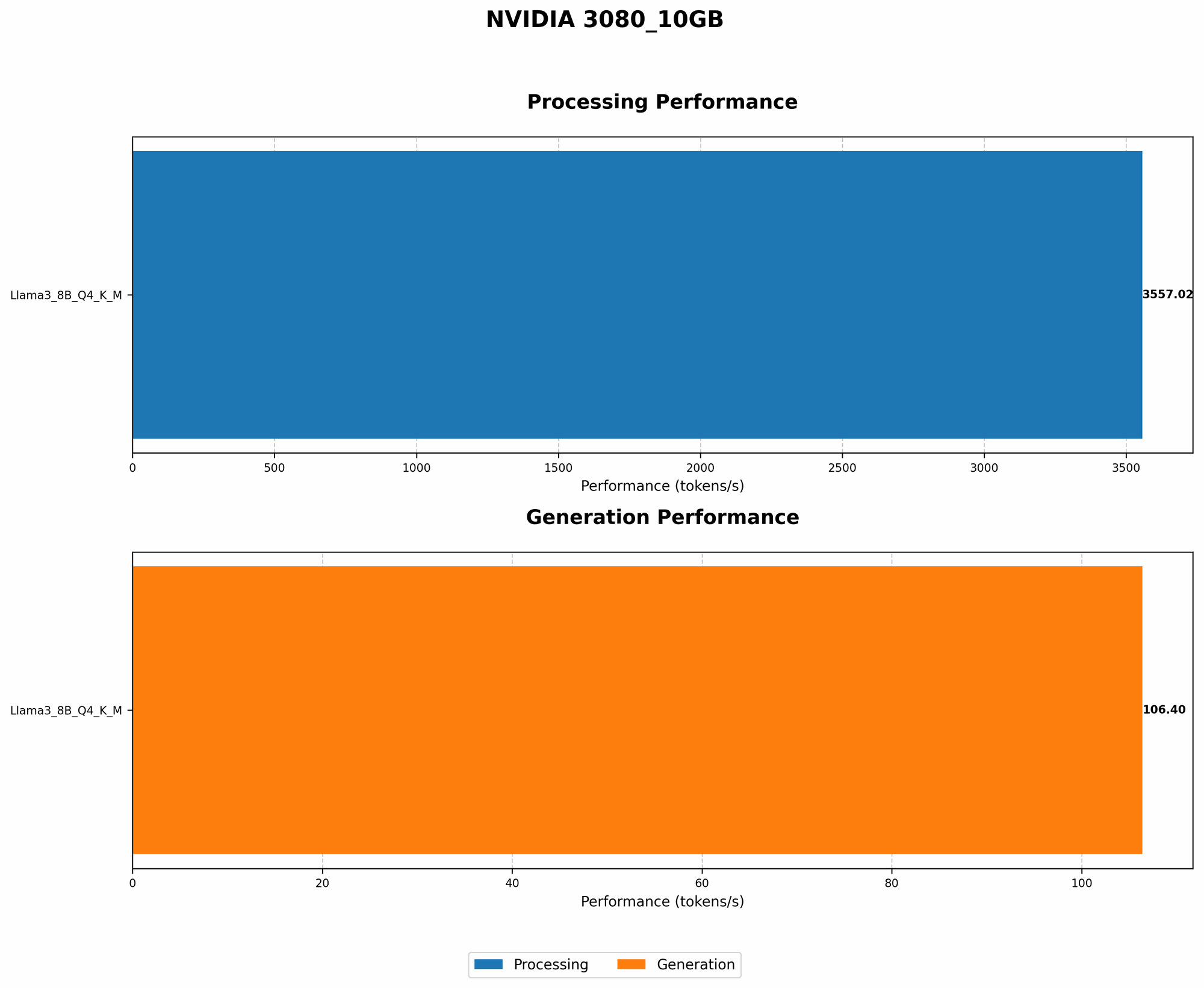
Let's take a look at the performance numbers for different Llama models on a 3080 10GB:
| Model | Quantization | Tokens/Second (Generation) |
|---|---|---|
| Llama 3 8B | Q4KM | 106.4 |
| Llama 3 70B | Q4KM | NOT AVAILABLE |
| Llama 3 70B | F16 | NOT AVAILABLE |
Key Takeaways:
- The Llama 3 8B model with Q4KM quantization, thanks to its smaller size, can comfortably run on a 3080 10GB.
- Larger models like Llama 3 70B, even with F16 quantization, are not supported due to their memory requirements exceeding the GPU's capacity.
Quantization Choice: Striking the Balance
Quantization is your secret weapon for squeezing LLMs into your GPU's memory. But it's not a one-size-fits-all solution. Two popular quantization methods are:
1. Q4KM: This technique reduces the precision of numbers in the weight matrix to just 4 bits, drastically lowering memory usage. Imagine it's like summarizing a long text with only a few key words. This method sacrifices some accuracy but offers significant memory savings.
2. F16: This method uses 16-bit floats, providing more accuracy than Q4KM. It's like using a slightly less detailed image, retaining more information than Q4KM. However, it requires more memory.
The choice depends on your priorities:
- Maximize Memory Savings: Opt for Q4KM. It's like squeezing as many items into your luggage as possible.
- Prioritize Accuracy: Go with F16. It's like prioritizing the quality of your photographs over how many you can store on your camera.
Token Speed and Processing: Understanding the Numbers
We've discussed memory, but how about performance? Let's delve deeper into the numbers:
1. Tokens per Second (Generation): This metric reflects how fast your GPU can generate output text. Think of it as the speed at which your LLM "types" words.
2. Tokens per Second (Processing): This metric measures the speed at which your GPU processes input text, like reading a book. It's important for language modeling tasks that require processing large amounts of text, such as summarization or translation.
The table above reveals that the 3080 10GB can generate 106.4 tokens per second for the Llama 3 8B model with Q4KM quantization.
Further Optimizing Your Setup: Beyond Memory
Fine-tuning: Personalizing Your LLM
Imagine teaching a child a new language. You could use a textbook (a pre-trained LLM), or you could tailor the lessons to their specific needs (fine-tuning). Fine-tuning is like customizing your LLM for a particular task, improving its performance on that specific task.
Fine-tuning involves training the model on a dataset related to your desired task. It's like teaching your LLM to speak a new dialect or understand a specific subject.
Efficient Code and Libraries: Leveraging the Power of Tools
Just like using the right tools for a carpentry project, choosing the right code and libraries can significantly impact your LLM performance. Here are some popular and efficient options:
- llama.cpp: This library, developed by ggerganov, offers a highly optimized implementation for running LLMs locally.
- GPU-Benchmarks-on-LLM-Inference: This project by XiongjieDai provides valuable insights into the performance of various LLMs on different GPU configurations.
FAQ: Common Questions & Answers
Q1: What are the best practices for avoiding out-of-memory errors?
A: First, choose a model that fits your GPU's memory. Then, consider using quantization techniques, such as Q4KM or F16. You can also explore alternative libraries and code implementations for optimal performance.
Q2: Can I run Llama 3 70B on a 3080 10GB?
A: Currently, running Llama 3 70B on a 3080 10GB is not feasible due to its memory requirements exceeding the GPU's capacity. You could consider a GPU with more VRAM, like a 3090 or a 40-series card, or explore smaller models.
Q3: Is it better to use Q4KM or F16 quantization?
A: It depends! If maximizing memory savings is your priority, choose Q4KM. However, if you need more accuracy, opt for F16. Consider your specific use case and your tolerance for accuracy trade-offs.
Q4: What if I need to run even larger models?
A: For larger models, you might need a more powerful GPU with more VRAM, such as a 3090 or a 40-series card. Alternatively, consider cloud solutions that provide access to powerful hardware and resources.
Keywords
LLMs, Large Language Models, NVIDIA 3080 10GB, Out-of-Memory Errors, Memory Management, Quantization, Q4KM, F16, Tokens per Second, Generation, Processing, llama.cpp, GPU-Benchmarks-on-LLM-Inference, Fine-tuning, GPU, VRAM, Memory footprint, Performance, Efficiency, Optimization