Is NVIDIA RTX 6000 Ada 48GB a Good Investment for AI Startups?
Introduction
For AI startups, choosing the right hardware is crucial, especially when it comes to running large language models (LLMs). These models are the brains behind powerful applications like chatbots, text generation, and code completion. But running them locally can be a resource-intensive undertaking.
NVIDIA's RTX 6000 Ada 48GB, a powerful graphics card, is often considered a top contender for AI workloads. But is it the right choice for your startup? In this article, we'll dive into the performance of this card for running popular LLMs like Llama 3, comparing its pros and cons with real-world data. Let's break down the numbers and see if the RTX 6000 Ada 48GB is a worthy investment for your AI adventures!
Performance Breakdown: RTX 6000 Ada 48GB vs. Llama 3
Llama 3 8B: Exploring the 8 Billion Parameter Model
Let's start with the Llama 3 8B model, a smaller but still powerful LLM that can be a good starting point for many AI projects. This model is available in different configurations:
- Quantized 4-bit (Q4K_M): Think of this like a compressed version of the model, using less memory but with a slight performance trade-off. - Float16 (F16): This is the full-precision version, offering the highest accuracy but requiring more memory.
Here's a breakdown of how the RTX 6000 Ada 48GB performs with Llama 3 8B:
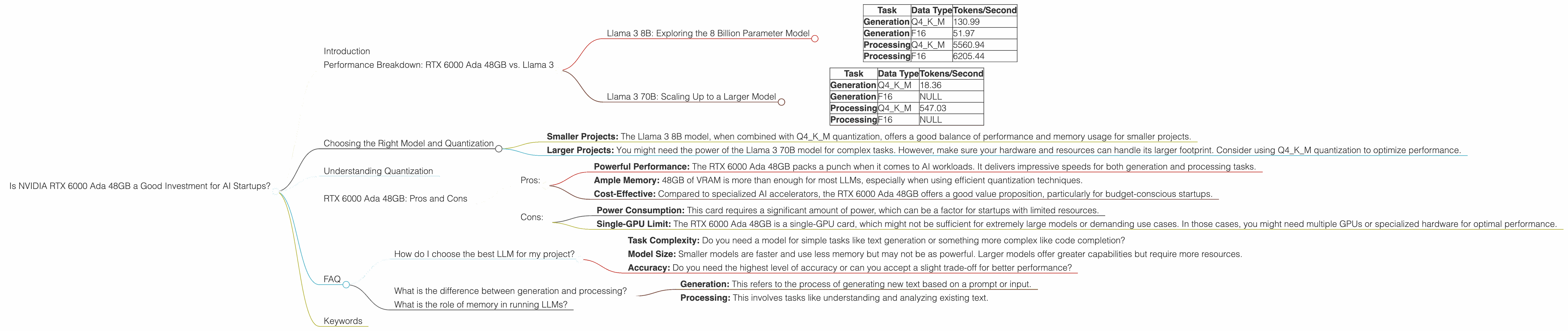
| Task | Data Type | Tokens/Second |
|---|---|---|
| Generation | Q4KM | 130.99 |
| Generation | F16 | 51.97 |
| Processing | Q4KM | 5560.94 |
| Processing | F16 | 6205.44 |
What does this tell us?
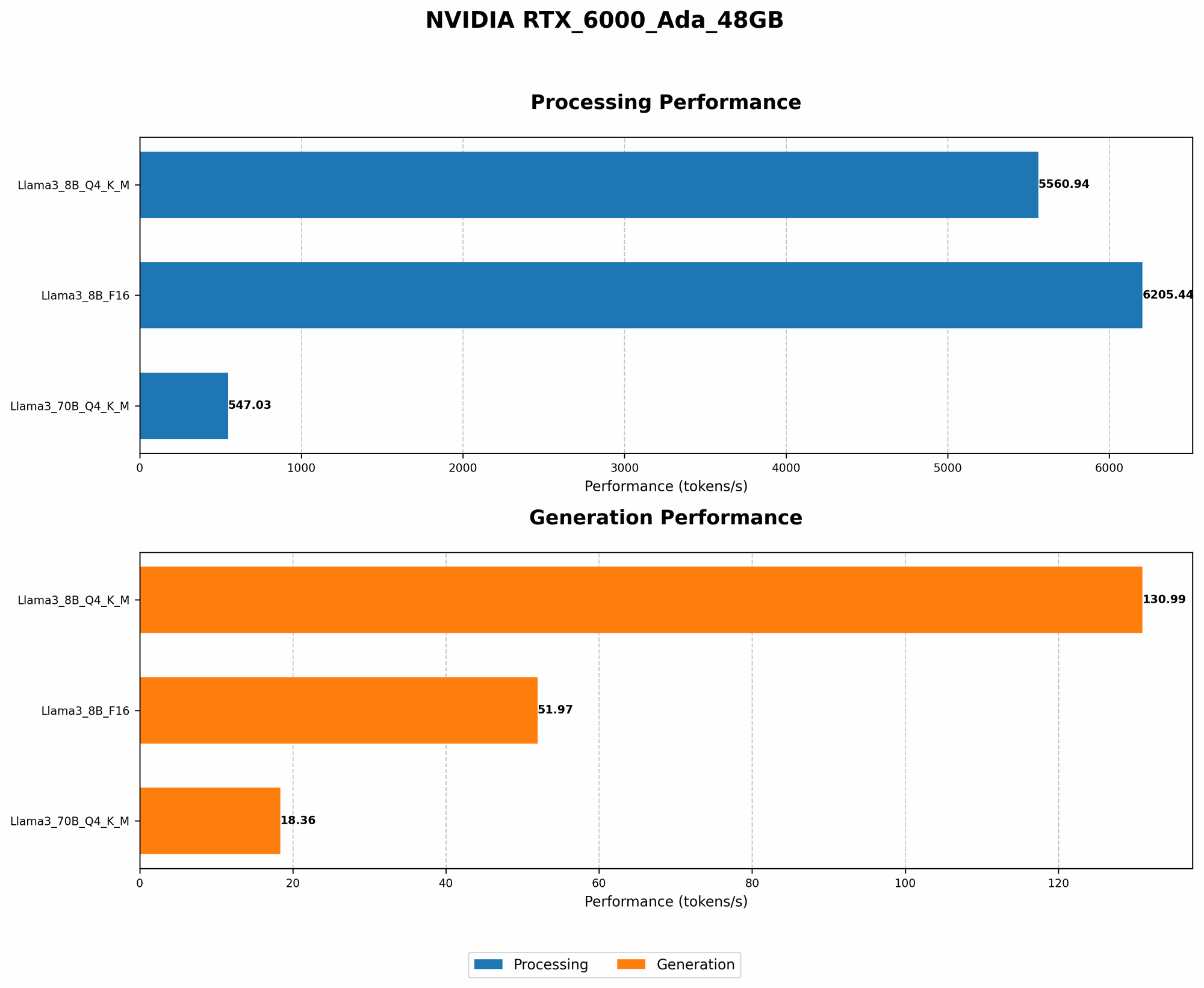
- Speed: The RTX 6000 Ada 48GB handles Llama 3 8B efficiently.
- Quantization: The Q4KM version, even though it uses a compressed format, performs significantly better than the F16 version in terms of token generation speed, showing it's a great option for balancing performance and resource usage.
- Processing: This card shows impressive processing power, especially when handling the F16 version.
Llama 3 70B: Scaling Up to a Larger Model
Now, let's tackle a more demanding LLM, the Llama 3 70B model. This behemoth packs a whopping 70 billion parameters, making it suitable for complex tasks and more sophisticated applications.
| Task | Data Type | Tokens/Second |
|---|---|---|
| Generation | Q4KM | 18.36 |
| Generation | F16 | NULL |
| Processing | Q4KM | 547.03 |
| Processing | F16 | NULL |
Key observations:
- Limited Data: We only have data for the Q4KM version of the Llama 3 70B model. This is because the F16 version might require excessive memory and would likely be challenging to run smoothly on the RTX 6000 Ada 48GB.
- Scalability: While the RTX 6000 Ada 48GB can handle the 70B model, the generation speed is slower compared to the 8B model, highlighting the performance impact of larger models. This demonstrates the need to carefully consider your model size and your hardware's capabilities.
Choosing the Right Model and Quantization
The decision between the 8B and 70B model, and choosing the right quantization level (Q4KM or F16), depends on your project's specific requirements.
- Smaller Projects: The Llama 3 8B model, when combined with Q4KM quantization, offers a good balance of performance and memory usage for smaller projects.
- Larger Projects: You might need the power of the Llama 3 70B model for complex tasks. However, make sure your hardware and resources can handle its larger footprint. Consider using Q4KM quantization to optimize performance.
Understanding Quantization
Quantization is a technique used to reduce the memory footprint of models, making them run faster and more efficiently. Think of it like compressing an image–you reduce the file size without losing all the detail. In the context of LLMs, quantization reduces the precision of the numbers used in the model, which helps to save memory and improve performance. Q4KM is a quantization method that compresses the model even further, offering a good balance between performance and accuracy.
RTX 6000 Ada 48GB: Pros and Cons
Pros:
- Powerful Performance: The RTX 6000 Ada 48GB packs a punch when it comes to AI workloads. It delivers impressive speeds for both generation and processing tasks.
- Ample Memory: 48GB of VRAM is more than enough for most LLMs, especially when using efficient quantization techniques.
- Cost-Effective: Compared to specialized AI accelerators, the RTX 6000 Ada 48GB offers a good value proposition, particularly for budget-conscious startups.
Cons:
- Power Consumption: This card requires a significant amount of power, which can be a factor for startups with limited resources.
- Single-GPU Limit: The RTX 6000 Ada 48GB is a single-GPU card, which might not be sufficient for extremely large models or demanding use cases. In those cases, you might need multiple GPUs or specialized hardware for optimal performance.
FAQ
How do I choose the best LLM for my project?
The best LLM depends on your project's specific requirements. Consider factors like:
- Task Complexity: Do you need a model for simple tasks like text generation or something more complex like code completion?
- Model Size: Smaller models are faster and use less memory but may not be as powerful. Larger models offer greater capabilities but require more resources.
- Accuracy: Do you need the highest level of accuracy or can you accept a slight trade-off for better performance?
What is the difference between generation and processing?
- Generation: This refers to the process of generating new text based on a prompt or input.
- Processing: This involves tasks like understanding and analyzing existing text.
What is the role of memory in running LLMs?
Memory is crucial for LLMs because it holds the model's parameters and the data it's processing. A larger model will require more memory, and running multiple models simultaneously will also increase memory demand.
Keywords
NVIDIA RTX 6000 Ada 48GB, LLM, Llama 3, AI Startup, Performance, Tokens/Second, Quantization, Q4KM, F16, Generation, Processing, GPU, VRAM