Is NVIDIA 3080 10GB Powerful Enough for Llama3 8B?

Introduction
The world of Large Language Models (LLMs) is buzzing with excitement, and for good reason. These AI marvels can generate text, translate languages, write different kinds of creative content, and even answer your questions in an informative way. But to unleash the full potential of LLMs, you need the right hardware.
Today, we're diving into the exciting world of local LLMs and exploring the capabilities of the NVIDIA 3080_10GB graphics card. We'll see if it's a good fit for running the powerful Llama3 8B model, and uncover the best ways to optimize performance.
Performance Analysis: Token Generation Speed Benchmarks: NVIDIA 3080_10GB and Llama3 8B
The "token generation speed" is like the speedometer for your LLM. It measures how quickly your model can process text and generate new words.
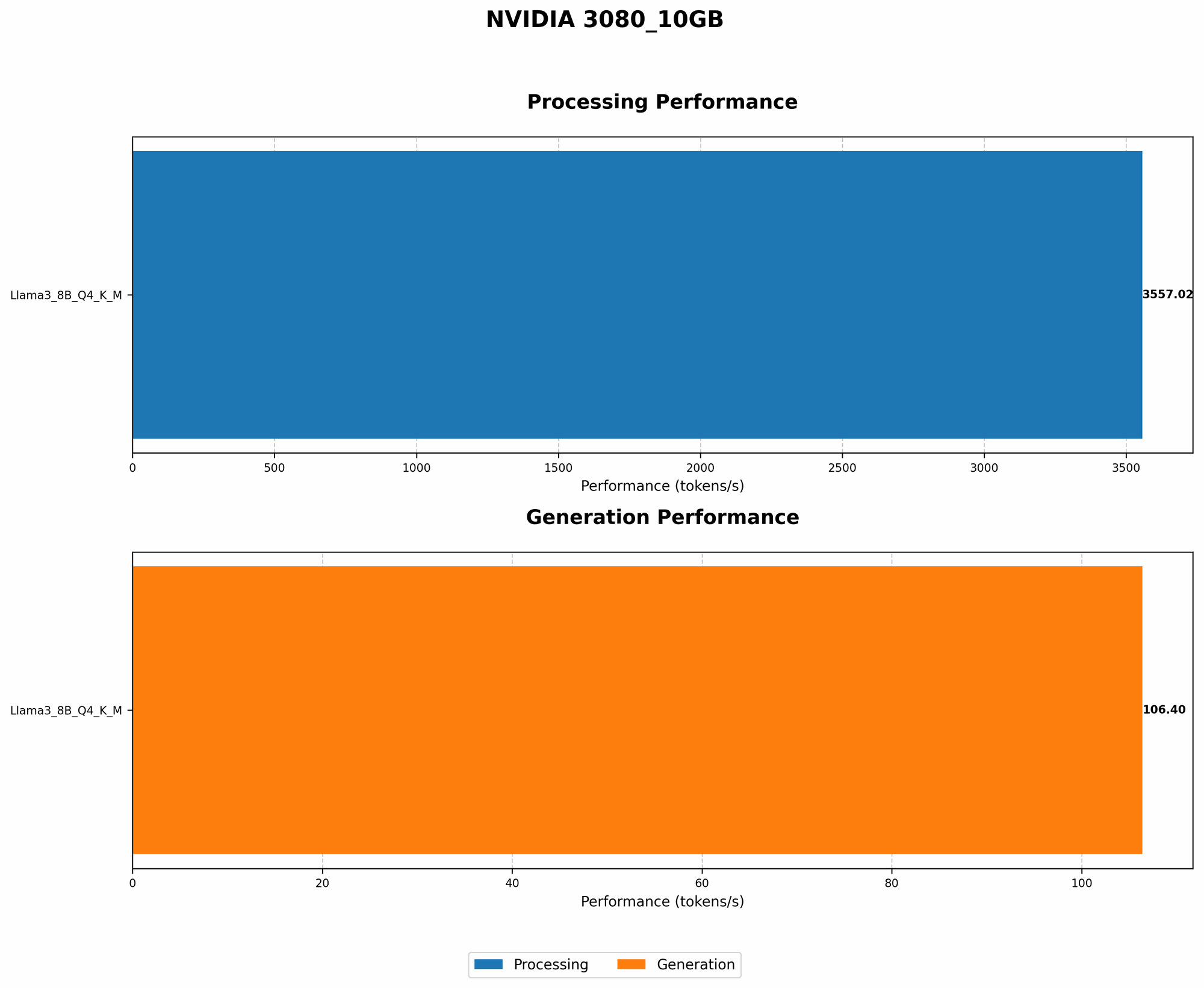
Here's the breakdown of how the NVIDIA 3080_10GB performs with Llama3 8B, using the popular llama.cpp framework:
| Model Configuration | Token Generation Speed (Tokens/Second) |
|---|---|
| Llama3 8B, Quantized (Q4KM) | 106.4 |
| Llama3 8B, Half Precision (F16) | N/A (No data available) |
Note: While the data for the quantized model is available, we do not have information for the half-precision (F16) version.
The 3080_10GB with Llama3 8B in the quantized format can achieve impressive performance, achieving around 106.4 tokens per second. This translates to a pretty snappy response for most use cases, but it's crucial to consider the type of application you're using.
Performance Analysis: Model and Device Comparison: Llama3 8B vs. Llama3 70B
A natural question arises: How does the 3080_10GB handle different LLM sizes? While we lack data for Llama3 70B, we can make a few observations:
- Larger Models Demand More GPU Power: The 70B variant is significantly larger than the 8B model, consuming more memory and demanding more processing power. It's highly likely the 3080_10GB would struggle to provide the same level of performance with this larger model, especially in half precision (F16).
- Quantization is your Friend: Using techniques like quantization can dramatically shrink the model size and reduce computational needs. This optimization is particularly vital for running larger LLMs on relatively modest hardware, like our 3080_10GB.
Practical Recommendations: Use Cases and Workarounds
The NVIDIA 3080_10GB is a solid choice for running Llama3 8B, especially in the quantized format. Here are some recommended use cases:
- Text Generation and Summarization: Create compelling copy, summarize lengthy articles, and generate creative stories.
- Conversational AI: Build chatbots that can engage in natural and informative dialogue.
- Code Generation: Auto-generate code snippets or even entire functions.
But what if you want to explore the larger Llama3 70B model?
- Get Creative with Quantization: Exploring different quantization techniques like Q4KM or even Q2KM can significantly reduce the model's size and resource requirements. This lets you squeeze more performance out of your 3080_10GB.
- Cloud-Based Solutions: For demanding workloads requiring the full capabilities of the 70B model, consider leveraging cloud services like Google Colab or Amazon SageMaker, which offer powerful GPUs and high bandwidth connections.
What is Quantization, and Why Should I Care?
Quantization is a technique used to reduce the size of a model while preserving its accuracy. It's like using a smaller container to hold your model's data. Imagine if a single number in your model could be represented by a whole word, but now you can use just a single letter to represent the same number.
With quantization, you're essentially reducing the "word length" used to store information, resulting in a smaller and faster model. This is particularly helpful for devices with limited memory, such as the 3080_10GB.
FAQs
Q: Is a 308010GB better than a 308012GB?
A: The 3080_12GB generally offers better performance because it has more memory. This is especially important for larger LLMs. However, you might find that the 10GB version is sufficient for smaller models like Llama3 8B, especially if you employ quantization techniques.
Q: What are the trade-offs between using a CPU and GPU?
A: GPUs are designed to process large amounts of data in parallel, making them excellent for LLM workloads. CPUs, on the other hand, are better suited for tasks that involve complex logical operations.
Q: Can I improve performance without changing the model?
A: Yes! Consider experimenting with different optimization techniques like: * Using a faster processor: This can offer a modest performance boost, even if the GPU remains the same. * Increasing the batch size: This allows you to process multiple pieces of text simultaneously, potentially improving performance.
Q: My model is running very slowly. What can I do?
A:
* Check your RAM: Limited memory can significantly slow down LLM processing.
* Reduce the batch size: A smaller batch size might require more time per batch, but it can also avoid memory issues.
* Lower the precision: Consider using quantized models, which are smaller and require less memory.
* Try a different model: Smaller models like Llama3 8B will generally run faster on a 3080_10GB.
Keywords
LLM, Llama3, NVIDIA 3080_10GB, GPU, token generation speed, performance benchmarks, quantization, model size, use cases, limitations, cloud services, Google Colab, Amazon SageMaker