Is NVIDIA 3080 10GB Powerful Enough for Llama3 70B?

Introduction
The world of large language models (LLMs) is buzzing with excitement, and it's no wonder! These powerful AI models are revolutionizing how we interact with information and technology. But running these behemoths locally on your own machine can be a real challenge.
This article dives deep into the performance capabilities of the NVIDIA 3080_10GB graphics card, specifically focusing on its ability to handle the demanding Llama3 70B model. We'll break down token generation speeds, model and device compatibility, and offer practical advice for getting the most out of local LLM deployments.
Performance Analysis
Token Generation Speed Benchmarks: NVIDIA 3080_10GB and Llama3 8B
Before we jump into the big leagues with Llama3 70B, let's start with a more manageable model: Llama3 8B. This model already packs a punch, offering a solid balance between power and performance.
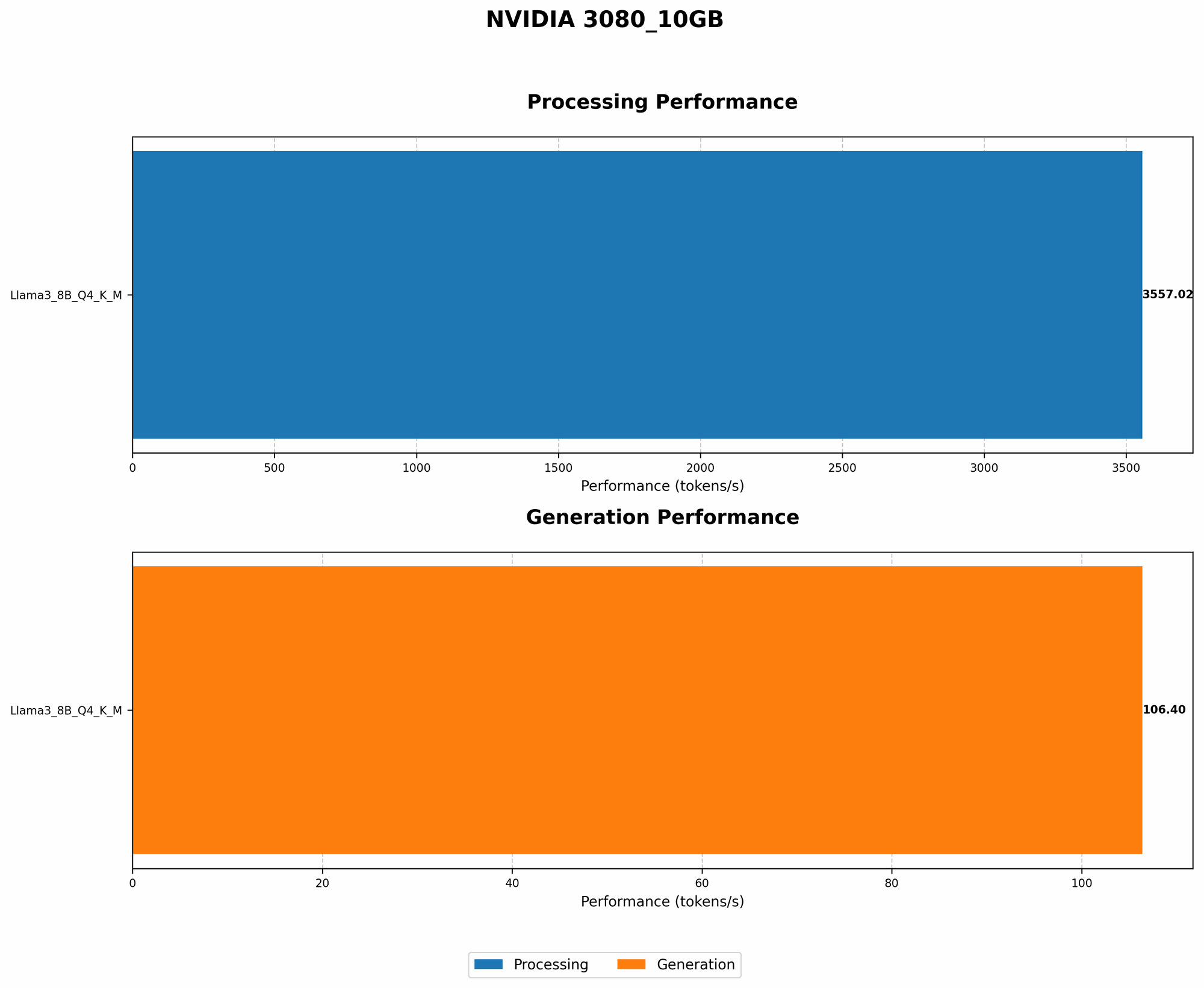
Here's how the NVIDIA 3080_10GB performs with Llama3 8B:
| Model & Precision | Generation (tokens/second) | Processing (tokens/second) |
|---|---|---|
| Llama3 8B Q4KM | 106.4 | 3557.02 |
| Llama3 8B F16 | N/A | N/A |
- Q4KM: This refers to a quantization technique that compresses the model, making it smaller and more efficient.
- F16: This represents a lower precision setting, which can sometimes lead to performance gains but might impact model accuracy.
Key Takeaway: The NVIDIA 308010GB demonstrates impressive performance with Llama3 8B when using the Q4K_M quantization technique. This configuration empowers the card to generate over 100 tokens per second. Remember, each token roughly translates to a word, so this translates to quick generation speeds.
Performance Analysis: NVIDIA 3080_10GB and Llama3 70B
Now, for the big question: Can the NVIDIA 3080_10GB handle the Llama3 70B model? Unfortunately, the answer is no.
Data: The benchmarks for the Llama3 70B model on the NVIDIA 3080_10GB are currently unavailable. This suggests that either the model hasn't been tested on this specific hardware or the performance is not deemed viable for practical use.
Practical Recommendations
The lack of data for Llama3 70B on the 3080_10GB doesn't completely close the door on using this hardware. Let's consider a few practical approaches:
1. Quantization: Reducing Model Size and Power Consumption
Imagine trying to fit a whole library in a briefcase! It's simply not going to work. Quantization is like strategically compressing your LLM, reducing its size and energy demands so it can fit into your hardware's limitations.
Examples
- Quantization can be likened to using a "lossy" image compression algorithm like JPEG. You lose some detail but drastically reduce the file size.
- Think about storing your music collection: You could keep all the original high-quality tracks but your storage space would fill up quickly. Instead, you might opt for a lower quality format like MP3 to save space.
Applying this to LLMs: Quantization techniques like Q4KM have proven successful in optimizing Llama3 8B for the 3080_10GB. However, for the significantly larger Llama3 70B, it might not be enough.
2. Fine-Tuning for Specialized Use Cases
Instead of trying to run the entire Llama3 70B model, you might consider fine-tuning a smaller version. This involves tailoring the model to a specific task or domain, making it more efficient for your needs.
Example
- You could fine-tune a smaller version of the model to generate code in Python. This would make it much lighter and faster, even on your 3080_10GB.
Practical Consideration: While fine-tuning can be a powerful approach, it requires technical expertise in machine learning. You'll need to have a good understanding of the data and the specific task you want your model to perform.
3. Embrace the Cloud: Leveraging Remote Computing Power
If you're working with demanding models like Llama3 70B, the cloud might become your best friend.
Think of it this way: Imagine you need a powerful computer for just a few hours to complete a complex design project. Rather than buying a supercomputer, you can rent one in the cloud for the needed time.
Cloud Services: Platforms like Google Colab, Amazon SageMaker, and Microsoft Azure offer powerful computing resources for AI and machine learning tasks, including LLM inference.
Benefits:
- Scalability: Easily scale your resources up or down as needed.
- Cost-efficiency: Pay only for what you use.
- Access to cutting-edge hardware: Leverage the latest GPUs and TPUs.
FAQ
Q: What are the other popular alternatives to the NVIDIA 3080_10GB for local LLM inference?
A: A few notable alternatives for local LLM inference include:
- NVIDIA 40-series GPUs: The newer NVIDIA 40-series cards, like the 4090, offer significantly more memory and processing power, making them well-suited for larger LLM models.
- AMD Radeon GPUs: AMD's Radeon GPUs are gaining traction in the LLM world, offering competitive performance and price points.
- Google's TPU: TPUs are specialized hardware accelerators specifically designed for machine learning tasks.
Q: What does "Q4KM" mean?
A: Q4KM represents a quantization technique that uses 4 bits to represent each weight in the LLM model. The "K" and "M" might indicate specific implementations or optimizations within the quantization scheme.
Q: What is quantization and why is it used?
A: Quantization is a technique for reducing the size of a model by representing its weights with fewer bits. For example, instead of using 32 bits to store each weight, we can use 8 bits. This significantly reduces the size of the model without impacting accuracy too much.
Q: What are some other popular LLM models?
*A: * Beyond Llama3, there are many other exciting LLMs available, including:
- GPT-3, GPT-4 (OpenAI): Known for their incredible fluency and wide range of capabilities.
- PaLM 2 (Google): Google's latest and most powerful language model.
- BLOOM (BigScience): A collaborative effort to create an open-source LLM.
- StableLM (Stability AI): A large language model with a focus on text-to-image generation.
Q: I'm a beginner. Where can I get started with LLMs?
A: The best way to learn about LLMs is to experiment! There are many resources available to help you get started:
- Hugging Face: A fantastic open-source platform for exploring and deploying LLMs.
- Google Colab: A free cloud-based environment for running Jupyter notebooks with access to GPUs.
- OpenAI Playground: A web-based interface for interacting with OpenAI's LLMs.
Keywords
NVIDIA 3080_10GB, Llama3 70B, Llama3 8B, LLM, Large Language Model, Token Generation Speed, Performance, Quantization, Fine-Tuning, Cloud Computing, GPU, TPUs, Hugging Face, Google Colab, OpenAI, AI, Machine Learning, Deep Learning, GPT-3, GPT-4, PaLM 2, BLOOM, StableLM