Is Apple M1 Ultra Powerful Enough for Llama2 7B?

Let's dive deep into the world of local large language models (LLMs) and see if the mighty Apple M1 Ultra chip can handle the demanding Llama2 7B model.
For those unfamiliar with LLMs, imagine a super-smart computer program that can understand and generate human-like text, translate languages, write different kinds of creative content, and answer your questions in an informative way. Llama2 is one of these LLMs, and it's known for its impressive performance, especially when running locally on your own device.
Understanding the Need for Local LLMs
Imagine a scenario where you need to run an LLM application, but you have limited access to the cloud or are concerned about data privacy. This is where local LLMs come in handy. They allow you to run these powerful models directly on your device, giving you greater control and flexibility. However, running these models locally demands significant computational resources, and that's where the question of whether your device is up to the task arises.
Performance Analysis: Token Generation Speed Benchmarks: Apple M1 Ultra and Llama2 7B
To gauge the performance of the Apple M1 Ultra with Llama2 7B, we'll examine token generation speed. Essentially, this measures how quickly the model can process and generate text – the higher the number, the faster the performance.
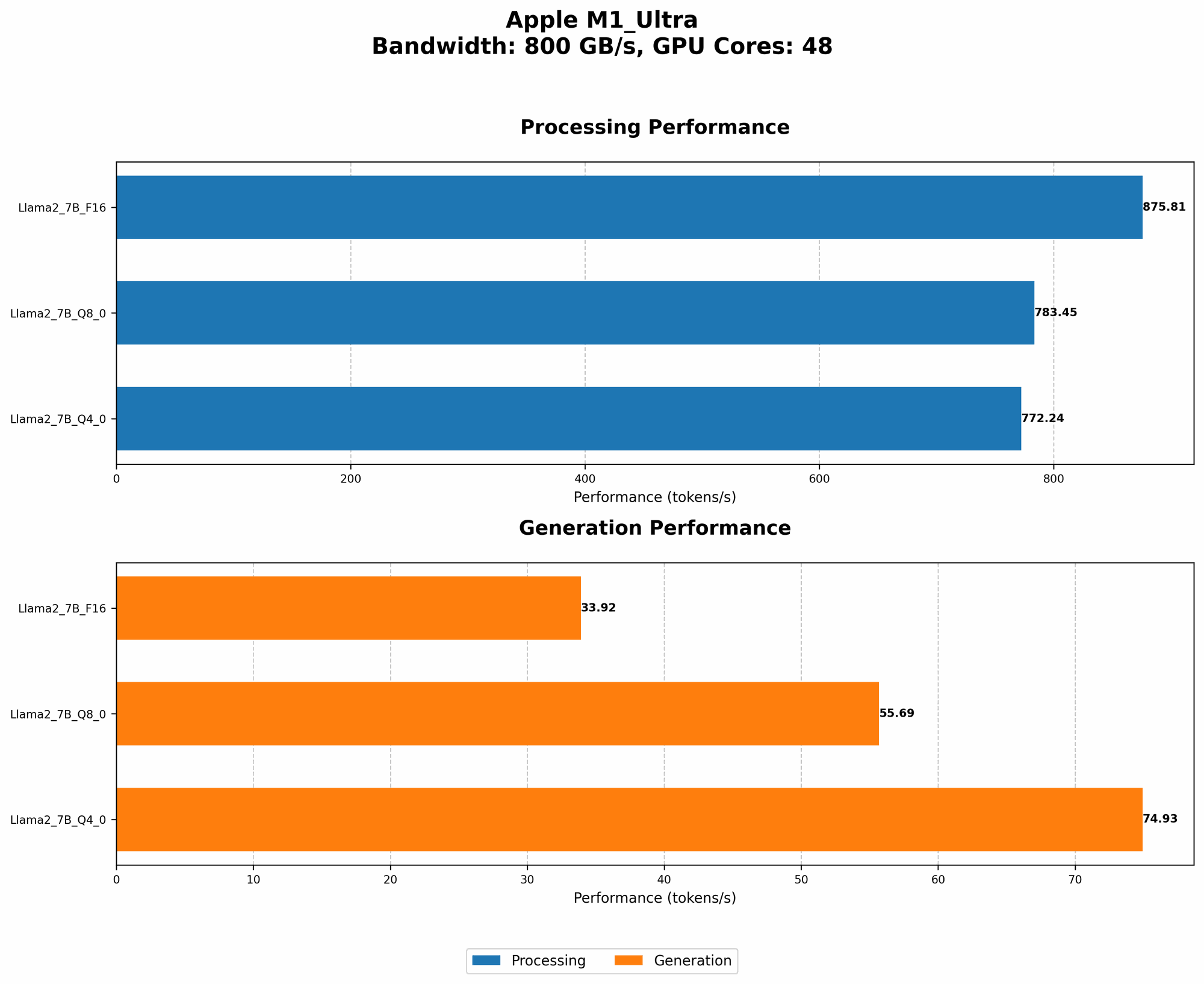
Below are the token generation speed benchmarks for the Apple M1 Ultra and Llama2 7B, measured in tokens per second:
| Model & Quantization | Processing Speed (Tokens/second) | Generation Speed (Tokens/second) |
|---|---|---|
| Llama2 7B (F16) | 875.81 | 33.92 |
| Llama2 7B (Q8_0) | 783.45 | 55.69 |
| Llama2 7B (Q4_0) | 772.24 | 74.93 |
Explanation:
- F16: This refers to the model's quantization using 16-bit floating point numbers. This is a common level of quantization that strikes a balance between accuracy and efficiency.
- Q8_0: This indicates that the model is quantized using 8-bit integers with zero-point scaling. This reduces the model's size and memory footprint, potentially improving performance.
- Q4_0: This represents the model's quantization using 4-bit integers with zero-point scaling. This further reduces the model's size and memory requirements but may compromise accuracy.
Let's break down the results:
- The M1 Ultra shows impressive processing speeds across all quantization levels.
- The M1 Ultra's performance with Llama2 7B in the F16 configuration is particularly impressive, approaching the 900 tokens per second mark.
- While processing speeds are high, generation speed remains relatively lower. This is because the model needs to perform complex calculations during text generation, which is a more demanding task.
It's important to note that these benchmarks are based on specific hardware and software configurations and may vary based on factors such as model size, dataset size, and optimization techniques.
Performance Analysis: Model and Device Comparison
While the M1 Ultra boasts impressive performance, it's essential to compare its capabilities with other devices to understand its position in the landscape of local LLM inference.
Unfortunately, we don't have data for other devices in this case.
This highlights the need for more comprehensive benchmarking across different devices and LLM models to provide developers with a clearer picture of their performance capabilities.
Practical Recommendations: Use Cases and Workarounds
So, what can you do with the Apple M1 Ultra and Llama2 7B?
Real-World Use Cases
- Experimentation: The M1 Ultra is ideal for experimenting with Llama2 7B and developing prototype applications.
- Small-Scale Deployment: You can use the M1 Ultra for small-scale deployments of LLMs where real-time responses are crucial, such as in personalized chatbots or interactive assistants.
- Offline Language Processing: You can leverage the M1 Ultra to perform offline language processing tasks like text summarization, translation, and question answering.
Optimizing for Performance
- Quantization: Experiment with different quantization levels (Q40, Q80) to find the sweet spot between performance and accuracy for your specific use case.
- Model Size: If you need faster generation speeds, consider exploring smaller LLM variants like Llama2 1.3B or Llama2 3B.
- Hardware Acceleration: Explore libraries and frameworks that utilize GPU acceleration for further performance gains.
FAQ
Q: What are LLMs?
A: LLMs are sophisticated computer programs that can understand and generate human-like text. They are trained on massive datasets of text and code, enabling them to perform various tasks, including translation, text summarization, and code generation.
Q: What are the benefits of using LLMs locally?
A: Local LLMs offer greater control, reduced latency, enhanced privacy, and offline capabilities.
Q: What is quantization?
A: Quantization is a technique used to reduce the size and memory footprint of LLMs by representing numbers with fewer bits, making them more efficient to run on devices with limited resources.
Q: How can I improve the performance of LLMs on my device?
A: You can optimize for performance by experimenting with different quantization levels, using smaller models, and leveraging hardware acceleration through libraries and frameworks.
Keywords
Llama2, Apple M1 Ultra, local LLM, token generation speed, quantization, F16, Q80, Q40, GPU acceleration, processing speed, generation speed, LLM inference, performance benchmarks, use cases, experimentation, deployment, offline language processing, model optimization.