How Much RAM Do I Need for running LLM on Apple M2?

Introduction
The world of large language models (LLMs) is exploding, and running these powerful AI models locally is becoming increasingly popular. For tech enthusiasts and developers, the ability to experiment with LLMs without relying on cloud services is a game-changer. However, a common question arises: how much RAM do you need to run these models effectively on your Apple M2 chip?
This article dives deep into the RAM requirements for running various LLM models on an Apple M2 chip, analyzing the performance of different quantized models and providing insights into the best configurations for your specific needs. We'll break down the technical jargon, making it easy for anyone to understand, whether you're a seasoned developer or just starting your AI journey.
Understanding RAM Needs: A Quick Overview
Before we jump into the specifics, let’s quickly understand why RAM matters in LLM execution. Imagine RAM as the workspace your computer uses to store data that the LLM needs to access quickly. Larger models need more memory to store their parameters (think of them as the LLM's knowledge base).
Think of it like this - the more people you invite to a party, the bigger your house needs to be to accommodate everyone comfortably. Similarly, the larger the LLM, the more RAM you'll need to give it enough space to operate efficiently.
RAM Requirements for Popular LLMs on M2
Let's get into the juicy details! We'll focus on the Apple M2 chip, a popular choice for its powerful performance and energy efficiency. We'll analyze the RAM requirements for several popular LLMs, including Llama 2 and others, in different quantization settings:
Apple M2: Llama 2 7B Performance
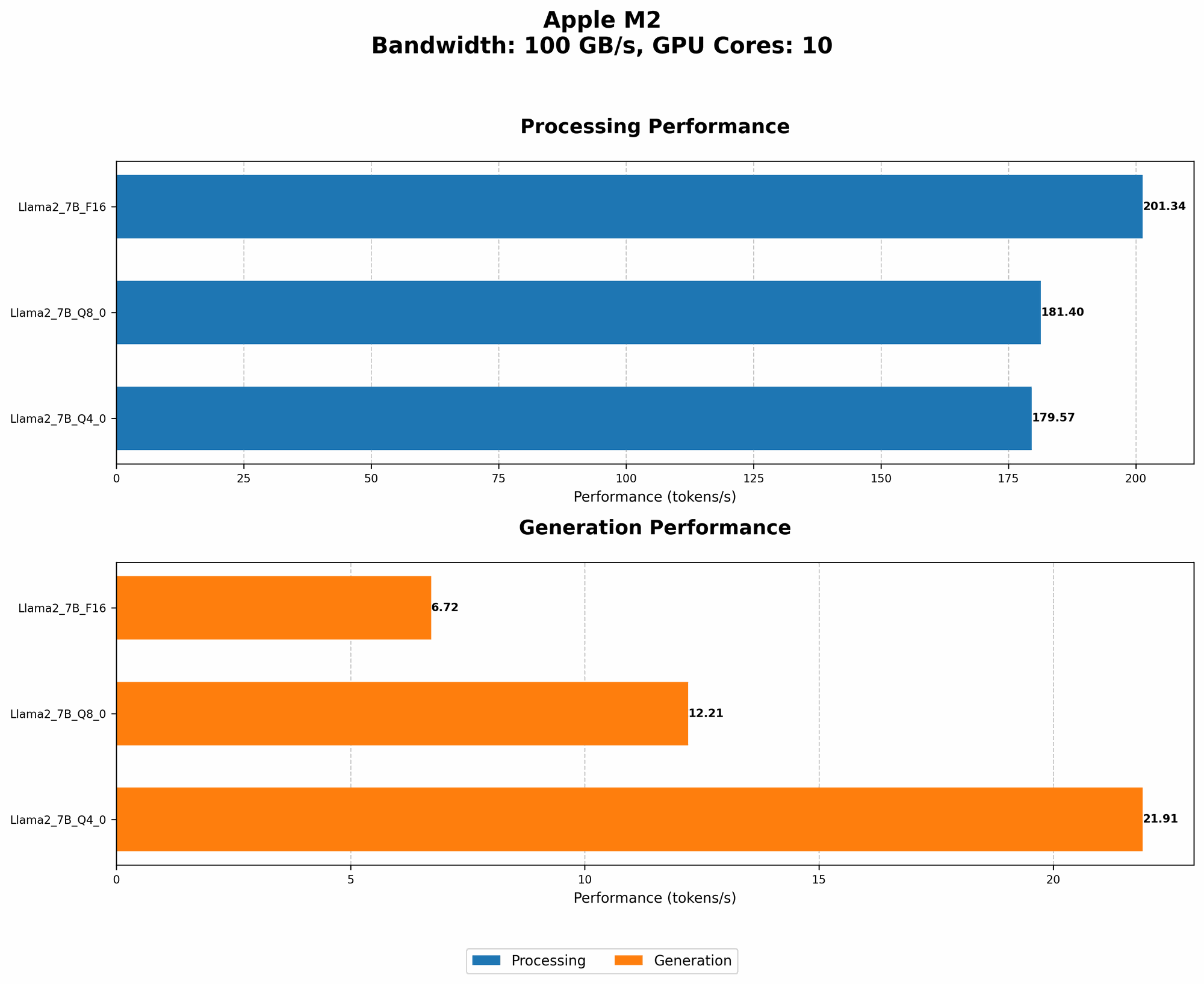
The data below presents the performance of the Apple M2 chip when running Llama 2 7B models in different quantization levels. We'll use the term "tokens per second" to measure the speed of the model. Higher numbers mean faster processing and faster responses from the model.
Table: Llama 2 7B Performance on M2:
| Quantization | Processing Speed (Tokens/Second) | Generation Speed (Tokens/Second) |
|---|---|---|
| F16 | 201.34 | 6.72 |
| Q8_0 | 181.4 | 12.21 |
| Q4_0 | 179.57 | 21.91 |
Observations:
- Quantization matters: Notice how the performance changes with different quantization levels. Quantization is a technique that compresses the model weights, reducing the amount of memory needed. You can think of it as shrinking your knowledge base to fit in a smaller backpack.
- F16: This is the original, non-quantized version of the model, offering the highest precision but also requiring more memory.
- Q8_0: This quantization method uses 8 bits to represent each number, significantly reducing memory footprint.
- Q4_0: This technique uses only 4 bits for each number, resulting in even more memory savings but with a trade-off in accuracy.
Understanding the Trade-offs: Speed vs. Memory
As you can see, there's a clear trade-off between memory usage and processing speed. Quantization levels like Q80 and Q40 need less memory but may perform slightly slower than F16 models. So, how do you choose the right setting?
- Smaller RAM? Go for Q40 or Q80 for a smaller memory footprint.
- Priority on speed? F16 offers the best performance but requires more RAM.
Note: Data for other Llama 2 model sizes (e.g., 13B, 70B) or other model architectures is currently unavailable!
Factors Beyond RAM: Other Considerations
While RAM is crucial, other factors can influence your LLM experience:
- CPU Power: The Apple M2 chip is powerful, but don't underestimate the importance of a strong CPU. The CPU handles tasks like text preprocessing and tokenization, which can affect the overall speed.
- GPU Acceleration: While the M2 chip has a built-in GPU, some models might benefit from a dedicated GPU.
- Model Size: Larger models demand more RAM, and even with quantization, you might need a substantial amount of memory.
Frequently Asked Questions
How Much RAM Do I Really Need for [Model Name]?
This depends on the model's size and the quantization level. We recommend checking the documentation or community forums for specific RAM recommendations.
Can I Run a Larger Model on My M2?
Potentially, but it depends on the model size and your available RAM. If you're short on RAM, you can try using a lower-precision model or explore alternative solutions like cloud services.
What Are Some Tips for Efficient LLM Execution?
- Quantize: Reduce model size using Q80 or Q40 (if possible).
- Use a Fast CPU: A powerful CPU will help with preprocessing and tokenization.
- Optimize Code: Write efficient code for your LLM application.
Keywords
Large Language Model, LLM, Apple M2, RAM, Quantization, F16, Q80, Q40, Model Size, CPU Power, GPU Acceleration, Tokens per Second, Speed Performance, Memory Requirements, Llama 2, Inference, Performance, Optimization