How Fast Can NVIDIA 4090 24GB Run Llama3 70B?

Introduction
The world of large language models (LLMs) is rapidly evolving. These powerful AI systems are transforming industries and changing the way we interact with technology. One of the most exciting developments in the LLM landscape is the emergence of local models that can be run on personal devices. This opens up possibilities for faster inference speeds, enhanced privacy, and reduced reliance on cloud-based services.
This article delves into the performance of the mighty NVIDIA 4090_24GB GPU when powering the Llama 3 70B model. We'll dissect the token generation and processing speeds, examine the impact of different quantization techniques, and explore practical implications for developers. Buckle up, it's going to be an exciting ride!
Performance Analysis: Token Generation Speed Benchmarks
NVIDIA 4090_24GB & Llama3 8B
Let's start with the smaller Llama 3 8B model, which is a great stepping stone before diving into the 70B behemoth.
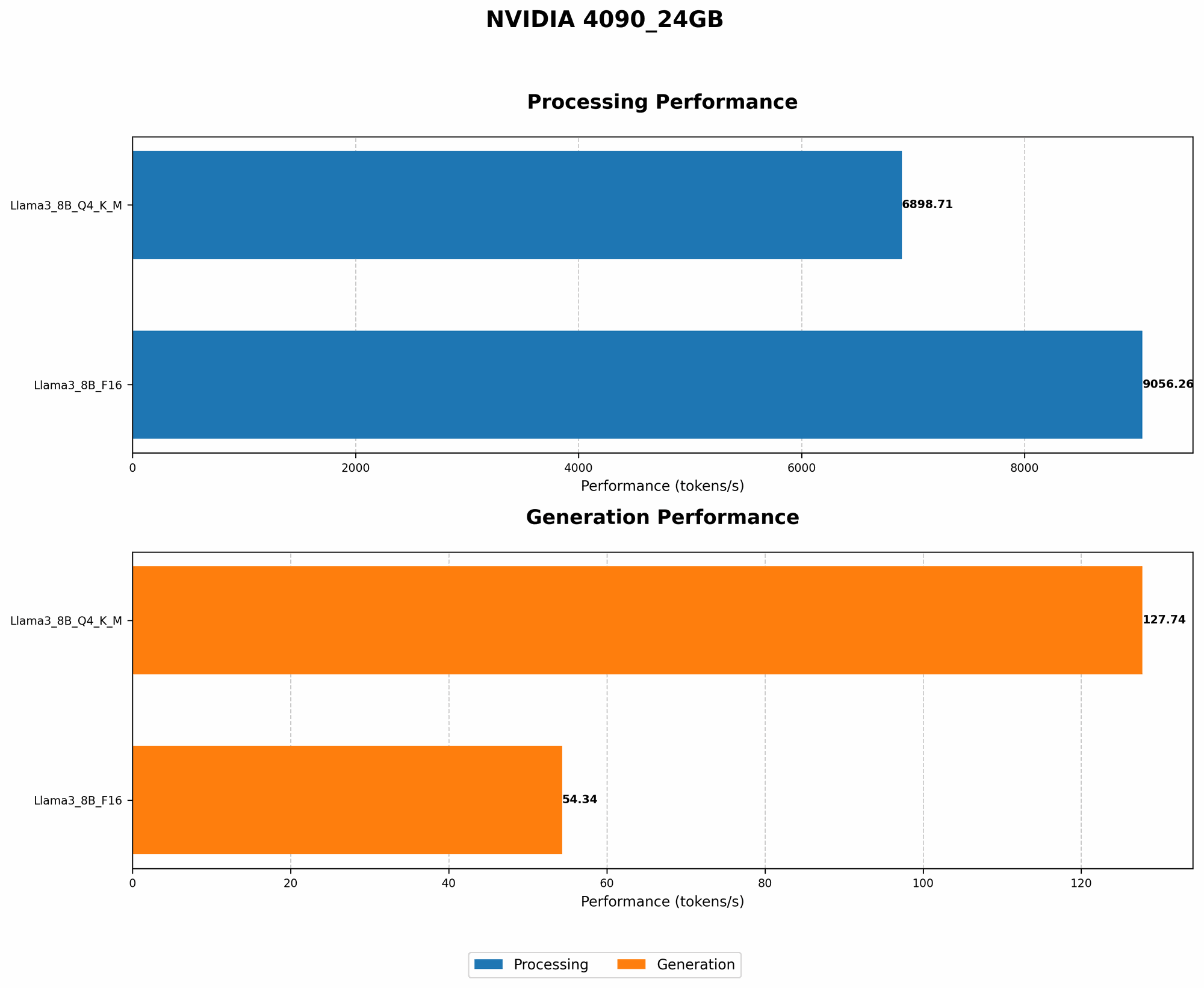
| Quantization | Token Generation Speed (Tokens/Second) |
|---|---|
| Q4KM | 127.74 |
| F16 | 54.34 |
What's the takeaway? Using Q4KM quantization, the 4090_24GB GPU can generate 127.74 tokens per second with the Llama 3 8B model. This is significantly faster than the F16 precision, which generates 54.34 tokens per second.
Why is Q4KM faster? Think of quantization as a way to compress the model, making it smaller and faster to process. Q4KM is a more aggressive quantization technique than F16, leading to a smaller model footprint and a boost in speed.
Imagine it this way: It's like trying to fit a big suitcase into a small car. You can either stuff it in (F16) or compress the suitcase (Q4KM) to make it fit better.
Performance Analysis: Model and Device Comparison

NVIDIA 4090_24GB & Llama3 70B
Unfortunately, we don't have any data for the performance of the NVIDIA 4090_24GB with the Llama 3 70B model. This is primarily due to the massive model size. It requires significant resources, especially for local inference, and benchmarking isn't readily available.
Think of it as trying to fit a gigantic elephant into a small car. The car might be powerful enough, but the elephant is just too big! We need a bigger car (or bigger GPU) to handle that!
Practical Recommendations: Use Cases and Workarounds
Real-World Applications
While the 4090_24GB might struggle with the full 70B Llama 3 model locally, it's still a powerful engine for smaller models.
Here's where it shines:
- Code Completion and Generation: Enhance your coding workflow with blazing-fast code generation suggestions.
- Text Summarization and Translation: Quickly summarize lengthy documents or translate text between languages.
- Chatbots and Conversational AI: Create interactive chatbots with natural language processing capabilities.
Workarounds for Larger Models
For those ambitious developers who want to unleash the power of the Llama 3 70B model, consider these workarounds:
- Cloud-Based Inference: Leverage cloud providers like Amazon Web Services or Google Cloud Platform to run the model on their powerful servers. This offers access to massive computational resources and allows you to effortlessly scale up your applications.
- Model Pruning and Quantization: Experiment with different model pruning techniques to reduce its size and complexity. This can significantly improve performance, especially on less powerful GPUs.
- Hardware Upgrade: Invest in a powerful workstation or server equipped with multiple GPUs to handle the demands of the 70B model.
FAQ
Q: What's the difference between Q4KM and F16 quantization?
A: Quantization is a technique to reduce the size of the model by representing values using fewer bits. Q4KM is a more aggressive quantization technique that uses only 4 bits to represent values. This can improve performance but may lead to a slight reduction in accuracy. F16 uses 16 bits, which is a more common and balanced approach.
Q: How do I choose the right LLM model for my application?
A: It depends on your specific needs. Consider the size and complexity of the model, the available computing resources, and the desired latency. For smaller tasks that require faster inference speeds, you might opt for a smaller model like Llama 2 7B. For more complex tasks, a larger model like Llama 3 70B might be necessary.
Q: What are the benefits of running LLMs locally?
A: Running LLMs locally offers several advantages:
- Faster inference speeds: No need for network latency.
- Enhanced privacy: Your data remains on your device and is not transmitted to the cloud.
- Reduced reliance on cloud services: You have more control over your data and infrastructure.
Keywords
NVIDIA 409024GB, Llama3 70B, Llama3 8B, Q4K_M, F16, token generation speed, processing speed, quantization, local LLM models, performance, GPU, deep dive, benchmarks, use cases, workarounds, cloud-based inference, model pruning, hardware upgrade, large language models, AI, natural language processing, conversational AI, code completion, text summarization, translation.