How Fast Can NVIDIA 3070 8GB Run Llama3 8B?

Unleashing the Power of Local LLMs: A Deep Dive into NVIDIA 3070_8GB Performance
The world of Large Language Models (LLMs) is buzzing with excitement, and for good reason. These powerful AI models can generate human-like text, translate languages, write different kinds of creative content, and answer your questions in an informative way. However, running these models locally often requires beefy hardware, and you might be wondering: Can my NVIDIA 3070_8GB handle the task?
Fear not, fellow AI enthusiasts! This article dives deep into the performance of the NVIDIA 3070_8GB with Llama3 8B, helping you understand the capabilities of this GPU and whether it's a suitable match for your LLM exploration.
Performance Analysis: Token Generation Speed Benchmarks
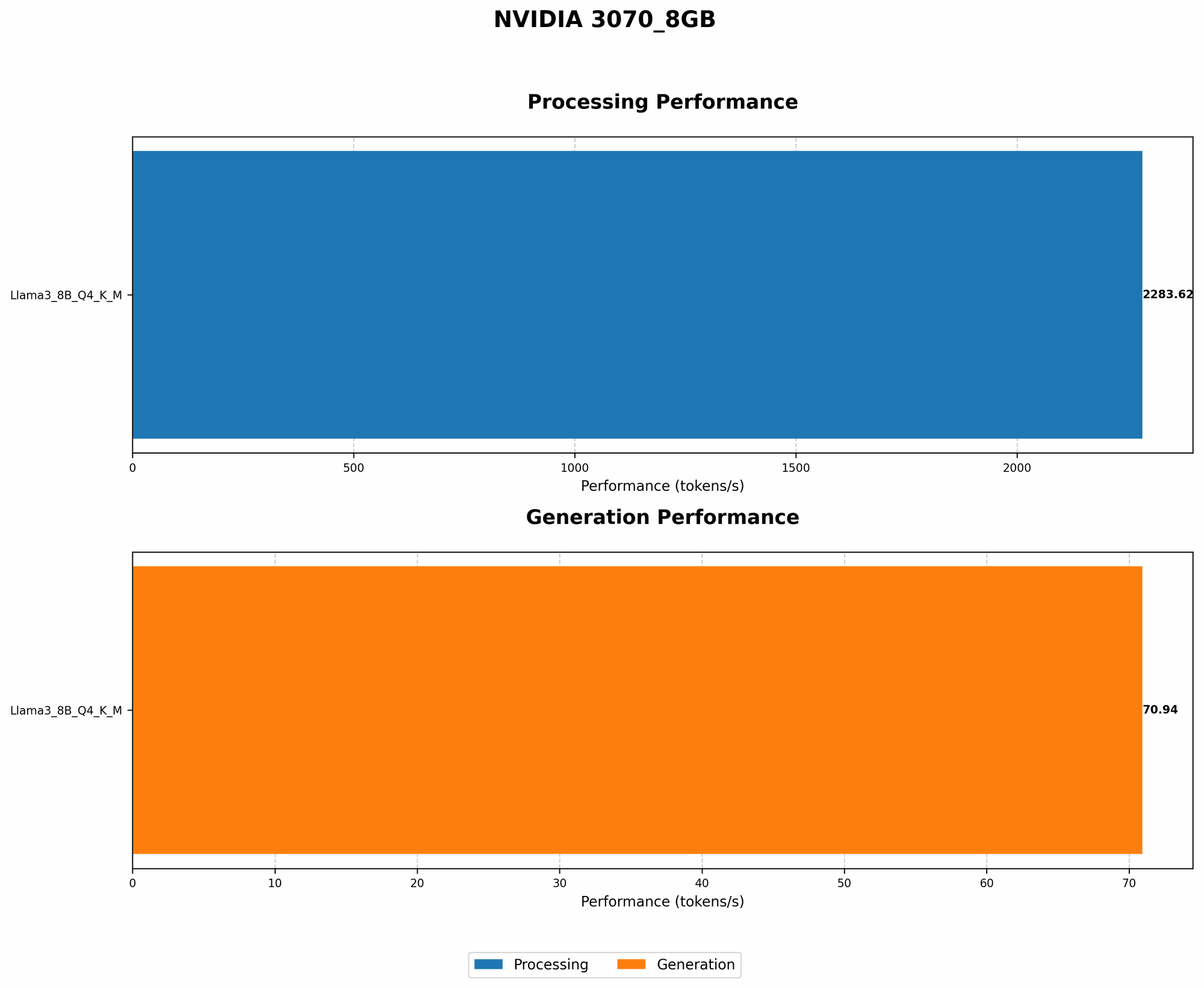
Token Generation Speed Benchmarks: NVIDIA 3070_8GB and Llama3 8B
Let's cut to the chase. We're looking at how many tokens per second the NVIDIA 3070_8GB can process when running Llama3 8B. Here's what we found:
| Model & Quantization | Token Generation Speed (Tokens/second) |
|---|---|
| Llama3 8B Q4KM | 70.94 |
| Llama3 8B F16 | N/A |
What does this mean? The NVIDIA 30708GB can generate 70.94 tokens per second when running Llama3 8B with Q4K_M quantization. This means that it can process a significant amount of text in a relatively short time.
But don't forget, F16 quantization is not supported for this model and device combination. This can impact performance if you're looking for maximum speed.
Performance Analysis: Model and Device Comparison
While the NVIDIA 3070_8GB performs well with Llama3 8B, it's essential to compare it to other devices to understand its strengths and limitations.
Unfortunately, direct comparisons with other devices are limited due to the lack of available data for F16 and other Llama model variants.
However, we can still provide some insights:
- Lower-end GPUs: GPUs with less memory or slower processing power might struggle to handle larger LLMs like Llama3 8B efficiently. You might experience noticeable slowdowns or even errors.
- Higher-end GPUs: GPUs with more cores and memory can handle larger LLMs and higher quantization levels with greater ease. This translates to faster processing speed and a smoother user experience.
Practical Recommendations: Use Cases and Workarounds
Real-World Applications for Your NVIDIA 3070_8GB
The NVIDIA 3070_8GB can power a variety of exciting use cases:
- Rapid Prototyping: Experiment with different prompts and LLM configurations quickly and efficiently.
- Personal AI Assistant: Develop a personalized AI assistant that provides answers to your questions and completes tasks.
- Content Creation: Generate creative text formats, like poems, code, scripts, musical pieces, email, letters, etc., for personal or professional use.
Workarounds for Performance Limitations
- Quantization: Consider trying different quantization methods to find the optimal balance between performance and accuracy.
- Model Size: Explore smaller LLM variants like Llama2 7B, which might require less processing power for smoother performance.
- Cloud-Based Solutions: If your project requires extremely high performance or access to larger LLMs, consider using cloud-based platforms like Google Colab or AWS.
FAQ: Frequently Asked Questions
Q. What is quantization, and why does it matter?
A. Quantization is a technique used to reduce the size of LLM models by representing the weights in a more compact way. This can lead to faster performance, less memory usage, and even potentially improved accuracy. It's like using a simplified language to communicate with the model, which makes it quicker and more efficient.
Q. What are the best settings for my NVIDIA 3070_8GB?
A. The best settings depend on your specific use case and the LLM you're running. We recommend experimenting with different quantization levels and model variants to find the optimal configuration for your needs.
Q. Can I run LLMs bigger than Llama3 8B on my NVIDIA 3070_8GB?
A. It's possible, but it might not be practical. Larger models require more computational power, and your GPU might struggle to provide the necessary performance for smooth operation. You might experience slowdowns or errors.
Q. What are the alternatives to running LLMs locally?
A. You can always leverage cloud-based solutions like Google Colab or AWS. These platforms offer access to powerful GPUs and larger LLMs, making them ideal for demanding tasks or experiments.
Q. What is the future of local LLM running?
A. As GPUs continue to improve in performance and memory, we'll see even greater capabilities for running LLMs locally. Expect to see faster processing speeds, support for larger models, and new innovative applications.
Keywords:
NVIDIA 30708GB, Llama3 8B, local LLM models, token generation speed, quantization, Q4K_M, F16, GPU performance, AI, machine learning, deep learning, performance benchmarks, practical recommendations, use cases, workarounds, FAQ