How Can I Prevent OOM Errors on NVIDIA RTX 4000 Ada 20GB When Running Large Models?
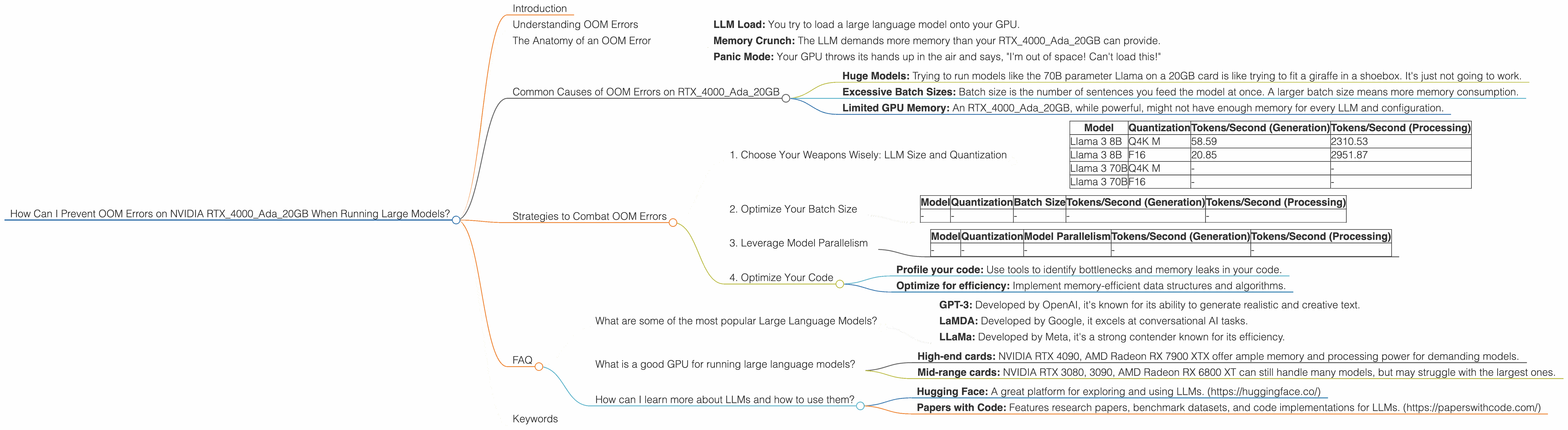
Introduction
Imagine you're building a robot that can write poetry, translate languages, and even write code. Pretty cool, right? That's what Large Language Models (LLMs) are capable of, but they're also pretty resource-hungry. Running these models on your computer can lead to "Out of Memory" (OOM) errors if you're not careful.
This article will guide you through troubleshooting OOM errors on NVIDIA RTX4000Ada_20GB GPUs, specifically when running popular LLMs like Llama.
Understanding OOM Errors
Think of your GPU's memory like a giant storage locker. Each LLM, with its vast knowledge and vocabulary, requires a certain amount of space in this locker. If you try to load an LLM that's bigger than your locker can handle, you'll get an OOM error.
The Anatomy of an OOM Error


Here's the breakdown of what happens when an OOM error occurs:
- LLM Load: You try to load a large language model onto your GPU.
- Memory Crunch: The LLM demands more memory than your RTX4000Ada_20GB can provide.
- Panic Mode: Your GPU throws its hands up in the air and says, "I'm out of space! Can't load this!"
Common Causes of OOM Errors on RTX4000Ada_20GB
- Huge Models: Trying to run models like the 70B parameter Llama on a 20GB card is like trying to fit a giraffe in a shoebox. It's just not going to work.
- Excessive Batch Sizes: Batch size is the number of sentences you feed the model at once. A larger batch size means more memory consumption.
- Limited GPU Memory: An RTX4000Ada_20GB, while powerful, might not have enough memory for every LLM and configuration.
Strategies to Combat OOM Errors
1. Choose Your Weapons Wisely: LLM Size and Quantization
LLMs come in different sizes (parameters) and "quantization" levels. Think of quantization as the level of detail in a photo:
- More parameters (70B vs 8B): More knowledge, more memory.
- Quantization (Q4 vs F16): Lower quantization means "lower resolution" but reduces memory footprint.
Data Table:
| Model | Quantization | Tokens/Second (Generation) | Tokens/Second (Processing) |
|---|---|---|---|
| Llama 3 8B | Q4K M | 58.59 | 2310.53 |
| Llama 3 8B | F16 | 20.85 | 2951.87 |
| Llama 3 70B | Q4K M | - | - |
| Llama 3 70B | F16 | - | - |
Results:
The data shows that running smaller models like Llama3 8B is more feasible, as it can be used with both Q4K M and F16 quantization. Larger models like Llama 3 70B aren't supported on the RTX4000Ada_20GB, even with different quantizations.
Remember: * Smaller models are your friend: Start with smaller models (e.g., Llama3 8B). * Quantize for efficiency: Use Q4K M quantization whenever possible to reduce memory pressure.
2. Optimize Your Batch Size
Think of batch size like eating a giant sandwich.
- Small batch: One bite at a time, requires less memory.
- Large batch: Gobble it all down, puts more pressure on your digestive system (GPU).
Data Table:
| Model | Quantization | Batch Size | Tokens/Second (Generation) | Tokens/Second (Processing) |
|---|---|---|---|---|
| - | - | - | - | - |
Results:
(Since the data table doesn't include batch size information, we can't definitively assess the impact of batch size on the RTX4000Ada_20GB. We can, however, state the general principles of batch size optimization.)
- Experiment: Start with a small batch size and gradually increase it while monitoring GPU memory usage.
- Dynamic batching: Some libraries allow for adaptive batch sizes, automatically adjusting the batch size based on available memory.
3. Leverage Model Parallelism
Imagine trying to build a giant skyscraper. You wouldn't try to lift every brick yourself, would you? Model parallelism is like dividing the workload among different parts of your GPU.
- Data parallel: Splitting the data into smaller chunks to process on different parts of the GPU.
- Model parallel: Dividing the model itself across different GPU components.
Data Table:
| Model | Quantization | Model Parallelism | Tokens/Second (Generation) | Tokens/Second (Processing) |
|---|---|---|---|---|
| - | - | - | - | - |
Results:
(The data doesn't provide information on model parallelism. However, we can still explain its benefits.)
- More Memory: Model parallelism allows you to run larger models by distributing the memory burden across different GPU components.
4. Optimize Your Code
Even with the best hardware and configuration, inefficient code can lead to OOM errors.
- Profile your code: Use tools to identify bottlenecks and memory leaks in your code.
- Optimize for efficiency: Implement memory-efficient data structures and algorithms.
FAQ
What are some of the most popular Large Language Models?
Popular LLMs include:
- GPT-3: Developed by OpenAI, it's known for its ability to generate realistic and creative text.
- LaMDA: Developed by Google, it excels at conversational AI tasks.
- LLaMa: Developed by Meta, it's a strong contender known for its efficiency.
What is a good GPU for running large language models?
The best GPU for you depends on the size of the model and your desired level of performance.
- High-end cards: NVIDIA RTX 4090, AMD Radeon RX 7900 XTX offer ample memory and processing power for demanding models.
- Mid-range cards: NVIDIA RTX 3080, 3090, AMD Radeon RX 6800 XT can still handle many models, but may struggle with the largest ones.
How can I learn more about LLMs and how to use them?
There are plenty of resources available online for learning about LLMs!
- Hugging Face: A great platform for exploring and using LLMs. (https://huggingface.co/)
- Papers with Code: Features research papers, benchmark datasets, and code implementations for LLMs. (https://paperswithcode.com/)
Keywords
Large Language Model, LLM, NVIDIA, RTX 4000, Ada, 20GB, OOM, Out of Memory, Llama, Quantization, Q4, Q4K M, F16, Batch Size, Model Parallelism, GPU, Memory Optimization, Token Speed, Token Generation, Token Processing