How Can I Prevent OOM Errors on NVIDIA 4090 24GB x2 When Running Large Models?
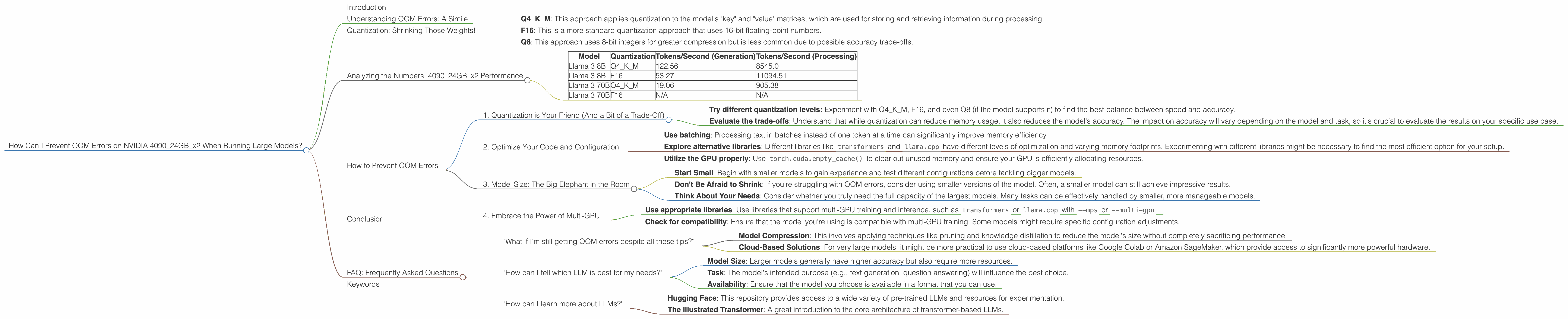
Introduction
Running large language models (LLMs) locally on your own hardware can be incredibly rewarding. It allows you to experiment with different models and settings, and even customize them for specific tasks. However, the memory requirements of these models can be quite demanding, especially when dealing with massive models like those with billions of parameters. This can lead to the dreaded "Out of Memory" (OOM) errors, which can be incredibly frustrating.
This article will focus on a common scenario: running LLMs on a powerful dual-GPU setup, the NVIDIA 409024GBx2, and how to prevent OOM errors. We'll explore the different techniques and strategies you can employ to keep your models running smoothly, even on the largest models.
Understanding OOM Errors: A Simile
Imagine you're trying to host a massive party in a small apartment. You have tons of guests (data), but your apartment (GPU memory) is just not big enough. The guests (data) start overflowing, spilling into the hallway (RAM), and eventually, things get messy and chaotic. This is essentially what happens with OOM errors. Your GPU memory runs out of space to store the model's weights and data needed for processing, leading to a halt in operations.
Quantization: Shrinking Those Weights!

Think of quantization as a diet for your LLM. It's a technique that reduces the precision of the model's weights, making them take up less space. Imagine you're storing the weight of a feather. You could use a high-precision scale (32-bit floating point) that measures it to the nearest microgram, or you could use a less precise scale (4-bit) that rounds it to the nearest gram. The latter approach is less accurate, but it uses much less storage!
There are two main quantization techniques:
- Q4KM: This approach applies quantization to the model's "key" and "value" matrices, which are used for storing and retrieving information during processing.
- F16: This is a more standard quantization approach that uses 16-bit floating-point numbers.
- Q8: This approach uses 8-bit integers for greater compression but is less common due to possible accuracy trade-offs.
Analyzing the Numbers: 409024GBx2 Performance
Let's delve into the performance numbers for different LLM models on the 409024GBx2, taking into account the various quantization techniques:
| Model | Quantization | Tokens/Second (Generation) | Tokens/Second (Processing) |
|---|---|---|---|
| Llama 3 8B | Q4KM | 122.56 | 8545.0 |
| Llama 3 8B | F16 | 53.27 | 11094.51 |
| Llama 3 70B | Q4KM | 19.06 | 905.38 |
| Llama 3 70B | F16 | N/A | N/A |
Observations
- Smaller Model, Faster Speed: As the model size decreases (from 70B to 8B), the token generation speed increases significantly. This is expected, as smaller models require less computation.
- Quantization Impact: Q4KM quantization generally leads to faster token generation than F16, particularly with the 8B model. This suggests that Q4KM might be a better choice for speed-sensitive tasks.
- Processing Power: Notably, the processing speeds (Tokens/Second for Processing) are much higher than token generation speeds. This is because the model is spending a lot of time doing internal calculations, which are independent of the actual tokens being generated.
- 70B Model Challenges: The 70B model performance data in the table is incomplete. This is likely due to the model's size pushing the limits of the 48GB GPU memory even with quantization. This highlights that even with a powerful dual-GPU setup, very large models can be challenging.
How to Prevent OOM Errors
Now that we have a good understanding of the challenges and performance characteristics, let's dive into the strategies for keeping your models running smoothly.
1. Quantization is Your Friend (And a Bit of a Trade-Off)
As we've already discussed, quantization is a crucial step for running large models efficiently. By reducing the precision of the weights, you can significantly decrease the memory footprint.
- Try different quantization levels: Experiment with Q4KM, F16, and even Q8 (if the model supports it) to find the best balance between speed and accuracy.
- Evaluate the trade-offs: Understand that while quantization can reduce memory usage, it also reduces the model's accuracy. The impact on accuracy will vary depending on the model and task, so it's crucial to evaluate the results on your specific use case.
2. Optimize Your Code and Configuration
The way you structure your code and configure your model can have a significant impact on memory usage.
- Use batching: Processing text in batches instead of one token at a time can significantly improve memory efficiency.
- Explore alternative libraries: Different libraries like
transformersandllama.cpphave different levels of optimization and varying memory footprints. Experimenting with different libraries might be necessary to find the most efficient option for your setup. - Utilize the GPU properly: Use
torch.cuda.empty_cache()to clear out unused memory and ensure your GPU is efficiently allocating resources.
3. Model Size: The Big Elephant in the Room
The most obvious factor that influences OOM errors is the model size.
- Start Small: Begin with smaller models to gain experience and test different configurations before tackling bigger models.
- Don't Be Afraid to Shrink: If you're struggling with OOM errors, consider using smaller versions of the model. Often, a smaller model can still achieve impressive results.
- Think About Your Needs: Consider whether you truly need the full capacity of the largest models. Many tasks can be effectively handled by smaller, more manageable models.
4. Embrace the Power of Multi-GPU
Having a dual-GPU setup like the NVIDIA 409024GBx2 gives you a significant advantage. This setup can distribute model operations across multiple GPUs, allowing you to handle larger models.
- Use appropriate libraries: Use libraries that support multi-GPU training and inference, such as
transformersorllama.cppwith--mpsor--multi-gpu. Check for compatibility: Ensure that the model you're using is compatible with multi-GPU training. Some models might require specific configuration adjustments.
Conclusion
Running large language models locally can be a challenging but rewarding experience. By understanding the factors that contribute to OOM errors and implementing the strategies outlined above, you can increase the likelihood of success. Remember to experiment, evaluate, and optimize your approach to ensure you're using the best combination of techniques for your specific model and task.
FAQ: Frequently Asked Questions
"What if I'm still getting OOM errors despite all these tips?"
It's important to remember that even with a dual-GPU setup like the 409024GBx2, the sheer size of some LLMs might still be too large for your hardware. In these cases, you might need to explore alternative approaches like:
- Model Compression: This involves applying techniques like pruning and knowledge distillation to reduce the model's size without completely sacrificing performance.
- Cloud-Based Solutions: For very large models, it might be more practical to use cloud-based platforms like Google Colab or Amazon SageMaker, which provide access to significantly more powerful hardware.
"How can I tell which LLM is best for my needs?"
Choosing the right LLM is crucial for achieving good results. Consider factors like:
- Model Size: Larger models generally have higher accuracy but also require more resources.
- Task: The model's intended purpose (e.g., text generation, question answering) will influence the best choice.
- Availability: Ensure that the model you choose is available in a format that you can use.
"How can I learn more about LLMs?"
There are plenty of resources available online to help you learn more about LLMs. Here are a few suggestions:
- Hugging Face: This repository provides access to a wide variety of pre-trained LLMs and resources for experimentation.
- The Illustrated Transformer: A great introduction to the core architecture of transformer-based LLMs.
Keywords
Large Language Models, LLM, OOM, Out of Memory, NVIDIA 4090, dual-GPU, GPU memory, quantization, Q4KM, F16, model size, batching, multi-GPU, model compression, cloud-based solutions, Hugging Face, Transformers.