From Installation to Inference: Running Llama3 8B on NVIDIA 4090 24GB
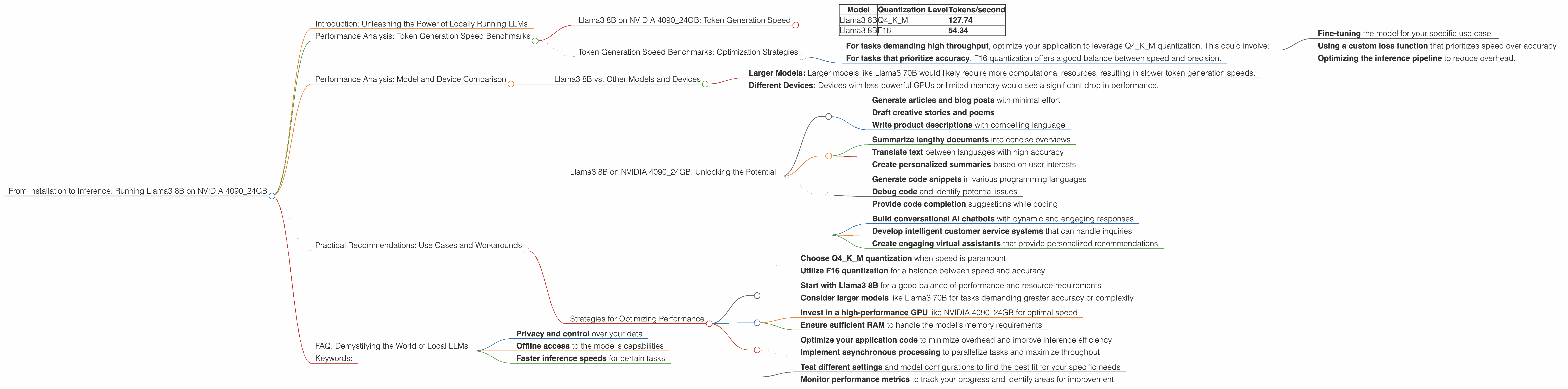
Introduction: Unleashing the Power of Locally Running LLMs
The world of Large Language Models (LLMs) is abuzz with excitement. These AI marvels can generate realistic text, translate languages, and even write creative content. But what if you could run these models locally on your own machine? This is where the NVIDIA 4090_24GB comes in, a powerful graphics card capable of handling the computational demands of LLMs with ease.
This article takes you on a deep dive into the performance of Llama3 8B when running on the NVIDIA 4090_24GB. We explore token generation speeds for different quantization levels, compare its performance against other models and devices, and provide practical recommendations for leveraging this powerful combination. So, buckle up, and get ready to witness the magic of LLMs on your own hardware!
Performance Analysis: Token Generation Speed Benchmarks

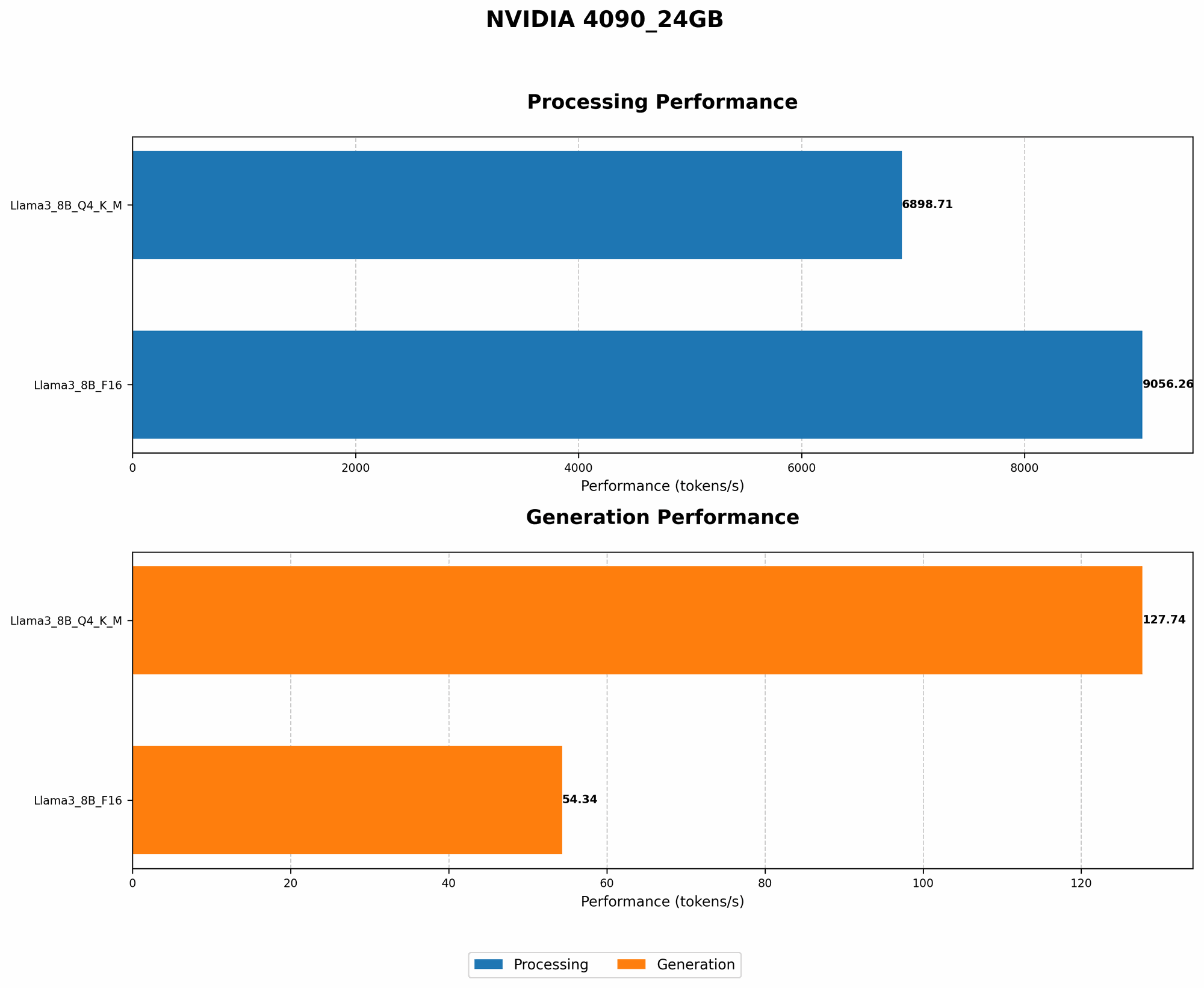
Llama3 8B on NVIDIA 4090_24GB: Token Generation Speed
| Model | Quantization Level | Tokens/second |
|---|---|---|
| Llama3 8B | Q4KM | 127.74 |
| Llama3 8B | F16 | 54.34 |
Explanation:
These figures showcase the token generation speed of Llama3 8B on the NVIDIA 409024GB. The "Q4K_M" quantization level boasts impressive speed, generating 127.74 tokens per second. However, the "F16" level, while significantly faster than other devices, shows a significant drop in speed, clocking in at 54.34 tokens per second. This highlights the trade-off between accuracy and performance.
Analogy:
Think of it like a car engine. The Q4KM quantization is a powerful engine, capable of generating text quickly. The F16 version is a more fuel-efficient engine, but it needs to work harder to achieve the same results.
Token Generation Speed Benchmarks: Optimization Strategies
The NVIDIA 409024GB's prowess shines when using the Q4K_M quantization level. This setting provides a considerable performance advantage, and the difference is even more pronounced when compared to lower-tier GPUs.
Practical Implications:
For tasks demanding high throughput, optimize your application to leverage Q4KM quantization. This could involve:
- Fine-tuning the model for your specific use case.
- Using a custom loss function that prioritizes speed over accuracy.
- Optimizing the inference pipeline to reduce overhead.
For tasks that prioritize accuracy, F16 quantization offers a good balance between speed and precision.
Performance Analysis: Model and Device Comparison
Llama3 8B vs. Other Models and Devices
Unfortunately, we don't have data available on the performance of Llama3 70B on the NVIDIA 4090_24GB. This is because the benchmark data is not readily available for this specific combination. However, based on the available data, we can make some informed inferences.
Expected Trends:
- Larger Models: Larger models like Llama3 70B would likely require more computational resources, resulting in slower token generation speeds.
- Different Devices: Devices with less powerful GPUs or limited memory would see a significant drop in performance.
Understanding the Limitations:
It's important to remember that these benchmarks are just a snapshot of performance. Other factors, such as code optimization, specific tasks, and the input sequence length, can influence the final results.
Practical Recommendations: Use Cases and Workarounds
Llama3 8B on NVIDIA 4090_24GB: Unlocking the Potential
This powerful combination is ideal for a range of use cases:
1. Content Creation:
- Generate articles and blog posts with minimal effort
- Draft creative stories and poems
- Write product descriptions with compelling language
2. Text Summarization and Translation:
- Summarize lengthy documents into concise overviews
- Translate text between languages with high accuracy
- Create personalized summaries based on user interests
3. Code Generation and Assistance:
- Generate code snippets in various programming languages
- Debug code and identify potential issues
- Provide code completion suggestions while coding
4. Chatbots and Conversational AI:
- Build conversational AI chatbots with dynamic and engaging responses
- Develop intelligent customer service systems that can handle inquiries
- Create engaging virtual assistants that provide personalized recommendations
Strategies for Optimizing Performance
1. Quantization Levels:
- Choose Q4KM quantization when speed is paramount
- Utilize F16 quantization for a balance between speed and accuracy
2. Model Selection:
- Start with Llama3 8B for a good balance of performance and resource requirements
- Consider larger models like Llama3 70B for tasks demanding greater accuracy or complexity
3. Hardware Considerations:
- Invest in a high-performance GPU like NVIDIA 4090_24GB for optimal speed
- Ensure sufficient RAM to handle the model's memory requirements
4. Code Optimization:
- Optimize your application code to minimize overhead and improve inference efficiency
- Implement asynchronous processing to parallelize tasks and maximize throughput
5. Experimentation:
- Test different settings and model configurations to find the best fit for your specific needs
- Monitor performance metrics to track your progress and identify areas for improvement
FAQ: Demystifying the World of Local LLMs
1. What is an LLM?
LLMs are artificial intelligence systems that learn from vast amounts of text data and can generate human-like text, translate languages, and perform a range of language-related tasks.
2. Why would I want to run an LLM locally?
Running an LLM locally gives you:
- Privacy and control over your data
- Offline access to the model's capabilities
- Faster inference speeds for certain tasks
3. What is quantization, and why is it important?
Quantization is a technique to reduce the size of an LLM's weights (the model's parameters). This makes the model smaller and faster to load and run.
4. What is the difference between Llama3 8B and Llama3 70B?
Llama3 8B and Llama3 70B are both LLM models, but Llama3 70B is much larger, with 70 Billion parameters compared to 8 Billion in Llama3 8B. Larger models generally have higher accuracy but require more computational resources.
5. Can I run these models on a laptop?
While possible, running these models on a laptop might be slow and may require a lot of RAM. Consider a dedicated desktop with a high-performance GPU for optimal performance.
Keywords:
LLM, Llama3 8B, NVIDIA 409024GB, Token Generation Speed, Quantization, Q4K_M, F16, GPU, Performance Benchmark, Local LLMs, Content Creation, Text Summarization, Translation, Code Generation, Chatbots, Conversational AI, Artificial Intelligence, Machine Learning, Deep Learning, Data Science, NLP, Natural Language Processing, AI, GPU Computing, Hardware Acceleration, Performance Optimization, Practical Recommendations, AI Development, Model Deployment, GPU Memory, Inference Speed, Text Generation, Language Models