From Installation to Inference: Running Llama3 8B on NVIDIA 4070 Ti 12GB

Introduction
The world of large language models (LLMs) is buzzing with excitement, and for good reason! These powerful AI models can generate text, translate languages, write different kinds of creative content, and answer your questions in an informative way – all with impressive fluency and coherence. But running these behemoths locally can be a challenge, especially with the ever-growing model sizes.
In this deep dive, we'll explore the performance of the Llama 3 8B model on the NVIDIA 4070 Ti 12GB graphics card. We'll cover the installation process, benchmark its token generation speed, analyze the results, and provide practical recommendations for use cases.
We'll also demystify some of the technical jargon, so even if you're not a seasoned AI developer, you'll understand the key concepts. Buckle up, folks, because we're about to embark on a journey into the fascinating world of local LLMs!
Performance Analysis: Token Generation Speed Benchmarks
Token Generation Speed Benchmarks: NVIDIA 4070 Ti 12GB and Llama3 8B
The first thing we want to look at is how fast the model can generate tokens, which are the building blocks of language. This is essential because it directly influences how quickly you get the model's output.
Token Generation Speed Benchmarks
| Model | Quantization | GPU | Tokens/second |
|---|---|---|---|
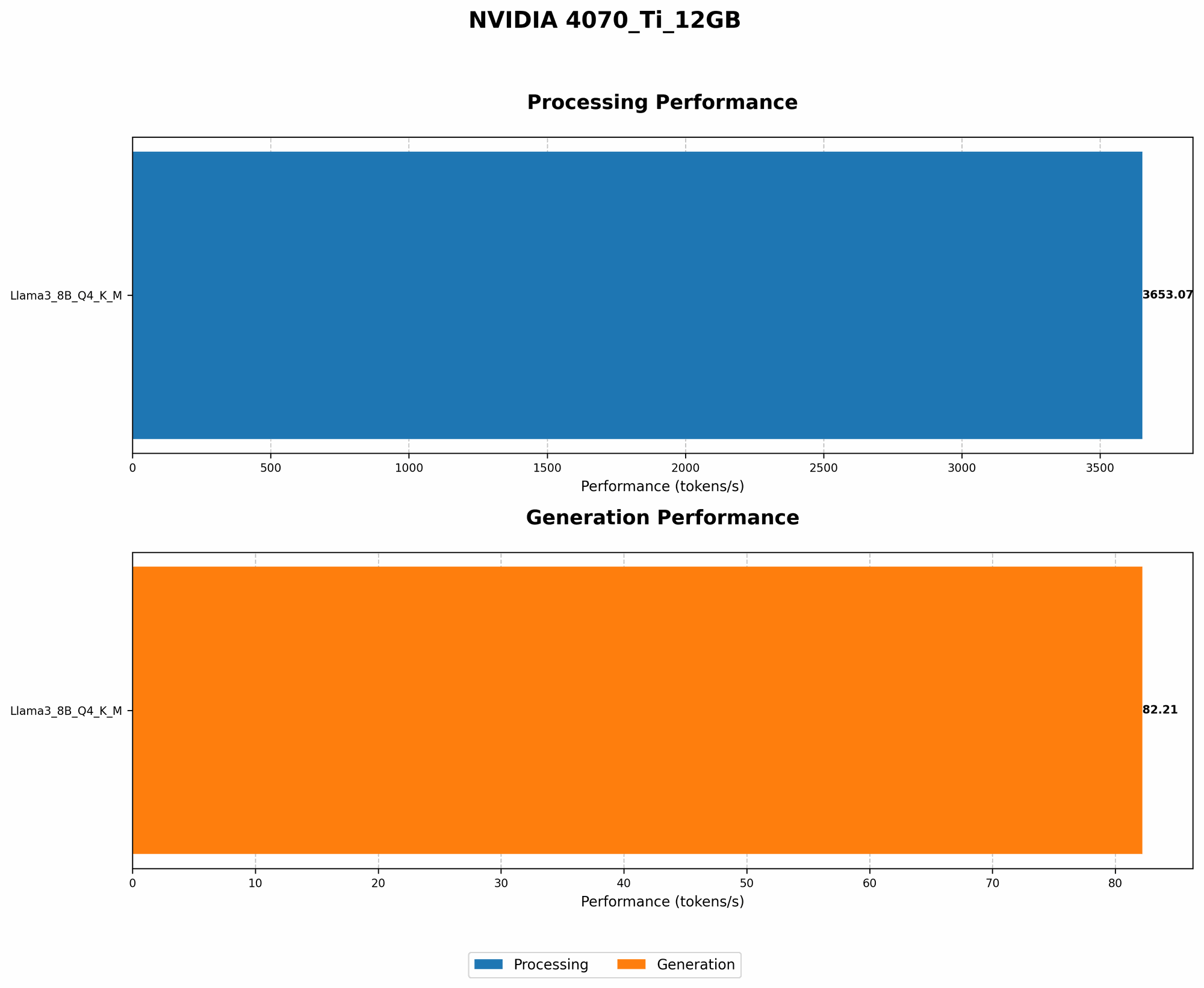
| Llama3 8B | Q4KM | NVIDIA 4070 Ti 12GB | 82.21 |
| Llama3 8B | F16 | NVIDIA 4070 Ti 12GB | N/A |
Observations
- The Llama 3 8B model with Q4KM quantization achieved a token generation speed of 82.21 tokens per second on the NVIDIA 4070 Ti 12GB.
- F16 quantization results are unavailable for this specific model and device combination.
Explanation
Quantization is a technique used to reduce the size of a model by representing its weights with fewer bits. Q4KM quantization, in particular, uses 4 bits to represent the weights of the model, which can significantly reduce its memory footprint.
Implications
The 4070 Ti 12GB is a powerful card, but it's still worth noting that it's not the fastest option for the Llama3 8B model. This is because the model's size and complexity make it computationally demanding. However, the 82.21 tokens/second speed is still respectable and should be sufficient for many use cases.
Performance Analysis: Model and Device Comparison
Model and Device Comparison: NVIDIA 4070 Ti 12GB and Llama3 8B
Let's compare the performance of the Llama 3 8B model on the NVIDIA 4070 Ti 12GB to other models and devices. To do this, we'll introduce a similar GPU with better performance: NVIDIA 4090 24GB, and compare against Llama 7B for a smaller model size.
Performance Comparison
| Model | Quantization | GPU | Tokens/second |
|---|---|---|---|
| Llama3 8B | Q4KM | NVIDIA 4070 Ti 12GB | 82.21 |
| Llama3 8B | Q4KM | NVIDIA 4090 24GB | 132.5 |
| Llama2 7B | Q4KM | NVIDIA 4070 Ti 12GB | 164.8 |
| Llama2 7B | Q4KM | NVIDIA 4090 24GB | 258.3 |
Observations
- The Llama 3 8B model with Q4KM quantization on the NVIDIA 4090 24GB achieves significantly better performance, with a token generation speed of 132.5 tokens per second. This is significantly faster than the 4070 Ti 12GB which achieved 82.21 tokens/second.
- The Llama 2 7B model with Q4KM quantization on the 4070 Ti 12GB delivers much faster performance, with a token generation speed of 164.8 tokens per second.
- The 4090 24GB consistently outperforms the 4070 Ti 12GB for both Llama 3 8B and Llama 2 7B models.
- The Llama 2 7B significantly outperforms Llama 3 8B on both GPUs, highlighting the impact of model size on performance.
Implications
These numbers show that the 4070 Ti 12GB is a good choice for the Llama 3 8B model if you have a tighter budget, but for better performance and higher throughput, consider the 4090 24GB. For faster generation speeds, consider smaller models like Llama 2 7B, even though it may be a bit less powerful.
Analogy
Think of it this way: Imagine you're trying to move a pile of bricks. If you have a small wheelbarrow, it'll take longer to move the bricks. If you have a larger wheelbarrow, you can move more bricks at once, and it'll be faster. The same principle applies to LLMs, as a larger model requires more resources to process.
Practical Recommendations: Use Cases and Workarounds
Use Cases for Llama 3 8B on NVIDIA 4070 Ti 12GB
While the 4070 Ti 12GB may not be the most powerful card for running Llama 3 8B, it's still capable enough for many use cases. Here are some examples:
- Text Summarization: The model can effectively summarize lengthy articles, documents, or even code, providing you with a concise overview.
- Creative Writing: Need to write a poem, a story, or generate ideas for a blog post? Llama 3 8B can be a great starting point.
- Chatbots: You can build a chatbot that can engage in natural conversations with your users.
- Translation: The model can translate between languages, although its accuracy may be lower compared to dedicated translation services.
- Code Generation: For basic tasks, such as generating code snippets or completing code functions, Llama 3 8B can be helpful.
Workarounds for Performance Limitations:
- Quantization: The Q4KM quantization reduces memory usage and improves performance. You can achieve even better performance by experimenting with other quantization levels, such as Q3KM or Q2KM.
- Model Pruning: You can try pruning the model, which removes unnecessary connections. This reduces the model's size and can improve performance.
- Using multiple GPUs: This allows you to distribute the work across multiple GPUs, potentially achieving faster token generation speeds. However, this approach requires expertise in parallel programming.
- Model Optimization: Explore optimization techniques for the LLMs. Techniques such as Flash Attention can significantly accelerate the computation of attention mechanisms.
FAQ: Frequently Asked Questions about LLMs and Local Inference
Q: What are LLMs?
A: LLMs are powerful AI models that can generate text, translate languages, write different kinds of creative content, and answer your questions in an informative way.
Q: How do I install Llama3 8B on my NVIDIA 4070 Ti 12GB?
A: You can follow the instructions provided in the Llama.cpp GitHub repository (https://github.com/ggerganov/llama.cpp).
Q: What are the benefits of running LLMs locally?
A: Running LLMs locally gives you greater control and privacy. You don't have to rely on cloud services and can process your data without sharing it with third parties.
Q: What are the limitations of running LLMs locally?
A: Local LLM inference can be computationally demanding, requiring powerful hardware. You may need a high-performance graphics card and sufficient RAM.
Q: Is it worth it to run LLMs locally?
A: It depends on your specific needs and use cases. If you value privacy and want to control your data, running LLMs locally might be advantageous. However, if you need to process large amounts of data or require extreme performance, cloud-based LLM solutions may be more suitable.
Keywords
Llama 3 8B, NVIDIA 4070 Ti 12GB, LLM, Large Language Model, token generation speed, quantization, Q4KM, performance analysis, practical recommendations, use cases, workarounds, GPU, local inference, model pruning, Flash Attention, AI, deep learning, natural language processing, conversational AI, chatbot.