From Installation to Inference: Running Llama3 8B on NVIDIA 3090 24GB

Introduction
The world of large language models (LLMs) is exploding, and we're all eager to get our hands on these powerful AI tools. But with LLMs growing larger and more complex, running them locally can seem like a daunting task. This article dives deep into the performance of the Llama3 8B model on the NVIDIA 3090_24GB GPU. We'll explore the key factors influencing performance, analyze token generation speed benchmarks, and provide practical recommendations for optimization and use cases. Think of it as a guide for building your own LLM playground, complete with insights and tips for unleashing the power of Llama3 8B on your beefy graphics card.
Performance Analysis: Token Generation Speed Benchmarks

NVIDIA 3090_24GB and Llama3 8B
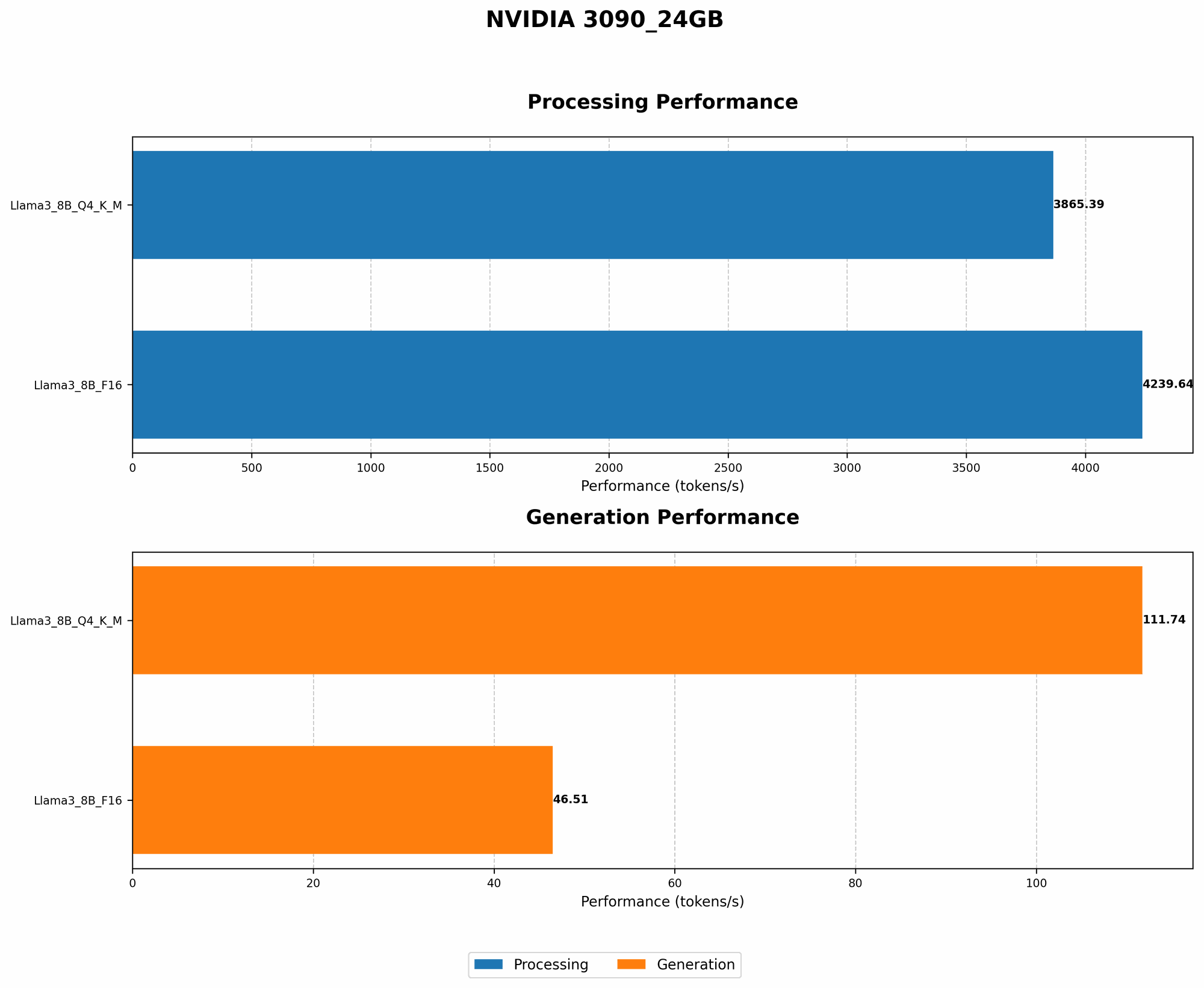
Let's get down to the nitty-gritty - how fast can we generate text with Llama3 8B on a 3090_24GB? The numbers speak for themselves, and they're exciting!
| Model Configuration | Tokens/Second (Generation) |
|---|---|
| Llama3 8B Q4 K/M | 111.74 |
| Llama3 8B F16 | 46.51 |
As you can see, the quantized model (Q4 K/M) significantly outperforms the FP16 model in terms of token generation speed. This is primarily due to the lower precision of the quantized model, allowing for faster computations. Think of it like this: a quantized model is like a simplified blueprint, leading to speedier construction, while the FP16 model is a detailed blueprint, requiring more time and computational resources.
Performance Analysis: Model and Device Comparison
Unfortunately, we don't have data on the performance of Llama3 70B on the NVIDIA 3090_24GB. This is because running a 70B model locally requires substantial resources, often exceeding the capabilities of mainstream GPUs.
Practical Recommendations: Use Cases and Workarounds
Use Cases for Llama3 8B on NVIDIA 3090_24GB
Given its performance, the Llama3 8B model on the NVIDIA 3090_24GB is an excellent choice for various applications:
- Prototyping and Development: Experiment with different LLM architectures, fine-tune models for specific tasks, and test new ideas without relying on cloud services.
- Small-Scale Production: Power applications requiring fast and efficient text generation, like chatbots, content creation tools, and summarization systems.
- Educational and Research Purposes: Explore the capabilities of LLMs and gain hands-on experience with their implementation.
Workarounds for Handling Larger Models
If you're yearning to run larger models like Llama3 70B locally, here are a few strategies:
- Cloud Services: Platforms like Google Colab and Amazon SageMaker provide access to high-performance GPUs and specialized LLM environments.
- Model Compression Techniques: Explore quantization techniques like Q4 K/M or INT8, which can significantly reduce model size and improve performance.
- Distributed Training: Split model training across multiple GPUs or machines, allowing you to scale up to larger models.
FAQ
What is quantization?
Quantization is a technique used to reduce the size of a model by representing numbers with fewer bits. Think of it like simplifying a recipe by using fewer ingredients. It results in smaller models that consume less memory and run faster. It's like taking a detailed blueprint and simplifying it into a more manageable plan.
What are the benefits of running LLMs locally?
Running LLMs locally offers several advantages:
- Privacy and Data Security: Your data remains within your control, eliminating privacy concerns associated with cloud services.
- Lower Latency: Eliminate the latency associated with network requests, resulting in faster responses.
- Cost Effectiveness: Potentially reduce ongoing costs compared to using cloud-based services.
Keywords
LLMs, Llama3, Llama3 8B, NVIDIA 3090_24GB, GPU, Token Generation Speed, Quantization, Q4 K/M, F16, Model Compression, Local Inference, Performance Optimization, Use Cases, Workarounds, Cloud Services, Distributed Training