From Installation to Inference: Running Llama3 8B on NVIDIA 3090 24GB x2
Introduction
The world of large language models (LLMs) is exploding with exciting new models like Llama 3. But putting these powerful models to work requires more than just downloading a file. This article dives into the practical side of running Llama 3 8B locally using two NVIDIA 3090 24GB graphics cards. We'll explore the performance of different quantization levels, analyze token generation speed benchmarks, and offer practical advice on using Llama 3 in real-world projects.
Imagine a world where you could create your own AI-powered chatbot, write creative text, or translate languages instantly – all on your personal computer. That's the power of local LLMs. By running Llama 3 on your own hardware, you gain complete control over your data, privacy, and processing speed.
Performance Analysis: Token Generation Speed Benchmarks
Token Generation Speed Benchmarks: Llama 3 8B on NVIDIA 309024GBx2
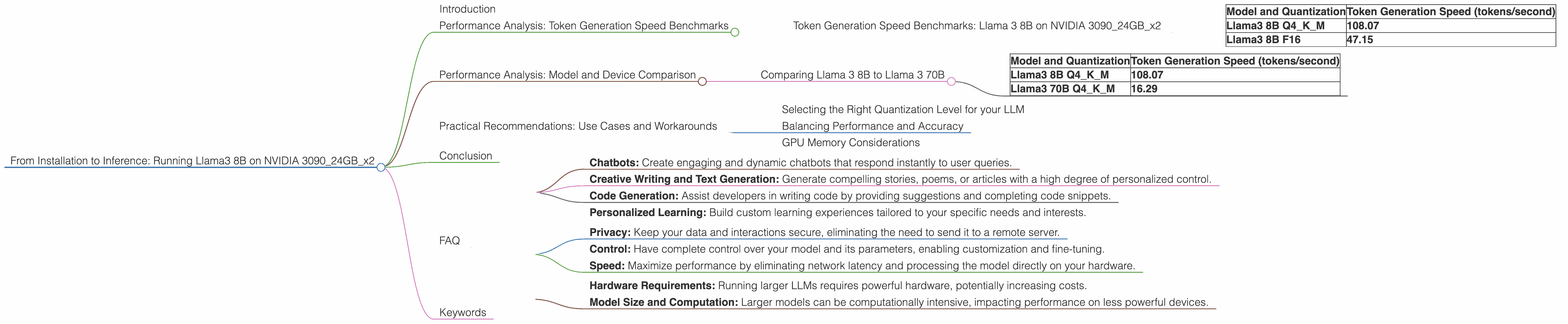
Let's get to the heart of the matter: how fast can we generate text with Llama 3 8B on a dual NVIDIA 3090 setup? The following table provides a comprehensive view of token generation speeds for different quantization levels:
| Model and Quantization | Token Generation Speed (tokens/second) |
|---|---|
| Llama3 8B Q4KM | 108.07 |
| Llama3 8B F16 | 47.15 |
Token Generation Speed is a crucial metric for real-time applications like chatbots, as it measures how quickly the model can generate text. Quantization is a technique to reduce the size of the model, making it more efficient, but potentially impacting performance.
As you can see, Llama 3 8B Q4KM (quantization using 4-bit precision for weights and keys, and mixed precision for the model) achieves a much higher token generation speed compared to Llama 3 8B F16 (16-bit float quantization). Think of it like moving a single file on a superhighway versus a country road – the faster the highway, the quicker you get to your destination!
Performance Analysis: Model and Device Comparison
Comparing Llama 3 8B to Llama 3 70B
Let's see how Llama 3 8B performance compares to the larger Llama 3 70B. The following table shows the token generation speeds for both models on our dual NVIDIA 3090 setup.
| Model and Quantization | Token Generation Speed (tokens/second) |
|---|---|
| Llama3 8B Q4KM | 108.07 |
| Llama3 70B Q4KM | 16.29 |
Model size plays a significant role in performance. While Llama 3 70B is more capable of complex tasks and nuanced responses, it comes at the expense of speed. Think of it like driving a small, nimble car versus a massive truck – the smaller car is faster, but the truck can carry more cargo.
Practical Recommendations: Use Cases and Workarounds

Selecting the Right Quantization Level for your LLM
Choosing the right quantization level is essential for optimal performance. While Q4KM quantization provides the best speed, it might sacrifice some accuracy or feature set. F16 quantization is a good balance between performance and accuracy. Consider the specific needs of your project and choose the quantization level that best suits your requirements.
Balancing Performance and Accuracy
For applications where speed is crucial, Llama 3 8B Q4KM might be the perfect solution. You'll achieve fantastic responsiveness at the cost of potential accuracy limitations. For more complex tasks that demand higher accuracy, F16 quantization offers a more balanced approach.
GPU Memory Considerations
Llama 3 8B requires around 8GB of GPU memory when loaded, while Llama 3 70B requires significantly more. If you're working with limited GPU memory, Llama 3 8B might be a better choice.
Conclusion
Running Llama 3 8B on a dual NVIDIA 3090 setup provides impressive performance, opening up exciting possibilities for local LLM development. By understanding the trade-offs between model size, quantization levels, and performance, you can tailor your LLM setup to meet the specific needs of your project. The world of local LLMs is brimming with potential, and with the right hardware and understanding, you can unlock its power for your own projects.
FAQ
Q: What are the best use cases for running Llama 3 8B locally?
A: Local Llama 3 8B is ideal for projects requiring high responsiveness, real-time interactions, and low latency. This includes:
- Chatbots: Create engaging and dynamic chatbots that respond instantly to user queries.
- Creative Writing and Text Generation: Generate compelling stories, poems, or articles with a high degree of personalized control.
- Code Generation: Assist developers in writing code by providing suggestions and completing code snippets.
- Personalized Learning: Build custom learning experiences tailored to your specific needs and interests.
Q: What are the benefits of running an LLM locally?
A: Running an LLM locally offers several advantages:
- Privacy: Keep your data and interactions secure, eliminating the need to send it to a remote server.
- Control: Have complete control over your model and its parameters, enabling customization and fine-tuning.
- Speed: Maximize performance by eliminating network latency and processing the model directly on your hardware.
Q: What are the limitations of running an LLM locally?
A: Local LLMs have some limitations:
- Hardware Requirements: Running larger LLMs requires powerful hardware, potentially increasing costs.
- Model Size and Computation: Larger models can be computationally intensive, impacting performance on less powerful devices.
Q: What are the key differences between Q4KM and F16 quantization?
A: Q4KM quantization uses 4-bit precision for weights and keys, while F16 uses 16-bit float precision. Q4KM sacrifices some accuracy to gain significant speed improvements, making it ideal for applications requiring fast responsiveness. F16 offers a good balance between speed and accuracy, suitable for applications requiring a higher level of detail and precision.
Keywords
llama3, 8b, nvidia, 3090, 24gb, gpu, performance, tokens, generation, speed, benchmarks, quantization, q4km, f16, model, device, comparison, practical, recommendations, use cases, workarounds, local, llm, chatbots, creative writing, code generation, personalized learning, privacy, control, speed, limitations, hardware requirements, memory, accuracy, trade-offs