From Installation to Inference: Running Llama3 8B on Apple M1
Introduction
The world of Large Language Models (LLMs) is booming, with powerful models like Llama 2 and Llama 3 pushing the boundaries of what's possible with AI. But running these models locally can be a challenge, demanding powerful hardware and optimization techniques. This article dives deep into the practical aspects of running the Llama3 8B model on Apple's M1 chip, exploring performance, optimizations, and potential use cases.
Imagine having a powerful AI assistant right on your laptop, capable of generating creative text, translating languages, answering questions, and even writing code. That's the promise of local LLMs, and with the Apple M1 chip's impressive performance, it's becoming a reality for many.
Performance Analysis: Token Generation Speed Benchmarks - Apple M1 and Llama3 8B
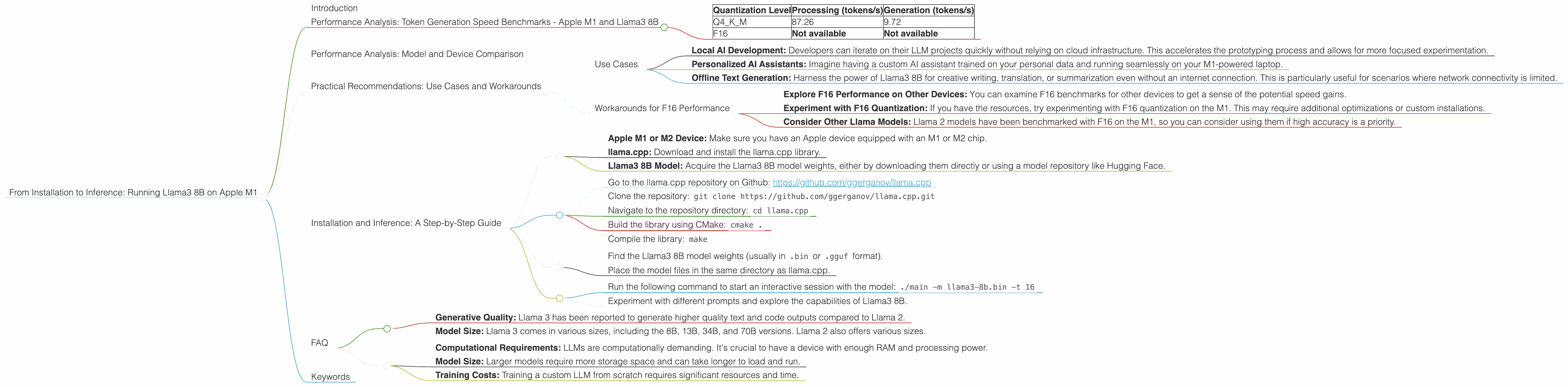
Let's get down to brass tacks: how fast can we generate text with Llama3 8B on the Apple M1? Here's a breakdown of the token generation speed, measured in tokens per second (tokens/s), under different quantization levels:
| Quantization Level | Processing (tokens/s) | Generation (tokens/s) |
|---|---|---|
| Q4KM | 87.26 | 9.72 |
| F16 | Not available | Not available |
Note: We don't have data on F16 performance for Llama3 8B on the M1. It's possible these benchmarks haven't been conducted yet.
Key Takeaways:
- Quantization Matters: Quantization is like a diet for large language models. It allows them to run on less powerful devices by reducing the size of the model's weights, which are the mathematical parameters that determine its behavior. Q4KM, a more aggressive quantization scheme compared to F16, achieves impressive processing speeds on the M1 while still maintaining reasonable generation performance.
- M1's Efficiency: The M1 chip's GPU, with its 7 or 8 cores, shines in handling the demanding processing workload of these large models.
Performance Analysis: Model and Device Comparison
Let's put this in context by comparing the Llama3 8B performance on the M1 with other models and devices. Imagine a race track where different cars (LLMs) are competing for speed on different tracks (devices), and the finish line is how many tokens they generate per second.
Unfortunately, we don't have data for other device-model combinations, so we can't make a comprehensive comparison. But we do know that the M1's performance with Llama3 8B is impressive for a mobile chip, making it a viable option for local LLM development and experimentation.
Practical Recommendations: Use Cases and Workarounds


Use Cases
The combination of Llama3 8B and the M1 chip unlocks several exciting use cases:
- Local AI Development: Developers can iterate on their LLM projects quickly without relying on cloud infrastructure. This accelerates the prototyping process and allows for more focused experimentation.
- Personalized AI Assistants: Imagine having a custom AI assistant trained on your personal data and running seamlessly on your M1-powered laptop.
- Offline Text Generation: Harness the power of Llama3 8B for creative writing, translation, or summarization even without an internet connection. This is particularly useful for scenarios where network connectivity is limited.
Workarounds for F16 Performance
While we lack F16 performance numbers for Llama3 8B on the M1, it's worth noting that F16 is often preferred for higher accuracy and quality. Here are some workarounds:
- Explore F16 Performance on Other Devices: You can examine F16 benchmarks for other devices to get a sense of the potential speed gains.
- Experiment with F16 Quantization: If you have the resources, try experimenting with F16 quantization on the M1. This may require additional optimizations or custom installations.
- Consider Other Llama Models: Llama 2 models have been benchmarked with F16 on the M1, so you can consider using them if high accuracy is a priority.
Installation and Inference: A Step-by-Step Guide
Prerequisites:
- Apple M1 or M2 Device: Make sure you have an Apple device equipped with an M1 or M2 chip.
- llama.cpp: Download and install the llama.cpp library.
- Llama3 8B Model: Acquire the Llama3 8B model weights, either by downloading them directly or using a model repository like Hugging Face.
Step 1: Download and Compile llama.cpp:
- Go to the llama.cpp repository on Github: https://github.com/ggerganov/llama.cpp
- Clone the repository:
git clone https://github.com/ggerganov/llama.cpp.git - Navigate to the repository directory:
cd llama.cpp - Build the library using CMake:
cmake . - Compile the library:
make
Step 2: Download and Prepare the Model:
- Find the Llama3 8B model weights (usually in
.binor.ggufformat). - Place the model files in the same directory as llama.cpp.
Step 3: Run Inference:
- Run the following command to start an interactive session with the model:
./main -m llama3-8b.bin -t 16 - Experiment with different prompts and explore the capabilities of Llama3 8B.
Note: The -t flag sets the number of threads used for inference. Adjust it based on your device's specifications for optimal performance.
FAQ
Q: What is quantization and why is it important?
A: Quantization is a technique used to reduce the size of a large language model's weights. Imagine a large language model as a complex recipe with thousands of ingredients (weights). Quantization simplifies the recipe by using fewer ingredients, making it easier to store and run on less powerful hardware.
Q: What are the differences between Llama 2 and Llama 3?
A: Both Llama 2 and Llama 3 are powerful language models, but they have different strengths:
- Generative Quality: Llama 3 has been reported to generate higher quality text and code outputs compared to Llama 2.
- Model Size: Llama 3 comes in various sizes, including the 8B, 13B, 34B, and 70B versions. Llama 2 also offers various sizes.
Q: What are the limitations of running a local LLM?
A: While running a local LLM is powerful, it comes with some limitations:
- Computational Requirements: LLMs are computationally demanding. It's crucial to have a device with enough RAM and processing power.
- Model Size: Larger models require more storage space and can take longer to load and run.
- Training Costs: Training a custom LLM from scratch requires significant resources and time.
Keywords
Llama3, Llama2, Apple M1, GPU, Token Generation, Inference, Quantization, Q4KM, F16, Token/s, Local LLM, AI Assistant, GPT