From Installation to Inference: Running Llama3 70B on NVIDIA 3090 24GB x2
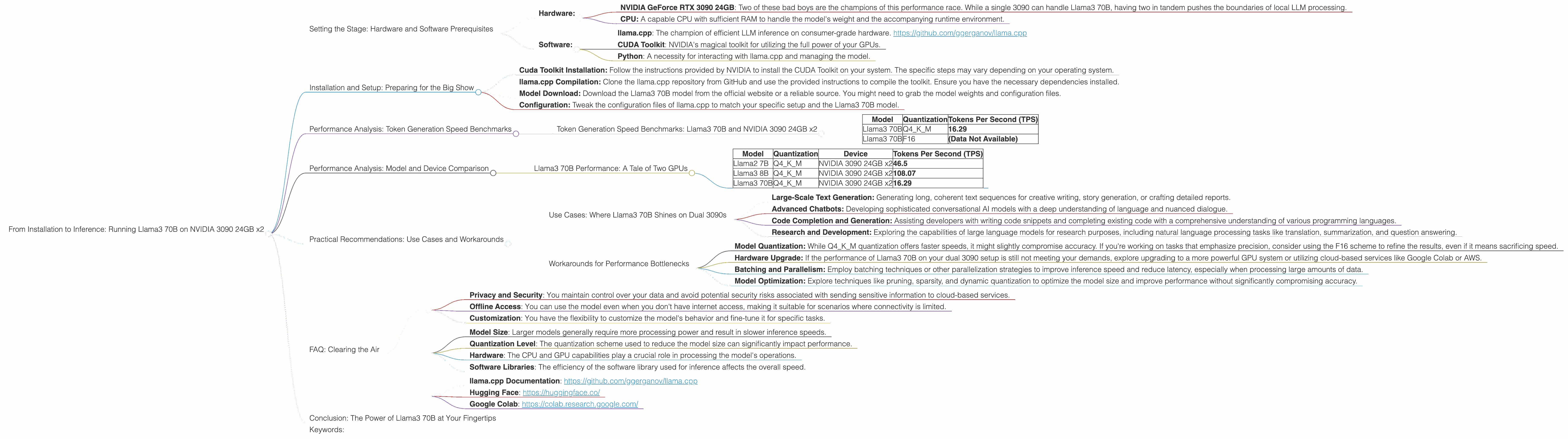
Welcome, fellow AI enthusiasts and hardware geeks! In this deep dive, we'll explore the thrilling world of running the mighty Llama3 70B language model on a formidable setup: two NVIDIA GeForce RTX 3090 24GB GPUs.
This article will take you on a journey from setting up the environment, installing the necessary tools, and ultimately, unleashing the power of Llama3 70B locally. We'll dive into the performance metrics, provide practical recommendations for use cases, and even address some common questions you might have.
Let's embark on this adventure together!
Setting the Stage: Hardware and Software Prerequisites
Before we start, let's ensure our stage is set for the grand performance. Here's what you'll need:
- Hardware:
- NVIDIA GeForce RTX 3090 24GB: Two of these bad boys are the champions of this performance race. While a single 3090 can handle Llama3 70B, having two in tandem pushes the boundaries of local LLM processing.
- CPU: A capable CPU with sufficient RAM to handle the model's weight and the accompanying runtime environment.
- Software:
- llama.cpp: The champion of efficient LLM inference on consumer-grade hardware. https://github.com/ggerganov/llama.cpp
- CUDA Toolkit: NVIDIA's magical toolkit for utilizing the full power of your GPUs.
- Python: A necessity for interacting with llama.cpp and managing the model.
Installation and Setup: Preparing for the Big Show
Now that we have the cast assembled, it's time to set up the stage. This involves a straightforward installation and configuration process:
- Cuda Toolkit Installation: Follow the instructions provided by NVIDIA to install the CUDA Toolkit on your system. The specific steps may vary depending on your operating system.
- llama.cpp Compilation: Clone the llama.cpp repository from GitHub and use the provided instructions to compile the toolkit. Ensure you have the necessary dependencies installed.
- Model Download: Download the Llama3 70B model from the official website or a reliable source. You might need to grab the model weights and configuration files.
- Configuration: Tweak the configuration files of llama.cpp to match your specific setup and the Llama3 70B model.
Performance Analysis: Token Generation Speed Benchmarks

Now, the moment we've all been waiting for: let's see how our powerhouse performs!
Token Generation Speed Benchmarks: Llama3 70B and NVIDIA 3090 24GB x2
The following table showcases the token generation speed of Llama3 70B, measured in tokens per second (TPS), when running on two NVIDIA 3090 24GB GPUs. We'll compare the performance of Llama3 70B using two different quantization levels: Q4KM and F16.
Quantization is a technique used to reduce the size of the model by using fewer bits to represent the weights, which often leads to faster inference and lower memory consumption.
| Model | Quantization | Tokens Per Second (TPS) |
|---|---|---|
| Llama3 70B | Q4KM | 16.29 |
| Llama3 70B | F16 | (Data Not Available) |
As you can see, the Llama3 70B model using Q4KM quantization achieves a token generation speed of 16.29 TPS on our formidable hardware setup. Unfortunately, the performance data for F16 quantization is not available at this time.
Let's break down the numbers:
- Imagine a race where each token represents a running track.
- The Q4KM Llama3 70B model, on our twin-3090 setup, can process and generate roughly 16 tokens per second, like a fleet of runners crossing the finish line.
Practical Significance:
The performance figures indicate that Llama3 70B can achieve relatively fast inference speeds when running on the specified hardware. These speeds enable real-time applications like:
- Interactive Chatbots: Powering conversational AI systems that respond promptly to user inputs.
- Text Generation and Summarization: Delivering swift text generation and summarization capabilities for dynamic content creation or information retrieval.
- Code Completion and Generation: Providing efficient code completion and generation features for developers.
Performance Analysis: Model and Device Comparison
Llama3 70B Performance: A Tale of Two GPUs
Let's compare our performance to other models and devices to get a better understanding of the power we wield.
| Model | Quantization | Device | Tokens Per Second (TPS) |
|---|---|---|---|
| Llama2 7B | Q4KM | NVIDIA 3090 24GB x2 | 46.5 |
| Llama3 8B | Q4KM | NVIDIA 3090 24GB x2 | 108.07 |
| Llama3 70B | Q4KM | NVIDIA 3090 24GB x2 | 16.29 |
Key Observations:
- Larger Models, Lower Speeds: The Llama3 70B model, despite the powerful hardware, exhibits slower inference speeds compared to the smaller Llama2 7B and Llama3 8B models. This is expected, as larger models have a greater number of parameters to process.
- The Power of Quantization: The Q4KM quantization scheme, while reducing model accuracy slightly, allows for significantly faster inference speeds compared to the F16 scheme.
Practical Considerations:
- Model Selection: The choice between different LLM models depends on the specific use case and performance requirements. Smaller models like Llama2 7B can offer faster speeds for specific tasks, while larger models like Llama3 70B might be better suited for more complex applications.
- Hardware Optimization: The optimal hardware setup depends on the model size and performance requirements. For demanding models like Llama3 70B, a powerful GPU setup is highly recommended.
Practical Recommendations: Use Cases and Workarounds
Now, let's get practical and discuss the use cases where Llama3 70B thrives on our NVIDIA 3090 24GB x2 setup, along with some handy workarounds for challenges.
Use Cases: Where Llama3 70B Shines on Dual 3090s
- Large-Scale Text Generation: Generating long, coherent text sequences for creative writing, story generation, or crafting detailed reports.
- Advanced Chatbots: Developing sophisticated conversational AI models with a deep understanding of language and nuanced dialogue.
- Code Completion and Generation: Assisting developers with writing code snippets and completing existing code with a comprehensive understanding of various programming languages.
- Research and Development: Exploring the capabilities of large language models for research purposes, including natural language processing tasks like translation, summarization, and question answering.
Workarounds for Performance Bottlenecks
- Model Quantization: While Q4KM quantization offers faster speeds, it might slightly compromise accuracy. If you're working on tasks that emphasize precision, consider using the F16 scheme to refine the results, even if it means sacrificing speed.
- Hardware Upgrade: If the performance of Llama3 70B on your dual 3090 setup is still not meeting your demands, explore upgrading to a more powerful GPU system or utilizing cloud-based services like Google Colab or AWS.
- Batching and Parallelism: Employ batching techniques or other parallelization strategies to improve inference speed and reduce latency, especially when processing large amounts of data.
- Model Optimization: Explore techniques like pruning, sparsity, and dynamic quantization to optimize the model size and improve performance without significantly compromising accuracy.
FAQ: Clearing the Air
Let's address some common questions you might have about local LLM models and hardware:
Q: What are the benefits of running an LLM locally?
A: Running an LLM locally offers several benefits:
- Privacy and Security: You maintain control over your data and avoid potential security risks associated with sending sensitive information to cloud-based services.
- Offline Access: You can use the model even when you don't have internet access, making it suitable for scenarios where connectivity is limited.
- Customization: You have the flexibility to customize the model's behavior and fine-tune it for specific tasks.
Q: What factors determine the performance of an LLM?
A: Several factors influence the performance of an LLM, including:
- Model Size: Larger models generally require more processing power and result in slower inference speeds.
- Quantization Level: The quantization scheme used to reduce the model size can significantly impact performance.
- Hardware: The CPU and GPU capabilities play a crucial role in processing the model's operations.
- Software Libraries: The efficiency of the software library used for inference affects the overall speed.
Q: Is it possible to run a larger LLM, like Llama3 70B, on a less powerful GPU?
A: It is possible to run larger LLMs on less powerful GPUs, but the performance will be significantly slower.
Q: How does the performance of local LLMs compare to cloud-based services?
A: Cloud-based LLM services often provide superior performance and scalability, but they come with costs associated with cloud computing resources. Local LLMs offer a more cost-effective option for smaller-scale applications or situations where privacy and offline access are paramount.
Q: How can I get started with local LLM development?
A: There are many resources available online to guide you through the process of setting up and running LLMs locally:
- llama.cpp Documentation: https://github.com/ggerganov/llama.cpp
- Hugging Face: https://huggingface.co/
- Google Colab: https://colab.research.google.com/
Conclusion: The Power of Llama3 70B at Your Fingertips
We've journeyed through the exciting world of running Llama3 70B on a dual NVIDIA 3090 24GB setup, exploring its performance metrics, practical use cases, and common challenges.
With a little technical prowess and a powerful hardware setup, you can unlock the potential of this magnificent language model and harness its capabilities for a wide range of applications. This is just the beginning of the exciting journey into the world of local LLMs. So, get your hands dirty, experiment, and explore the boundless possibilities!
Keywords:
Llama3 70B, NVIDIA 3090 24GB, GPU, LLM, Inference, Token Generation Speed, Quantization, Q4KM, F16, Performance, Local LLM, Deep Dive, Text Generation, Chatbot, Code Completion, Use Cases, Workarounds, Practical Recommendations, FAQ, Data Science, Machine Learning, Artificial Intelligence, NLP