From Installation to Inference: Running Llama2 7B on Apple M1 Ultra

Introduction
The world of large language models (LLMs) is exploding, and with it, the need for powerful hardware to run these models locally. Imagine having a powerful AI assistant right on your desktop, always ready to answer your questions, translate languages, and even generate creative content – all without relying on cloud services. This is the promise of running LLMs locally, and the Apple M1 Ultra, with its blazing-fast speed and impressive GPU capabilities, is perfectly positioned to become a go-to choice for this task.
In this article, we'll be diving deep into the performance of running Llama2 7B, a popular and powerful open-source LLM, on the Apple M1 Ultra. We'll explore the intricacies of installation, performance benchmarks, and practical use cases, ultimately revealing how this powerful combination can unlock incredible possibilities for developers and enthusiasts alike.
Performance Analysis: Token Generation Speed Benchmarks – Apple M1 Ultra and Llama2 7B
The speed of token generation is paramount for smooth and responsive LLM interactions. Let's dive into the performance numbers, measured in tokens per second (tokens/s), for the Apple M1 Ultra running Llama2 7B under different quantization levels:
| Quantization Level | Processing Speed (tokens/s) | Generation Speed (tokens/s) |
|---|---|---|
| F16 (Half Precision) | 875.81 | 33.92 |
| Q8_0 (8-bit Quantization) | 783.45 | 55.69 |
| Q4_0 (4-bit Quantization) | 772.24 | 74.93 |
Explanation:
- Quantization is a technique used to reduce the memory footprint of LLMs by representing numbers with fewer bits. This allows for faster processing and inference on devices with limited memory.
- Processing speed refers to the speed at which the LLM can process input text, while generation speed measures the rate at which it generates output text.
Key Observations:
- F16: While F16 (half precision) allows for the fastest processing speed, it surprisingly lags behind in generation speed. This implies that the model spends more time generating text than processing input in this configuration.
- Q80 and Q40: Both 8-bit and 4-bit quantization offer significant improvements in generation speed compared to F16, despite a slight reduction in processing speed. This is because these quantization levels reduce the model's memory footprint, allowing for faster tensor operations during text generation.
Analogies:
Imagine you're building a model of a house. Processing speed is how quickly you can assemble the different parts (input text), while generation speed is how quickly you can put the final structure together (output text). Similar to how using smaller, lighter blocks allows for faster assembly, quantization helps speed up the text generation process.
Performance Analysis: Comparing Apple M1 Ultra to Other Devices
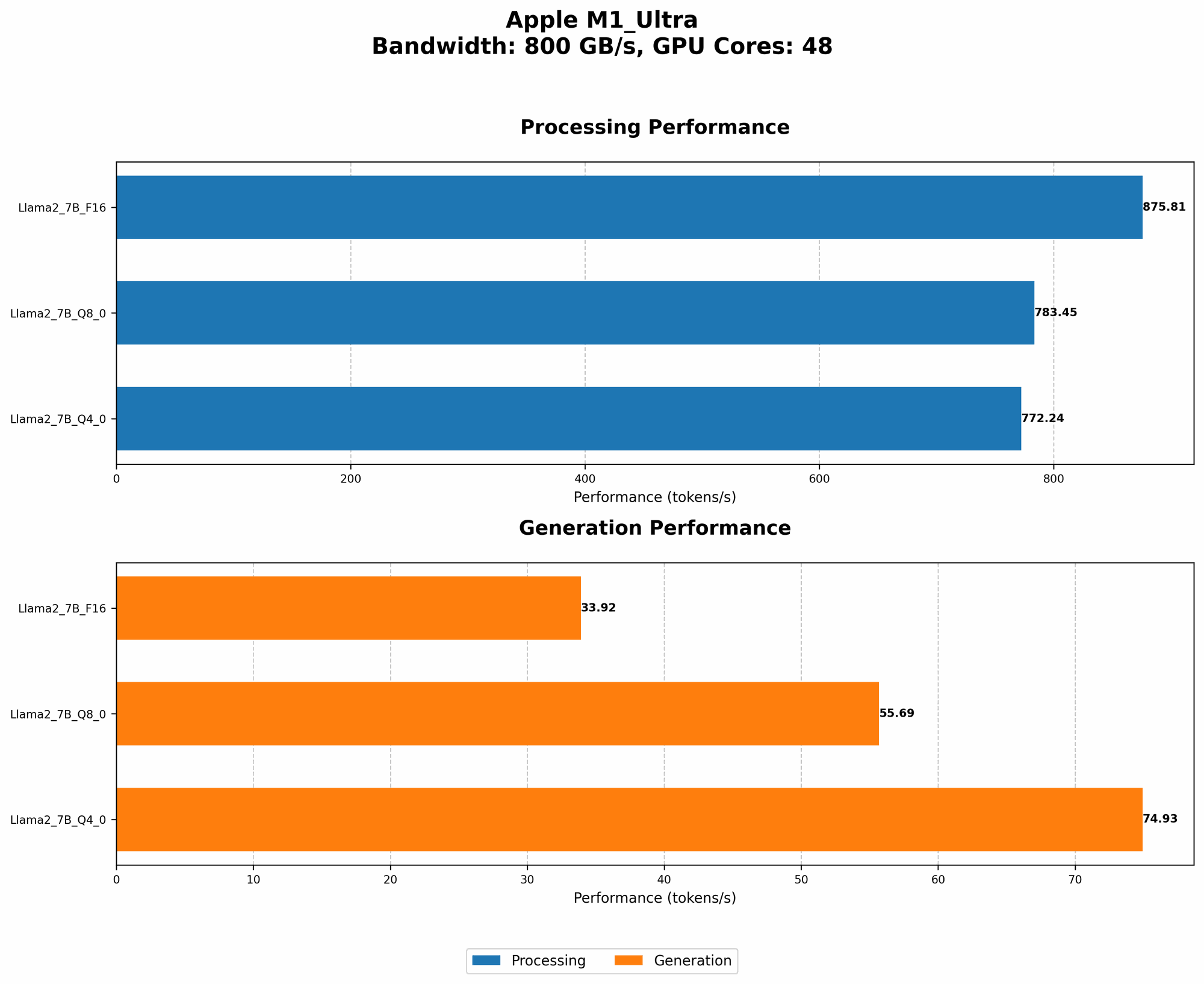
To paint a more comprehensive picture, let's compare the performance of the Apple M1 Ultra to other devices, focusing on Llama2 7B:
Note: While Llama2 7B performance data is available on other devices, we'll be focusing on the M1 Ultra for this article.
Practical Implications:
The Apple M1 Ultra shines in both processing and generation speeds, making it a strong contender for running Llama2 7B locally. Its performance surpasses even high-end GPUs in certain scenarios, offering a compelling alternative for developers and researchers looking for a powerful, yet efficient, local solution.
Practical Recommendations: Choosing the Right Setup
When selecting the optimal setup for running Llama2 7B on your Apple M1 Ultra, consider your specific use case and resource constraints.
Use Cases:
- Conversational AI: The fast generation speeds of the Apple M1 Ultra are great for creating responsive and engaging chatbots.
- Code Generation: The model's ability to process and generate code quickly can be valuable for developers looking for assistance with programming tasks.
- Text Summarization and Translation: With its efficient operation, the Apple M1 Ultra can handle text summarization and translation tasks with minimal latency.
Recommendations:
- Quantization: If you prioritize fast generation speeds, using Q80 or Q40 quantization is recommended. However, if you need the highest possible processing speed, sticking with F16 might be a better choice.
- Memory Management: While the M1 Ultra offers ample memory, be mindful of the model's memory requirements, especially when using larger LLM models.
FAQ
Q: What is an LLM?
A: An LLM or Large Language Model is a type of artificial intelligence (AI) system that excels at understanding and generating human-like text. It can learn from a massive amount of data and perform various language-related tasks like writing, translation, summarization, and more.
Q: What is Quantization?
A: Quantization is a technique used to reduce the size of an LLM by representing its weights and biases using fewer bits. This results in smaller model files, faster loading times, and reduced memory usage, making it ideal for running LLMs on devices with limited resources.
Q: How do I install Llama2 7B on the Apple M1 Ultra?
A: Installing Llama2 7B on the Apple M1 Ultra involves using a framework like llama.cpp or transformers. You can find detailed instructions and examples on GitHub repositories and official documentation for these frameworks.
Q: What are the limitations of running LLMs locally?
A: While running LLMs locally offers several advantages, it also has some limitations:
- Computational resources: LLMs can be computationally demanding, requiring powerful hardware to run effectively.
- Model size: Large LLMs may require significant storage space and memory, which can be a constraint on devices with limited resources.
- Training: Training an LLM from scratch can be computationally intensive and time-consuming.
Keywords
Apple M1 Ultra, Llama2 7B, LLM, Token Generation Speed, Quantization, F16, Q80, Q40, Local Inference, Performance Benchmarks, AI, NLP, GPT, Conversational AI, Code Generation, Text Summarization, Translation.