Cloud vs. Local: When to Choose NVIDIA RTX 5000 Ada 32GB for Your AI Infrastructure
Introduction
The world of artificial intelligence is booming, and with it, the demand for powerful hardware to run large language models (LLMs) is skyrocketing. LLMs, like the famous ChatGPT, are capable of generating human-like text, translating languages, and even writing creative content. But before you dive into the deep end of AI, there's a crucial decision to make: Cloud vs. Local.
This article explores the pros and cons of running LLMs on NVIDIA RTX 5000 Ada 32GB, a high-end graphics card, compared to utilizing cloud-based solutions. We'll focus on the performance of this specific card when handling different LLM sizes and configurations, helping you decide if it's the right fit for your AI infrastructure.
Understanding LLM Models and Quantization
LLMs are like the brains behind AI applications. Think of them as massive libraries of knowledge, trained on vast amounts of text data. These libraries allow them to generate text, translate languages, summarize information, and much more.
The size of an LLM is measured in billions of parameters (B) – the larger the model, the more complex and nuanced its responses can be. However, larger models require more resources, making them computationally expensive.
Quantization is a technique used to reduce the size of these models. It's like compressing a large file to fit it on a smaller device. Instead of using 32-bit floating-point numbers (F32) to represent each parameter, quantization reduces the number of bits to 16 (F16) or even 4 (Q4). This significantly reduces the size of the model and its memory footprint, making it more efficient to run on a local machine.
NVIDIA RTX 5000 Ada 32GB: Powerhouse for Local AI
The NVIDIA RTX 5000 Ada 32GB is a powerful graphics card built specifically for AI workloads. It boasts advanced architectural features, including:
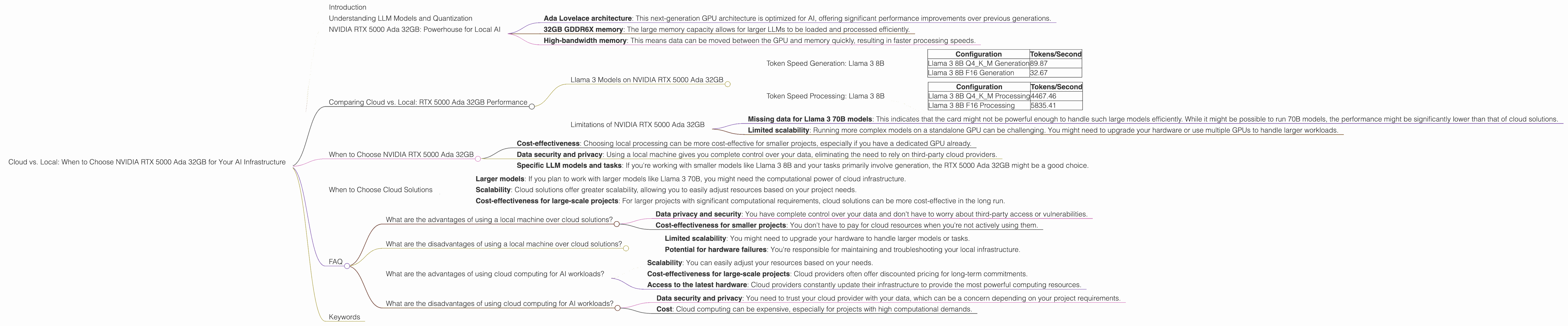
- Ada Lovelace architecture: This next-generation GPU architecture is optimized for AI, offering significant performance improvements over previous generations.
- 32GB GDDR6X memory: The large memory capacity allows for larger LLMs to be loaded and processed efficiently.
- High-bandwidth memory: This means data can be moved between the GPU and memory quickly, resulting in faster processing speeds.
Comparing Cloud vs. Local: RTX 5000 Ada 32GB Performance
Llama 3 Models on NVIDIA RTX 5000 Ada 32GB
Llama 3 is a cutting-edge LLM developed by Meta. We'll focus on Llama 3 models in two sizes: 8B (8 billion parameters) and 70B (70 billion parameters). We'll also analyze the performance of these models under two different quantization schemes: F16 and Q4KM.
Token Speed Generation: Llama 3 8B
| Configuration | Tokens/Second |
|---|---|
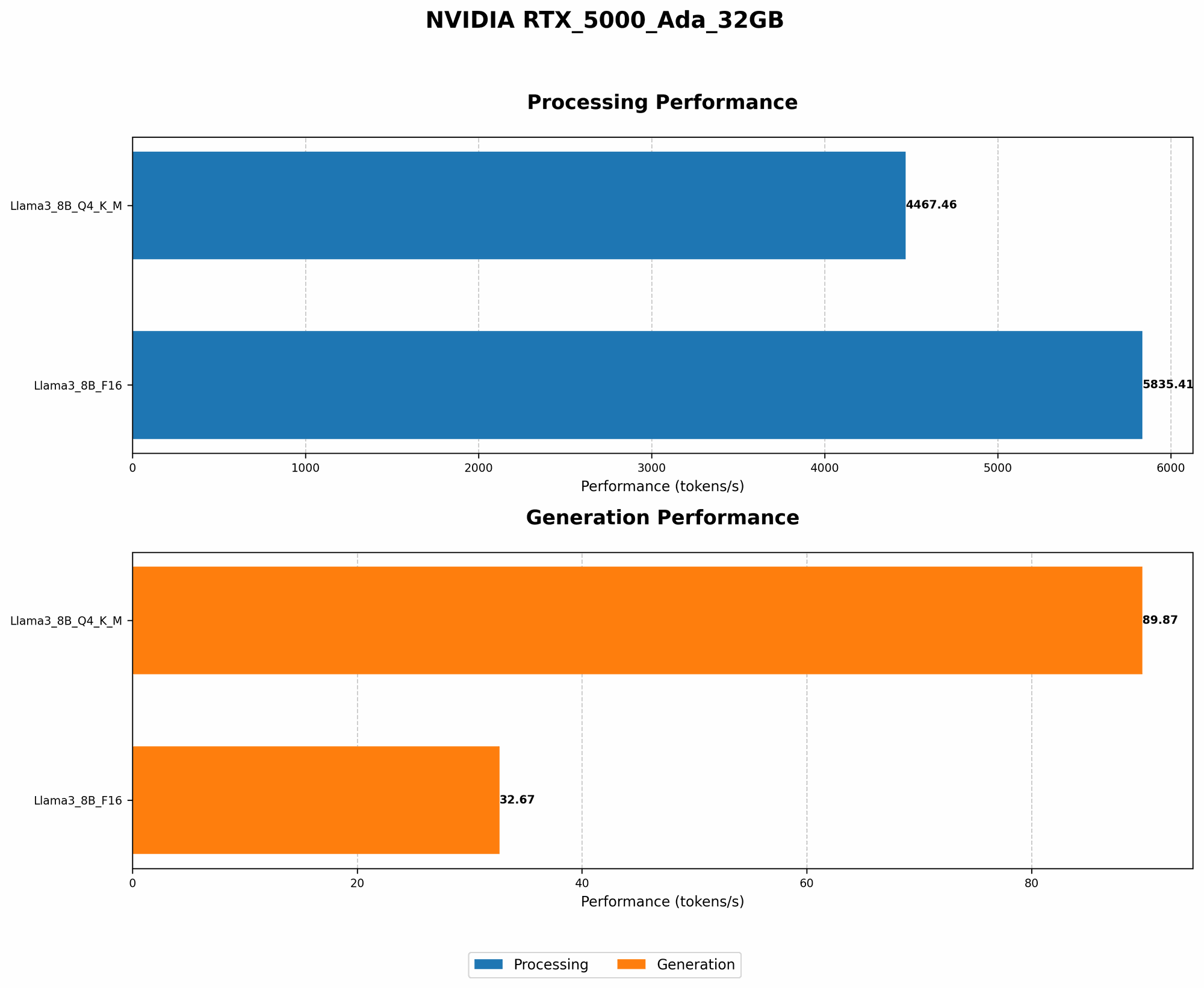
| Llama 3 8B Q4KM Generation | 89.87 |
| Llama 3 8B F16 Generation | 32.67 |
Understanding the results:
- Q4KM quantization boasts significantly higher throughput (89.87 tokens/second) compared to F16 quantization (32.67 tokens/second). This is because Q4KM uses fewer bits to represent each parameter, resulting in smaller model size and faster processing.
- Compared to the cloud, a RTX 5000 Ada 32GB might not be as powerful, but it offers a more cost-effective option for smaller projects or those who prefer local control over their data.
- However, the lack of data for Llama 3 70B models on this specific card indicates that it might struggle to handle larger models optimally.
Token Speed Processing: Llama 3 8B
| Configuration | Tokens/Second |
|---|---|
| Llama 3 8B Q4KM Processing | 4467.46 |
| Llama 3 8B F16 Processing | 5835.41 |
Understanding the results:
- This dataset shows a different pattern compared to the generation results. F16 quantization shows a higher tokens/second rate than Q4KM. This suggests that while Q4KM is efficient for generation, F16 might be more suitable for tasks involving processing large amounts of text.
- The significant difference in performance between generation and processing highlights the importance of considering the specific task when choosing between quantization schemes and evaluating the performance of your hardware.
Limitations of NVIDIA RTX 5000 Ada 32GB
- Missing data for Llama 3 70B models: This indicates that the card might not be powerful enough to handle such large models efficiently. While it might be possible to run 70B models, the performance might be significantly lower than that of cloud solutions.
- Limited scalability: Running more complex models on a standalone GPU can be challenging. You might need to upgrade your hardware or use multiple GPUs to handle larger workloads.
When to Choose NVIDIA RTX 5000 Ada 32GB
So, you might be wondering when to choose the RTX 5000 Ada 32GB over cloud solutions. Here are some key considerations:
- Cost-effectiveness: Choosing local processing can be more cost-effective for smaller projects, especially if you have a dedicated GPU already.
- Data security and privacy: Using a local machine gives you complete control over your data, eliminating the need to rely on third-party cloud providers.
- Specific LLM models and tasks: If you're working with smaller models like Llama 3 8B and your tasks primarily involve generation, the RTX 5000 Ada 32GB might be a good choice.
When to Choose Cloud Solutions
Here's when cloud solutions are a better option:
- Larger models: If you plan to work with larger models like Llama 3 70B, you might need the computational power of cloud infrastructure.
- Scalability: Cloud solutions offer greater scalability, allowing you to easily adjust resources based on your project needs.
- Cost-effectiveness for large-scale projects: For larger projects with significant computational requirements, cloud solutions can be more cost-effective in the long run.
FAQ
What are the advantages of using a local machine over cloud solutions?
- Data privacy and security: You have complete control over your data and don't have to worry about third-party access or vulnerabilities.
- Cost-effectiveness for smaller projects: You don't have to pay for cloud resources when you're not actively using them.
What are the disadvantages of using a local machine over cloud solutions?
- Limited scalability: You might need to upgrade your hardware to handle larger models or tasks.
- Potential for hardware failures: You're responsible for maintaining and troubleshooting your local infrastructure.
What are the advantages of using cloud computing for AI workloads?
- Scalability: You can easily adjust your resources based on your needs.
- Cost-effectiveness for large-scale projects: Cloud providers often offer discounted pricing for long-term commitments.
- Access to the latest hardware: Cloud providers constantly update their infrastructure to provide the most powerful computing resources.
What are the disadvantages of using cloud computing for AI workloads?
- Data security and privacy: You need to trust your cloud provider with your data, which can be a concern depending on your project requirements.
- Cost: Cloud computing can be expensive, especially for projects with high computational demands.
Keywords
NVIDIA RTX 5000 Ada 32GB, Cloud vs. Local, LLM, Llama 3, AI Inference, Token Speed, Quantization, F16, Q4KM, GPU, Generation, Processing, Cost-effectiveness, Data Security