Cloud vs. Local: When to Choose NVIDIA 3090 24GB x2 for Your AI Infrastructure
Introduction
The world of large language models (LLMs) is exploding, and with it, the need for powerful hardware to run them smoothly. You might be asking yourself, "Should I rely on the cloud for my AI infrastructure, or can I get away with a beefy local setup?" The answer, as always, depends on your needs and budget.
This article will dive into the specifics of using two NVIDIA GeForce RTX 3090 24GB GPUs for running LLMs locally, comparing their performance to cloud options. We'll explore the pros and cons of this powerful setup, helping you make the best decision for your AI endeavors.
What is a 3090 24GB x2 Setup for AI?
Think of the NVIDIA GeForce RTX 3090 24GB as the muscle car of GPUs. It's not just fast, it's turbocharged. And when you have two of them working in tandem (a process known as "SLI"), you're talking about a serious AI workhorse.
But what exactly does this setup offer?
- Massive Processing Power: The 3090 boasts a ton of CUDA cores (the little workhorses that crunch numbers for AI), enabling it to handle complex AI calculations quickly. Two of these GPUs? That's like doubling the horsepower.
- Large Memory: The 24GB of GDDR6X memory on each card is huge, allowing you to load larger models into the GPU's memory for quicker processing. Imagine it like having a gigantic RAM drive, but for your AI applications!
- Local control: No need to rely on an internet connection or someone else's servers. You have complete control over your data and infrastructure.
When to Choose a Local Setup (like 3090 24GB x2):

Here are some scenarios where a powerful local setup like the 3090 24GB x2 might be the right choice:
- Privacy and Security: If your applications require tight control over your data, local infrastructure keeps your data safe and secure on your own hardware.
- Cost Savings: For heavy-duty, continuous use, a local setup can be more cost-effective in the long run than paying for cloud resources.
- More Control: You can fine-tune your hardware and software to create an optimal environment for your specific AI needs.
- Experimentation and Development: For researchers, developers, and those who like to tinker, a local setup offers unparalleled freedom and control.
When Cloud Might be a Better Choice:
While a local setup shines in some situations, here's why cloud might be a better option for others:
- Scalability: Cloud providers let you easily scale your resources up or down based on your workload. Need more horsepower? Just spin up more instances. Done with a project? Shut it down and save money.
- Accessibility: Cloud computing grants you access to powerful resources without the need for expensive hardware purchases. You can access the latest GPUs and CPUs without having to buy them.
- Managed Services: Cloud providers offer managed services, taking care of things like system updates, security patches, and infrastructure management. This saves you time and effort.
- Simplicity: Cloud platforms often have a more user-friendly interface for deploying and managing your AI workloads.
3090 24GB x2: A Deep Dive into Performance
Now let's get to the nitty-gritty. How does the 3090 24GB x2 setup actually perform? We will analyze the performance of this setup on several popular LLM models.
3090 24GB x2 Performance: Llama Models
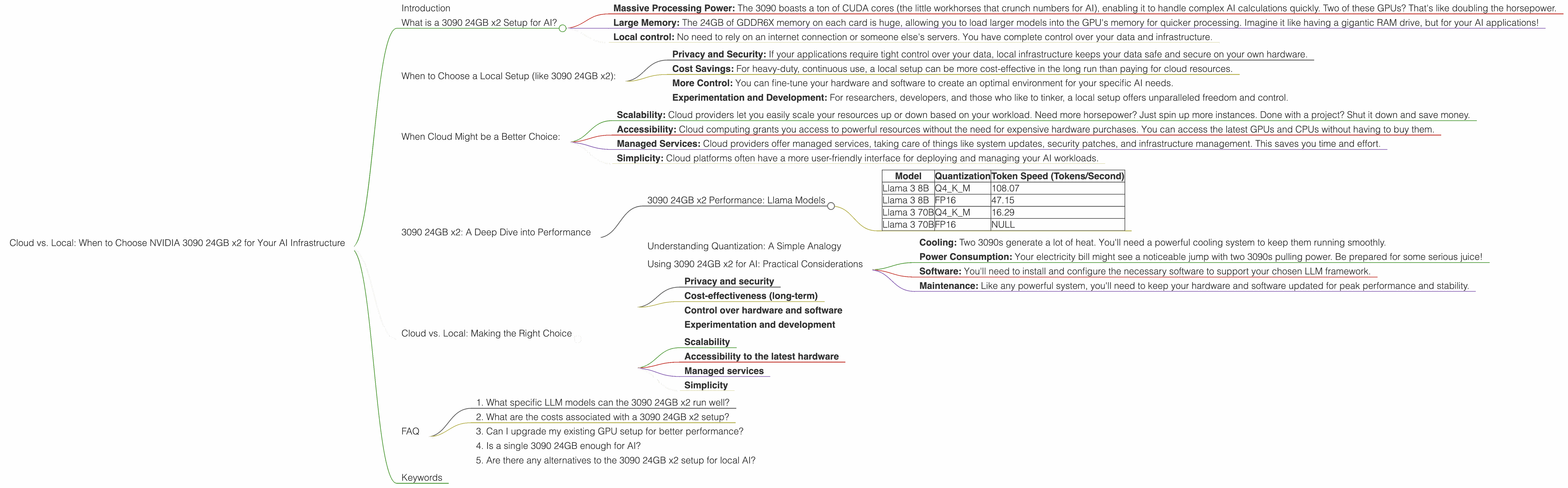
Here's a table summarizing the 3090 24GB x2 performance for Llama models:
| Model | Quantization | Token Speed (Tokens/Second) |
|---|---|---|
| Llama 3 8B | Q4KM | 108.07 |
| Llama 3 8B | FP16 | 47.15 |
| Llama 3 70B | Q4KM | 16.29 |
| Llama 3 70B | FP16 | NULL |
Key Observations:
- Quantization Matters: The 3090 24GB x2 setup performs noticeably faster with the Q4KM quantization technique. This is a common trend across many LLMs, as quantization reduces the memory footprint of the model, allowing it to fit more easily into the GPU's memory.
- Model Size Impacts Speed: As expected, larger models like Llama 70B experience a significant drop in performance compared to smaller models like Llama 8B. This is due to the increased computational complexity of larger models.
- FP16 vs. Q4KM: While FP16 can often offer a good balance between performance and accuracy, the 3090 24GB x2 setup shows a significant advantage with Q4KM for these Llama models (especially the 8B model).
- Processing Performance: Interestingly, the 3090 24GB x2 setup demonstrates significantly higher processing speeds than generation speeds for both the 8B and 70B Llama models. This indicates that, while generating text, the GPU is spending more time processing the model and performing calculations than generating the actual output.
Understanding Quantization: A Simple Analogy
Think of quantization like simplifying a complex recipe. You take a recipe with tons of ingredients and painstaking measurements, and you reduce it to a few key components. The result might not be exactly the same, but it's close enough and takes less time to prepare. In AI, quantization is a way to reduce the size of a model, making it faster to use and requiring less memory.
Using 3090 24GB x2 for AI: Practical Considerations
Before you dive into building your local AI setup, consider these practical factors:
- Cooling: Two 3090s generate a lot of heat. You'll need a powerful cooling system to keep them running smoothly.
- Power Consumption: Your electricity bill might see a noticeable jump with two 3090s pulling power. Be prepared for some serious juice!
- Software: You'll need to install and configure the necessary software to support your chosen LLM framework.
- Maintenance: Like any powerful system, you'll need to keep your hardware and software updated for peak performance and stability.
Cloud vs. Local: Making the Right Choice
Let's summarize the key factors to consider when choosing between a local setup like 3090 24GB x2 and cloud resources:
Factors Favoring Local Setup:
- Privacy and security
- Cost-effectiveness (long-term)
- Control over hardware and software
- Experimentation and development
Factors Favoring Cloud:
- Scalability
- Accessibility to the latest hardware
- Managed services
- Simplicity
Ultimately, the right choice depends on your specific needs, budget, and expertise.
FAQ
1. What specific LLM models can the 3090 24GB x2 run well?
The 3090 24GB x2 is capable of running a wide range of LLM models, with good performance for models like Llama 3 8B and Llama 3 70B. The performance will vary based on the model size, quantization technique, and other factors.
2. What are the costs associated with a 3090 24GB x2 setup?
The cost of two 3090 GPUs, a powerful motherboard, a high-performance power supply, and a robust cooling system can be quite expensive. You'll also need to factor in the cost of electricity for running these GPUs.
3. Can I upgrade my existing GPU setup for better performance?
It might be possible to upgrade your existing GPU setup, but it depends on several factors, like your current motherboard and power supply capabilities. Consult with a specialist or do thorough research to see if an upgrade is feasible.
4. Is a single 3090 24GB enough for AI?
While a single 3090 24GB can be powerful, two of them working in tandem provide a significant performance boost for larger and more complex LLM models. The choice depends on your budget and the models you plan to run.
5. Are there any alternatives to the 3090 24GB x2 setup for local AI?
Sure! While the 3090 24GB x2 is a top-tier option, other powerful GPUs like the NVIDIA GeForce RTX 4090 or AMD Radeon RX 7900 XTX can also provide exceptional performance for AI tasks.
Keywords
NVIDIA 3090 24GB x2, GPU, local AI, cloud AI, LLM, Llama 3, Llama 8B, Llama 70B, quantization, FP16, Q4KM, token speed, performance, cost, scalability, security, privacy, accessibility, maintenance, power consumption, cooling, software, alternatives, AMD Radeon RX 7900 XTX, NVIDIA GeForce RTX 4090.