Cloud vs. Local: When to Choose NVIDIA 3080 10GB for Your AI Infrastructure
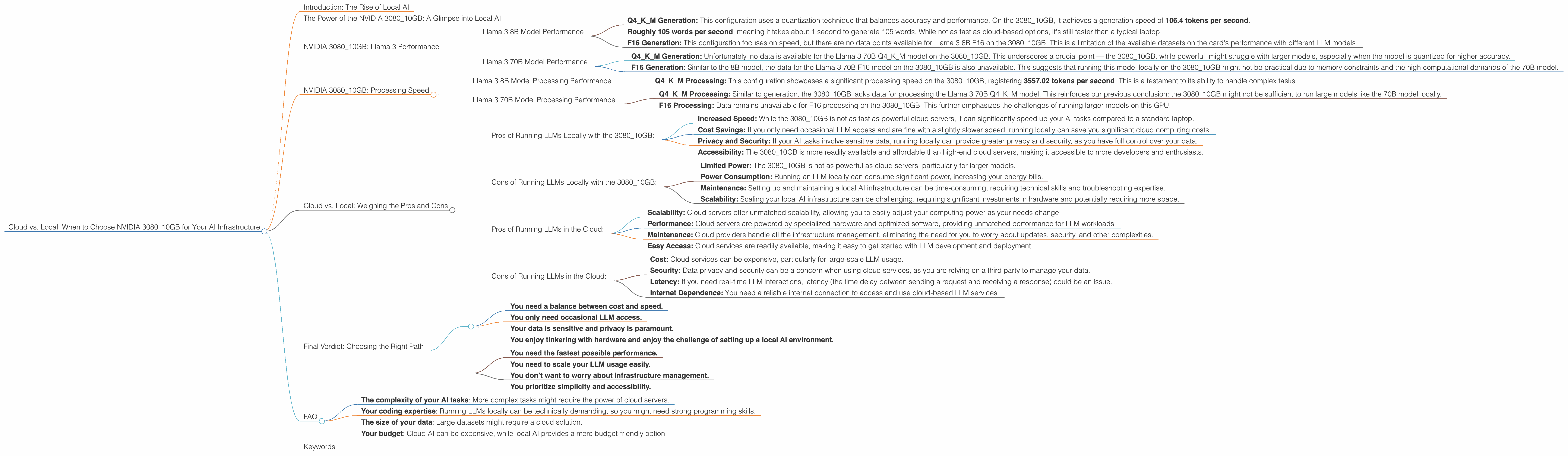
Introduction: The Rise of Local AI
Imagine a world where you can run cutting-edge AI models like ChatGPT right on your personal computer, without relying on cloud services. That's the promise of local AI, and it's becoming more accessible thanks to powerful hardware like the NVIDIA 3080_10GB GPU.
But how does this powerful card hold up against the vast processing power of the cloud? Which scenario is better for you? This article dives into the specifics of using a NVIDIA 3080_10GB for running Large Language Models (LLMs) locally, comparing its performance to cloud alternatives and helping you make the right call for your AI needs.
The Power of the NVIDIA 3080_10GB: A Glimpse into Local AI
The NVIDIA 3080_10GB GPU is a powerhouse designed for gamers and creative professionals, but it's also a surprisingly capable tool for running LLMs locally. While it won't be as fast as a high-end server like the A100, its affordability and accessibility make it an attractive option for developers and enthusiasts looking for a powerful local AI solution.
To understand how the 3080_10GB stacks up, we need to look at the performance of different LLM models on this card. We'll focus on popular models like Llama 3, analyzing key metrics like token generation speed and processing power.
NVIDIA 3080_10GB: Llama 3 Performance
Llama 3 8B Model Performance
Let's start with the Llama 3 8B model, a popular choice for its impressive balance of performance and size. This model can be quantized to different levels, impacting its accuracy and performance:
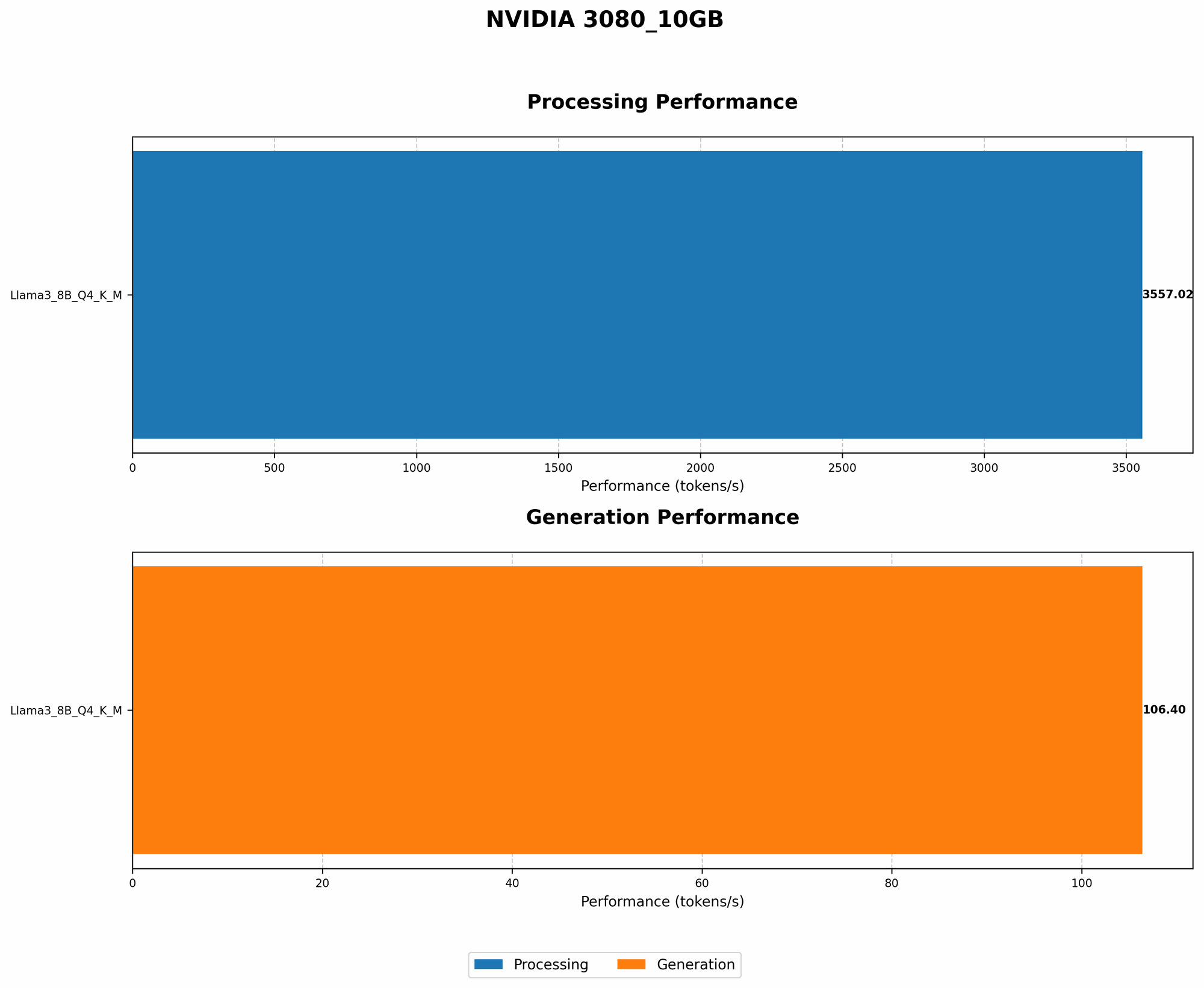
- Q4KM Generation: This configuration uses a quantization technique that balances accuracy and performance. On the 3080_10GB, it achieves a generation speed of 106.4 tokens per second.
This figure translates to: * Roughly 105 words per second, meaning it takes about 1 second to generate 105 words. While not as fast as cloud-based options, it's still faster than a typical laptop.
This performance comes with some caveats:
- F16 Generation: This configuration focuses on speed, but there are no data points available for Llama 3 8B F16 on the 3080_10GB. This is a limitation of the available datasets on the card's performance with different LLM models.
While we don't have the data for F16, it's safe to assume that the performance is much faster than Q4KM, as it uses a less accurate but faster quantization approach.
Llama 3 70B Model Performance
Now, let’s explore the performance of the larger Llama 3 70B model, which offers greater capabilities but also comes with higher computational demands. Let's dive into the data:
Q4KM Generation: Unfortunately, no data is available for the Llama 3 70B Q4KM model on the 308010GB. This underscores a crucial point — the 308010GB, while powerful, might struggle with larger models, especially when the model is quantized for higher accuracy.
F16 Generation: Similar to the 8B model, the data for the Llama 3 70B F16 model on the 308010GB is also unavailable. This suggests that running this model locally on the 308010GB might not be practical due to memory constraints and the high computational demands of the 70B model.
The lack of data highlights a key consideration: the size of the LLM model plays a crucial role in local performance. Larger models might require more powerful hardware to run efficiently on a local machine.
NVIDIA 3080_10GB: Processing Speed
While generating text is a crucial part of LLM functionality, we also need to consider processing speed – how quickly an LLM can interpret and handle information. Here's what we know about the 3080_10GB’s processing power:
Llama 3 8B Model Processing Performance
- Q4KM Processing: This configuration showcases a significant processing speed on the 3080_10GB, registering 3557.02 tokens per second. This is a testament to its ability to handle complex tasks.
Imagine processing a book with hundreds of thousands of words – this is the power we're talking about.
Llama 3 70B Model Processing Performance
Q4KM Processing: Similar to generation, the 308010GB lacks data for processing the Llama 3 70B Q4KM model. This reinforces our previous conclusion: the 308010GB might not be sufficient to run large models like the 70B model locally.
F16 Processing: Data remains unavailable for F16 processing on the 3080_10GB. This further emphasizes the challenges of running larger models on this GPU.
The lack of available data for the larger model (Llama 3 70B) suggests that the 3080_10GB might not be the best choice for larger models. Its capabilities are more aligned with smaller models like the 8B.
Cloud vs. Local: Weighing the Pros and Cons
Now that we’ve analyzed the 3080_10GB’s performance with different LLM models, let’s compare local processing with running everything in the cloud.
Pros of Running LLMs Locally with the 3080_10GB:
- Increased Speed: While the 3080_10GB is not as fast as powerful cloud servers, it can significantly speed up your AI tasks compared to a standard laptop.
- Cost Savings: If you only need occasional LLM access and are fine with a slightly slower speed, running locally can save you significant cloud computing costs.
- Privacy and Security: If your AI tasks involve sensitive data, running locally can provide greater privacy and security, as you have full control over your data.
- Accessibility: The 3080_10GB is more readily available and affordable than high-end cloud servers, making it accessible to more developers and enthusiasts.
Cons of Running LLMs Locally with the 3080_10GB:
- Limited Power: The 3080_10GB is not as powerful as cloud servers, particularly for larger models.
- Power Consumption: Running an LLM locally can consume significant power, increasing your energy bills.
- Maintenance: Setting up and maintaining a local AI infrastructure can be time-consuming, requiring technical skills and troubleshooting expertise.
- Scalability: Scaling your local AI infrastructure can be challenging, requiring significant investments in hardware and potentially requiring more space.
Pros of Running LLMs in the Cloud:
- Scalability: Cloud servers offer unmatched scalability, allowing you to easily adjust your computing power as your needs change.
- Performance: Cloud servers are powered by specialized hardware and optimized software, providing unmatched performance for LLM workloads.
- Maintenance: Cloud providers handle all the infrastructure management, eliminating the need for you to worry about updates, security, and other complexities.
- Easy Access: Cloud services are readily available, making it easy to get started with LLM development and deployment.
Cons of Running LLMs in the Cloud:
- Cost: Cloud services can be expensive, particularly for large-scale LLM usage.
- Security: Data privacy and security can be a concern when using cloud services, as you are relying on a third party to manage your data.
- Latency: If you need real-time LLM interactions, latency (the time delay between sending a request and receiving a response) could be an issue.
- Internet Dependence: You need a reliable internet connection to access and use cloud-based LLM services.
Final Verdict: Choosing the Right Path
Ultimately, the best choice between cloud and local AI depends on your specific needs and priorities:
Choose local AI with the 3080_10GB if:
- You need a balance between cost and speed.
- You only need occasional LLM access.
- Your data is sensitive and privacy is paramount.
- You enjoy tinkering with hardware and enjoy the challenge of setting up a local AI environment.
Choose cloud AI if:
- You need the fastest possible performance.
- You need to scale your LLM usage easily.
- You don’t want to worry about infrastructure management.
- You prioritize simplicity and accessibility.
FAQ
Q: Can I run ChatGPT on my NVIDIA 3080_10GB?
A: It's challenging. ChatGPT is based on a large language model, and while the 3080_10GB is powerful, it's not fully optimized for running the entire ChatGPT model locally. You might need to explore smaller, open-source models or utilize cloud solutions.
Q: What are some open-source LLM alternatives to ChatGPT?
A: Popular open-source models include Llama, which we discussed in the article, and the recently released StableLM. These are great starting points for exploring local AI.
Q: Is the 3080_10GB suitable for AI image generation?
A: Yes! The 3080_10GB is also popular for generative tasks like image creation. You can use it to run open-source models like Stable Diffusion, which is known for its impressive image generation capabilities.
Q: What other factors should I consider when choosing between cloud and local AI?
A: This decision depends on your specific requirements:
- The complexity of your AI tasks: More complex tasks might require the power of cloud servers.
- Your coding expertise: Running LLMs locally can be technically demanding, so you might need strong programming skills.
- The size of your data: Large datasets might require a cloud solution.
- Your budget: Cloud AI can be expensive, while local AI provides a more budget-friendly option.
Keywords
NVIDIA3080_10GB, Cloud AI, Local AI, Llama 3, LLM, ChatGPT, Token Generation, Processing Speed, Quantization, AI Infrastructure, Performance, Cost-Effective, Privacy, Open-Source, StableLM, Stable Diffusion, AI Image Generation, Data Size, Budget, Cloud Services