Choosing the Best NVIDIA GPU for Local LLMs: NVIDIA A100 SXM 80GB Benchmark Analysis

Introduction
The world of Large Language Models (LLMs) is exploding, with new models and applications emerging constantly. These LLMs, trained on massive datasets, can generate human-like text, translate languages, write different kinds of creative content, and answer your questions in an informative way. But running these models locally can be a challenge, especially if you want to use the more powerful and complex ones.
This is where GPUs come in. GPUs, originally designed for graphics, are now essential for accelerating machine learning workloads. And when it comes to local LLM inference, the NVIDIA A100SXM80GB stands out as a top contender.
This article dives into the performance of the NVIDIA A100SXM80GB, focusing on its ability to run popular local LLMs. We'll analyze benchmark data to compare the performance of this GPU across different models, discuss the impact of quantization and floating-point precision, and explore the potential bottlenecks you might encounter. So, buckle up, grab your coffee, and join us on this exciting journey into the world of local LLMs and GPU power!
Understanding the A100SXM80GB: A Beast of a GPU
The NVIDIA A100SXM80GB is not your average graphics card. It's a high-performance computing (HPC) beast designed specifically for demanding AI workloads. This GPU packs an incredible punch with its massive 80GB of HBM2e memory, 40GB/s memory bandwidth, and 5,120 CUDA cores. It's essentially a supercharged computing powerhouse capable of crunching numbers at lightning speed.
Benchmark Analysis: Putting the A100SXM80GB to the Test
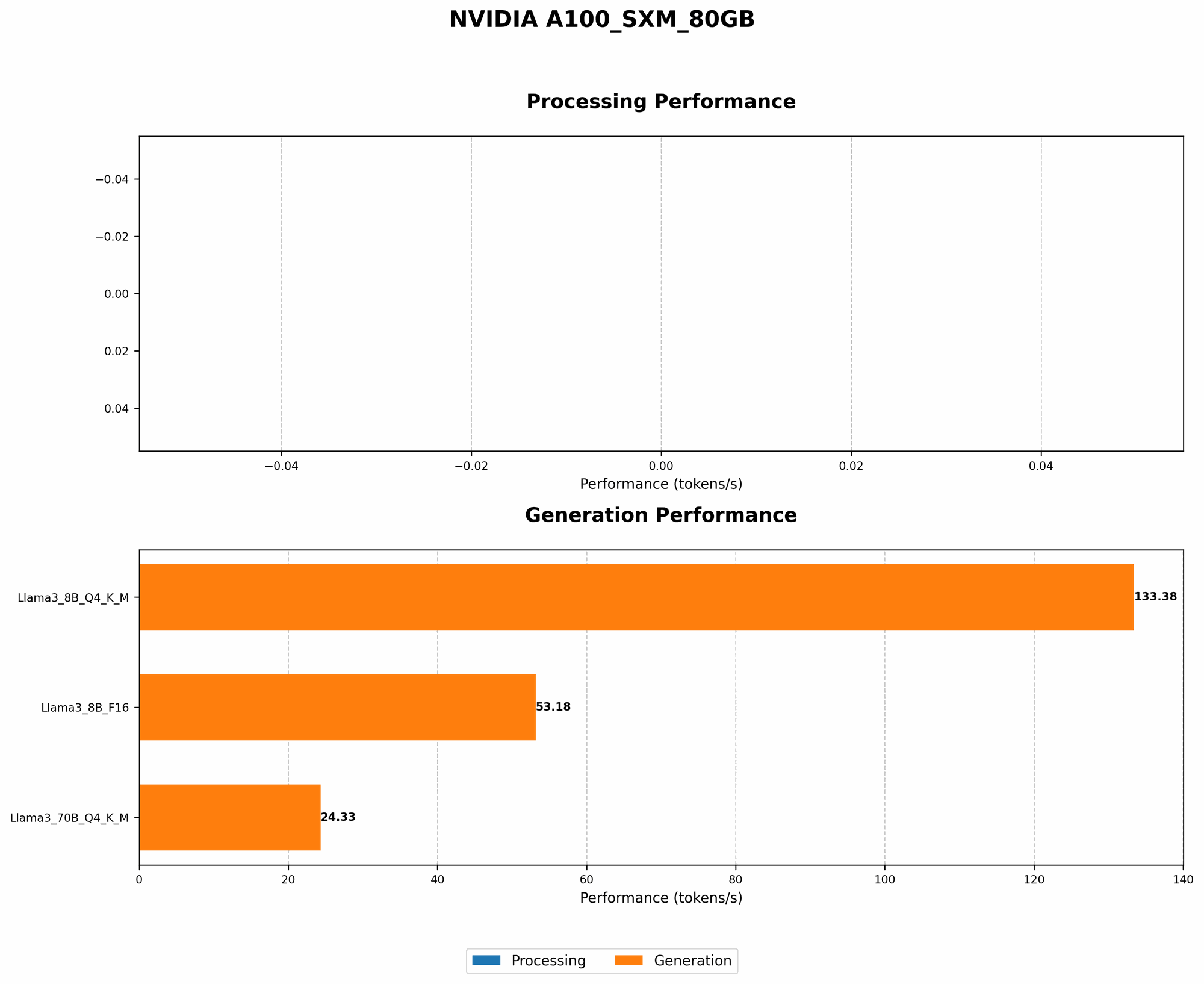
To evaluate the A100SXM80GB's performance for local LLMs, we analyzed benchmark data comparing its token generation speed across different model configurations. Here's a breakdown of our findings:
Llama3 Models: Performance Metrics
| Model | Tokens/Second |
|---|---|
| Llama3 8B Q4 K_M Generation | 133.38 |
| Llama3 8B F16 Generation | 53.18 |
| Llama3 70B Q4 K_M Generation | 24.33 |
| Llama3 70B F16 Generation | Not Available |
Let's dissect these numbers:
- Llama3 8B Q4 KM Generation: This configuration showcases the A100SXM_80GB's impressive performance, generating an impressive 133.38 tokens per second. This speed is achieved by using quantization, a technique that reduces the precision of the model's weights to smaller, more efficient data types (in this case, 4-bit quantized weights). While this leads to a slight reduction in accuracy, the performance boost is significant.
- Llama3 8B F16 Generation: Using 16-bit floating-point precision, the A100SXM80GB generates 53.18 tokens per second. This is a significant drop compared to the quantized version, showcasing the impact of precision on performance.
- Llama3 70B Q4 KM Generation: Running the larger 70B parameter model, the A100SXM_80GB still manages a respectable 24.33 tokens per second.
- Llama3 70B F16 Generation: Unfortunately, we don't have benchmark data for this model configuration. It's likely that running this model with 16-bit floating-point precision would result in slower token generation speeds due to the larger model size and increased memory demands.
Comparing the A100SXM80GB to Other GPUs: A Quick Peek
While we're focusing on the A100SXM80GB, comparing it to other options can be helpful:
- A100PCIe40GB: This version of the A100, though smaller, still packs a punch, but its lesser memory (40GB compared to 80GB) might limit its capability for larger models.
- RTX 4090: The latest and greatest consumer-grade GPU, the RTX 4090, can provide decent local LLM performance, but it falls short of the A100's capabilities, especially when dealing with larger models like the 70B Llama.
Understanding Quantization: Tiny Numbers, Big Impact
Quantization is a critical concept for understanding LLM performance. It's like a diet for your model: you reduce the "size" of its weights to make it faster and more efficient. This "diet" involves sacrificing some of the model's "detail" (accuracy), but the resulting performance gain is often significant enough to make it worthwhile. Imagine trying to eat a giant pizza by yourself - you'll be full quickly! By dividing the pizza into smaller slices (quantization), you can eat more without feeling overwhelmed.
Bottlenecks and Considerations: Potential Challenges
While the A100SXM80GB offers impressive potential, several factors can impact its performance:
- Memory Bandwidth: Larger models might strain the GPU's memory bandwidth, limiting the speed at which data can be accessed.
- Model Complexity: The sheer size of the model's parameters can impact performance, especially for larger models.
- Software Optimization: The efficiency of your chosen LLM library and how well it utilizes the GPU's capabilities can significantly influence performance.
Choosing the Right GPU: Factors to Consider
- Model Size: If you plan to run larger models, a GPU with ample memory like the A100SXM80GB is essential.
- Performance Requirements: How crucial is speed for your application? Quantization can boost performance, but it may compromise accuracy.
- Budget: High-performance GPUs like the A100 come with a premium price tag. Consider your budget and prioritize your needs.
FAQ: Answering Your Questions
Q1. What is the best way to get started with running LLMs locally?
- A: Start with smaller models like Llama 7B or the open-source BLOOM models. These models are easier to run locally on less powerful GPUs. You can find resources and tutorials online, including llama.cpp.
Q2. Does the A100SXM80GB need special software or drivers?
- A: Yes, to utilize the A100's full potential, you'll need compatible drivers and software. Consider using the latest CUDA toolkit and NVIDIA's AI libraries like cuDNN.
Q3. What alternative GPUs can I consider besides the A100?
- A: Depending on your budget and performance requirements, you can explore other options like the A100PCIe40GB, RTX 4090, or even the RTX 3090.
Q4. How can I improve performance when running LLMs locally?
- A: Experiment with model quantization, optimize your LLM libraries and configuration, and ensure your GPU drivers are up-to-date.
Keywords:
A100SXM80GB, NVIDIA GPU, Local LLM, Llama3, 8B, 70B, benchmark, performance, token generation, quantization, floating-point, CUDA, memory bandwidth, GPU, AI, machine learning, large language model, inference, computer science, technology, deep learning, AI hardware, AI development.