Choosing the Best NVIDIA GPU for Local LLMs: NVIDIA 4070 Ti 12GB Benchmark Analysis

Introduction
Think about it - you can now run your own AI assistant, just like ChatGPT but on your home computer. No cloud subscription, no latency, and all your data stays private. That's the power of local Large Language Models (LLMs). But getting the right hardware for these models can be a puzzle. That's where our NVIDIA 4070 Ti 12GB benchmark analysis comes in. We'll dive into the performance of this popular GPU specifically for running local LLMs, and see how well it handles the latest and greatest models like Llama 3.
This article is for developers and AI enthusiasts interested in running LLMs locally. We'll explore everything from token speed to processing power, leaving no stone unturned in this quest for the optimal local AI experience.
NVIDIA 4070 Ti 12GB Performance Breakdown: Llama 3
So, you've got your sights set on the NVIDIA 4070 Ti 12GB for your local LLM setup. Let's see how it stacks up with Llama 3, a popular and powerful open-source LLM. Our analysis will consider two key factors:
- Token Speed Generation: This is how quickly the GPU can generate new tokens, which are basically the building blocks of language. Faster token generation means smoother, more responsive AI interactions.
- Token Processing Speed: This measures how quickly the GPU handles the underlying computations that power the LLM, impacting the speed of the entire model pipeline.
Llama 3 8B: Token Generation and Processing
Let's start with Llama 3 8B, a relatively smaller model that can run smoothly on even mid-range GPUs.
| Model | Q4KM Generation (tokens/sec) | Q4KM Processing (tokens/sec) |
|---|---|---|
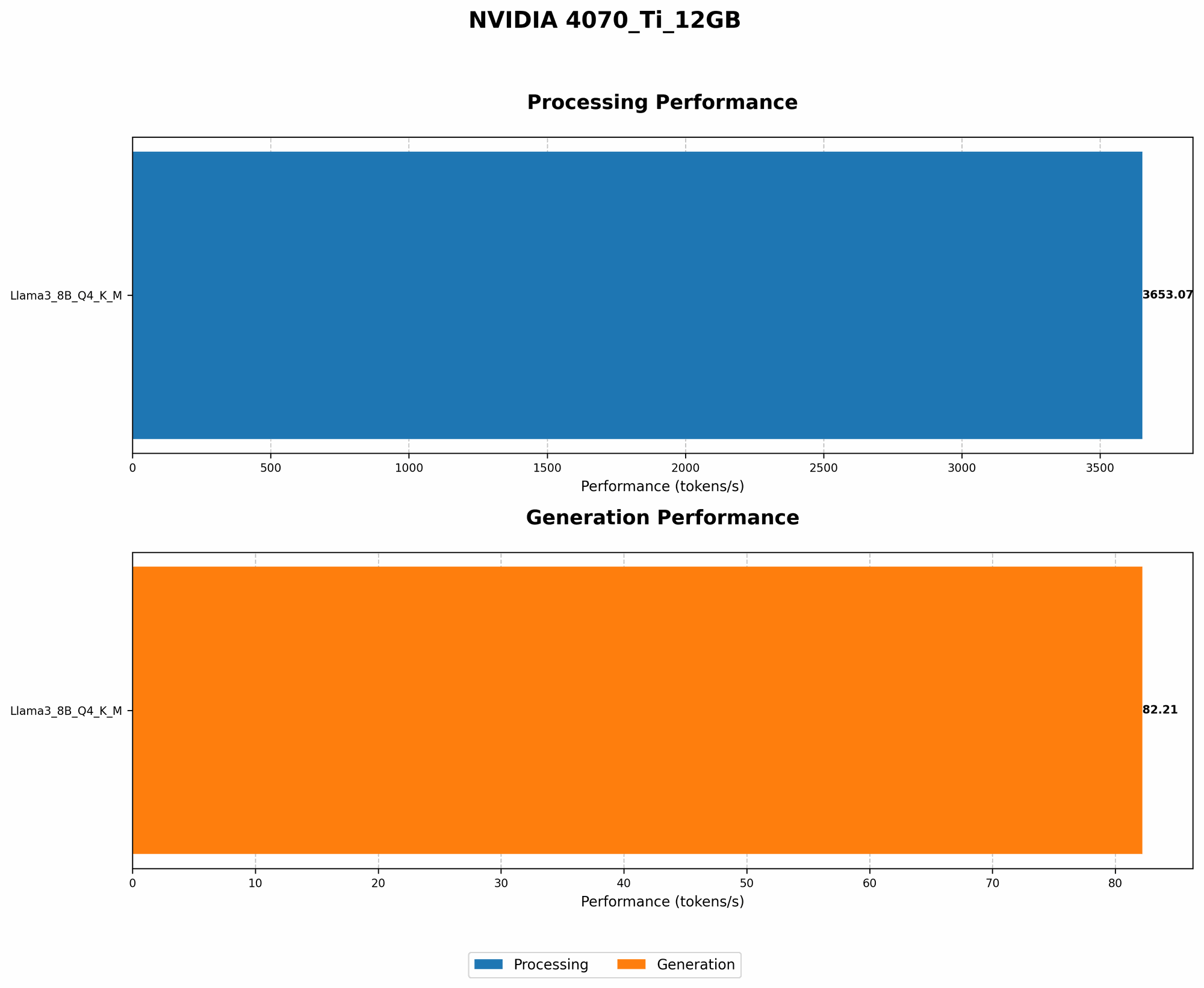
| Llama 3 8B (Quantized) | 82.21 | 3653.07 |
| Llama 3 8B (float16) | N/A | N/A |
Analysis: The NVIDIA 4070 Ti 12GB handles the quantized Llama 3 8B model with impressive speed. This means you can expect snappy responses and smooth interactions when using this model locally.
Understanding Quantization: Quantization is a technique that reduces the memory footprint of LLMs without sacrificing performance. Picture it like compressing a video file – you lose some detail but the overall experience remains enjoyable. In the context of LLMs, quantization allows you to run larger models on less powerful hardware.
The NVIDIA 4070 Ti 12GB doesn't have publicly available data for floating point 16 (F16) precision. While this precision often results in a performance boost, it comes at the cost of increased memory usage.
Llama 3 70B: Token Generation and Processing
Now, let's take things up a notch with Llama 3 70B, a much larger model that demands more processing power.
| Model | Q4KM Generation (tokens/sec) | Q4KM Processing (tokens/sec) |
|---|---|---|
| Llama 3 70B (Quantized) | N/A | N/A |
| Llama 3 70B (float16) | N/A | N/A |
Analysis: Unfortunately, the 4070 Ti 12GB does not have available performance data for the Llama 3 70B model. This suggests that the GPU may not be powerful enough to run this larger model efficiently. It's plausible that the 4070 Ti 12GB lacks the necessary VRAM capacity to handle such a large model.
Comparison of NVIDIA 4070 Ti 12GB with Other GPUs
While we're focusing primarily on the 4070 Ti 12GB, it's helpful to see how it compares to other GPUs, especially those commonly used for running LLMs.
Let's say you're considering the NVIDIA 4090, a more powerful card. You'll likely find a significant performance boost for both token generation and processing. However, this comes with a hefty price tag.
For a more budget-friendly option, a card like the NVIDIA 3080 offers a balance of performance and affordability. You might not see the same blazing speeds as the 4090, but it's still a capable choice for running local LLMs.
Key takeaway: The NVIDIA 4070 Ti 12GB is a good choice for running smaller LLMs, but for larger models like Llama 3 70B, you might need to consider a more powerful GPU.
Conclusion: Making the Right Choice
The NVIDIA 4070 Ti 12GB can be a solid choice for running local LLMs. However, your specific needs and budget will shape your decision.
- For smaller LLMs: The 4070 Ti 12GB can deliver smooth performance, making it a great option for experimentation and casual use.
- For larger LLMs: You'll want to consider a GPU with more VRAM and processing power, like the NVIDIA 4090 or an even higher-end card. Remember, the bigger the model, the hungrier it is for resources.
FAQ: Your Local LLM Questions Answered
Q1: Can I run Llama 3 70B on the NVIDIA 4070 Ti 12GB?
A1: It's unlikely, especially considering the lack of available performance data. You might be able to run it, but expect slow performance and potential instability.
Q2: What are the alternative GPUs for running larger LLMs?
A2: You'll want to consider GPUs with more VRAM, like the NVIDIA 4090 or the AMD Radeon RX 7900 XT. It's also worth exploring the performance of newer GPUs as they become available.
Q3: How do I choose the right GPU for my LLM needs?
A3: Start by deciding on the LLM you want to run. Then, check the model's requirements for VRAM and processing power. Compare various GPUs based on those requirements and your budget.
Q4: What are the benefits of running LLMs locally?
A4: Local LLMs offer privacy, speed, and control. Your data stays on your device, you avoid cloud latency, and you can customize your model without needing to rely on external services.
Keywords:
NVIDIA 4070 Ti 12GB, NVIDIA 4090, NVIDIA 3080, GPU, LLM, Llama 3, Llama 3 8B, Llama 3 70B, token generation, token processing, quantization, local AI, AI assistant, ChatGPT, OpenAI, VRAM, performance, model inference, AI enthusiast, developer.