Choosing the Best NVIDIA GPU for Local LLMs: NVIDIA 3070 8GB Benchmark Analysis

Introduction
Welcome, fellow AI enthusiasts! In this article, we're going to dive deep into the world of local Large Language Models (LLMs) and see how the NVIDIA GeForce RTX 3070 8GB stacks up as a powerhouse for running these intelligent systems on your own machine.
Imagine having the mind of a powerful AI running right on your desktop! Local LLMs are gaining popularity, but choosing the right GPU can be tricky. That's where this article comes in. We'll analyze the performance of the NVIDIA 3070 8GB on various LLMs, focusing on the Llama 3 model family. We'll take a look at how efficiently this GPU handles both token generation (the process of creating text responses) and processing (the inner workings of the model).
Get ready to unleash your inner AI wizard and join us on this exciting journey into the world of local LLMs!
What Are Local LLMs and Why Should You Care?
Local LLMs are like having a super-powered brain in your computer. They can do all sorts of amazing things, like generating creative content, answering your questions, and even helping you code! But here's the catch: they require some serious computational muscle to run. This is where GPUs come in.
Think of a GPU like a specialized team of engineers focused on crunching numbers. They can handle the complex calculations needed to power these intelligent models much faster than your CPU alone.
NVIDIA GeForce RTX 3070 8GB: A Look Inside
The NVIDIA GeForce RTX 3070 8GB is a popular choice for gamers and creators, and it's becoming a popular choice for running LLMs locally. It boasts a formidable combination of performance and affordability, making it a compelling option for those seeking to explore the world of local AI.
Analyzing the Performance: Llama 3 Models
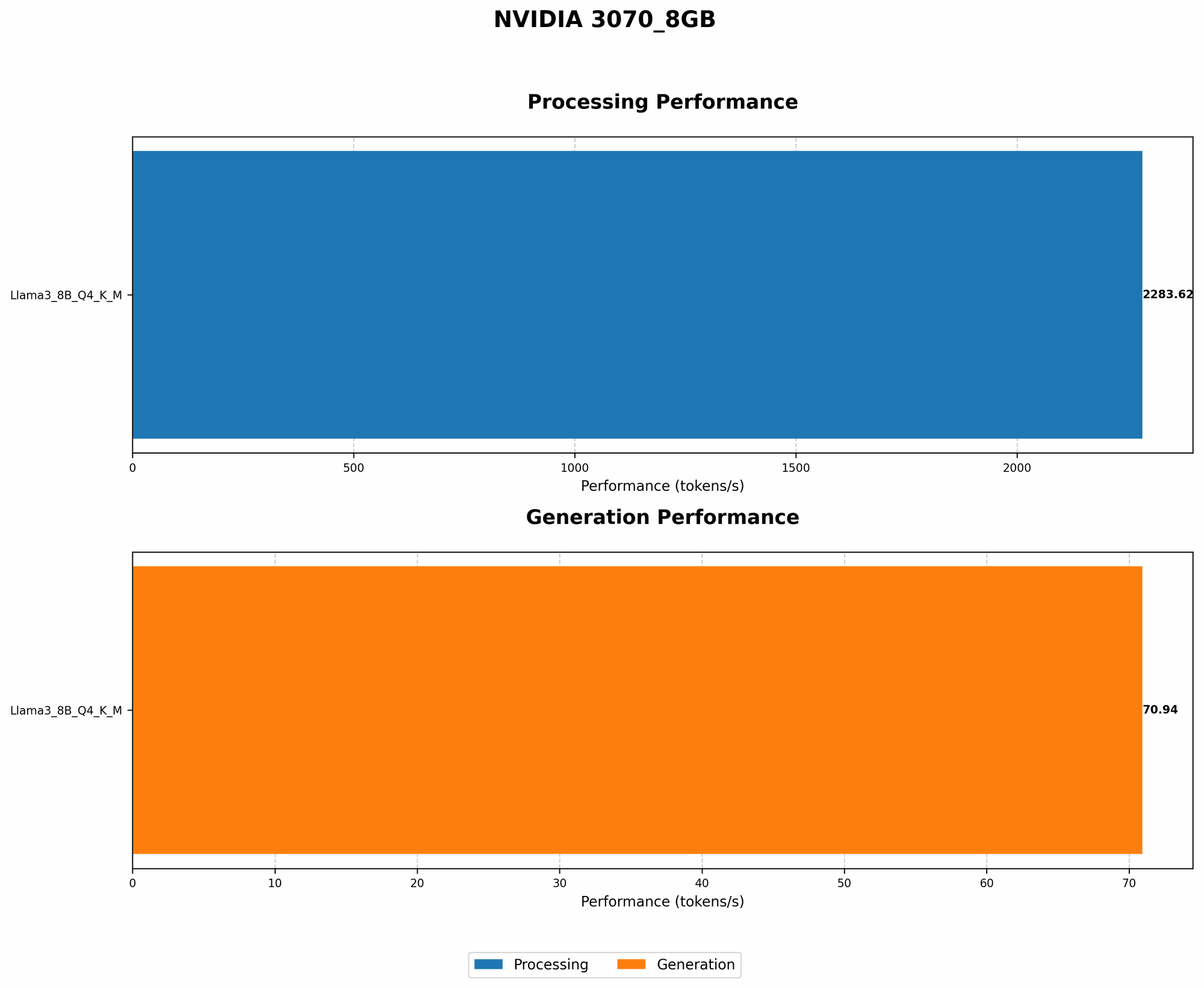
Our benchmark analysis focuses on the Llama 3 model family. This family is known for its impressive conversational abilities and has several different variations based on size and quantization levels. We'll be looking at two key metrics:
- Token Generation Speed: How fast the GPU can generate new text tokens (words or parts of words).
- Processing Speed: How quickly the GPU can do the internal calculations and operations within the LLM.
NVIDIA 3070 8GB Performance on Llama 3 8B Models
Let's dive into the results! The table below shows the token generation and processing speeds for various Llama 3 8B models on the NVIDIA 3070 8GB.
| Model | Token Generation (Tokens/Second) | Processing Speed (Tokens/Second) |
|---|---|---|
| Llama 3 8B Q4 K_M Generation | 70.94 | 2283.62 |
| Llama 3 8B F16 Generation | N/A | N/A |
Observations:
- The 3070 8GB shows impressive performance with the Llama 3 8B Q4 K_M model. It can generate over 70 tokens per second.
- The significantly higher Processing Speed illustrates the GPU's ability to handle the complex computations within the LLM.
- Data for the Llama 3 8B F16 model is not available at this time. It can be challenging to find benchmarks for every LLM and GPU combination.
What Does Q4 K_M Mean?
- Q4: This refers to quantization. Quantization is a technique used to compress the LLM's parameters, making it smaller and potentially faster. Q4 means the model's parameters are stored using only 4 bits per value, which is much less than the 32 bits typically used in floating-point numbers. Think of it like squeezing a lot of information into a smaller package!
- K_M: These refer to the specific methods used for quantization. K stands for "kernel" and M stands for "matrix" indicating different pathways for the quantization process.
Why Does Quantization Matter?
Quantization can be a game-changer for local LLMs, especially for smaller GPUs. It allows you to run larger and more powerful models without sacrificing too much speed. Think of it like packing a larger suitcase for a trip by folding your clothes more efficiently!
NVIDIA 3070 8GB Performance on Llama 3 70B Models
Unfortunately, we don't have any data on the NVIDIA 3070 8GB performance when running either version of the Llama 3 70B model.
This highlights a common challenge when working with LLMs and GPUs: finding accurate benchmarks for every possible combination. The availability of data depends on several factors such as the popularity of the specific model and GPU, as well as the effort of researchers and developers to provide comprehensive benchmarks.
Understanding the Benchmark Results: A Closer Look
Okay, so we've seen some numbers, but what do they actually mean? Let's break it down:
- Token Generation Speed: This metric tells us how fast the model can generate new text tokens. A higher token generation speed means the model responds more quickly and naturally. Imagine a conversation with a human - a faster token generation speed would mean the person responds quickly and seamlessly, while a slower one would result in awkward pauses and delays.
- Processing Speed: This metric gives us an idea of how efficient the GPU is at working on the complex calculations inside the LLM. A faster processing speed translates to a more responsive and capable model. Think of it like this: a fast processor allows the model to quickly analyze information and make decisions, leading to smoother and more insightful responses.
Comparing NVIDIA 3070 8GB to Other GPUs: What's Out There?
While we're focusing on the NVIDIA 3070 8GB, it's important to know what other GPUs are out there and how they stack up.
Higher-End GPUs: For those who crave ultimate performance, there are even more powerful GPUs like the RTX 40 series and the AMD Radeon RX 7000 series. These GPUs can often handle larger LLMs with ease, potentially running the Llama 3 70B models with great efficiency. However, they also come with a higher price tag.
Lower-End GPUs: If you're on a budget, there are GPUs like the GTX 1660 Super or the RTX 2060. These GPUs might be able to run smaller LLMs like the Llama 2 family, but you might experience slower speeds and potentially limitations with larger models like the Llama 3 70B.
Choosing the Right GPU:
The best GPU for you depends on your specific needs. If you want to explore a wide range of LLMs, including the larger models, you might want to consider a higher-end GPU. However, if you're starting out and want to experiment with smaller models, a more affordable GPU might be sufficient.
Tips for Getting the Most Out of Your NVIDIA 3070 8GB
Quantization: Experiment with different quantization levels to find the best balance between model size and performance. Remember, Q4 quantization can significantly reduce the memory footprint of the model, allowing you to run it on a smaller GPU like the 3070 8GB.
Optimize Your System: Make sure your system has enough RAM and storage to support the LLM. Running an LLM requires significant resources, and having enough RAM will prevent performance bottlenecks.
Fine-tune Your Model: Fine-tuning your LLM on specific tasks can improve performance even further. This involves training the model on a dataset relevant to your specific use case.
Conclusion
The NVIDIA GeForce RTX 3070 8GB is a solid choice for local LLM enthusiasts. It can handle the Llama 3 8B Q4 K_M model with impressive speed, making it a viable option for exploring the capabilities of these AI powerhouses on your own machine.
While the 3070 8GB might not be suitable for larger LLMs like the Llama 3 70B, it's a great starting point for those wanting to dive into the world of local AI. Remember, there's a whole universe of GPUs out there, and the best one for you will depend on your specific needs and budget. Explore, experiment, and have fun!
FAQ
What is an LLM?
LLMs, or Large Language Models, are types of artificial intelligence that are trained on massive amounts of text data. They can generate human-like text, answer your questions, summarize information, and even write code.
Which LLM is best for me?
The best LLM for you depends on your needs and goals. Start by considering the size of the model. Smaller models, like the Llama 2, are generally faster and require less computational power. Larger models, like Llama 3 and its variants, can provide more advanced capabilities but require more powerful hardware to run.
What does "quant" mean?
Quantization is a technique used to compress the size of an LLM. It essentially converts the model parameters from more precise floating-point numbers to smaller, less precise values. Imagine it like converting a high-quality photograph to a lower resolution image - it takes less storage but might lose some detail.
What's the difference between token generation and processing speed?
Token generation speed refers to how fast the model can output new text tokens (words or parts of words). Processing speed refers to how quickly the model can perform the internal calculations and operations needed to generate responses. Think of it like this: token generation is like speaking, while processing is like thinking.
Can I run LLMs on my laptop?
Yes, you can run LLMs on your laptop, but you'll need a powerful one with a dedicated GPU. If you're using a laptop without a dedicated GPU, you'll likely experience slow performance.
Keywords
NVIDIA GeForce RTX 3070 8GB, Local LLM, Llama 3, Llama 2, GPU, Token Generation Speed, Processing Speed, Quantization, Q4, K_M, Fine-tuning, AI, Machine Learning, Deep Learning, Natural Language Processing