Can I Run Llama2 7B on Apple M1 Ultra? Token Generation Speed Benchmarks

Introduction
The world of large language models (LLMs) is exploding, offering incredible capabilities for natural language processing tasks like text generation, translation, and question answering. But with these powerful models comes the challenge of running them efficiently, especially on local devices.
This article dives into the performance of the Llama2 7B model on the Apple M1 Ultra, a powerful chip designed for demanding tasks like video editing and machine learning. We'll explore token generation speed benchmarks, a crucial metric for understanding how fast a model can produce output.
By analyzing the performance data, we aim to equip you with the knowledge to make informed decisions about running LLMs on local devices.
Performance Analysis: Token Generation Speed Benchmarks - Apple M1 Ultra and Llama2 7B
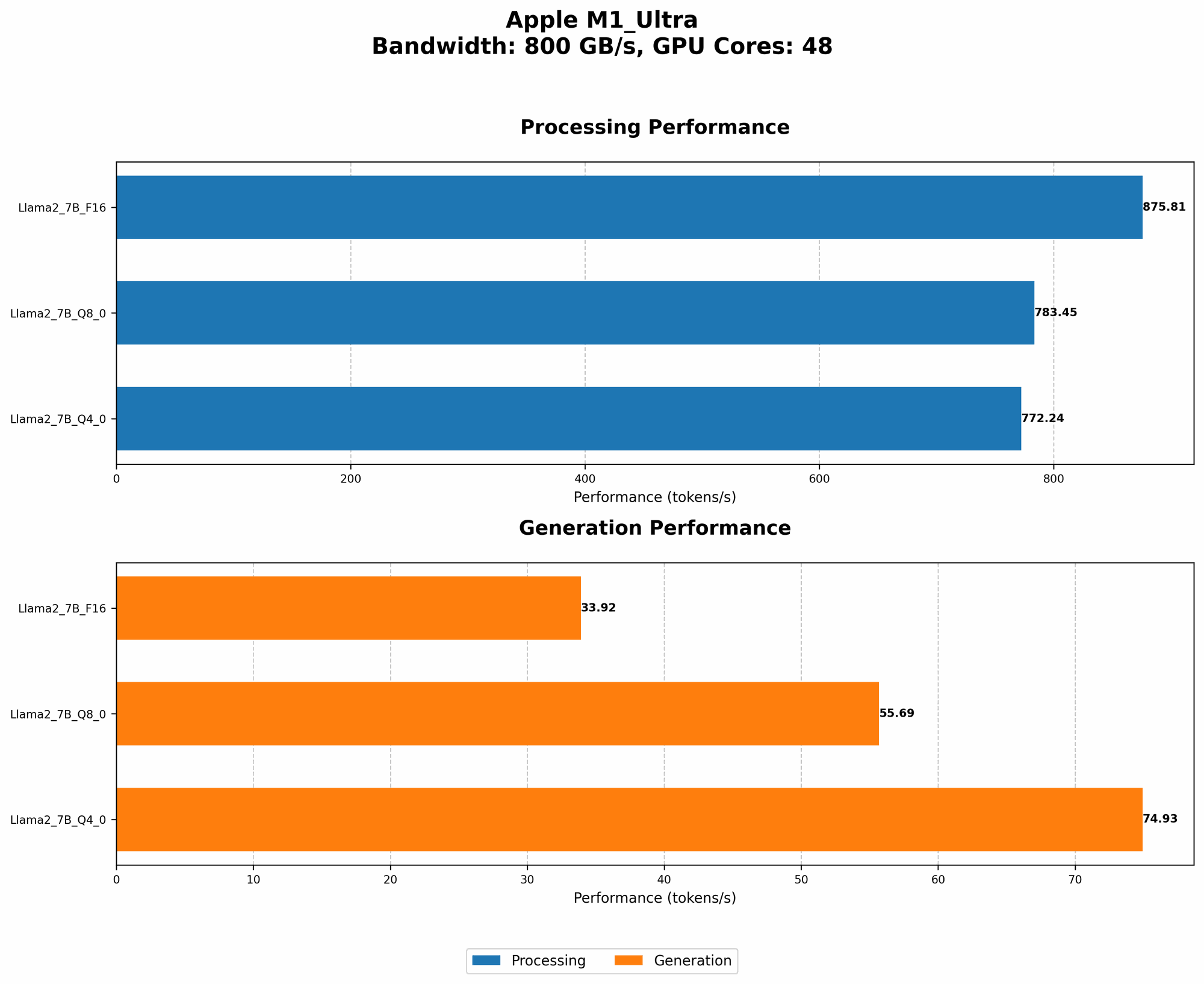
How fast can an M1 Ultra churn out text with the Llama2 7B model? Let's dive into the numbers:
| Configuration | Token Generation Speed (tokens/second) |
|---|---|
| Llama2 7B (F16) | 33.92 |
| Llama2 7B (Q8_0) | 55.69 |
| Llama2 7B (Q4_0) | 74.93 |
Note: The data represents the average token generation speed during inference. Processing speed (for context) is also included below.
| Configuration | Processing Speed (tokens/second) |
|---|---|
| Llama2 7B (F16) | 875.81 |
| Llama2 7B (Q8_0) | 783.45 |
| Llama2 7B (Q4_0) | 772.24 |
Explanation: These figures represent the number of tokens (the basic units of text) that the model can generate per second.
But what does this mean in practical terms? Imagine you're using the model to write a story or translate a document. These speeds tell you how quickly you can expect to get results back.
Let's put this into perspective with an analogy. Think of a typewriter – the faster it can type, the quicker you can get your thoughts on paper. In this case, the M1 Ultra is the typewriter, the Llama2 7B is the typing mechanism, and the tokens are the letters being typed.
Performance Analysis: Model and Device Comparison
While we're focusing on the M1 Ultra, it's always interesting to see how it compares to other devices and models. However, due to limited data availability, we can't provide a direct comparison.
Important: Please note that the benchmarks above are specific to the M1 Ultra and Llama2 7B. Performance can vary significantly depending on the device, model, and specific configuration.
Practical Recommendations: Use Cases and Workarounds
Use Cases for Llama2 7B on M1 Ultra
The performance data suggests that the M1 Ultra can handle Llama2 7B for various use cases, especially with quantization:
- Interactive Text Generation: Generating creative text, writing poems, or crafting emails.
- Translation: Translating short texts or documents.
- Conversation AI: Engaging in simple conversations or creating chatbots for specific tasks.
- Data Analysis: Summarizing data, extracting key insights, and understanding trends.
Workarounds for Performance Limitations
While the M1 Ultra is powerful, it's important to be aware of its limitations:
- Limited Memory: The M1 Ultra's memory (RAM) is less than a high-end desktop PC. This can be a constraint for larger models, especially when running multiple LLMs.
- Power Consumption: Running large models on a laptop can drain the battery quickly.
- Not Ideal for Large Scale Tasks: The M1 Ultra is not the best choice for tasks that require high-throughput, such as generating massive amounts of text or training large models.
Recommendations:
- Optimize for Memory: Leverage quantization techniques (Q80 and Q40) to reduce the model's memory footprint.
- Use Smaller Models: For tasks that don't require the full power of Llama2 7B, consider using a smaller model like Llama 2 1.3B.
- Explore Cloud Solutions: If you need more power or are working with large datasets, consider using cloud services like Google Colab or AWS.
FAQ
Q: What is quantization?
A: Quantization is a technique for reducing the size of a model by representing its weights and activations using fewer bits. Think of it as compressing the model's data to fit into a smaller space. This can improve performance by reducing the amount of memory needed and increasing the speed of calculations.
Q: How do I choose the right LLM for my needs?
A: Consider the following factors:
- Model size: Larger models are more powerful but require more resources.
- Task complexity: Choose a model capable of handling the specific NLP task you need.
- Resource availability: Ensure your device or cloud infrastructure can handle the chosen model.
Q: Is it possible to run Llama2 70B on an M1 Ultra?
A: It's highly unlikely. The M1 Ultra is designed for high-performance computing, but even with optimization techniques, it might struggle to run a model as large as Llama2 70B.
Keywords
Llama2 7B, Apple M1 Ultra, token generation speed, local LLM, performance benchmarks, quantization, memory usage, NLP, text generation, translation, conversation AI, data analysis, use cases, workarounds.