Building a Home LLM Server: Is the NVIDIA 3090 24GB x2 a Good Choice?
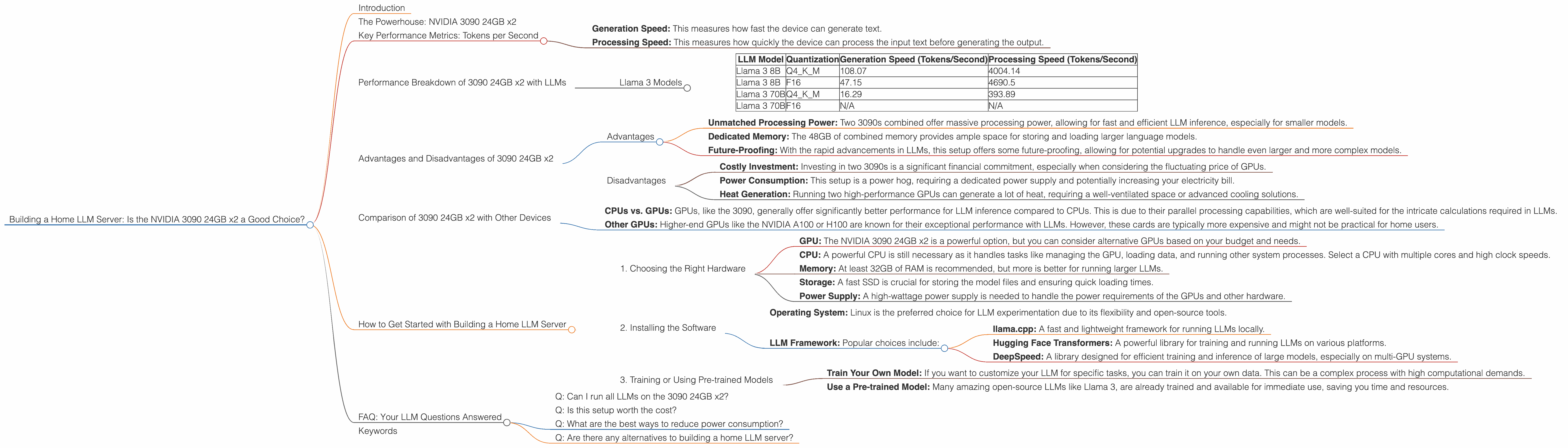
Introduction
The world of Large Language Models (LLMs) is exploding, and for good reason. These powerful AI models can generate human-quality text, translate languages, write different kinds of creative content, and answer your questions in an informative way. Imagine having your own personal AI assistant, ready to help with anything you throw at it. But setting up your own LLM server can be daunting, especially when it comes to choosing the right hardware.
In this article, we'll dive into the world of building your own home LLM server. We'll focus on the popular NVIDIA 3090 24GB x2 setup and explore whether it's a good choice for running various LLM models. Think of it as a journey into the heart of your own AI powerhouse, with the power of two 3090s at your fingertips. Buckle up, it's going to be interesting!
The Powerhouse: NVIDIA 3090 24GB x2
The NVIDIA GeForce RTX 3090 24GB is a beast of a graphics card, known for its incredible processing power and generous 24GB of GDDR6X memory. Pairing two of these bad boys together creates a seriously potent setup, capable of handling even the most demanding tasks – including running advanced LLM models.
But is it worth the investment? Let's delve into the data and see how this setup performs with different LLMs.
Key Performance Metrics: Tokens per Second

To understand how well a device handles LLMs, we need to measure its token speed. This refers to how many tokens (pieces of information) a device can process per second. Essentially, the higher the token speed, the faster your LLM can process your requests and generate responses.
We will be focusing on two primary metrics:
- Generation Speed: This measures how fast the device can generate text.
- Processing Speed: This measures how quickly the device can process the input text before generating the output.
Performance Breakdown of 3090 24GB x2 with LLMs
Llama 3 Models
Let's start with the popular open-source LLM Llama 3, available in different sizes with various quantization techniques. Quantization is like compressing the model to use less memory and run faster, but it can impact the accuracy.
Here's a table showing the token speeds for different Llama 3 models running on the 3090 24GB x2 setup:
| LLM Model | Quantization | Generation Speed (Tokens/Second) | Processing Speed (Tokens/Second) |
|---|---|---|---|
| Llama 3 8B | Q4KM | 108.07 | 4004.14 |
| Llama 3 8B | F16 | 47.15 | 4690.5 |
| Llama 3 70B | Q4KM | 16.29 | 393.89 |
| Llama 3 70B | F16 | N/A | N/A |
Observations:
- Smaller Model, Faster Speed: The 8B Llama 3 model performs significantly faster than the 70B model, especially with the Q4KM quantization, which reduces the memory footprint and speeds up the processing.
- Quantization Matters: The 8B Llama 3 model with Q4KM quantization is considerably faster than the F16 version, showing the impact of quantization on performance.
- 70B Limitations: The 70B Llama 3 model with F16 quantization was not tested in the available data. This highlights the challenges of running larger models, potentially requiring more memory or processing power for optimal performance.
Think of it this way: The 8B Llama 3 is like a sprinter, able to generate responses quickly, while the 70B Llama 3 is more like a marathon runner, capable of handling complex tasks but taking a bit longer.
Advantages and Disadvantages of 3090 24GB x2
Advantages
- Unmatched Processing Power: Two 3090s combined offer massive processing power, allowing for fast and efficient LLM inference, especially for smaller models.
- Dedicated Memory: The 48GB of combined memory provides ample space for storing and loading larger language models.
- Future-Proofing: With the rapid advancements in LLMs, this setup offers some future-proofing, allowing for potential upgrades to handle even larger and more complex models.
Disadvantages
- Costly Investment: Investing in two 3090s is a significant financial commitment, especially when considering the fluctuating price of GPUs.
- Power Consumption: This setup is a power hog, requiring a dedicated power supply and potentially increasing your electricity bill.
- Heat Generation: Running two high-performance GPUs can generate a lot of heat, requiring a well-ventilated space or advanced cooling solutions.
Comparison of 3090 24GB x2 with Other Devices
Unfortunately, we don't have data directly comparing the 3090 24GB x2 setup with other devices. But, some general insights can be drawn from existing benchmarks:
- CPUs vs. GPUs: GPUs, like the 3090, generally offer significantly better performance for LLM inference compared to CPUs. This is due to their parallel processing capabilities, which are well-suited for the intricate calculations required in LLMs.
- Other GPUs: Higher-end GPUs like the NVIDIA A100 or H100 are known for their exceptional performance with LLMs. However, these cards are typically more expensive and might not be practical for home users.
How to Get Started with Building a Home LLM Server
1. Choosing the Right Hardware
- GPU: The NVIDIA 3090 24GB x2 is a powerful option, but you can consider alternative GPUs based on your budget and needs.
- CPU: A powerful CPU is still necessary as it handles tasks like managing the GPU, loading data, and running other system processes. Select a CPU with multiple cores and high clock speeds.
- Memory: At least 32GB of RAM is recommended, but more is better for running larger LLMs.
- Storage: A fast SSD is crucial for storing the model files and ensuring quick loading times.
- Power Supply: A high-wattage power supply is needed to handle the power requirements of the GPUs and other hardware.
2. Installing the Software
- Operating System: Linux is the preferred choice for LLM experimentation due to its flexibility and open-source tools.
- LLM Framework: Popular choices include:
- llama.cpp: A fast and lightweight framework for running LLMs locally.
- Hugging Face Transformers: A powerful library for training and running LLMs on various platforms.
- DeepSpeed: A library designed for efficient training and inference of large models, especially on multi-GPU systems.
3. Training or Using Pre-trained Models
- Train Your Own Model: If you want to customize your LLM for specific tasks, you can train it on your own data. This can be a complex process with high computational demands.
- Use a Pre-trained Model: Many amazing open-source LLMs like Llama 3, are already trained and available for immediate use, saving you time and resources.
FAQ: Your LLM Questions Answered
Q: Can I run all LLMs on the 3090 24GB x2?
A: The 3090 24GB x2 setup can handle smaller LLMs like Llama 3 8B efficiently. However, larger LLMs like 70B models might be more challenging and require more memory or additional GPUs. We suggest exploring specific benchmarks and checking the memory requirements of the models.
Q: Is this setup worth the cost?
A: This depends on your specific use case and budget. For power users who need the highest performance and can afford the investment, the 3090 x2 setup is a great option. However, if you are on a tighter budget, you might consider alternative GPU options or cloud services.
Q: What are the best ways to reduce power consumption?
A: You can explore power-saving modes on your GPUs, use energy-efficient components, and optimize your software for performance while consuming less power.
Q: Are there any alternatives to building a home LLM server?
A: Yes, using cloud services like Google Colab, AWS, or Azure allows you to access powerful GPUs and LLMs without the hassle of building and maintaining your own hardware.
Keywords
LLM, Large Language Model, NVIDIA 3090, GPU, GPU Server, Tokens per Second, Generation Speed, Processing Speed, Llama 3, Quantization, Q4KM, F16, Home LLM, AI, AI Assistant, Deep Learning, Machine Learning, Tokenization, Power Consumption, Cost, Cloud Services, AWS, Azure, Google Colab, Open Source, Hugging Face, DeepSpeed, llama.cpp, GPU Benchmarks, Performance, Inference, Training