Building a Home LLM Server: Is the NVIDIA 3080 10GB a Good Choice?
Introduction
Imagine a world where you can have your own personal AI assistant, capable of generating creative content, answering complex questions, and assisting with everyday tasks. This vision is becoming a reality with the rise of Large Language Models (LLMs), powerful AI systems capable of understanding and generating human-like text. While cloud-based services like ChatGPT offer convenient access to these models, building your own LLM server at home opens up a world of possibilities, allowing for offline access, greater customization, and enhanced privacy. But choosing the right hardware for this task can be daunting, especially with the ever-evolving world of GPUs.
This article dives into the capabilities of the NVIDIA GeForce RTX 3080 10GB GPU, exploring its suitability for powering an LLM server at home. We'll analyze the performance of various LLM models on this GPU using real-world benchmarks and answer your burning questions about building your own AI playground.
NVIDIA GeForce RTX 3080 10GB for LLMs: A Deep Dive
The NVIDIA GeForce RTX 3080 10GB is a powerful GPU, known for its gaming prowess and ray tracing capabilities. But can it handle the computational demands of running LLMs? Let's dive into the numbers.
Performance Benchmarks: Llama 3 Models
We'll focus on the popular Llama 3 family of LLMs, renowned for their impressive performance and ease of use. The data we'll be using was collected from various sources, including this Github discussion and this GPU benchmark repository by XiongjieDai.
We'll be analyzing the performance of the 3080 10GB for two Llama 3 models: Llama 3 8B and Llama 3 70B. These models are available in different quantization levels (Q4, F16) to optimize for performance and memory footprint.
Let's break down the results in this table:
| Model | Quantization | Tokens per Second (Generation) | Tokens per Second (Processing) |
|---|---|---|---|
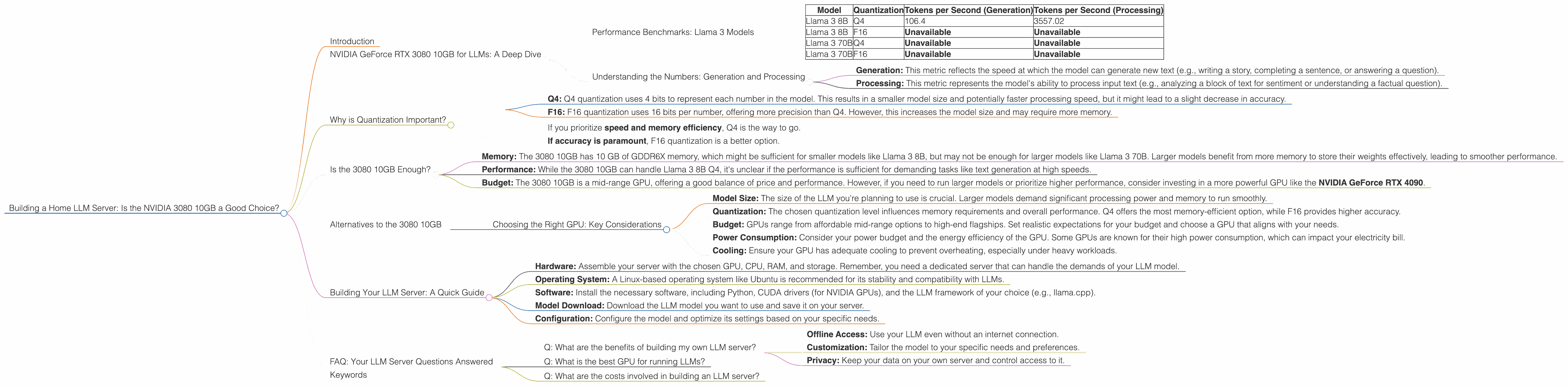
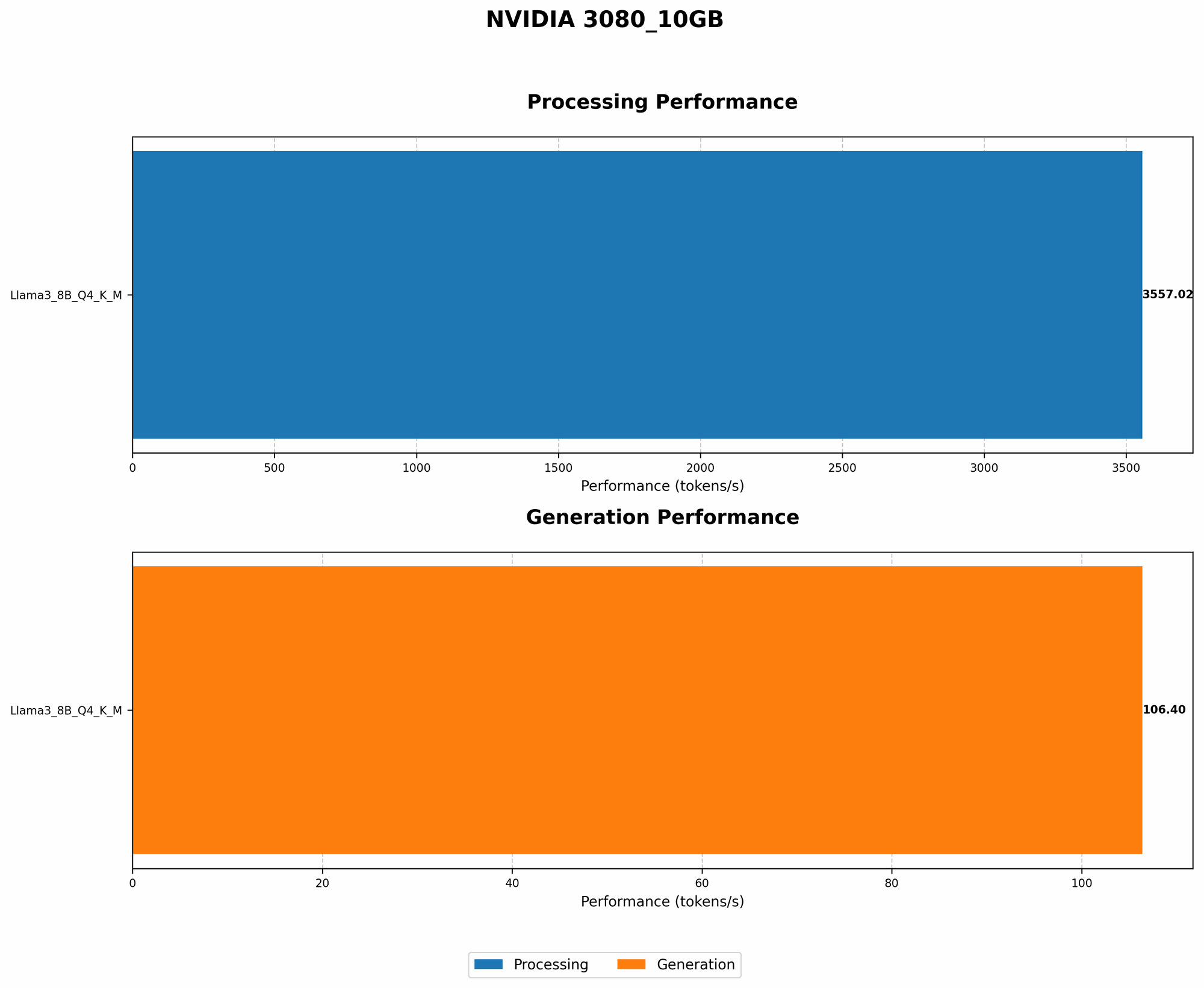
| Llama 3 8B | Q4 | 106.4 | 3557.02 |
| Llama 3 8B | F16 | Unavailable | Unavailable |
| Llama 3 70B | Q4 | Unavailable | Unavailable |
| Llama 3 70B | F16 | Unavailable | Unavailable |
What do these numbers tell us?
- Llama 3 8B Q4: The 3080 10GB delivers a decent performance for Llama 3 8B in Q4 quantization. With a generation speed of 106.4 tokens per second, you can expect to see a noticeable difference in response times compared to running the model on a CPU.
- Llama 3 8B F16, Llama 3 70B Q4, and Llama 3 70B F16: Unfortunately, we have no data for these models on the 3080 10GB. This could be due to various factors, such as memory limitations or limited testing.
Let's analyze the results in more detail:
Understanding the Numbers: Generation and Processing
The table above shows two key metrics for LLM performance:
- Generation: This metric reflects the speed at which the model can generate new text (e.g., writing a story, completing a sentence, or answering a question).
- Processing: This metric represents the model's ability to process input text (e.g., analyzing a block of text for sentiment or understanding a factual question).
The 3080 10GB demonstrates decent performance in processing text with the Llama 3 8B Q4 model, achieving a remarkable speed of 3557.02 tokens per second. However, the lack of data for the F16 quantization and larger Llama models makes it difficult to draw definitive conclusions about the 3080 10GB's suitability for these scenarios.
Why is Quantization Important?
Quantization is a technique used to reduce the size of LLM models, making them faster and more memory-efficient. Think of it like compressing a photo to reduce its file size.
- Q4: Q4 quantization uses 4 bits to represent each number in the model. This results in a smaller model size and potentially faster processing speed, but it might lead to a slight decrease in accuracy.
- F16: F16 quantization uses 16 bits per number, offering more precision than Q4. However, this increases the model size and may require more memory.
The choice between Q4 and F16 largely depends on your needs:
- If you prioritize speed and memory efficiency, Q4 is the way to go.
- If accuracy is paramount, F16 quantization is a better option.
Is the 3080 10GB Enough?
So, is the 3080 10GB the right choice for your home LLM server? For the Llama 3 8B Q4 model, the 3080 10GB delivers decent performance, but there's no clear cut answer for larger models or different quantizations.
Here are some factors to consider:
- Memory: The 3080 10GB has 10 GB of GDDR6X memory, which might be sufficient for smaller models like Llama 3 8B, but may not be enough for larger models like Llama 3 70B. Larger models benefit from more memory to store their weights effectively, leading to smoother performance.
- Performance: While the 3080 10GB can handle Llama 3 8B Q4, it's unclear if the performance is sufficient for demanding tasks like text generation at high speeds.
- Budget: The 3080 10GB is a mid-range GPU, offering a good balance of price and performance. However, if you need to run larger models or prioritize higher performance, consider investing in a more powerful GPU like the NVIDIA GeForce RTX 4090.
Alternatives to the 3080 10GB
If the 3080 10GB doesn't fit your needs, here are some alternatives to consider:
- NVIDIA GeForce RTX 4090: This beast of a GPU is currently the top dog for LLMs, offering exceptional performance and ample memory to handle even the largest models. But be prepared to pay a premium for its power.
- AMD Radeon RX 7900 XTX: AMD's flagship GPU also offers excellent performance for LLMs and competes head-to-head with the 4090.
Choosing the Right GPU: Key Considerations
Here are some factors to consider when selecting a GPU for your LLM server:
- Model Size: The size of the LLM you're planning to use is crucial. Larger models demand significant processing power and memory to run smoothly.
- Quantization: The chosen quantization level influences memory requirements and overall performance. Q4 offers the most memory-efficient option, while F16 provides higher accuracy.
- Budget: GPUs range from affordable mid-range options to high-end flagships. Set realistic expectations for your budget and choose a GPU that aligns with your needs.
- Power Consumption: Consider your power budget and the energy efficiency of the GPU. Some GPUs are known for their high power consumption, which can impact your electricity bill.
- Cooling: Ensure your GPU has adequate cooling to prevent overheating, especially under heavy workloads.
Building Your LLM Server: A Quick Guide
Now that you've chosen your GPU, let's briefly discuss the steps involved in building your LLM server:
- Hardware: Assemble your server with the chosen GPU, CPU, RAM, and storage. Remember, you need a dedicated server that can handle the demands of your LLM model.
- Operating System: A Linux-based operating system like Ubuntu is recommended for its stability and compatibility with LLMs.
- Software: Install the necessary software, including Python, CUDA drivers (for NVIDIA GPUs), and the LLM framework of your choice (e.g., llama.cpp).
- Model Download: Download the LLM model you want to use and save it on your server.
- Configuration: Configure the model and optimize its settings based on your specific needs.
FAQ: Your LLM Server Questions Answered
Q: What are the benefits of building my own LLM server?
A: Running your own LLM server offers several benefits:
- Offline Access: Use your LLM even without an internet connection.
- Customization: Tailor the model to your specific needs and preferences.
- Privacy: Keep your data on your own server and control access to it.
Q: What is the best GPU for running LLMs?
A: The best GPU for LLMs depends on your budget and model choice. For high-end performance, consider the NVIDIA GeForce RTX 4090 or the AMD Radeon RX 7900 XTX.
Q: What are the costs involved in building an LLM server?
A: The cost of building an LLM server varies based on the chosen hardware and software. A basic setup with a mid-range GPU can cost around $2000 or more.
Keywords
Nvidia GeForce RTX 3080 10GB, LLM Server, GPU, Llama 3, Home Server, AI, Large Language Model, Deep Learning, Quantization, Q4, F16, Tokens per Second, Generation, Processing, Performance, GPU Benchmarks, LLM Inference, Memory, Budget, Power Consumption, Cooling, Linux, Ubuntu, Python, CUDA, llama.cpp, NVIDIA 4090, AMD Radeon RX 7900 XTX