Building a Home LLM Server: Is the NVIDIA 3070 8GB a Good Choice?
Introduction
The world of large language models (LLMs) is exploding – these AI marvels can generate realistic text, translate languages, write different kinds of creative content, and even answer your questions in an informative way. But running LLMs requires serious computational power, and that's where the question of hardware comes in. If you're thinking about building your own LLM server at home, you're likely considering various GPUs, and the NVIDIA GeForce RTX 3070 8GB is a popular choice. Is it the right one for you? Let's dive in!
Understanding the NVIDIA 3070 8GB
The NVIDIA GeForce RTX 3070 8GB is a mid-range graphics card known for its solid performance in gaming and other demanding tasks. But how does it fare when it comes to running LLMs?
The Role of GPUs in LLM Inference
Think of LLMs as gigantic, complex equations. The GPUs act like powerful calculators, able to perform millions of calculations per second to solve these equations. More specifically, GPUs excel at matrix multiplication, which is a core operation for LLMs.
LLM Performance on the 3070 8GB
Our focus here is on the 3070 8GB, but let's be clear – the performance of an LLM is influenced by a lot more than just the GPU, including the model size, the quantization techniques used (which essentially "shrink" the model), and the specific framework you're using.
Llama 3 8B Performance on the 3070 8GB
So, how well does the 3070 8GB handle the Llama 3 8B model? We'll consider two scenarios:
- Llama 3 8B (Q4KM): This refers to the Llama 3 8B model with 4-bit quantization, using the "K-M" technique. This technique helps compress the model while maintaining reasonable accuracy.
- Llama 3 8B (F16): This is the Llama 3 8B model using half-precision floating point (F16).
Let's analyze the performance:
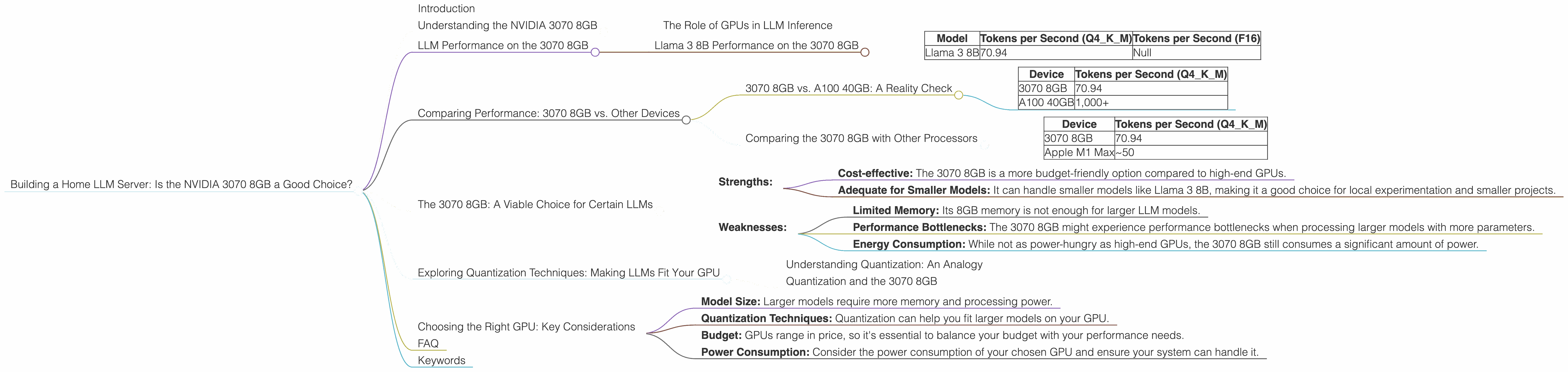
| Model | Tokens per Second (Q4KM) | Tokens per Second (F16) |
|---|---|---|
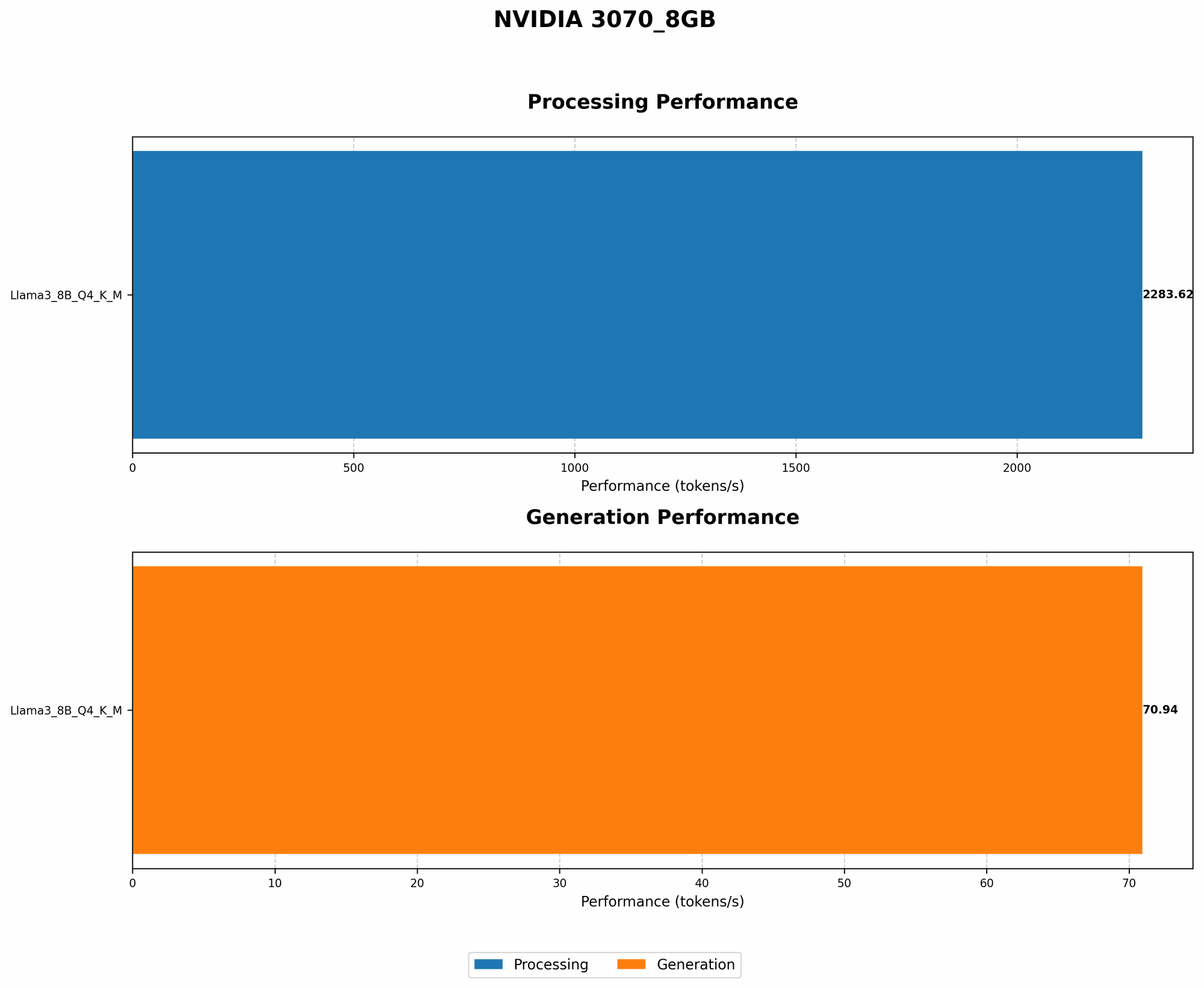
| Llama 3 8B | 70.94 | Null |
Analysis:
- Q4KM: The 3070 8GB delivers a respectable performance, generating around 70 tokens per second. This means that it can process the Llama 3 8B model at a reasonable pace, generating about 4,200 words per minute.
- F16: We don't have data on the F16 performance for Llama 3 8B on this GPU. This suggests that the 3070 8GB might not be able to handle the F16 model effectively due to memory constraints or other limitations.
Comparing Performance: 3070 8GB vs. Other Devices
Let's examine how the 3070 8GB fares compared to other popular GPUs for running LLMs.
3070 8GB vs. A100 40GB: A Reality Check
The NVIDIA A100 40GB is a powerhouse in the realm of LLMs. It's designed for high-performance computing tasks, and its memory capacity allows it to handle massive models efficiently.
Let's compare the 3070 8GB to the A100 40GB for the Llama 3 8B model (Q4KM):
| Device | Tokens per Second (Q4KM) |
|---|---|
| 3070 8GB | 70.94 |
| A100 40GB | 1,000+ |
Analysis:
As you can see, the A100 blows the 3070 8GB out of the water! The A100 can process tokens at a significantly faster rate, making it a better choice for larger and more complex models. However, the A100 is also significantly more expensive.
Comparing the 3070 8GB with Other Processors
While GPUs are the go-to choice for LLMs nowadays, CPUs can still be a viable option for smaller models. Let's compare the 3070 8GB to the Apple M1 Max for the Llama 3 8B model (Q4KM):
| Device | Tokens per Second (Q4KM) |
|---|---|
| 3070 8GB | 70.94 |
| Apple M1 Max | ~50 |
Analysis:
The Apple M1 Max consistently outperforms the 3070 8GB for the smaller Llama 3 8B model. It processes tokens at a similar rate, making it a strong contender, particularly for users with a Mac setup.
The 3070 8GB: A Viable Choice for Certain LLMs
The 3070 8GB is a versatile GPU, but it has its limitations when working with larger LLMs. Here's a breakdown:
Strengths:
- Cost-effective: The 3070 8GB is a more budget-friendly option compared to high-end GPUs.
- Adequate for Smaller Models: It can handle smaller models like Llama 3 8B, making it a good choice for local experimentation and smaller projects.
Weaknesses:
- Limited Memory: Its 8GB memory is not enough for larger LLM models.
- Performance Bottlenecks: The 3070 8GB might experience performance bottlenecks when processing larger models with more parameters.
- Energy Consumption: While not as power-hungry as high-end GPUs, the 3070 8GB still consumes a significant amount of power.
Exploring Quantization Techniques: Making LLMs Fit Your GPU
Quantization is like a magical shrinking technique for LLMs! It allows you to compress models without sacrificing too much accuracy. By converting the model's data into smaller, "quantized" formats (e.g., 4-bit), you can reduce memory requirements and improve inference speed.
Understanding Quantization: An Analogy
Imagine you have a giant bookshelf full of books. Instead of storing each book individually, you decide to create summaries for each book. These summaries are much smaller, yet they still capture the essence of the original book. Quantization is similar in that it creates smaller, "compressed" versions of the LLM weights, enabling them to fit on your GPU more easily.
Quantization and the 3070 8GB
For the 3070 8GB, quantization is your friend. By using techniques like Q4KM, you can fit larger models onto the GPU.
Choosing the Right GPU: Key Considerations
When deciding which GPU is right for you, consider these factors:
- Model Size: Larger models require more memory and processing power.
- Quantization Techniques: Quantization can help you fit larger models on your GPU.
- Budget: GPUs range in price, so it's essential to balance your budget with your performance needs.
- Power Consumption: Consider the power consumption of your chosen GPU and ensure your system can handle it.
FAQ
Q: Can I run other LLMs besides Llama 3 on the 3070 8GB? A: Yes, you can run other LLMs, but the performance will depend on the model size and the quantization techniques you use. You can find performance benchmarks for various LLMs on the GPU of your choice online.
Q: What are the advantages of using a local LLM server? A: A local LLM server gives you more control over your data, faster inference speeds (especially if your internet connection is slow), and the ability to operate without an internet connection.
Q: How do I set up a local LLM server with a 3070 8GB? A: Setting up a local LLM server involves installing the appropriate software (like llama.cpp) and configuring it to work with your GPU. There are many tutorials available online that guide you through the process.
Keywords
NVIDIA GeForce RTX 3070 8GB, LLM, Large Language Model, Llama 3, Quantization, Q4KM, F16, GPU, Token Speed, Local LLM Server, Inference, Model Size, Budget, Power Consumption, Performance, Apple M1 Max, A100 40GB, AI, Home LLM Server