Apple Silicon and LLMs: Will My Apple M1 Ultra Overheat?

Introduction
The world of Large Language Models (LLMs) is exploding, and with it, the thirst for powerful hardware to run these complex models locally. Apple's M1 series processors, especially the M1 Ultra, have become a popular choice for developers and enthusiasts looking to push the boundaries of local AI.
But one question looms large: Can these powerful chips handle the intense computational demands of LLMs without turning into miniature volcanoes?
In this guide, we'll dive into the fascinating world of LLMs and Apple Silicon, exploring whether your M1 Ultra can handle the heat, and we'll use real-world data to show you exactly what to expect. Buckle up, it's going to be a deep dive into the silicon heart of AI.
Understanding the Heat: LLMs & Apple Silicon
Imagine LLMs as highly-trained, digital brains with a vast vocabulary and the ability to understand and generate human-like text. They can summarize articles, write stories, translate languages, and even write code. It's like having a personal AI assistant at your fingertips.
Now, imagine running these complex models on a powerful chip like the M1 Ultra. The M1 Ultra, with its massive 20-core CPU and 64-core GPU, can handle these computations with ease. But with all that power comes a lot of heat.
Apple M1 Ultra Token Speed Generation
To understand how well the M1 Ultra handles LLMs, we need to look at token speed generation. Tokens are the building blocks of text, essentially tiny pieces of words that LLMs use for processing. The faster an LLM can process tokens, the quicker it can generate text and perform its tasks.
Llama 2 Performance on the M1 Ultra
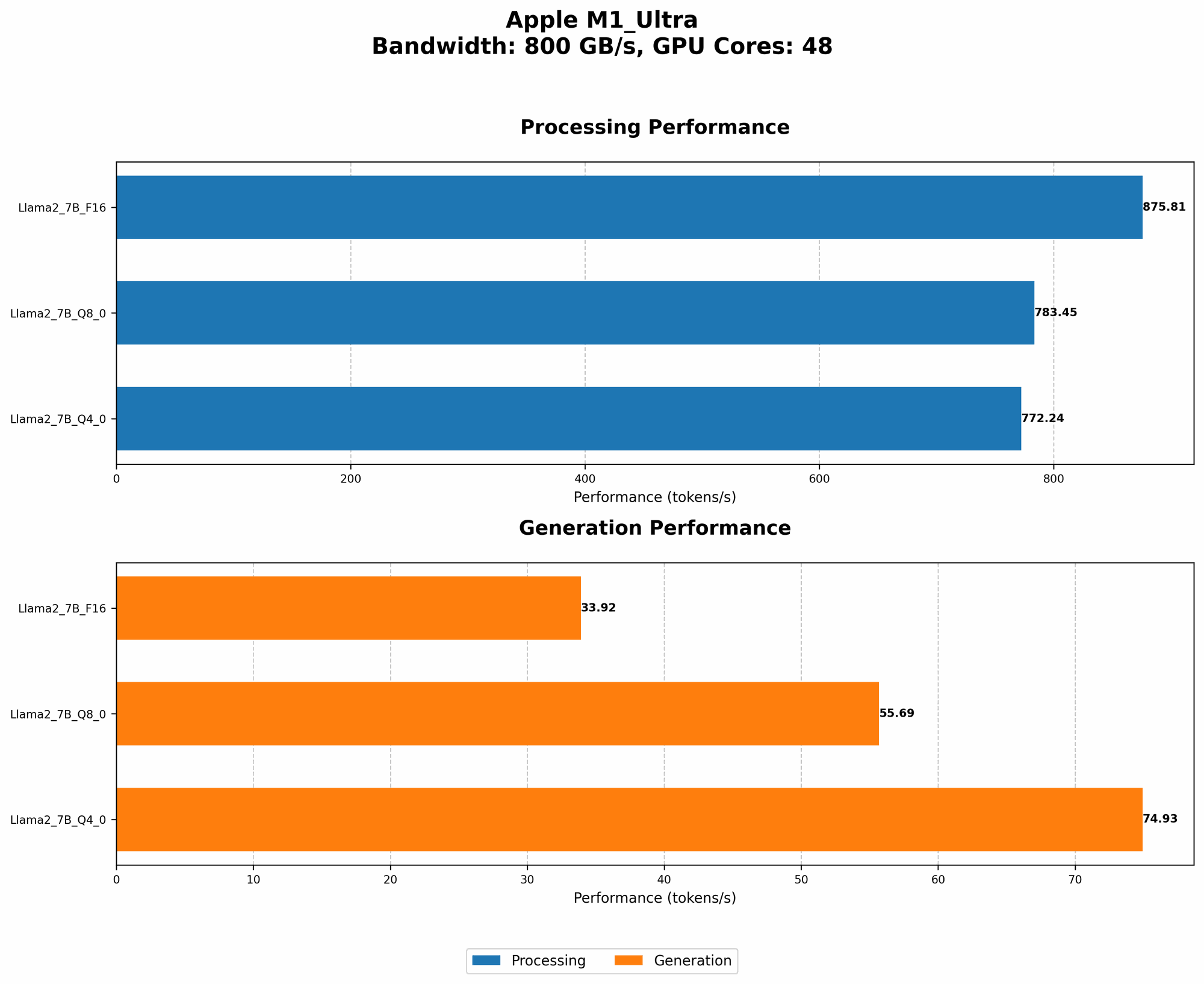
We'll focus on the Llama 2 family of LLMs, known for their incredible performance and wide availability for local use. Let's examine how the M1 Ultra handles different Llama 2 models, specifically those with the 7B (7 billion parameters) size.
| Model | Processing (Tokens/Second) | Generation (Tokens/Second) |
|---|---|---|
| Llama 2 7B (F16) | 875.81 | 33.92 |
| Llama 2 7B (Q8_0) | 783.45 | 55.69 |
| Llama 2 7B (Q4_0) | 772.24 | 74.93 |
What do these numbers mean? The M1 Ultra can process an insane number of tokens per second, meaning your Llama 2 model will be humming along at lightning speed. But what about the generation speed? This is where it gets interesting.
- F16: The "F16" model uses 16-bit precision, giving it a significant speed boost. However, this comes at a cost of potentially less accuracy.
- Q80 & Q40: These models use 8-bit and 4-bit quantization, respectively. This means they pack the model's data tightly, allowing for even faster processing. Think of it as squeezing more information into a smaller space, like a suitcase packed with a magical “shrink ray.”
The M1 Ultra delivers impressive performance across all models, even the ones with reduced precision. This means you can enjoy fast token generation, but you might have to make a compromise between speed and accuracy.
How Does the M1 Ultra Handle Heat?
The M1 Ultra is a masterpiece of engineering, designed with a focus on thermal efficiency. It features a sophisticated thermal management system, incorporating multiple thermal sensors, a custom heat spreader, and a powerful fan.
However, it's still essential to keep a few things in mind.
- Ambient Temperature: Just like your laptop, the hotter your environment, the more heat the M1 Ultra will have to deal with. Running an LLM in a hot room can put extra stress on the chip.
- Workloads: The more demanding your LLM tasks, the more heat it will generate.
Overheating: What to Watch Out For
While the M1 Ultra, with its thermal management prowess, can handle most LLM tasks, keep an eye out for:
- Thermal Throttling: If the chip gets too hot, it might automatically slow itself down to prevent overheating. This can lead to sluggish performance.
- Hardware Failure: Extreme heat can cause long-term damage to your hardware.
Tips to Prevent Overheating:
- Adequate Ventilation: Make sure your Mac has ample airflow, avoiding placing it in confined spaces or on soft surfaces.
- Monitor CPU Temperature: Apps like iStat Menus can help you keep an eye on the M1 Ultra's temperature, allowing you to take action before it gets out of hand.
- Use a Cooling Pad: If you're pushing the boundaries of LLM performance, a cooling pad can help dissipate heat more effectively.
The Power of Quantization
Quantization is a technique that allows us to reduce the size of LLM models without sacrificing too much accuracy. It's like compressing a large file, allowing you to store it on a smaller drive. Quantization is like a magic trick for LLMs, making them faster and more efficient.
- F16: A "half-precision" format that uses 16 bits to represent numbers, instead of the usual 32 bits. This reduces memory usage and speeds up computations.
- Q80 and Q40: Even more aggressive quantizations, reducing the number of bits to 8 or 4, respectively. This leads to even faster processing but might impact accuracy.
Think of quantization as a trade-off between speed and precision. You can choose the level of quantization that fits your needs, balancing performance with the level of accuracy required for your tasks.
Conclusion: The M1 Ultra's LLM Potential
The M1 Ultra is a powerhouse, capable of handling even the most demanding LLMs. However, it's essential to be aware of heat management and to consider the impact of different quantization methods.
By understanding the factors that affect LLM performance and heat dissipation, you can make informed decisions about your workflow. Remember, the M1 Ultra, with its exceptional capabilities, is a valuable tool for exploring the exciting world of local LLMs.
FAQ
Q: What is an LLM, and why should I care?
A: An LLM is a type of artificial intelligence that can understand and generate human-like text. They can write stories, summarize documents, translate languages, and much more. They are revolutionizing how we interact with technology, making it more intuitive and powerful.
Q: How do I choose the right LLM for my needs?
A: Consider the type of tasks you want to perform. For example, if you need a model for translation, choose one specialized in language processing. Also, consider the model size, as smaller models will be faster but may have less accuracy.
Q: Can I run LLMs on devices other than the M1 Ultra?
A: Yes! The M1 Pro and M1 Max can also handle LLMs, and you can even run them on devices with Intel processors, although performance may vary.
Q: Is there a risk of my Mac getting too hot?
A: While the M1 Ultra is designed to handle heat efficiently, it's always a good idea to monitor its temperature, especially if you're running demanding LLM tasks. Use tools like iStat Menus to track and ensure your hardware's safety.
Q: What about the future of LLMs and Apple Silicon?
A: The future is bright! Apple is continuously pushing the boundaries of silicon technology, and we can expect even more powerful chips that excel at handling complex AI tasks. The world of LLMs is constantly evolving, and Apple is well-positioned to play a major role in this exciting journey.
Keywords
Apple Silicon, M1 Ultra, LLM, Large Language Models, Llama 2, token speed, processing, generation, quantization, F16, Q80, Q40, heat, overheating, thermal throttling, performance, efficiency, AI, machine learning, developer, geeks, local models, Apple M1 Pro, Apple M1 Max