8 Tricks to Avoid Out of Memory Errors on NVIDIA RTX 5000 Ada 32GB
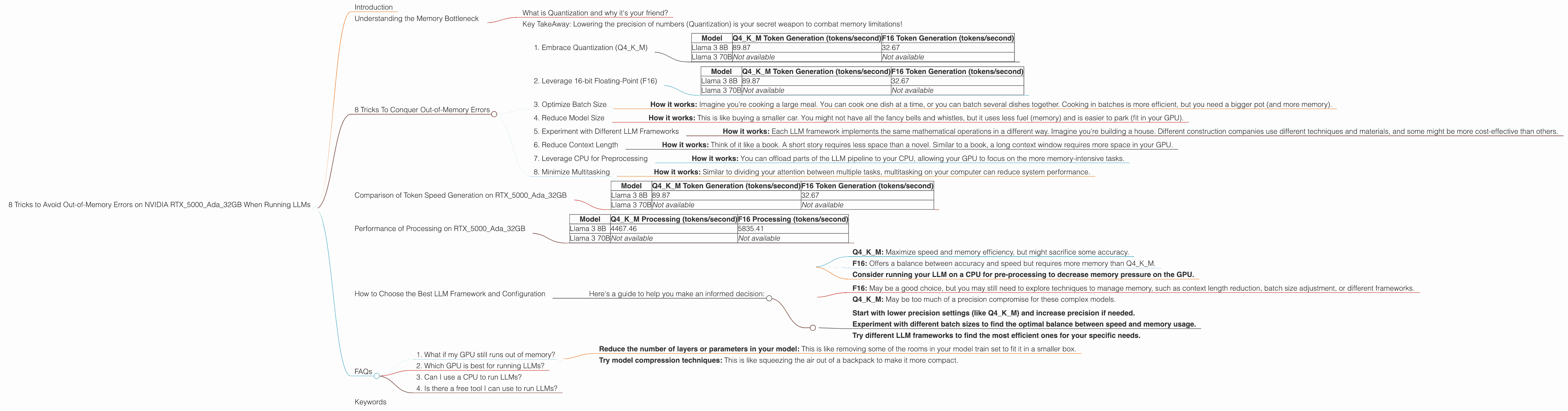
Are you tired of your NVIDIA RTX5000Ada_32GB GPU throwing "out of memory" errors when you try to run large language models (LLMs)? You're not alone. LLMs are hungry beasts that crave a lot of memory, and with a 32GB GPU, you're kind of living on the edge (or the abyss, if you're not careful). But fear not, brave adventurer! We're here to guide you through the exciting but treacherous world of LLM optimization, offering eight practical tricks to tame those memory-hungry models and keep your GPU purring like a well-oiled machine.
Introduction
LLMs are the hottest trend in AI, capable of generating text, translating languages, and even writing code. These powerful tools have the potential to revolutionize how we interact with computers. But running LLMs on your personal computer isn't always smooth sailing. One of the biggest challenges is managing memory usage. Larger models, like the 70 billion parameter Llama 3, can easily overwhelm even a powerful GPU like the RTX5000Ada_32GB.
This article is your roadmap to navigate the often-confusing world of LLM optimization. We'll break down strategies to reduce memory usage, making it possible to run even the largest LLMs on your local machine. We'll focus on techniques specifically applicable to the NVIDIA RTX5000Ada_32GB - but the principles can be applied to other GPUs as well. Get ready to squeeze every bit of performance out of your hardware and bring those LLMs to life!
Understanding the Memory Bottleneck
Before we dive into tricks, let's understand what's happening under the hood. Think of an LLM as a massive blueprint, a sophisticated network of interconnected neurons that process information. The larger the model, the more neurons it has, and the more memory it demands.
What is Quantization and why it's your friend?
Imagine you're building a model train set. You could use tiny, detailed parts that take up a lot of space, or simpler, larger parts that use less space. Quantization is like using the larger, simpler parts. Instead of storing each number (like a neuron's weight) with super high precision, you use fewer bits. It's like using a smaller LEGO brick to represent the same thing. This way, you can fit more neurons in the same amount of memory!
Key TakeAway: Lowering the precision of numbers (Quantization) is your secret weapon to combat memory limitations!
8 Tricks To Conquer Out-of-Memory Errors
Now, let's get down to business and explore those 8 tricks to keep your RTX5000Ada_32GB GPU happy:
1. Embrace Quantization (Q4KM)
Quantization is a technique that reduces the precision of numbers used to represent the model's weights. This can significantly decrease memory usage without sacrificing too much accuracy. Imagine you're trying to store a detailed picture of a cat. With high precision, every pixel would be perfect. With quantization, you simplify some of the details, like the cat's fur, resulting in a slightly less detailed image, but it takes up less space.
- How it works - Instead of using 32-bit floating-point numbers, Q4KM uses 4-bit integers, resulting in up to 8x reduction in memory usage.
- Example: A model with 8 billion parameters, using 32-bit floats, needs around 31.25 GB of memory. Quantizing to Q4KM reduces this to 3.90625 GB, which is less than a tenth of the original size!
Results on RTX5000Ada_32GB:
| Model | Q4KM Token Generation (tokens/second) | F16 Token Generation (tokens/second) |
|---|---|---|
| Llama 3 8B | 89.87 | 32.67 |
| Llama 3 70B | Not available | Not available |
2. Leverage 16-bit Floating-Point (F16)
Similar to Q4KM, F16 uses 16-bit numbers instead of 32-bit. It's not as drastic a reduction as Q4KM, but it still offers significant memory savings. It's a good middle ground between accuracy and memory usage.
- How it works: F16 (half precision) is a compromise between Q4KM (lowest precision) and full precision, preserving more accuracy than Q4KM while still offering a significant memory reduction.
Results on RTX5000Ada_32GB:
| Model | Q4KM Token Generation (tokens/second) | F16 Token Generation (tokens/second) |
|---|---|---|
| Llama 3 8B | 89.87 | 32.67 |
| Llama 3 70B | Not available | Not available |
3. Optimize Batch Size
Batch size refers to the number of sentences or text chunks processed at once. A larger batch size can utilize the GPU more efficiently, but it also requires more memory!
- How it works: Imagine you're cooking a large meal. You can cook one dish at a time, or you can batch several dishes together. Cooking in batches is more efficient, but you need a bigger pot (and more memory).
Finding the Sweet Spot: You need to balance the benefits of large batch sizes (faster processing) with the memory limitations of your GPU. Start testing with smaller batch sizes and gradually increase until you find that point where your GPU starts struggling.
4. Reduce Model Size
Sometimes, the most straightforward solution is the simplest. If you're running a large LLM and encountering memory issues, consider using a smaller model. Smaller models have fewer parameters, which translates to less memory consumption.
- How it works: This is like buying a smaller car. You might not have all the fancy bells and whistles, but it uses less fuel (memory) and is easier to park (fit in your GPU).
Example: Instead of the monstrous Llama 3 70B, try using the more manageable Llama 3 8B. It might not have the same capabilities, but it will run smoothly on your RTX5000Ada_32GB.
5. Experiment with Different LLM Frameworks
Not all LLM frameworks are created equal. Some frameworks are more memory-efficient than others. Consider exploring various options and see which ones work best for your specific needs.
- How it works: Each LLM framework implements the same mathematical operations in a different way. Imagine you're building a house. Different construction companies use different techniques and materials, and some might be more cost-effective than others.
Example: You can try "llama.cpp" which is known to be very optimized for specific GPUs. There are other choices like "transformers" or "Hugging Face Transformers" - each with its own benefits and drawbacks.
6. Reduce Context Length
The context length refers to the amount of text the model can consider when generating outputs. A longer context length allows for more nuanced and creative outputs, but it also increases memory demands.
- How it works: Think of it like a book. A short story requires less space than a novel. Similar to a book, a long context window requires more space in your GPU.
Finding the Balance: You can reduce context length to free up memory, but be aware that this might limit the model's ability to generate complex, context-aware outputs. You might need to experiment to find the sweet spot between context length and memory usage.
7. Leverage CPU for Preprocessing
LLMs can sometimes be quite demanding on the CPU, even during pre-processing steps like tokenization. Consider utilizing your CPU for these tasks to free up some GPU memory.
- How it works: You can offload parts of the LLM pipeline to your CPU, allowing your GPU to focus on the more memory-intensive tasks.
Example: You can use the "transformers" library and the CPU-based "Tokenizer" to perform tokenization, while your GPU focuses on computation.
8. Minimize Multitasking
Running multiple resource-intensive applications alongside your LLM can put a strain on your GPU's memory. Try to minimize multitasking and dedicate your GPU primarily to your LLM.
- How it works: Similar to dividing your attention between multiple tasks, multitasking on your computer can reduce system performance.
Example: Close any unnecessary browser tabs, background applications, or other processes that might be competing for your GPU's resources.
Comparison of Token Speed Generation on RTX5000Ada_32GB
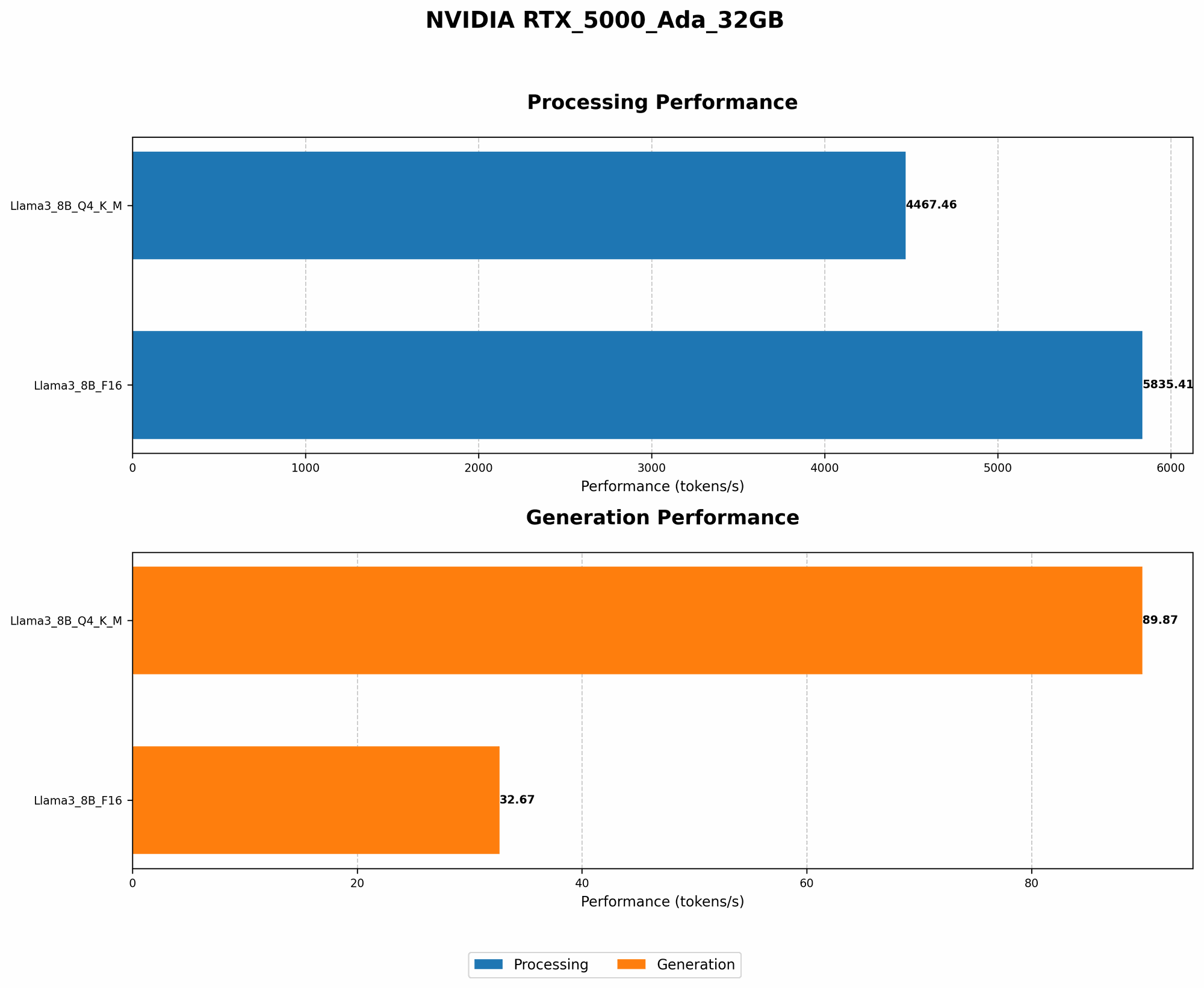
Here's a breakdown showcasing the difference between Q4KM and F16 in terms of token generation speed on the RTX5000Ada_32GB. Numbers represent the average tokens processed per second.
| Model | Q4KM Token Generation (tokens/second) | F16 Token Generation (tokens/second) |
|---|---|---|
| Llama 3 8B | 89.87 | 32.67 |
| Llama 3 70B | Not available | Not available |
Key takeaways:
- Q4KM offers significantly faster token generation speed compared to F16 for Llama 3 8B.
- F16 offers a better balance between precision and speed.
- Llama 3 70B isn't available for comparison due to a lack of data.
Performance of Processing on RTX5000Ada_32GB
Let's take a look at the processing speed on the RTX5000Ada32GB for both Q4K_M and F16. The numbers reflect the average number of tokens processed per second.
| Model | Q4KM Processing (tokens/second) | F16 Processing (tokens/second) |
|---|---|---|
| Llama 3 8B | 4467.46 | 5835.41 |
| Llama 3 70B | Not available | Not available |
Key takeaways:
- F16 outperforms Q4KM in terms of processing speed for Llama 3 8B.
- Llama 3 70B data isn't available. This might be due to memory limitations of the RTX5000Ada_32GB when attempting to run this large model.
How to Choose the Best LLM Framework and Configuration
The choice of LLM framework and configuration depends on various factors, such as:
- Memory budget: How much memory does your GPU have?
- Model size: What size LLM do you want to run?
- Performance needs: How fast do you need the model to generate tokens?
- Accuracy requirements: How important is the accuracy of the model's outputs?
Here's a guide to help you make an informed decision:
For smaller models (like Llama 3 8B) and limited memory:
- Q4KM: Maximize speed and memory efficiency, but might sacrifice some accuracy.
- F16: Offers a balance between accuracy and speed but requires more memory than Q4KM.
- Consider running your LLM on a CPU for pre-processing to decrease memory pressure on the GPU.
For larger models (like Llama 3 70B) and ample memory:
- F16: May be a good choice, but you may still need to explore techniques to manage memory, such as context length reduction, batch size adjustment, or different frameworks.
- Q4KM: May be too much of a precision compromise for these complex models.
General Recommendations: * Start with lower precision settings (like Q4KM) and increase precision if needed. * Experiment with different batch sizes to find the optimal balance between speed and memory usage. * Try different LLM frameworks to find the most efficient ones for your specific needs.
FAQs
1. What if my GPU still runs out of memory?
If you've tried all the tricks above and your GPU is still crying "out of memory," there's a few more things you can do:
- Reduce the number of layers or parameters in your model: This is like removing some of the rooms in your model train set to fit it in a smaller box.
- Try model compression techniques: This is like squeezing the air out of a backpack to make it more compact.
2. Which GPU is best for running LLMs?
The best GPU for running LLMs depends on the size of the model, your budget, and your performance requirements. Larger models often benefit from GPUs with a lot of memory, while smaller models may be able to run effectively on more affordable options.
3. Can I use a CPU to run LLMs?
Yes, you can run smaller LLMs on your CPU, but they will be slower than running them on a GPU.
4. Is there a free tool I can use to run LLMs?
Yes! You can download and use "llama.cpp," which is an open-source library specifically designed for running LLMs on different devices, including GPUs. It's very flexible and easy to use.
Keywords
large language models, LLM, RTX5000Ada32GB, GPU, memory, out-of-memory, quantization, Q4K_M, F16, llama.cpp, framework, batch size, context length, preprocessing, CPU, multitasking, token generation, performance, optimization, LLMs, memory management, AI, machine learning, deep learning, model compression, model efficiency, memory optimization, GPU optimization