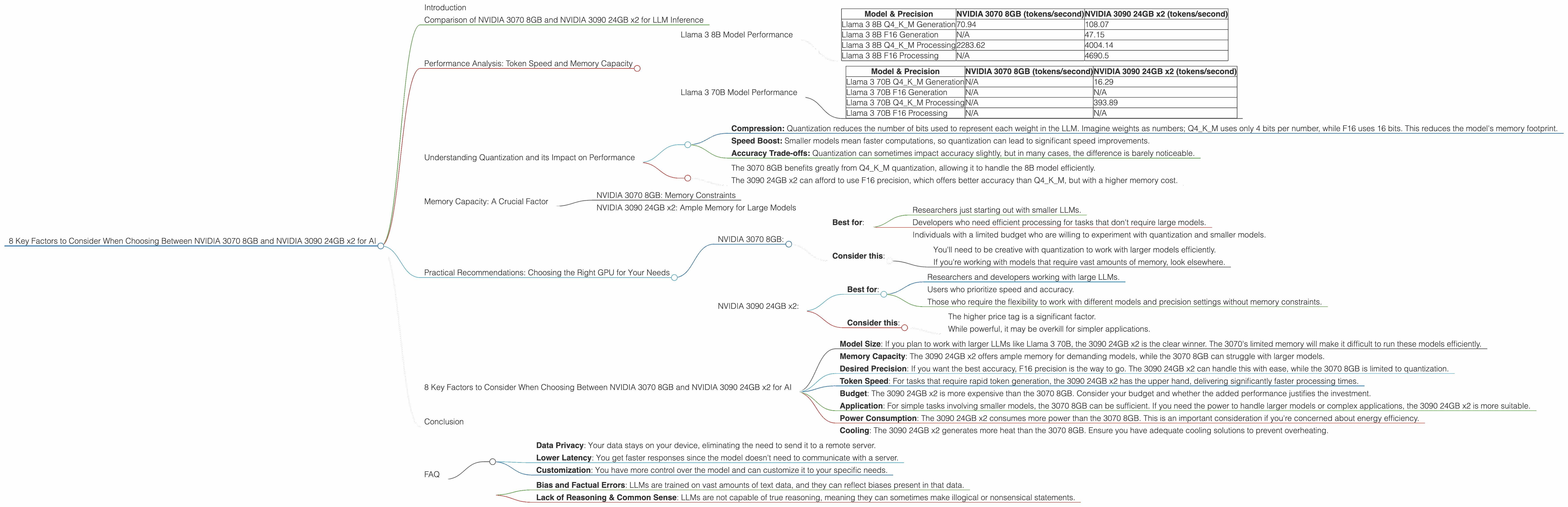
8 Key Factors to Consider When Choosing Between NVIDIA 3070 8GB and NVIDIA 3090 24GB x2 for AI
Are you looking to dive into the exciting world of local Large Language Models (LLMs) and wondering which GPU is the perfect companion for your journey? Choosing the right hardware can make a world of difference in performance, efficiency, and even your sanity (believe me, you don't want to wait hours for LLMs to churn out results).
This article will compare two popular choices, the NVIDIA 3070 8GB and the NVIDIA 3090 24GB x2, focusing on their strengths and weaknesses for running LLMs like the increasingly popular Llama 3 series. We'll explore how these behemoths perform on different LLM models and under various conditions.
Introduction
The world of LLMs is buzzing with activity, and running these models locally offers a unique blend of control, privacy, and customization. But to unlock the full potential of LLMs, you need the right hardware.
This is where NVIDIA 3070 8GB and NVIDIA 3090 24GB x2 come into play. Both are powerful GPUs, but their strengths and weaknesses can impact how they handle different LLM models and tasks. This guide will help you make an informed decision based on your needs and budget.
Comparison of NVIDIA 3070 8GB and NVIDIA 3090 24GB x2 for LLM Inference
Let's dive into the heart of the matter and see how these GPUs stack up against each other when it comes to running LLMs. We'll use the "Llama 3" family of models to compare their performance, focusing on important metrics like token speed (tokens per second) and memory requirements.
Performance Analysis: Token Speed and Memory Capacity
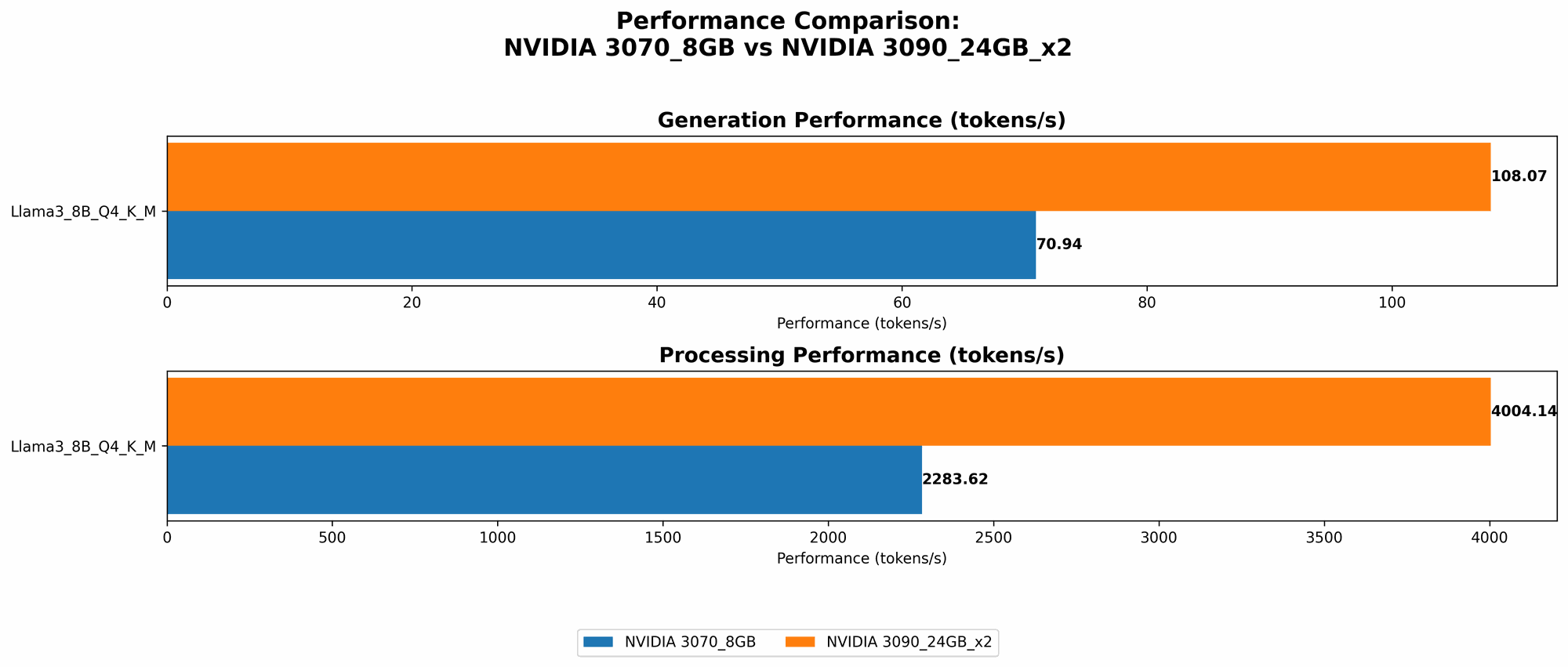
To understand the differences, we need to look at how each GPU performs on popular LLM models. We'll focus on the Llama 3 8B and Llama 3 70B models using both quantized (Q4KM) and F16 precision.
Llama 3 8B Model Performance
| Model & Precision | NVIDIA 3070 8GB (tokens/second) | NVIDIA 3090 24GB x2 (tokens/second) |
|---|---|---|
| Llama 3 8B Q4KM Generation | 70.94 | 108.07 |
| Llama 3 8B F16 Generation | N/A | 47.15 |
| Llama 3 8B Q4KM Processing | 2283.62 | 4004.14 |
| Llama 3 8B F16 Processing | N/A | 4690.5 |
Llama 3 70B Model Performance
| Model & Precision | NVIDIA 3070 8GB (tokens/second) | NVIDIA 3090 24GB x2 (tokens/second) |
|---|---|---|
| Llama 3 70B Q4KM Generation | N/A | 16.29 |
| Llama 3 70B F16 Generation | N/A | N/A |
| Llama 3 70B Q4KM Processing | N/A | 393.89 |
| Llama 3 70B F16 Processing | N/A | N/A |
Key Takeaways:
- NVIDIA 3090 24GB x2 is the clear winner in terms of pure token speed for both Llama 3 8B and 70B models. It manages to generate tokens significantly faster, even with the larger 70B model.
- NVIDIA 3070 8GB struggles with the larger 70B model: The data suggests that the 3070's 8GB of memory is insufficient for running the 70B model.
- Quantization can improve performance on NVIDIA 3070 8GB for Llama 3 8B. Using Q4KM quantization allows the 3070 to handle the 8B model with decent speed.
- NVIDIA 3090 24GB x2 excels with F16 precision. While the 3070 can't handle F16 precision due to memory limitations, the 3090 delivers impressive speed.
Understanding Quantization and its Impact on Performance
Imagine you have a photo to send to your friend. You could send it as it is, a high-resolution image taking up a lot of space. Or, you could compress the image, reducing its size without losing too much quality. Quantization for LLMs is similar to this, but instead of images, we're compressing the model's weights.
Here's how Quantization works:
- Compression: Quantization reduces the number of bits used to represent each weight in the LLM. Imagine weights as numbers; Q4KM uses only 4 bits per number, while F16 uses 16 bits. This reduces the model's memory footprint.
- Speed Boost: Smaller models mean faster computations, so quantization can lead to significant speed improvements.
- Accuracy Trade-offs: Quantization can sometimes impact accuracy slightly, but in many cases, the difference is barely noticeable.
In the context of our comparison:
- The 3070 8GB benefits greatly from Q4KM quantization, allowing it to handle the 8B model efficiently.
- The 3090 24GB x2 can afford to use F16 precision, which offers better accuracy than Q4KM, but with a higher memory cost.
Memory Capacity: A Crucial Factor
LLMs are memory-hungry beasts, and their appetite grows with their size. The 3070 8GB and 3090 24GB x2 have significantly different memory capacities, directly impacting the models they can run.
NVIDIA 3070 8GB: Memory Constraints
The 3070 8GB is a great choice for running smaller LLMs, particularly those that can benefit from quantization. Its limitations become apparent when tackling larger models like Llama 3 70B. The 8GB of memory is simply not enough to load the model effectively, leading to performance issues or even crashing.
NVIDIA 3090 24GB x2: Ample Memory for Large Models
The 3090 24GB x2, with its massive 48GB of memory, is a true heavyweight. It can comfortably handle both Llama 3 8B and 70B models, even with higher precision settings like F16. This makes it ideal for researchers and developers who want to work with the most demanding LLMs without worrying about memory limitations.
Practical Recommendations: Choosing the Right GPU for Your Needs
Here's a breakdown to help you decide which GPU suits your LLM ambitions best:
NVIDIA 3070 8GB:
- Best for:
- Researchers just starting out with smaller LLMs.
- Developers who need efficient processing for tasks that don't require large models.
- Individuals with a limited budget who are willing to experiment with quantization and smaller models.
- Consider this:
- You'll need to be creative with quantization to work with larger models efficiently.
- If you're working with models that require vast amounts of memory, look elsewhere.
NVIDIA 3090 24GB x2:
- Best for:
- Researchers and developers working with large LLMs.
- Users who prioritize speed and accuracy.
- Those who require the flexibility to work with different models and precision settings without memory constraints.
- Consider this:
- The higher price tag is a significant factor.
- While powerful, it may be overkill for simpler applications.
8 Key Factors to Consider When Choosing Between NVIDIA 3070 8GB and NVIDIA 3090 24GB x2 for AI
Here are 8 key factors to consider when choosing between the NVIDIA 3070 8GB and NVIDIA 3090 24GB x2, building upon the insights from the performance analysis:
- Model Size: If you plan to work with larger LLMs like Llama 3 70B, the 3090 24GB x2 is the clear winner. The 3070's limited memory will make it difficult to run these models efficiently.
- Memory Capacity: The 3090 24GB x2 offers ample memory for demanding models, while the 3070 8GB can struggle with larger models.
- Desired Precision: If you want the best accuracy, F16 precision is the way to go. The 3090 24GB x2 can handle this with ease, while the 3070 8GB is limited to quantization.
- Token Speed: For tasks that require rapid token generation, the 3090 24GB x2 has the upper hand, delivering significantly faster processing times.
- Budget: The 3090 24GB x2 is more expensive than the 3070 8GB. Consider your budget and whether the added performance justifies the investment.
- Application: For simple tasks involving smaller models, the 3070 8GB can be sufficient. If you need the power to handle larger models or complex applications, the 3090 24GB x2 is more suitable.
- Power Consumption: The 3090 24GB x2 consumes more power than the 3070 8GB. This is an important consideration if you're concerned about energy efficiency.
- Cooling: The 3090 24GB x2 generates more heat than the 3070 8GB. Ensure you have adequate cooling solutions to prevent overheating.
Conclusion
The choice between NVIDIA 3070 8GB and NVIDIA 3090 24GB x2 for LLM inference depends heavily on your specific needs and budget. The 3090 24GB x2 is a powerhouse, ideally suited for large LLMs and those who prioritize speed and accuracy. The 3070 8GB is a more affordable option, best for researchers starting out with smaller models or working on tasks where memory constraints are less critical.
Ultimately, the best GPU for you is the one that helps you achieve your LLM goals efficiently and effectively.
FAQ
Q: What is quantization and why is it important for LLM inference?
A: Quantization is a technique for reducing the size of LLM models by compressing their parameters (weights). This compression results in faster inference times and smaller memory requirements. Think of it like compressing an image to make it smaller without losing too much detail.
Q: Which LLM model is best suited for the NVIDIA 3070 8GB?
A: The 3070 8GB is well-suited for smaller LLM models like Llama 3 8B. To handle larger models like Llama 3 70B, you'll need to use quantization or consider a GPU with more memory.
Q: What are the advantages of running LLMs locally?
A: Running LLMs locally offers several advantages:
- Data Privacy: Your data stays on your device, eliminating the need to send it to a remote server.
- Lower Latency: You get faster responses since the model doesn't need to communicate with a server.
- Customization: You have more control over the model and can customize it to your specific needs.
Q: Can I run LLMs on a CPU instead of a GPU?
A: Yes, it's possible but significantly slower. GPUs are designed for parallel computation, making them much more efficient at handling the complex operations involved in LLM inference.
Q: What are some of the limitations of using LLMs?
A: LLMs are still under development, and they come with certain limitations, such as:
- Bias and Factual Errors: LLMs are trained on vast amounts of text data, and they can reflect biases present in that data.
- Lack of Reasoning & Common Sense: LLMs are not capable of true reasoning, meaning they can sometimes make illogical or nonsensical statements.
Keywords: NVIDIA 3070 8GB, NVIDIA 3090 24GB x2, LLM, Large Language Model, Llama 3, Inference, Token Speed, Memory Capacity, Quantization, Performance, Comparison, AI, Deep Learning, Machine Learning, GPU, Hardware, Model Size, Precision, Budget, Application, Power Consumption, Cooling, Data Privacy, Latency, Customization, Limitations.