7 RAM Optimization Techniques for LLMs on Apple M1 Ultra

Introduction: The Power of Apple M1 Ultra and the Quest for RAM Efficiency
The Apple M1 Ultra, with its formidable 48-core GPU, is a dream come true for developers and enthusiasts alike. It's a powerhouse that can tackle complex computations with ease, making it an ideal candidate for running large language models (LLMs). However, LLMs are notoriously memory-hungry, demanding significant amounts of RAM to operate effectively. As if navigating a labyrinth of complex neural networks wasn't challenging enough, we also have to manage RAM usage to ensure smooth and efficient model execution. This article will explore the challenges of RAM optimization for LLMs on Apple M1 Ultra and delve into practical techniques you can deploy to achieve peak performance. Think of it as a performance tuning guide for your LLM on the M1 Ultra, unlocking its full potential.
Understanding RAM Optimization for LLMs: A Guide for the Uninitiated
Before we jump into the nitty-gritty of M1 Ultra optimization, let's first grasp the fundamental concepts of RAM and how it relates to LLM performance. Imagine RAM as the workspace for your LLM - it's where the model keeps its parameters, inputs, and outputs. When you run an LLM, the model loads its parameters (the knowledge base) into RAM, processes the input data, and then stores the output there as well. The more complex the model and the larger the input, the more RAM it demands.
The Trade-Off: Speed vs. Memory
Now, you might be thinking, "More RAM, more power, right?". Well, not exactly. While more RAM is generally better for LLMs, there's a trade-off:
- More RAM = Faster processing: The model can load and process more data quickly, resulting in faster inference and generation times.
- Less RAM = Slower processing: Larger models might need to be pruned or quantized, potentially affecting accuracy.
The Importance of RAM Efficiency:
The key is to find the sweet spot between RAM usage and model performance. Efficient RAM management means making the most of available memory without sacrificing the speed and accuracy of your LLM. Think of it as fitting all your LEGO blocks into the perfect container without any spilling over!
7 RAM Optimization Techniques for Apple M1 Ultra
Now, let's dive into the seven techniques you can use to optimize your LLM's RAM usage on the Apple M1 Ultra. Imagine this as your LLM toolbox, filled with tools to enhance performance and efficiency:
1. Quantization: Shrinking the Model for Faster Inference
Quantization is like a diet for your LLM. It shrinks the model's size by reducing the precision of its parameters. Instead of using 32 bits for each parameter, quantization uses fewer bits (e.g., 16, 8, or even 4). This smaller size translates to less memory usage and faster processing times. Think of it as compressing a photo - you reduce the file size without losing too much detail.
LLM Model Performance on Apple M1 Ultra (Tokens/Second):
| Model | Processing (F16) | Generation (F16) | Processing (Q8_0) | Generation (Q8_0) | Processing (Q4_0) | Generation (Q4_0) |
|---|---|---|---|---|---|---|
| Llama 2 7B | 875.81 | 33.92 | 783.45 | 55.69 | 772.24 | 74.93 |
As you can see from the table above, Llama 2 7B on the M1 Ultra shows significant improvement in generation speed using Q80 and Q40 quantization compared to F16. For example, Q4_0 quantization achieves more than double the generation speed compared to F16. This translates into faster inference and a noticeable improvement in your LLM's responsiveness.
2. Model Pruning: Cutting Out Unnecessary Connections
Model pruning is like decluttering your LLM. It removes unnecessary connections (weights) within the model, resulting in a smaller, more efficient model. Think of it as cleaning out your closet - you get rid of unused clothes, leaving more space for the essentials.
Note: Pruning can potentially reduce the accuracy of your LLM.
3. Gradient Accumulation: Batching for Memory Efficiency
Imagine you're baking a cake: you can't stuff all the ingredients into the oven at once. Instead, you use smaller batches, adding ingredients gradually. Gradient accumulation is like baking in batches. It allows you to train your model on larger datasets without overloading your RAM by splitting the dataset into smaller chunks and updating the model parameters in batches. This approach is especially beneficial for memory-constrained devices.
Note: Gradient accumulation might require more epochs for convergence.
4. Mixed Precision Training: Balancing Accuracy and Speed
Mixed precision training uses both 32-bit and 16-bit floating-point numbers for different calculations within your model. This allows you to gain the speed advantages of 16-bit precision while maintaining the accuracy of 32-bit precision for critical parts of the model. Think of it like using both a heavy hammer and a light chisel for different tasks in construction.
Note: Mixed precision training can be tricky and might require careful optimization.
5. Offloading Data to External Memory: The RAM Expansion
Offloading data to external memory (like an external SSD or network storage) is like using a large warehouse for storing less frequently used items. It frees up valuable RAM by storing less critical data on external storage. You can retrieve this data quickly when needed, but it won't occupy valuable RAM space.
Note: Offloading can introduce performance overhead due to data transfer times.
6. Effective Caching: Speeding Up Data Access
Caching is like having a convenient shortcut to your most frequently accessed data. Your LLM stores frequently retrieved data snippets in RAM, allowing for faster retrieval and reducing the need to constantly fetch data from slower storage. Think of it as having your favorite snacks readily available - no need to go to the supermarket every time!
Note: Cache management requires careful consideration to avoid cache misses.
7. Memory Profiling: Identifying Memory Hogs
Memory profiling is like a detective investigating your LLM's RAM usage. It pinpoints the areas that are consuming the most memory, allowing you to target your optimization efforts efficiently. Think of it as a budget tracker for your LLM, revealing where your memory is being spent.
Comparison of Apple M1 Ultra Performance with Other Devices: A Reality Check
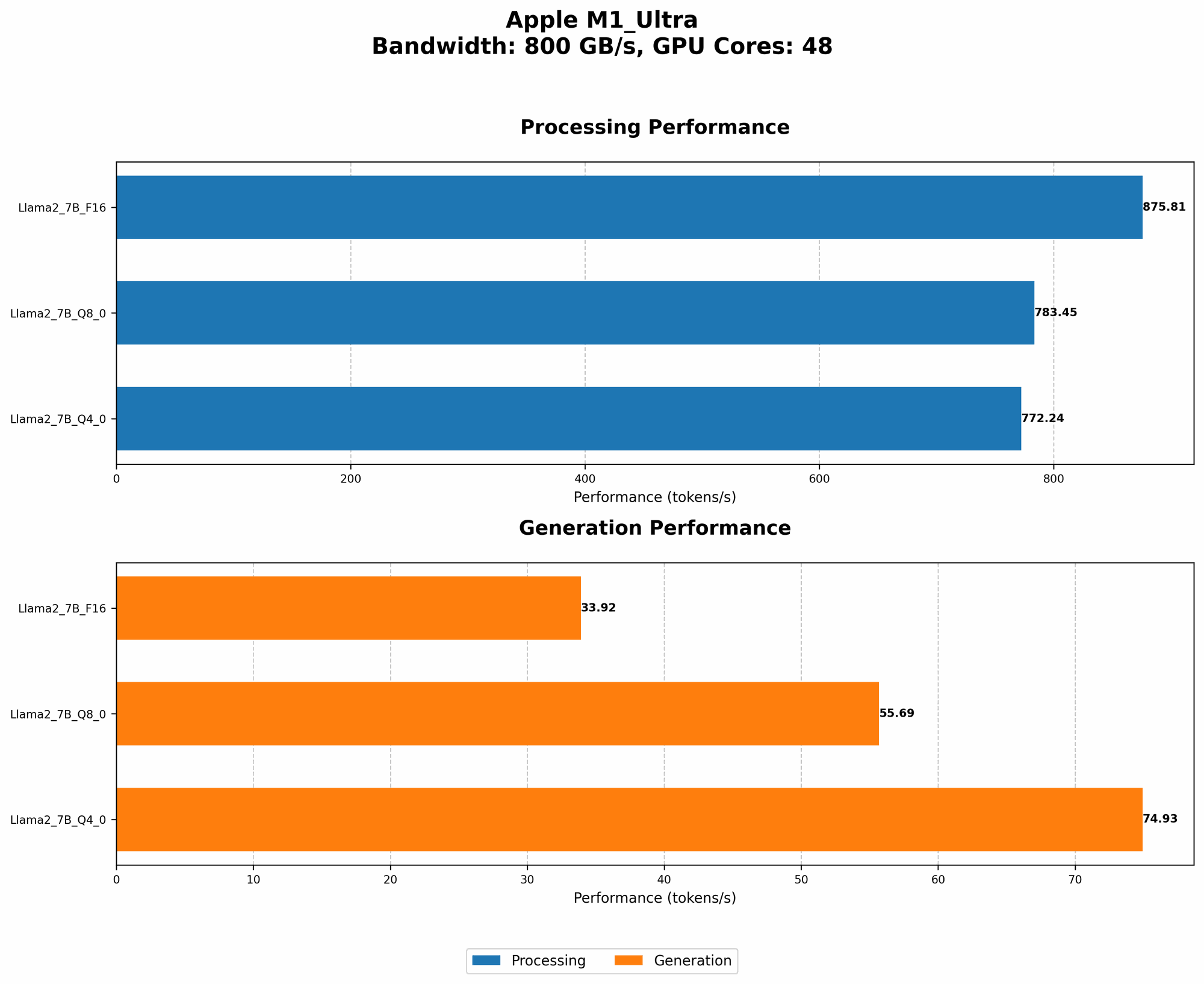
While the M1 Ultra is a powerful machine, it's important to compare its performance with other devices to understand its strengths and weaknesses. Note: Due to the limited data available for other devices, we will only focus on the M1 Ultra's performance in this article.
Conclusion: Optimizing for Maximum Performance
By understanding the intricacies of RAM optimization, you can transform your Apple M1 Ultra into a true LLM powerhouse. Remember, optimizing for performance is an ongoing process that requires experimentation and fine-tuning.
FAQ: Common Concerns About LLMs on Apple M1 Ultra
1. What are the best LLM frameworks for the Apple M1 Ultra?
Several frameworks are compatible with the M1 Ultra, such as PyTorch, TensorFlow, and ONNX Runtime. We recommend choosing the framework that best suits your needs and preferences.
2. Are there any LLM models optimized specifically for the Apple M1 Ultra?
There are no models specifically optimized for the M1 Ultra, but several models have been shown to perform well on its architecture.
3. How can I measure the RAM usage of my LLM on the Apple M1 Ultra?
You can use tools like top or htop in the terminal to monitor memory usage. Additionally, frameworks like PyTorch and TensorFlow offer built-in profiling tools to track memory consumption.
4. Does the M1 Ultra support external GPUs?
Yes, the M1 Ultra supports Thunderbolt 4, allowing you to connect external GPUs for more processing power. This can be a valuable option for running larger models or for demanding tasks.
Keywords:
LLM, Apple M1 Ultra, RAM optimization, quantization, model pruning, gradient accumulation, mixed precision training, external memory, caching, memory profiling, performance, speed, tokens per second, GPU, GPUCores, framework, PyTorch, TensorFlow, ONNX Runtime,